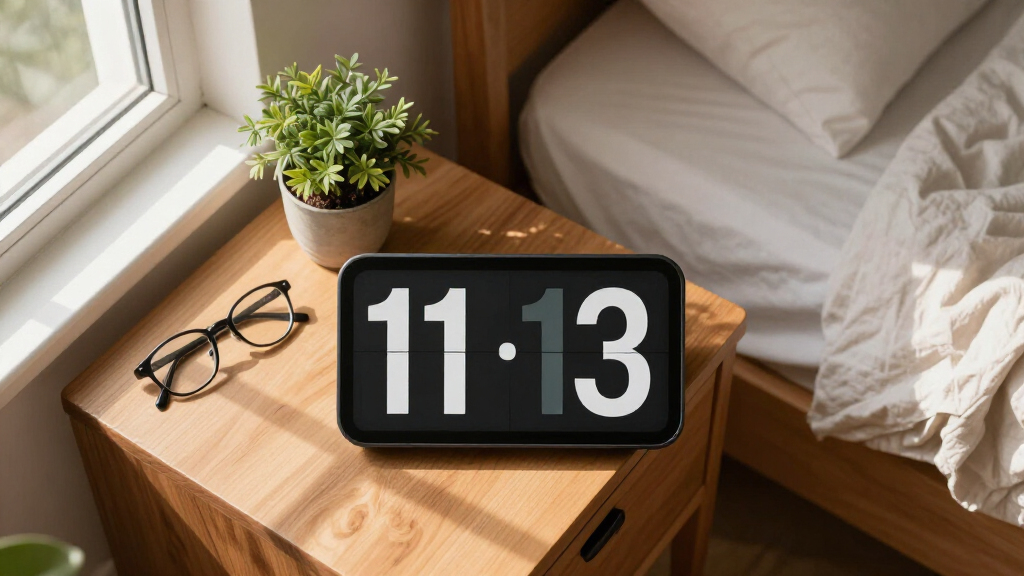

Large print digital clocks exist to solve one problem: reading the time without squinting, straining, or asking for help. After comparing 15 of the most popular models, American Lifetime’s New 2026 Dementia Clock stands out as the best overall pick, thanks to its large, high-contrast display, clear day-and-date labeling, and thoughtful alarm setup for seniors and memory-care users. Two other standouts: the Soobest 12″ Extra Large Date Clock for rooms where wall-mount visibility from across the room is the priority, and the DreamSky Large Digital Alarm Clock for buyers who want big numbers on a bedside budget. The main tradeoffs in this category come down to screen size versus bedside footprint, whether you need full day/date/medication labeling or just big numbers, and whether RGB flash and voice features help or distract. Continue reading for the full breakdown of all 15 models and who each one suits best.

Turn quiet afternoons into listening time
- Thousands of audiobooks, podcasts and originals
- Listen on your phone, tablet or Echo — also offline
- Cancel anytime
Complete the kit


Key Takeaways
- Seven-inch calendar clocks dominated the lineup, and the differences between them came down to menu design, auto-dimming quality, and alarm flexibility — not raw display size.
- The 12-inch Soobest was the only model readable from across a large room, but it is too bulky for a nightstand, making it a room clock rather than a bedside clock.
- Bedside models with USB charging ports (Peakeep and DreamSky small) offered the best value, but they drop day-of-week and calendar labeling that seniors with memory loss typically need.
- Voice announcement and talking features divided the field: genuinely helpful for visually impaired buyers, but a source of confusion for dementia users who may find audio prompts distressing.
- Auto-dimming was the most inconsistent feature across models — some dim too aggressively for low-vision users at night, so buyers should check whether brightness is manually adjustable.


| large print digital clock | Display Size | Power |
|---|---|---|
| Soobest Dementia Clocks for Se | 7 inches | Plug-in with included Type C adapter |
| JALL Digital Wall Clock with B | 12 inches | 5V power adapter (included) |
| SSINI Digital Calendar Alarm C | 7 inches | — |
| DreamSky Large Digital Alarm C | 3 inches | — |
| 7” Digital Alarm Clock for El | 7 inches | Plug-in only, not battery operated |
| SSYA 7 Inch Calendar Clock wit | — | A/C adapter (included) |
| Clock with Day and Date for El | — | AC adapter (included); 2 AA batteries for settings backup (not included) |
| American Lifetime New 2026 Dem | — | — |
| Soobest 12” Dementia Clocks fo | — | Type-C adapter (included); 2 x AAA backup batteries (not included) |
| Peakeep Large Display Digital | — | Plug-in with power cord |
| Welgo 7.5 Inches Oversized Dig | 7.5 inches | — |
| Raynic Digital Clock with Larg | 10.1 inches | — |
| DreamSky Small Digital Alarm C | 2 inches | — |
| Digital Alarm Clock with Date | 7 inches | Not specified |
| Peakeep Battery Operated Digit | 2 inches | — |
More Details on Our Top Picks
Soobest Dementia Clocks for Seniors, 7” Digital Date Clock Large Display
Soobest’s 7-inch calendar clock earns the top spot because it solves the problem dementia clocks exist for: confusion about time of day. Beyond the date and day of week, it labels six distinct time periods — pre-dawn, morning, afternoon, evening, night, midnight — which the SSINI calendar clock doesn’t offer. Twenty alarms with on-screen reminder icons make it the most capable medication scheduler in this batch, and a memory function preserves settings through power blips, a gap the JALL wall clock partially covers with only a memory battery. Tradeoffs are real, though: there’s no battery backup to run the display during an outage, and the sheer number of modes can overwhelm a caregiver setting it up for the first time. The yellow-digit display mode is a genuine help for low-vision users who find white digits harsh.
Pros:- Six labeled time periods for all-day orientation
- Up to 20 alarms with visual reminder icons
- Memory function retains settings after outages
- Multiple display modes including high-visibility yellow digits
Cons:- No battery backup to keep the clock running during power outages
- Feature depth can overwhelm first-time setup
- Auto-dimming behavior can’t be fully disabled for all preferences
Best for: Caregivers supporting a family member with dementia who needs time-of-day orientation and frequent medication reminders
Not ideal for: Anyone wanting a simple bedside clock — the 20-alarm system and multiple modes add complexity a basic user never asked for
- Display Size:7 inches
- Display Modes:White digits, yellow digits, analog clock face, color display
- Alarms:Up to 20
- Sound Options:Wave, bird sounds, adjustable volume (1-10)
- Brightness:Auto or manual levels 1-5
- Power:Plug-in with included Type C adapter
- Time Periods Displayed:6 (pre dawn, morning, afternoon, evening, night, midnight)
Our verdict“The most complete dementia-care clock in this lineup, provided a caregiver is willing to spend time on setup.”
JALL Digital Wall Clock with Big LED Numbers and RGB Colors for Classroom and Home
While the 7-inch clocks in this roundup work as desk companions, JALL’s 12-inch wall clock is the pick when the whole room needs to read the time. Its 3.5-inch digits stay legible from across a classroom or living room — something the DreamSky bedside clock, with its 3-inch display, simply can’t do. Eight RGB color options and a night light let you match visibility to the space, and automatic DST adjustment removes the twice-yearly fiddling that plagues simpler clocks. The internal memory battery keeps time during outages, a step up from the Soobest dementia clock’s total dependence on wall power. The tradeoff is portability: this is a wall-first design that feels bulky on a small table, and it won’t run cordless under any circumstances.
Pros:- 3.5-inch digits readable across a large room
- 8 RGB color options plus a night light
- Auto DST adjustment and brightness sensor
- Internal memory battery preserves time during outages
Cons:- Bulky footprint for small spaces or nightstands
- Requires constant plug-in with a 5V-only power source
- No calendar or day-of-week orientation features
Best for: Teachers, office managers, or families who need time visible from across a large room
Not ideal for: Bedside users and small apartments — the 12-inch frame dominates a nightstand and requires a nearby outlet with its 10.5-foot cable
- Display Size:12 inches
- Digit Size:3.5 inches
- Colors:8 RGB colors
- Power:5V power adapter (included)
- Cable Length:10.5 feet
- Battery Backup:Internal memory battery
- Auto DST:Yes
- Night Light:Yes
Our verdict“Buy this when the room, not one person, is the audience; skip it for personal bedside use.”
SSINI Digital Calendar Alarm Clock for Seniors with Large Display and Multiple Alarms
SSINI’s clock doubles as a digital photo frame, which changes the emotional equation: on a shelf or mantel, it looks like a gift rather than medical equipment. That framing makes it the easiest choice in this roundup to give an aging parent without the conversation feeling clinical. Functionally it sits between the Soobest — which has more alarms (20 versus 12) — and the simpler DreamSky, which offers none of the calendar or medication features. The three dedicated medication reminder sets cover most pill schedules, and support for eight languages broadens its appeal for multilingual households. Its anti-drop housing is a thoughtful touch for shaky hands. The catches: battery backup isn’t mentioned at all, so an outage likely means a full reset, and its footprint can crowd a small nightstand.
Pros:- Digital photo frame function makes it feel like a gift, not a device
- 12 alarms plus 3 dedicated medication reminder sets
- Durable anti-drop, anti-collision construction
- Auto dimming with 5 brightness levels
Cons:- No stated battery backup for power outages
- Footprint may be too large for small bedside tables
- Color options are limited and poorly documented
Best for: Adult children gifting a parent something helpful that still feels personal, thanks to the photo frame function
Not ideal for: Power-outage-prone homes or buyers who need maximum alarm capacity — the Soobest covers both better
- Display Size:7 inches
- Alarms:12 daily alarms
- Medication Reminders:3 sets
- Languages:8
- Auto Dimming:Yes
- Brightness Levels:1-5
- Material:Anti-drop, anti-collision
- Functions:Clock, calendar, photo display
Our verdict“The most gift-friendly calendar clock here — choose it for the photo frame, not for raw alarm capacity.”
DreamSky Large Digital Alarm Clock for Seniors and Visually Impaired
Compared with the feature-heavy 7-inch calendar clocks here, DreamSky strips things down to what a bedside clock actually needs: a bright 3-inch LED display, one reliable alarm, a snooze, and buttons a person with low vision can find by feel. The 0-100 brightness dial is finer-grained than the 5-level steps on the Soobest or SSINI, which matters for light-sensitive sleepers. A built-in USB port charges a phone overnight, and AAA batteries preserve settings during outages — honest, but limited: they keep the time, not the display or alarm. It shows no date or day of week, so it can’t replace a dementia calendar clock like the Soobest; that’s not its job. Alarm sounds span 30-90 dB, though customization beyond volume is minimal.
Pros:- Fine 0-100 level brightness control for sleep comfort
- Simple tactile buttons easy for low-vision users
- USB charging port reduces bedside cable clutter
- Affordable compared with full calendar clocks
Cons:- Battery backup only preserves settings, not display or alarm
- No date, day of week, or reminder functions
- Limited alarm sound customization
Best for: Budget-conscious seniors or visually impaired users who want a simple, readable bedside alarm clock
Not ideal for: Anyone who needs day/date orientation or medication reminders — this clock deliberately does neither
- Display Size:3 inches
- Display Type:LED
- Brightness Adjustment:0-100 level
- Alarm:Single alarm with 9-minute snooze, 30-90 dB adjustable sound
- Power Source:AC adapter with 2 x AAA battery backup
- Additional Features:USB charging port, easy operation buttons
Our verdict“The right buy when you need a readable alarm clock, not a care device — and want to pay accordingly.”
7” Digital Alarm Clock for Elderly with Large Display and Multiple Alarms
The standout spec here is the IPS panel with a 175-degree viewing angle — unlike the standard LCD panels on the Soobest and SSINI clocks, the display stays crisp and color-accurate when viewed from the side, which is exactly how a person lying in bed or seated off-center actually sees a clock. For seniors with poor eyesight, that wide-angle clarity can matter more than alarm count. Its 12 alarms and 3 medication reminder sets match the SSINI’s, and auto dimming is standard. Where it falls short of the Soobest is time-of-day labeling — no ‘morning/evening/night’ text — and there’s no battery operation whatsoever, so it goes dark the instant power cuts out. Seven display modes across 8 languages round out a capable, if not class-leading, feature set.
Pros:- IPS display with 175° viewing angle stays readable off-center
- 12 alarms plus 3 medication reminder sets
- Auto dimming reduces overnight eye strain
- 7 display modes and 8 language options
Cons:- Not battery operated in any form — fully dependent on wall power
- No time-of-day period labels for dementia orientation
- No smart features or connectivity
Best for: Seniors with low vision who view the clock from an angle — from bed or a side chair — and need medication reminders
Not ideal for: Dementia patients who need explicit time-of-day labels — the Soobest covers that — or anyone needing outage resilience
- Display Size:7 inches
- Display Type:IPS
- Viewing Angle:175°
- Alarms:12
- Medication Reminders:3 sets
- Display Models:7
- Languages:8
- Auto Dimming:Yes
- Power:Plug-in only, not battery operated
Our verdict“The best-looking display in this batch for angled viewing, as long as you don’t need time-of-day labeling or outage protection.”
SSYA 7 Inch Calendar Clock with Auto Dimmable Display and Multiple Alarm Options
Among the crowded field of 7-inch calendar clocks, this SSYA model earns the top spot because it gets the fundamentals right. The 1024×600 HD resolution renders the day and date in full, unabbreviated words — a detail that matters more than it sounds for seniors who struggle with abbreviations like “Tues” or “Oct.” The five-level auto dimming keeps the display readable at noon without lighting up a bedroom at midnight, something the Peakeep Large Display clock handles with cruder manual controls. Twelve alarm modes, including weekly and weekend-only schedules, give caregivers real flexibility for medication routines. Compared with the similarly sized Day and Date clock for Elderly, SSYA trades photo playback for a cleaner interface — fewer features, but far less confusion for the person actually using it.
Pros:- High-resolution display spells out day and date in full words
- Five auto-dimming levels protect sleep while keeping daytime readability
- Twelve alarm modes including weekend-only and weekly schedules
- Eight language options for multilingual households
Cons:- No battery operation — it dies the moment it’s unplugged
- Feature menu can feel excessive for users who only need the time
Best for: Caregivers setting up a low-confusion clock for a senior parent who needs unambiguous time and date display
Not ideal for: Anyone wanting a battery-operated or portable clock — this model only runs on A/C power, and the backup just preserves settings
- Display:7-inch, 1024×600 HD LCD
- Time Formats:12/24 hour
- Date Formats:MM/DD/YY and DD/MM/YY
- Alarm Modes:12 options (single, weekly, weekend)
- Auto Dimming:Yes, 5 levels
- Languages:8
- Power:A/C adapter (included)
- Backup:Retains time after power outage
Our verdict“The most balanced pick in this batch — buy it if readability and alarm flexibility matter more than extras like photos or portability.”
Clock with Day and Date for Elderly, 7-Inch Large Display Digital Calendar Clock
This is the pick that does double duty. Beyond showing time, date, and time-of-day icons (morning, afternoon, evening) that help orient dementia patients, it doubles as a digital photo frame via SD card or USB — a genuinely meaningful feature, since familiar photos can be more comforting than any spec sheet. Compared with the SSYA 7 Inch Calendar Clock, it goes further with 20 alarms plus 20 custom reminders against SSYA’s 12 alarm modes, plus 12 themes and 10 brightness levels. That depth is its double edge: a caregiver will love the customization, but a senior operating it alone may find the menus overwhelming. The AA batteries only preserve settings during outages rather than powering the screen, so it’s still tethered to the wall.
Pros:- Photo playback via SD/USB turns it into a digital picture frame
- 20 alarms and 20 custom reminders cover complex medication schedules
- Time-of-day icons help orient users with cognitive decline
- 10 brightness levels and 12 display themes
Cons:- Feature-heavy interface can confuse the elderly users it’s designed for
- Batteries store settings only — no off-grid operation
Best for: Families who want a single bedside device that doubles as a rotating family photo frame for a grandparent
Not ideal for: Tech-averse seniors managing their own clock — the deep menus and 12 themes add complexity the SSYA deliberately avoids
- Display:7-inch, 1024x600P HD LCD
- Alarms:20 normal alarms
- Reminders:20 custom reminders
- Brightness Levels:10
- Themes:12
- Languages:6
- Power:AC adapter (included); 2 AA batteries for settings backup (not included)
- Extras:Photo playback via SD/USB, DST support
Our verdict“Choose this over simpler 7-inch rivals if a caregiver handles setup and the photo-frame function adds emotional value.”
American Lifetime New 2026 Dementia Clock Large Digital Clock for Seniors with Calendar and Alarms
American Lifetime built its reputation on dementia-specific design, and this model shows it: the high-contrast display prioritizes glanceability over feature count, which is exactly the right tradeoff for memory care. Where the Clock with Day and Date for Elderly piles on 40 combined alarms and reminders, this clock caps things at five customizable alarms — enough for medication and appointments without burying anyone in menus. The included backup battery and auto-dimming round out a design that anticipates real caregiving situations. The honest downside: initial setup isn’t trivial, so plan on a family member handling configuration before handing it over. It’s also pricier per feature than the Soobest 12-inch clock, and buyers pay that premium for the focused, frustration-free daily experience rather than raw capability.
Pros:- High-contrast display purpose-built for cognitive impairment
- Five customizable alarms cover medication without menu overload
- Backup battery included, unlike most rivals
- Auto-dimming adjusts to room lighting automatically
Cons:- Initial setup can frustrate users without help from a family member
- Premium price for a comparatively lean feature set
Best for: Families supporting a relative with dementia or memory loss who need maximum clarity with minimum daily confusion
Not ideal for: Buyers wanting maximum alarm capacity or display modes per dollar — rivals like Soobest deliver far more features for less
- Display:Large digital display, high resolution, high contrast
- Alarms:Up to 5 customizable alarms
- Brightness:Auto-dimming
- Languages:Multiple languages supported
- Backup Power:Backup battery included
- Size:Compact design
Our verdict“The right choice when clarity and calm design beat spec counts — skip it if you’re shopping on features per dollar.”
Soobest 12” Dementia Clocks for Seniors Extra Large Digital Date Day Clock
When a 7-inch screen isn’t readable from across the room, this 12-inch HD display is the answer. The larger panel makes it one of the few options here that works mounted on a wall or placed on a dresser viewed from bed, and the four display modes — white digits, yellow digits, an analog face, and full color — let buyers match contrast to eyesight, a flexibility none of the 7-inch models offer. With 20 alarms, nature-inspired sounds, automatic DST, and six time-of-day period labels, it matches the feature depth of the Day and Date clock for Elderly while beating it decisively on visibility. The tradeoffs are physical and financial: a 12-inch panel dominates a nightstand, the AAA backup batteries aren’t included, and some setup buttons feel less intuitive than the SSYA’s controls.
Pros:- 12-inch HD display readable from across a room
- Four display modes including high-contrast yellow digits and analog face
- 20 alarms with nature sounds and 10 volume levels
- Automatic DST and memory backup during power outages
Cons:- Large footprint overwhelms small nightstands
- Backup AAA batteries not included; setup buttons take getting used to
Best for: Seniors with significant vision loss, or anyone who needs the time readable from across a room or from bed
Not ideal for: Small nightstands or cramped bedrooms — the 12-inch footprint is genuinely large, and the price reflects it
- Display:12-inch HD screen
- Display Modes:White digits, yellow digits, analog face, color
- Alarms:Up to 20
- Volume Levels:1-10, with wave and bird sounds
- Brightness:Levels 1-5; auto-dimming 9:30 PM to 6:59 AM
- Languages:8, including English, Spanish, French, Italian
- Power:Type-C adapter (included); 2 x AAA backup batteries (not included)
- Extras:Automatic DST, power-outage memory, 6 time-of-day periods
Our verdict“If distance readability is the deciding factor, this is the pick — just make sure you have the space and budget for it.”
Peakeep Large Display Digital Alarm Clock with Date and USB Charging
Not everyone shopping this category needs a caregiver-grade calendar clock — sometimes a bedroom just needs the time, date, and day of the week, big and simple. That’s where this Peakeep shines. It undercuts the dementia-focused models considerably while covering the basics: a dimmable display, five alarm volume levels, automatic DST, and a built-in USB charging port that no other clock in this batch offers. Compared with the SSYA Calendar Clock, it drops the full-word date, alarms scheduling depth, and language options — but it also drops the price and the learning curve. The hard limitation is power: plug-in only, with no battery backup of any kind, so a brief outage means resetting everything. For a desk or nightstand where that risk is acceptable, it’s an easy call.
Pros:- Lowest-cost way to get big time, date, and day-of-week display
- USB charging port eliminates a bedside outlet adapter
- Dimmable display with five alarm volume levels
- Automatic daylight saving time adjustment
Cons:- No battery backup — settings are lost in any power outage
- Lacks the full-word date and alarm flexibility of dedicated senior clocks
Best for: Budget-conscious shoppers who want a simple, large display clock with phone charging for a nightstand or desk
Not ideal for: Seniors relying on it for medication timing — no battery backup means a power outage wipes settings and silences alarms
- Display:Large digital screen with date and day of week
- Brightness Control:Dimmable display
- Alarm Volume:5 levels
- Power:Plug-in with power cord
- DST Adjustment:Automatic
- Extras:USB charging port for devices
Our verdict“Buy it for a everyday bedroom or desk where simplicity and price matter; look elsewhere if reliability during outages is non-negotiable.”
Welgo 7.5 Inches Oversized Digital Alarm Clock for Visually Impaired
This Welgo model stands out for its high-contrast red digits, which many low-vision users find easier to resolve than the blue displays common on clocks like the Peakeep Large Display Digital Alarm Clock. The 0-100% brightness range is wider than most, so the display can be tuned precisely rather than toggled between preset levels. With 30 alarm volume steps, it also outpaces the Peakeep’s 5 levels for anyone who needs a very specific loudness. The tradeoff is power dependence: unlike a fully battery-operated option, the screen blanks and the alarm fails during outages unless backup batteries are installed and maintained. Compared with the Raynic’s larger 10.1-inch screen, the 7.5-inch display is smaller but warmer and gentler for bedside reading.
Pros:- High-contrast red display that is easier for many visually impaired users to read
- Fully adjustable 0-100% brightness rather than fixed presets
- 30-level alarm volume for precise loudness control
- USB charging port keeps a phone within reach overnight
Cons:- Display goes blank and alarm fails during outages unless batteries are installed
- Requires continuous outlet power for full functionality
Best for: Low-vision and elderly users who prefer red high-contrast digits at the bedside
Not ideal for: Storm-prone areas or anyone who needs guaranteed alarm function during power outages
- Display Size:7.5 inches
- Display Color:Red
- Brightness Control:0-100%
- Alarm Volume:30 levels
- Snooze Duration:10 minutes
- Power Source:Outlet powered with battery backup
- Additional Features:USB charging port
Our verdict“Buy this if red-on-black contrast makes the difference between reading the clock and squinting at it.”
Raynic Digital Clock with Large Display, Calendar, Alarms, and Indoor Temperature
Where most clocks in this roundup do one or two things well, the Raynic acts as a household command center. Its 20 alarms plus 20 reminders dwarf the multiple-alarm offerings of clocks like the SSYA 7 Inch Calendar Clock, making it the stronger pick for medication schedules, appointment prompts, and family routines. The 10.1-inch screen is among the largest here — bigger than the Welgo’s 7.5 inches — and it adds indoor temperature and humidity readouts that none of the bedside-focused competitors provide. The cost of that ambition is complexity: a senior who just wants the time may find the menus overwhelming, and unlike the DreamSky small clock, there is no battery backup, so an outage wipes the screen entirely. Twelve themes are a nice touch, though only a black casing is listed.
Pros:- 20 alarms and 20 reminders handle complex medication and daily routines
- 10.1-inch display is larger than most bedside competitors
- Temperature and humidity readouts add household usefulness
- Auto dimming keeps nighttime viewing comfortable
Cons:- No battery backup — display and alarms fail during power outages
- Feature depth makes setup and daily use more complicated than simpler clocks
Best for: Caregivers and busy households juggling complex medication and daily schedules
Not ideal for: Seniors who want simplicity — the alarm and reminder system adds real menu complexity
- Display Size:10.1 inches
- Themes:12
- Alarms:20
- Reminders:20
- Auto Dimming:Yes
- Time Format:12/24 hours
- Indoor Temperature:Yes
- Humidity:Yes
Our verdict“This is the pick when a clock needs to run a household schedule, not just show the time.”
DreamSky Small Digital Alarm Clock for Bedroom with Large Display and USB Charging
The DreamSky proves that large print does not require a large clock. Its 2-inch LED digits are plenty readable from across a bedroom, but the compact body takes up a fraction of the nightstand space of the Welgo 7.5-inch or the Raynic 10.1-inch. Controls are refreshingly simple — a real advantage over the Raynic’s twenty-alarm menus for buyers who just want to wake up on time. The adjustable dimmer and 30-90 dB volume range cover the essentials, and the USB port matches the Welgo’s charging convenience. The honest tradeoff: the battery backup only preserves settings, so unlike the cordless Peakeep battery model, the alarm will not sound during an outage. Batteries are also not included, which is a small annoyance at any price.
Pros:- Large 2-inch digits readable from across the room in a small footprint
- Simple controls that work for kids and grandparents alike
- Brightness dimmer tunes the display down for sleep
- USB port charges a phone overnight
Cons:- Battery backup does not power the clock or alarm during outages
- AC adapter required for normal operation
- Backup AAA batteries not included
Best for: Budget-conscious buyers who want big digits in a compact, no-fuss bedside clock
Not ideal for: Anyone needing alarm reliability during power outages — battery backup only saves settings
- Display Size:2 inches
- Display Type:LED
- Brightness:Adjustable dimmer
- Alarm Sound:Adjustable volume from 30-90 DP
- Snooze Duration:9 minutes
- Power Source:AC adapter with battery backup (2 x AAA, not included)
- USB Charging Port:Yes
Our verdict“The most sensible low-cost bedside clock here if big digits and simplicity are the whole shopping list.”
Digital Alarm Clock with Date and Day of Week for Seniors, Voice Announcement, Multiple Alarms, Auto Dimming – Black
This clock’s voice announcement in nine languages is the feature no other pick in this lineup offers, and it changes who the clock serves. For seniors whose vision is too limited to read even large print, hearing the time, date, and day spoken aloud is more useful than any display upgrade — including the American Lifetime Dementia Clock‘s visual approach. The 7-inch screen showing date and day covers the visual side, with auto dimming protecting against night glare like the SSYA calendar clock. Medication reminders add caregiver value similar to the Raynic’s reminder system, though with fewer documented slots. The real weakness is missing product documentation: the power source is unspecified and there is no mention of battery backup, which makes reliability during outages an open question before buying.
Pros:- Voice announcement in 9 languages serves users who cannot read any display
- Date and day of week shown clearly for orientation and dementia support
- Automatic dimming reduces night glare
- Simple operation designed for elderly users
Cons:- Power source not specified by the manufacturer
- No battery backup mentioned, raising outage-reliability concerns
- Alarm customization details are thin
Best for: Seniors with severe vision loss who benefit from hearing the time and date announced aloud
Not ideal for: Buyers who need documented power and backup specifications before trusting an alarm clock
- Display Size:7 inches
- Voice Languages:9
- Auto Dimming:Yes
- Alarm Settings:Multiple
- Reminders:Medication reminders
- Power:Not specified
Our verdict“Choose this when spoken time matters more than print size — but verify power details with the seller first.”
Peakeep Battery Operated Digital Alarm Clock for Bedrooms with Large Numbers and Auto Dimming
Running on four AA batteries, the Peakeep solves the exact problem that weakens the Welgo and Raynic: no cord, no outlet, no outage risk. That makes it the natural choice for travel, dorms, RVs, or any nightstand without a free socket. Its 2-inch digits match the DreamSky small clock in readability, and the touch-sensitive snooze is easier to find half-asleep than physical buttons. Auto dimming plus three brightness settings handle glare well for a battery model. The compromises are real, though: it must use alkaline batteries (rechargeables are not supported), batteries are not included, and long-term battery replacement costs add up for an always-on display. There is no USB charging, no calendar, and no reminders — this is a wake-up clock, nothing more, which is fine if that is all the shopping list says.
Pros:- Fully cordless operation immune to power outages
- Auto dimming with 3 brightness settings plus off for dark rooms
- Loud alarm with 5 volume levels for heavy sleepers
- Touch snooze button is easy to find without looking
Cons:- Alkaline batteries required — rechargeables not supported and none included
- Battery replacement becomes a recurring chore and expense
- No USB charging, calendar, or reminder functions
Best for: Travelers, students, and anyone who needs a working alarm where outlets are unavailable
Not ideal for: Permanent bedside use by heavy daily users — battery replacement costs and effort accumulate
- Power Source:4 AA batteries (not included)
- Display Size:2 inches
- Brightness Settings:3 adjustable + off
- Alarm Volume:5 levels
- Snooze Duration:9 minutes
- Time Format:12/24-hour
- Daylight Saving Time:Manual ON/OFF
Our verdict“The go-anywhere choice when an outlet is not guaranteed, as long as basic timekeeping is all that is needed.”
How We Picked
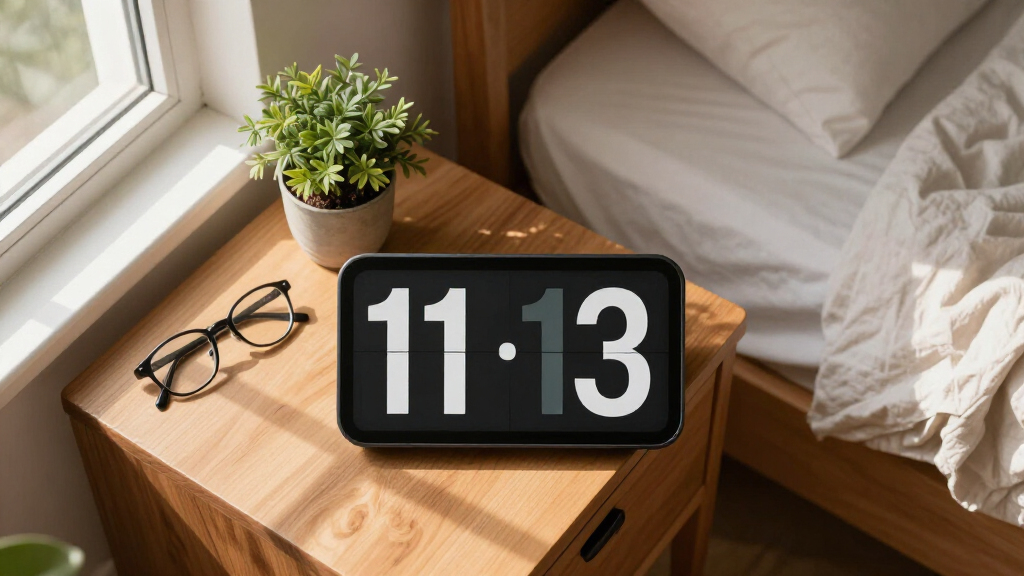
My ranking logic starts with readability, because that is the entire reason someone shops for a large print clock. I weighed digit height, contrast ratio, viewing angle, and whether the day/date text is genuinely legible or just decorative. The second filter was intended user: a clock for a senior with dementia has very different requirements than one for a classroom or a bedroom, so I grouped models by who they serve and judged them against that use case rather than against each other in a vacuum.
From there, I scored each model on ease of setup (seniors and caregivers should not fight a nested menu), alarm and reminder flexibility, power and battery behavior (a clock that forgets the time during an outage fails its core job), and value for money. Models that earned higher ranks combined clear displays with intuitive controls and reliable timekeeping. Models ranked lower either priced themselves above better-equipped rivals or made tradeoffs — dimming that cannot be disabled, confusing buttons, or displays that wash out at an angle — that undercut their core purpose.
Factors to Consider When Choosing Large Print Digital Clocks
Before picking a specific model, it helps to understand what actually separates a useful large print clock from a frustrating one. The factors below shaped my rankings, and they are the same questions I would ask before spending money in this category.
Digit Size and Legibility Are Not the Same Thing
Buyers often chase the biggest screen and end up disappointed. A 7-inch display with sharp, high-contrast digits can be easier to read than a 9-inch display with thin, dimly lit numbers. What matters is the height of the digits themselves, the contrast between the digits and the background, and the viewing angle. LED clocks tend to punch through glare better than LCD clocks, which can wash out near a bright window. If the clock will be read from across a room, measure the distance first — as a rough rule, digits under two inches tall get hard to read beyond about fifteen feet. Also check whether the display uses full words for days (“TUESDAY”) rather than abbreviations, since abbreviated text defeats the purpose for users with cognitive or visual impairments.
Match the Clock to the User, Not the Feature List
The most common mistake in this category is buying a dementia-focused calendar clock for someone who just wants a bedside clock — or the reverse. A senior with memory loss benefits from a clock that spells out the day, date, and time of day in plain language, sometimes with medication reminder labels. Someone with low vision but intact cognition mostly needs big, bright numbers and possibly voice announcement, not cognitive scaffolding. Classrooms and shared spaces call for wall-mountable models with wide viewing angles. Buying more features than the user needs often backfires, because extra menus and modes create confusion. The simplest clock that meets the actual need is almost always the right choice.
Auto-Dimming Can Help or Hurt Depending on the User
Auto-dimming is marketed as a comfort feature, and for a bedside clock it usually is — a sensor drops the brightness at night so the display does not light up the whole room. But for low-vision users, aggressive night dimming can make the clock unreadable at the exact moment it is needed most, such as during a 3 a.m. wake-up. Some models dim so far that users with cataracts or macular degeneration cannot distinguish the digits at all. Before buying, confirm whether the dimming is automatic only, or whether there is a manual brightness lock. Caregivers should also consider whether the user will remember how to adjust brightness, because a buried settings menu is functionally the same as no control at all.
Power Backup and Battery Behavior
A clock that blinks 12:00 after every power flicker fails the people who rely on it most, because a senior with dementia may not notice or be able to fix a wrong time — and a wrong time on a dementia clock is worse than no clock. Look for models with battery backup that preserves both the time and the settings, not just the time. Purely battery-operated clocks offer placement freedom but usually trade away display brightness, since LEDs drain batteries quickly. Plug-in models with USB charging ports add bedside convenience, letting the clock double as a phone charger and freeing up an outlet. Think about where the outlet is relative to where the clock will sit, because short power cords are a recurring complaint across this entire category.
Alarm and Reminder Flexibility
Not all “multiple alarms” are equal. Some clocks offer a dozen alarm slots but bury them in a confusing setup flow; others offer fewer alarms with clearly labeled presets for meals, medications, and appointments. For medication reminders, the label matters more than the count — a generic beep does far less good than a clock that displays “Take Morning Medication” alongside the alarm. Buyers should also consider alarm volume and tone options, since seniors with hearing loss need loud, low-frequency tones rather than gentle chirps. Conversely, if the clock is for a light sleeper, check that alarms can be fully disabled without wiping the settings. Voice announcement clocks add another layer, but confirm the voice is clear and the language matches the user’s preference.
When to Pay More — and When Not To
The price band in this category runs from under twenty dollars to over sixty, and the difference rarely buys better timekeeping — it buys bigger displays, better build quality, and smarter software. Paying more makes sense when the clock serves a dementia or memory-care user, because premium models handle day/date labeling, reminders, and error-proof setup noticeably better. Paying more also makes sense for large wall clocks, where screen size drives cost directly. For a basic bedside clock, the budget models are genuinely good enough, and spending extra mostly buys features that will never be touched. The middle of the price range is where I found the weakest value: several mid-priced models offered the same hardware as cheaper rivals with only cosmetic additions like RGB color cycling.
Frequently Asked Questions
What size large print clock do I need for a specific room?
Screen size should be matched to viewing distance. For a bedside table read from two to four feet away, a 7 to 8-inch display is plenty, and anything larger becomes awkward on a nightstand. For a living room or kitchen read from eight to fifteen feet, look at 9 to 12-inch models like the Soobest 12-inch calendar clock, which is really a wall or shelf clock rather than a personal one. A useful benchmark: digits should be roughly one inch tall for every seven feet of viewing distance. Also account for the user’s vision — someone with macular degeneration needs larger digits at a given distance than the chart suggests, so when in doubt, size up.
Is a dementia clock different from a regular large display clock?
Yes, and the difference matters more than most buyers expect. A regular large display clock shows the time in big digits, and sometimes the date. A dementia clock is designed around cognitive support: it spells out the full day of the week, the date, and often the period of day (morning, afternoon, evening, night) in plain sentences, because disorientation about what day it is is often a bigger problem than knowing the time. Dementia clocks also tend to use plain-language labels rather than abbreviations and offer labeled medication or meal reminders. If the user has memory loss, a dementia clock like the American Lifetime or Soobest models is the better fit. If the user simply has low vision, a standard large-digit clock is simpler and usually cheaper.
Do I need auto-dimming, or will it make the clock too dark at night?
It depends entirely on the user. Auto-dimming is valuable for anyone sleeping in the same room as the clock, because a full-brightness LED display can genuinely disturb sleep. The risk is for low-vision users: some models dim so aggressively at night that the digits become unreadable to someone with cataracts or glaucoma, which defeats the purpose of a large print clock. The best configuration is a clock with manual brightness control or a dimming feature that can be disabled, so you can tune it to the specific user. If the clock lives in a living room or common area, auto-dimming matters much less, and I would not pay extra for it in that case.
Are battery-operated or plug-in large print clocks better?
Plug-in clocks win on brightness and reliability, which is why most calendar clocks for seniors are corded — large bright displays drain batteries fast, and a dimming battery clock undermines its own purpose. Battery-operated models like the Peakeep make sense when outlets are scarce, during travel, or as a safety backup, but expect duller digits and periodic battery changes. The ideal setup for most homes is a plug-in clock with battery backup for the internal memory, so a power outage does not wipe the time and settings. That combination means the clock keeps working correctly even if the display briefly goes dark, and nothing needs reprogramming when power returns.
Are extra features like RGB colors and voice announcement worth paying for?
RGB color cycling, found on models like the JALL wall clock, is a fun feature for classrooms, kids’ rooms, or decor-minded buyers, but it adds nothing to readability — and can actually reduce contrast if the wrong color is chosen. I would treat RGB as a bonus, never a reason to pick one model over another. Voice announcement is different: for blind or severely low-vision users, a talking clock is genuinely functional, letting them hear the time and date with a button press. For dementia users, however, unexpected audio can cause confusion or agitation, so voice features should be matched carefully to the user. Pay for features that serve the actual user, and skip the rest.
Conclusion
The right pick here depends almost entirely on who is reading the clock. For best overall, the American Lifetime New 2026 Dementia Clock balances display clarity, plain-language day/date labeling, and reliable alarms better than anything else in the lineup, making it the safest choice for seniors and memory care. For best value, the DreamSky Large Digital Alarm Clock delivers big, readable digits and USB charging at a price that undercuts better-marketed rivals. For a premium pick, the Soobest 12-Inch Dementia Clock is the room-filling option — worth the extra cost only if visibility from across a large space is the requirement. For beginners — anyone who wants a plug-in-and-forget clock with no learning curve — the DreamSky Small Digital Alarm Clock and the generic 7-inch alarm clock are the simplest to set and use. For specific needs: the Welgo 7.5-Inch Oversized clock for the visually impaired who need maximum bedside digit size, the JALL RGB wall clock for classrooms and shared spaces, the voice-announcement model for blind users, and the Peakeep battery-operated clock for travel or outlet-free placement. Match the clock to the reader, not the spec sheet, and the choice becomes straightforward.
Halloween Picks
halloween
As an affiliate, we earn on qualifying purchases.