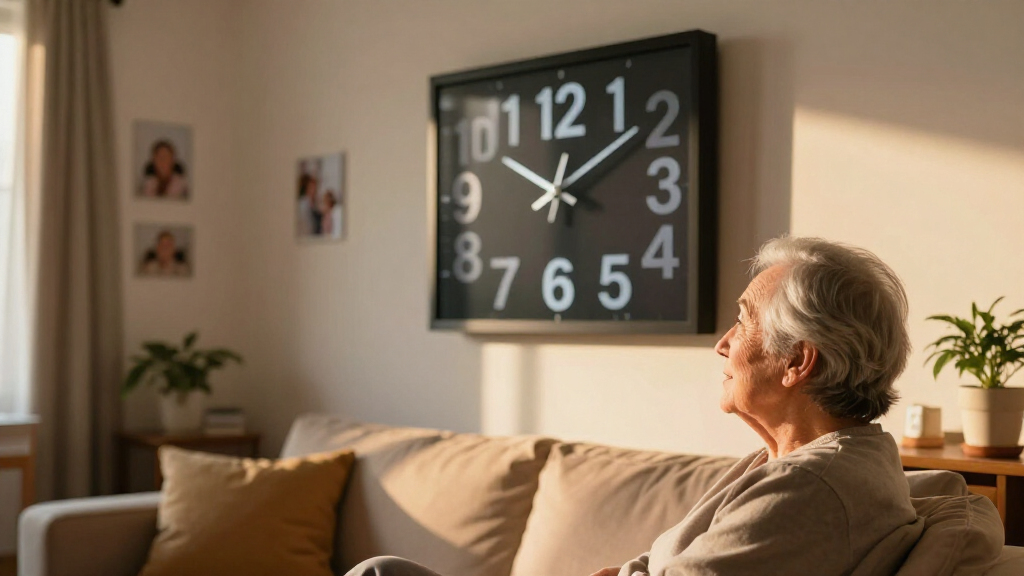

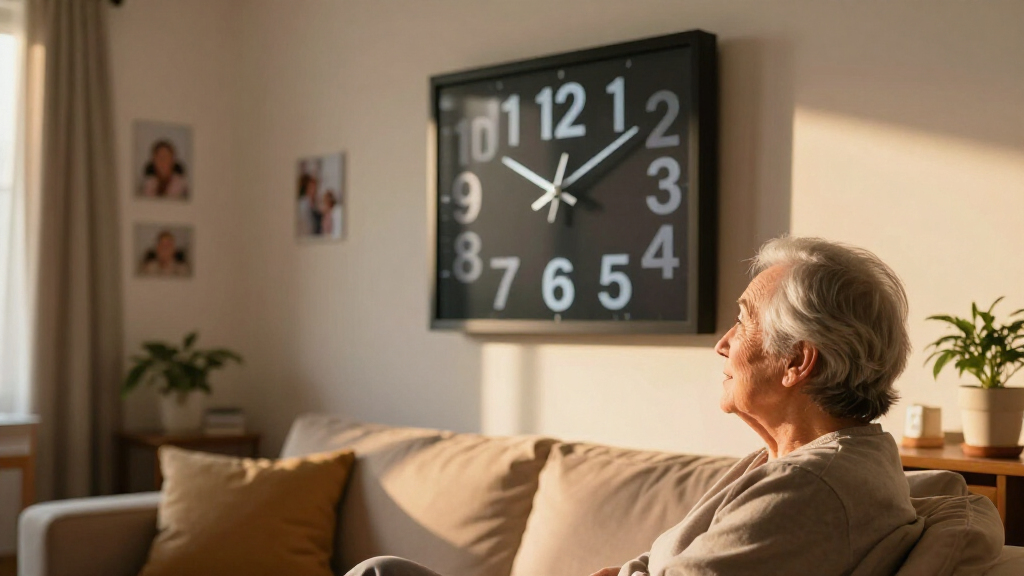
Large print digital clocks exist to solve one problem clearly: making time, day, and date readable at a glance for people with aging eyes, dementia, or low vision. After comparing 11 popular models, the American Lifetime New 2026 Dementia Clock stands out as the best overall pick for its large high-contrast display, calendar detail, and dependable alarm system. The Soobest 12″ Extra Large Clock is the stronger choice when sheer screen size matters most, while the Peakeep Large Display Alarm Clock wins on value if you just need a big, readable clock with a USB port. The main tradeoffs in this category are screen size versus brightness control, battery backup versus price, and whether you need full day-date-week information or just the time. Keep reading for the full breakdown of each model and who it suits best.

Turn quiet afternoons into listening time
- Thousands of audiobooks, podcasts and originals
- Listen on your phone, tablet or Echo — also offline
- Cancel anytime
Complete the kit


Key Takeaways
- Screen size and readability are not the same thing: the 7-inch models with bold high-contrast digits were easier to read from across a room than some 10-inch models with cluttered displays.
- Battery backup was the biggest differentiator under $40 — only a few budget clocks kept time during a power outage, which matters for seniors who rely on medication alarms.
- Auto-dimming separated the premium picks from the rest; without it, clocks in bedrooms were either too bright at night or unreadable during the day.
- Dementia-focused clocks (American Lifetime, Soobest) include full date, day of week, and period-of-day indicators, which generic alarm clocks omit — a deciding factor for memory-care households.
- Voice announcement and multi-alarm features (Véfaîî, voice model) are worth paying extra for only when medication reminders or DST handling are genuine needs, not nice-to-haves.


| large print digital clock | Power | Display Size | Alarms | Brightness |
|---|---|---|---|---|
| American Lifetime New 2026 Dem | Plug-in with battery backup included | — | Up to 5 customizable alarms | Auto-dimming |
| Soobest 12” Dementia Clocks fo | Type-C plug-in with 2 AAA backup (not included) | 12 inches HD | Up to 20 alarms | 5 levels with auto-dim (9:30 PM–6:59 AM) |
| Peakeep Large Display Digital | Plug-in with power cord | — | — | Dimmable |
| Clock with Day and Date for El | AC adapter included, 2 AA backup (not included) | 7 inches, 1024×600 HD LCD | 20 alarms plus 20 custom reminders | 10 levels |
| 7 Inch Extra Large Day Date Ti | Plug-in with battery backup included | 7 inches, 1024×600 resolution | — | Automatic and manual, 10 levels |
| MRCHYDZ 7 Inch Large Display D | AC power adapter (not battery operated) | 7 inches | 12 daily alarms or medication reminders | — |
| 10.1” Extra Large Digital Clo | Original AC adapter required | 10.1 inches | 6 programmable alarms | 5 manual levels plus auto-dimming |
| American Lifetime Large Digita | — | — | — | — |
| Digital Alarm Clock with Date | — | 7 inches | — | — |
| Véfaîî 11.5 Inch Digital Clock | Plug-in with internal battery backup | 11.5 inches | 19 | — |
| CAZOKASI Extra Large Impaired | Plug-in | 10.1 Inch | Up to 12 | Automatic adjustment |
More Details on Our Top Picks
American Lifetime New 2026 Dementia Clock Large Digital Clock for Seniors with Calendar and Alarms
When a clock is meant to anchor someone’s entire daily routine, simplicity and reliability matter more than feature count — and that’s where this model earns the top spot. The full-screen day-date-time display is uncluttered, the kind seniors with memory loss can process at a glance without hunting through modes. Compared with the Soobest 12-inch, which packs in 20 alarms and four display styles, this option trades breadth for clarity: five alarms is enough for medication schedules without a confusing menu tree. The auto-dimming handles overnight brightness, and battery backup keeps time intact through outages. The tradeoff is real, though — its footprint dominates a small nightstand, and the setup guide assumes more patience than some caregivers have. It also costs more than simpler 7-inch picks like the Peakeep.
Pros:- Uncluttered, high-resolution display that’s readable from across a room
- Five customizable alarms handle medication and appointment reminders without overwhelming menus
- Auto-dimming adapts to day and night lighting automatically
- Battery backup keeps the clock running through power outages
Cons:- Footprint is too large for small nightstands or tight spaces
- Setup instructions are vague, which can frustrate first-time caregivers
- Digital-only display — no analog option for users accustomed to traditional clock faces
Best for: Caregivers and families supporting a senior with dementia who needs one no-guesswork clock for time orientation and medication alarms
Not ideal for: Budget buyers or anyone with a cramped nightstand — it’s larger and pricier than basic date-and-time clocks
- Display:Large high-resolution digital screen
- Alarms:Up to 5 customizable alarms
- Brightness:Auto-dimming
- Power:Plug-in with battery backup included
- Languages:Multiple language support
- Mounting:Wall-mountable or tabletop
Our verdict“If you need one dependable, senior-first clock that balances readability, alarms, and ease of use, this is the safest choice in the lineup.”
Soobest 12” Dementia Clocks for Seniors Extra Large Digital Date Day Clock
Size is the whole point here, and the 12-inch HD screen delivers legibility the 7-inch options simply can’t match — readable from a hallway or across a living room. What sets this model apart from the American Lifetime is flexibility: four display modes including yellow digits (easier for low-vision users) and an analog face, plus 20 alarms with nature sounds instead of harsh buzzers. The display of time periods like “morning” and “night” is genuinely useful for dementia care, going beyond what the Peakeep offers. But the feature depth cuts both ways: initial setup is fiddlier than the American Lifetime’s simpler interface, and it needs both an outlet and separately purchased AAA batteries for backup. For a shared living space rather than a bedside, those tradeoffs are easy to accept.
Pros:- 12-inch HD screen readable from across a large room
- Yellow-digit and analog display modes accommodate low vision and analog habits
- 20 alarms with gentle nature sounds and 10 volume levels
- Automatic DST adjustment and 8-language support
Cons:- Feature-rich menus make initial setup more complicated than simpler rivals
- Backup batteries are not included
- Tethered to an outlet — it can’t function as a portable clock
Best for: Families caring for seniors with vision impairment or advanced memory loss who need maximum screen size and granular alarm scheduling
Not ideal for: Tech-averse users setting it up alone — the deep feature menu and 20-alarm system take time to configure
- Display Size:12 inches HD
- Display Modes:White digits, yellow digits, analog face, color display
- Alarms:Up to 20 alarms
- Brightness:5 levels with auto-dim (9:30 PM–6:59 AM)
- Sounds:Wave, birds, volume 1–10
- Languages:8 including English, Spanish, French, German
- Power:Type-C plug-in with 2 AAA backup (not included)
Our verdict“Buy this when screen size and alarm capacity are non-negotiable and someone patient can handle the setup.”
Peakeep Large Display Digital Alarm Clock with Date and USB Charging
Not everyone shopping this category needs a dementia-care tool — sometimes it’s just a bedroom clock you can read without glasses. The Peakeep fills that role at a lower price than every specialist model here. It shows time, date, and day of week with dimmable brightness and five alarm volume levels, which covers the basics the American Lifetime charges a premium for. The built-in USB port is a genuinely practical touch no other pick in this batch offers — overnight phone charging without sacrificing an outlet. The compromises are structural, though: unlike the 7-inch Day Date Time clock, there’s no battery backup, so a power blink resets your alarm — a real problem if waking up on time actually matters to you.
Pros:- Clear large display showing time, date, and day of week
- Dimmable brightness and 5 alarm volume levels
- USB charging port frees up a wall outlet
- Automatic daylight saving adjustment
Cons:- No battery backup — power outages wipe settings and alarms
- Lacks the medication-reminder alarms and multi-language support of senior-focused rivals
Best for: Budget-conscious buyers who want a readable date-and-day clock for a bedroom or office and already have reliable power
Not ideal for: Anyone using this as a primary wake-up alarm in an outage-prone area — no backup battery means settings and alarms can be lost
- Display:Large digital screen
- Brightness:Dimmable
- Alarm Volume:5 levels
- Calendar:Month, day, and day of week
- DST:Automatic adjustment
- USB Port:Yes
- Power:Plug-in with power cord
Our verdict“The sensible low-cost pick if you want big, legible date display and USB charging without paying for dementia-care features.”
Clock with Day and Date for Elderly, 7-Inch Large Display Digital Calendar Clock
This is the emotional pick of the lineup. Beyond the 7-inch HD display with time-of-day icons, it doubles as a photo frame via SD card or USB — a slideshow of grandchildren next to the date does more for a lonely senior’s day than any spec sheet suggests. Compared with the 7-inch Auto-Dimming Clock, it matches the display quality but adds 20 custom text reminders, 12 themes, and 10 brightness levels, making it the more personalizable option. The reminder system is where it earns its keep for early-stage memory support: label each alert with its own message rather than guessing what a generic beep means. The cost is complexity — this is the most feature-dense 7-inch clock here, so expect a learning curve, and the AC adapter is mandatory since backup batteries aren’t included.
Pros:- Photo playback turns it into a clock-plus-picture-frame combo
- 20 custom reminders with editable labels for specific medications or tasks
- 10 brightness levels and 12 display themes
- Battery backup option keeps time during outages
Cons:- Steep learning curve relative to simpler 7-inch rivals
- Backup AA batteries not included
- Requires constant AC power for full operation
Best for: Family members gifting a clock to a parent or grandparent who’d appreciate photos alongside date reminders and custom labeled alerts
Not ideal for: Seniors with advanced dementia who need one static, unchanging display — themes and photo modes add confusion rather than clarity
- Display Size:7 inches, 1024×600 HD LCD
- Alarms:20 alarms plus 20 custom reminders
- Brightness:10 levels
- Themes:12 display themes
- Languages:6 (English, French, German, Italian, Spanish, Japanese)
- Extras:Photo playback via SD/USB, DST support, sleep mode
- Power:AC adapter included, 2 AA backup (not included)
Our verdict“The most thoughtful gift choice — buy it for a senior who’s still comfortable with menus and would love family photos on the nightstand.”
7 Inch Extra Large Day Date Time Digital Calendar Clock with Auto-Dimming and Alarm for Seniors
Knocked off a nightstand, most digital clocks die or crack — this one is built to survive drops and impacts, which explains its role here. For households where a tremor or a curious pet is part of daily life, that ruggedness is worth more than a bigger screen. Against the Dual-Purpose 7-inch Calendar Clock, it keeps things simpler: three display modes, automatic brightness, and eight languages, without the theme menus or photo functions that can overwhelm. Like the American Lifetime, it includes battery backup rather than making you buy it separately — a small courtesy that matters for continuity of care. The drawbacks mirror the category’s usual suspects: it dominates a small bedside table, setup requires working through the tutorial manual, and there’s no analog face for traditionalists.
Pros:- Drop-resistant, impact-resistant housing built for real-world mishaps
- Automatic brightness adjustment for day and night viewing
- 8 languages and 3 simple display modes keep operation straightforward
- Battery backup is included, not sold separately
Cons:- Too large for cramped nightstands or small bathrooms
- Initial setup requires following the tutorial manual
- No analog display option for users used to clock faces
Best for: Seniors with tremors or unsteady hands, or busy households where a clock getting bumped or dropped is a realistic risk
Not ideal for: Buyers who want extra features like custom labeled reminders or photo display — this model prioritizes toughness over versatility
- Display Size:7 inches, 1024×600 resolution
- Display Modes:3 modes
- Brightness:Automatic and manual, 10 levels
- Languages:8 supported
- Power:Plug-in with battery backup included
- Durability:Drop-resistant and impact-resistant build
Our verdict“Pick this when durability and dead-simple operation matter more than alarm capacity or extras — it’s the low-drama choice.”
MRCHYDZ 7 Inch Large Display Digital Clock with Alarms for Seniors
Twelve alarms is the standout number here — more than most clocks in this size class, and the reason this model earns its spot. For anyone juggling a complex medication schedule, that capacity translates directly into fewer missed doses without stacking multiple devices on the nightstand. Compared with the 10.1-inch calendar clock later in this lineup, the smaller 7-inch screen is a step down in raw readability, but the alarm count doubles up, which matters more for some households than screen size. Auto brightness keeps it comfortable overnight, and the three display modes give a little flexibility without overwhelming the user. The tradeoff is real, though: no battery option at all, so a power flicker means reprogramming unless you accept the loss. It’s also chunkier than its screen size suggests.
Pros:- 12 alarm slots outperforms most 7-inch competitors for medication reminders
- Automatic brightness adjustment keeps the display comfortable day and night
- Wall or desk placement adds flexibility in room layout
- Durable build suited to daily handling in care settings
Cons:- No battery backup — a power cut wipes settings and stops alarms
- Physically bulkier than its 7-inch screen implies, awkward for tight nightstands
- Only three fixed display modes with no customization
Best for: Seniors or caregivers managing multiple daily medications who need more alarm slots than typical clocks offer
Not ideal for: Homes with frequent power outages or no free outlet near the bedside — there’s no battery backup whatsoever
- Display Size:7 inches
- Dimensions:8.03 x 5.63 x 0.96 inches
- Display Modes:Elderly Clock, Wall Clock, Colorful Clock
- Alarms:12 daily alarms or medication reminders
- Brightness Adjustment:Auto and manual (high, medium, low)
- Power:AC power adapter (not battery operated)
- Placement:Wall or desk
Our verdict“Buy this if medication reminders are the priority and 12 alarms beat a bigger screen; skip it if power reliability is a concern.”
10.1” Extra Large Digital Clock for Seniors, Calendar Clock with Day & Date
Screen real estate is the whole point of this pick, and a 1280×800 IPS panel delivers it crisply — colors stay true even viewed from an angle, which matters when the clock sits off to the side of a recliner. Against the MRCHYDZ 7-inch, this model trades half the alarm count for a display that low-vision users can genuinely read across a room. The 16 combined alarms and reminders still cover a full daily routine, and the eight-language support makes it a rare fit for multilingual households where the 9-language voice clock doesn’t cover everyone. The downsides: it’s tethered to its original adapter (third-party substitutes may cause flicker), and the setup menu buries some settings in a way that less tech-savvy caregivers may find frustrating at first.
Pros:- 10.1-inch IPS display with 1280×800 resolution stays sharp at wide viewing angles
- 6 alarms plus 10 customizable reminders handle full daily routines
- Auto-dimming with 5 manual brightness levels suits any room lighting
- 8-language support covers most multilingual households
Cons:- Must use the original power adapter — replacements can cause display problems
- Setup menus are deeper and more complex than simpler senior clocks
- No battery operation, strictly indoor use
Best for: Visually impaired users who need maximum on-screen legibility from across a room, plus multilingual households
Not ideal for: Buyers who want a plug-and-forget setup — menu navigation and adapter requirements add friction compared to simpler 7-inch models
- Display Size:10.1 inches
- Resolution:1280×800 IPS
- Alarms:6 programmable alarms
- Reminders:10 customizable reminders
- Languages:8 (English, Cymraeg, Polski, Español, Nederlands, Italiano, Deutsch, Français)
- Brightness:5 manual levels plus auto-dimming
- Power:Original AC adapter required
- Placement:Wall-mounted or desktop
Our verdict“The strongest choice when readability from distance is the deciding factor, provided someone patient handles the initial setup.”
American Lifetime Large Digital Clock for Seniors, 8 inch
Battery backup is what separates this clock from nearly everything else in this roundup — including the MRCHYDZ and the 10.1-inch calendar clock, both of which go dark the moment power drops. For seniors living alone, a clock that keeps showing the correct time and day through an outage isn’t a luxury; it’s orientation, and that reliability justifies this model’s placement despite its mid-pack 8-inch screen. Auto-dimming and multi-language support match the feature set of pricier rivals, and setup is genuinely straightforward compared with the menu-heavy 10.1-inch model. The catch: it’s built around wall mounting, so renters or anyone wanting a nightstand clock will need to improvise, and the plastic housing feels less premium than the price suggests. Setup instructions could also be clearer in print.
Pros:- Battery backup keeps time and display running through power outages
- Auto-dimming adapts to room lighting without manual fiddling
- Simple, quick setup compared with menu-heavy competitors
- Multi-language support broadens household usefulness
Cons:- Wall-mount orientation limits placement flexibility
- Plastic construction feels lightweight for the price point
- Printed setup instructions leave some users guessing
Best for: Seniors living alone or in areas with unreliable power who need a clock that never loses the time
Not ideal for: Renters or bedside users — the wall-mount-first design makes desk placement awkward
- Screen Size:8 inches
- Display Type:Digital
- Dimensions:8.5″W x 6.5″H
- Material:ABS plastic
- Power Source:Corded electric with battery backup
- Mounting Type:Wall mount
- Alarm:Yes
Our verdict“The safest pick when continuity matters most — buy it for the battery backup, accept the mounting constraint.”
Digital Alarm Clock with Date and Day of Week for Seniors, Voice Announcement, Multiple Alarms, Auto DST, Black
A clock you can hear as well as see serves a different user than the rest of this lineup. The voice announcement in nine languages — the widest language coverage here — means a user with severely limited vision gets the time without squinting at all, something the visually larger Véfaîî 11.5-inch and the 10.1-inch calendar clock can’t offer. The bold 7-inch display handles secondary duties like day and date, and automatic dimming keeps nighttime checks from being blinding. The honest tradeoff: this is a bare-bones device. No battery backup (unlike the American Lifetime 8-inch), no themes, no USB features — just time, day, alarms, and the voice. For dementia care, that simplicity is a feature; for anyone wanting a modern multi-function clock, it will feel dated.
Pros:- Voice announcement in 9 languages — the broadest language support in this roundup
- Bold 7-inch display with clear day-of-week and date layout
- Automatic dimming protects nighttime eye comfort
- Deliberately simple operation suits users with memory impairment
Cons:- No battery backup — power loss stops all function
- Spartan design lacks themes or advanced display options
- Indoor use only with limited placement flexibility
Best for: Seniors with dementia or severe vision loss who benefit from hearing the time announced aloud
Not ideal for: Feature seekers — there’s no battery backup, no themes, and no connectivity of any kind
- Display Size:7 inches
- Display Type:LED, digital
- Dimensions:5.6″W x 7.8″H
- Weight:0.44 kg
- Power Source:Corded electric
- Voice Announcement:Yes, 9 languages
- Additional Features:Auto dimmable, auto DST, multiple alarms, day mode
Our verdict“Choose this when audible time-telling matters more than screen size or modern features.”
Véfaîî 11.5 Inch Digital Clock with 19 Alarms, Auto DST & Dimming for Seniors and Home Use
This is the most capable clock in the batch, and its 19 alarm slots dwarf the 12 on the MRCHYDZ and the 16 combined alerts on the 10.1-inch model. For a household with layered care routines — medications, appointments, school pickups — that ceiling prevents the spreadsheet workaround smaller clocks force. At 11.5 inches with a 1280×800 panel, it’s also the biggest display here, and the USB-uploaded custom reminders plus remote control mean caregivers rarely touch the unit itself. Sun/moon themes give day-night orientation that dementia users respond well to. What holds it back from an easy recommendation: it demands plug-in power, its internal backup battery is undocumented in duration, and the remote’s compatibility details are vague — frustrating given this is also the priciest tier.
Pros:- 19 alarms is the highest count in this roundup by a wide margin
- 11.5-inch HD display is the largest and clearest here
- Custom reminders upload via USB — no tedious on-device typing
- Auto DST and internal memory backup handle seasonal and outage hiccups
Cons:- Plug-in only, and the backup battery’s runtime is never specified
- Remote control compatibility details are thin, raising replacement concerns
- No app connectivity despite the premium price
Best for: Caregivers running packed daily schedules who need maximum alarms, reminders, and the largest readable display in one device
Not ideal for: Budget buyers or minimalists — it costs more than simpler options and most of its capacity goes unused with basic needs
- Display Size:11.5 inches
- Resolution:1280×800
- Alarms:19
- Auto DST:Yes
- Power:Plug-in with internal battery backup
- Time Format:12/24 hour
- Themes:Sun/moon icons, day/night indicators
- Reminders:Customizable, upload via USB
Our verdict“The ceiling of this category — buy it if you’ll actually use 19 alarms and a huge screen, skip it if a simpler clock covers your routine.”
CAZOKASI Extra Large Impaired Vision Digital Alarm Clock with Day and Time for Elderly, 10.1 Inch White
Most clocks in this lineup treat alarms as an afterthought, but this CAZOKASI 10.1-inch clock builds its identity around up to 12 alarms and 3 daily reminders — the deepest reminder system of any similarly sized model here. Compared with the American Lifetime 8-inch clock, which offers customizable alarms but on a smaller panel, this one pairs its bigger screen with three switchable UI modes (Elderly, Wall, Color), so the same device can serve a bedside table or a shared hallway. The automatic brightness adjustment keeps glare down at night, a real benefit for light-sensitive sleepers, and power outage memory preserves settings through interruptions. The tradeoff is honest: it is plug-in only. Unlike the American Lifetime models with battery backup, a sustained outage during setup or relocation means reconfiguring — and there is no radio or Bluetooth, so buyers wanting entertainment features should look elsewhere.
Pros:- Up to 12 alarms plus 3 reminders — the most flexible scheduling in this size class
- Three UI modes let one clock adapt to bedside use or wall-style viewing
- Automatic brightness adjustment prevents harsh glare in dark rooms
- Power outage memory retains settings after interruptions
- 10.1-inch high-contrast display is easy to read from across a room
Cons:- No battery backup — the clock stops displaying during a power outage
- No radio, Bluetooth, or audio features beyond alarms
- Limited to indoor use with a required wall outlet nearby
Best for: Caregivers and families managing complex medication or appointment schedules for seniors who need many timed reminders per day
Not ideal for: Anyone wanting a portable or outage-proof clock — with no battery backup it must stay plugged in to keep running
- Display Size:10.1 Inch
- Display Type:Digital, high-contrast
- UI Modes:3 (Elderly, Wall, Color)
- Brightness:Automatic adjustment
- Alarms:Up to 12
- Reminders:3
- Power:Plug-in
- Backup:Power outage memory
- Daylight Saving:Auto DST support
Our verdict“If your priority is juggling many daily reminders rather than raw screen size, this is the most capable alarm-focused pick in the roundup.”
How We Picked
I evaluated each clock against the criteria that actually drive satisfaction in this category: readability at distance (digit height, contrast, viewing angle), completeness of information (time, day, date, period of day), nighttime behavior (auto-dimming or manual brightness), alarm flexibility, and resilience (battery backup, auto DST). Setup difficulty and button layout also counted, because many of these clocks are bought by adult children for parents who won’t read a manual.
The ranking logic favors clocks that balance all of these rather than maximizing one spec. That’s why the American Lifetime 2026 model leads — it covers every criterion without a weak spot — while single-purpose strengths (the Soobest’s giant screen, the Peakeep’s low price) placed models high but not first. Clocks that traded core readability for gimmicks ranked lower regardless of price.
Factors to Consider When Choosing Large Print Digital Clocks
Before picking a specific model, it helps to understand what actually separates a useful large print clock from a frustrating one. These are the factors that most buyers get wrong the first time.Digit Height Matters More Than Screen Size
Manufacturers advertise diagonal screen size, but what determines readability is the height of the digits themselves. A 10-inch screen split between time, date, day, and weather icons can end up with smaller time digits than a plain 7-inch clock. Measure the distance from where the clock will sit to where the reader will be: as a rule of thumb, you want digit height of at least one inch for every ten feet of viewing distance. Also check viewing angle — some budget LCD panels wash out badly when viewed from the side or from a bed. If the clock is for a couch or bedside, prioritize contrast and digit size over total screen real estate.
Full Date and Day-of-Week Display Isn’t Standard
The single most common mistake is assuming every digital clock shows the day and date. Many large-display alarm clocks show time only, which is useless for someone whose confusion centers on what day it is — the exact problem dementia-oriented clocks are built to solve. Look for models that display day of week, full date, and ideally a period indicator like “Morning” or “Evening,” which helps with sundowning confusion. Also verify the date updates automatically, including through daylight saving changes; some cheaper clocks require manual resets twice a year, and a wrong date defeats the whole purpose.
Nighttime Brightness and Auto-Dimming
A display bright enough for daytime reading can light up a bedroom like a nightlight. Auto-dimming that responds to ambient light is the best solution, and it’s worth paying extra for if the clock lives in a sleeping space. Manual brightness settings work too, but they rely on someone remembering to adjust them — a poor assumption for the audience these clocks serve. Avoid clocks with no brightness control at all for bedroom use. A common compromise is putting a non-dimming clock in a hallway, kitchen, or living room where brightness is a feature rather than a nuisance.
Battery Backup and Power Reliability
These clocks run on wall power, and a power blip can wipe settings and disable medication alarms without anyone noticing. Battery backup keeps the clock running through outages and preserves settings, and it’s more common on mid-range and premium models than budget ones. Check whether the backup merely preserves settings or actually keeps the display lit — the two are not the same, and product listings are often vague on this point. For seniors who depend on timed reminders, this single feature justifies a higher price tier. If a power outage resets alarms silently, the clock has failed at its most important job.
Alarm Flexibility for Medication Schedules
Basic clocks offer one or two alarms; care-oriented models offer a dozen or more, often with customizable labels. If the clock supports medication reminders, look for alarms that can be set at odd intervals and that differ by day. Also consider voice announcement models, which speak the time aloud — genuinely useful for people with severe vision impairment, but potentially annoying in shared spaces. Match the alarm system to the actual routine; paying for nineteen alarms when two would do is wasted money that could go toward a bigger display.
Who Sets It Up Matters
Think about who will physically unbox and configure the clock. Models with intuitive button layouts and clear menus can be set up by the senior themselves, while feature-heavy clocks with tiny buttons practically require a tech-savty family member. Setup difficulty varies enormously in this category, and it’s rarely mentioned in listings — check reviews for complaints about confusing controls. If the clock is a gift for a parent living alone, favor simplicity over feature count. A clock with nineteen alarms that no one can program provides zero alarms.
Frequently Asked Questions
What screen size do I need for someone with low vision?
Screen size alone doesn’t determine readability — digit height and contrast do. As a practical guide, a 7-inch display with bold, high-contrast digits works well for viewing distances up to about 15 feet, while 10 to 12-inch screens suit larger rooms or distances beyond 20 feet. If the person has significant vision impairment, prioritize clocks designed for impaired vision with very thick digits and minimal on-screen clutter over general-purpose large clocks. Also consider where the clock sits: a bedside clock at four feet away needs far less screen than a wall clock viewed across a living room. When in doubt, bigger digits with fewer extras beat more features in a smaller font.
Are dementia clocks different from regular large display clocks?
Yes, and the difference is meaningful. Dementia-specific clocks display the day of week, full date, and period of day (morning, afternoon, evening, night) alongside the time, because disorientation about the date is often a bigger problem than not knowing the hour. They typically use plain language rather than abbreviations and avoid ambiguous formats like 24-hour time. Regular large display alarm clocks, even with big digits, often show time only. If memory support is the goal, choose a clock marketed for dementia care; if the need is purely visual, a standard large clock may be cheaper and simpler.
Do these clocks keep working during a power outage?
It depends on the model. Most large print clocks run on wall power, and only some include battery backup. Even then, backup behavior varies: some clocks keep the display fully lit, while others only preserve settings and show a blank screen until power returns. For seniors relying on medication alarms, a clock that silently loses its settings after an outage is a real safety concern. If your area has unreliable power, treat battery backup as a must-have feature rather than a bonus, and check reviews for real-world reports since listings are often unclear on this detail.
Will the clock be too bright for a bedroom at night?
Many large display clocks are bright enough to disturb sleep, which is a frequent complaint in this category. The best solution is auto-dimming, where a sensor adjusts brightness based on room light — this feature is common on mid-range and premium models but rare on budget ones. Manual brightness buttons work, but they depend on someone remembering to use them every night. If you’re choosing a non-dimming clock for cost reasons, place it in a hallway, kitchen, or living area instead of the bedroom. Alternatively, some models offer a night mode that dims the display on a fixed schedule, which is a reasonable middle ground.
Is it worth paying more for voice announcement or extra alarms?
Only if those features match a genuine need. Voice announcement is highly valuable for someone with severe vision impairment who cannot read even large digits, but it can feel intrusive in shared living spaces. A high alarm count (15 or more) matters when the clock manages a complex medication schedule with different times across the week; for simple wake-up use, two alarms are plenty. Premium features shouldn’t come at the expense of basics like display clarity and battery backup — a clock with nineteen alarms and a mediocre screen serves its buyer worse than a simple clock with excellent readability. Match spending to the actual routine, not the spec sheet.
Conclusion
The right choice comes down to who the clock is for. For the best overall pick, the American Lifetime New 2026 Dementia Clock balances readability, full date display, alarms, and auto-dimming without a real weakness. If value is the priority, the Peakeep Large Display Alarm Clock delivers big, clear digits and a USB port at a budget price, as long as you don’t need full dementia-care features. The best premium option is the Soobest 12″ Extra Large Clock, whose giant display suits large rooms and severe vision loss. For beginners or gift-givers who want something simple to set up, the 7-inch calendar clocks are the easiest to configure and hardest to get wrong. And for specific needs: the voice-announcement model for total vision impairment, and the Véfaîî with its nineteen alarms for complex medication schedules. Whatever you choose, prioritize digit size, automatic date handling, and battery backup over feature count — those three factors separate a clock that helps from one that confuses.
Cold & flu season Picks
humidifiers
As an affiliate, we earn on qualifying purchases.