

The best digital photo frame for seniors is the Frameo 10.1″ WiFi Digital Picture Frame, because it pairs a genuinely simple phone app with a plug-in-and-play setup that most grandparents can handle without help. Close behind, the Aura Carver stands out for its polished design and free unlimited cloud storage, while the Frameo 15.6-Inch wins on screen size for anyone with vision challenges. The main tradeoff in this category is simplicity versus flexibility: app-based frames like the Frameo family make sending photos effortless for relatives but need Wi-Fi, while premium options like Aura feel more refined but cost more per inch. Screen size, touch responsiveness, and how easily family members can add photos from afar all separate the winners from the rest. Keep reading for the full breakdown of all 15 frames.

Turn quiet afternoons into listening time
- Thousands of audiobooks, podcasts and originals
- Listen on your phone, tablet or Echo — also offline
- Cancel anytime
Complete the kit


Key Takeaways
- The Frameo app ecosystem dominates this lineup — 11 of the 15 frames run Frameo software, which means the real differences come down to build quality, screen panel, storage, and remote support rather than the app itself.
- The 10.1-inch, 1280×800 IPS touchscreen format is the sweet spot for seniors: large enough to see clearly, small enough to place on a side table, and touch input avoids fiddly physical buttons.
- The Aura Carver is the only frame here with free unlimited cloud storage and no memory card management, but it costs more and lacks the wall-mount flexibility of the Frameo models.
- The two 15.6-inch, 64GB frames are the clear choice for seniors with low vision — the tradeoff is a bulkier footprint and higher price than the standard 10.1-inch models.
- Auto-rotate and motion-sensor auto on/off proved to be the most underrated features for this audience: photos arrive in either orientation without the user intervening, and the frame sleeps when the room is empty.
| Frameo 10.1″ WiFi Digital Picture Frame | 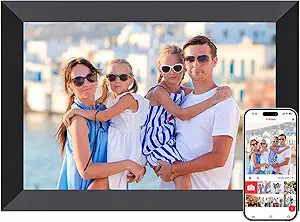 | Best Overall | Display Size: 10.1 inches | Resolution: 1280×800 | Display Type: HD IPS Touchscreen | VIEW LATEST PRICE | See Our Full Breakdown |
| Frameo 10.1 Inch WiFi Digital Picture Frame with 32GB Memory |  | Best Value | Screen Size: 10.1 inches | Resolution: 1280 x 800 | Internal Memory: 32GB (~40,000 photos) | VIEW LATEST PRICE | See Our Full Breakdown |
| Frameo 10.1″ WiFi Digital Picture Frame – White |  | Best for Beginners | Screen Size: 10.1 inches | Resolution: 1280×800 | Panel Type: IPS HD touchscreen | VIEW LATEST PRICE | See Our Full Breakdown |
| Akimart Frameo 10.1 Inch Smart WiFi Digital Photo Frame with 32GB Memory |  | Best for Tabletop Viewing | Screen Size: 10.1 inches | Resolution: 1280×800 | Screen Type: IPS LCD Touch Screen | VIEW LATEST PRICE | See Our Full Breakdown |
| Flyruit Frameo 10.1-Inch Wi-Fi Digital Picture Frame, 32GB |  | Best for Offline Loading | Display Size: 10.1 inches | Resolution: 1280 × 800 | Display Type: IPS touchscreen | VIEW LATEST PRICE | See Our Full Breakdown |
| AEEZO 10.1-Inch Digital Picture Frame with Touchscreen and 32GB Storage |  | Best for Hands-Off Brightness | Screen size: 10.1 inches | Resolution: 1280 × 800 | Display: IPS touchscreen | VIEW LATEST PRICE | See Our Full Breakdown |
| Frameo 15.6-Inch Wi-Fi Digital Picture Frame, 64GB |  | Best for Large, Easy-to-See Photos | Screen size: 15.6 inches | Resolution: 1920 × 1080 Full HD | Display: IPS touchscreen | VIEW LATEST PRICE | See Our Full Breakdown |
| Anna Bella 10.1 Inch Digital Picture Frame, 32GB Storage, WiFi Photo Frame with 1280×800 IPS Touch Screen, Auto-Rotate, Black |  | Best for Guided Family Sharing | Screen size: 10.1 inches | Resolution and display: 1280 × 800 IPS touchscreen | Built-in storage: 32GB | VIEW LATEST PRICE | See Our Full Breakdown |
| Aura Carver 10-Inch HD Digital Picture Frame with Gravel Mat |  | Best for Low-Maintenance Family Contributions | Display size: 10 inches | Resolution and aspect ratio: 1280 × 800; 16:10 | Connectivity: Wi-Fi | VIEW LATEST PRICE | See Our Full Breakdown |
| KECAG 10.1-Inch 1080p IPS Digital Picture Frame |  | Best for No-Wi-Fi Simplicity | Display size: 10.1 inches | Resolution and display: 1080p IPS | Aspect ratio: 16:9 | VIEW LATEST PRICE | See Our Full Breakdown |
| Frameo 10.1-Inch WiFi Digital Photo Frame with HD IPS Touch Screen and Auto-Rotate |  | Best Classic Gift Pick | Display Size: 10.1 inches | Resolution: 1280×800 | Storage: 16 GB built-in | VIEW LATEST PRICE | See Our Full Breakdown |
| 15.6-Inch Frameo Wi-Fi Digital Picture Frame, 64GB |  | Best Big-Screen Pick | Screen size: 15.6 inches | Resolution: 1920 x 1080 | Display type: IPS touchscreen, 178° viewing angle | VIEW LATEST PRICE | See Our Full Breakdown |
| Pastigio 10.1-Inch Wi-Fi Digital Picture Frame with Frameo |  | Best for Offline Loading | Screen size: 10.1 inches | Resolution: 1280 x 800 | Display: IPS touchscreen | VIEW LATEST PRICE | See Our Full Breakdown |
| 10.1-Inch Wi-Fi Digital Picture Frame with 32GB Memory |  | Best for Set-and-Forget Comfort | Display: 10.1-inch IPS touchscreen | Resolution: 1280 x 800 | Internal storage: 32GB | VIEW LATEST PRICE | See Our Full Breakdown |
| BIGASUO 10.1-Inch Wi-Fi Digital Picture Frame with Frameo, 32GB Memory and Touchscreen |  | Best Value Workhorse | Display Size: 10.1 inches | Resolution: 1280 x 800 | Display Type: IPS touchscreen | VIEW LATEST PRICE | See Our Full Breakdown |
| digital photo frames for senior | Resolution | Connectivity | Screen Size |
|---|---|---|---|
| Frameo 10.1" WiFi Digital Pict | 1280×800 | Wi-Fi, USB | — |
| Frameo 10.1 Inch WiFi Digital | 1280 x 800 | Wi-Fi | 10.1 inches |
| Frameo 10.1" WiFi Digital Pict | 1280×800 | Wi-Fi | 10.1 inches |
| Akimart Frameo 10.1 Inch Smart | 1280×800 | Wi-Fi (Frameo app) | 10.1 inches |
| Flyruit Frameo 10.1-Inch Wi-Fi | 1280 × 800 | — | — |
| AEEZO 10.1-Inch Digital Pictur | 1280 × 800 | Wi-Fi and AiMOR app | 10.1 inches |
| Frameo 15.6-Inch Wi-Fi Digital | 1920 × 1080 Full HD | — | 15.6 inches |
| Anna Bella 10.1 Inch Digital P | — | — | 10.1 inches |
| Aura Carver 10-Inch HD Digital | — | Wi-Fi | — |
| KECAG 10.1-Inch 1080p IPS Digi | — | — | — |
| Frameo 10.1-Inch WiFi Digital | 1280×800 | 2.4G Wi-Fi only | — |
| 15.6-Inch Frameo Wi-Fi Digital | 1920 x 1080 | — | 15.6 inches |
| Pastigio 10.1-Inch Wi-Fi Digit | 1280 x 800 | — | 10.1 inches |
| 10.1-Inch Wi-Fi Digital Pictur | 1280 x 800 | Wi-Fi with AiMOR app sharing | — |
| BIGASUO 10.1-Inch Wi-Fi Digita | 1280 x 800 | Wi-Fi | — |
More Details on Our Top Picks
Frameo 10.1″ WiFi Digital Picture Frame
This model earns the top spot because it nails the two things that matter most for seniors: effortless setup and reliable photo delivery from family members far away. The Frameo app pairing takes minutes, and once relatives are invited, photos and videos appear on the frame without any action required from the recipient — a setup that works even for grandparents who never touch a setting. Compared with the Akimart Frameo 10.1, this version adds a wall-mount option and an adjustable stand, which gives families more flexibility in where the frame lives, and its 16GB of internal storage covers years of casual sharing. The tradeoff is that its built-in memory is half what the Flyruit 10.1 offers, and the 32GB expansion ceiling is modest if relatives are prolific photographers. Placement is also tethered to an outlet since there’s no battery.
Pros:- Frictionless app-based sharing that seniors never have to manage
- Wall-mount and adjustable stand for flexible placement
- Setup simple enough for non-technical users
- Holds over 50,000 photos with expansion
Cons:- Corded power restricts where the frame can sit
- Storage tops out at 32GB even with a Micro SD card
Best for: Families gifting a frame to parents or grandparents who want photos to arrive automatically with zero fiddling
Not ideal for: Households that send hundreds of high-resolution photos monthly — the 16GB base storage fills faster than 32GB rivals
- Display Size:10.1 inches
- Resolution:1280×800
- Display Type:HD IPS Touchscreen
- Internal Storage:16 GB (expandable to 32 GB)
- Connectivity:Wi-Fi, USB
- Mounting:Adjustable stand or wall mount
- Control Method:Touchscreen, Frameo app
- Color:Black
Our verdict“The safest all-around gift choice for seniors who value simplicity over raw capacity.”
Frameo 10.1 Inch WiFi Digital Picture Frame with 32GB Memory
For buyers comparing near-identical 10.1-inch Frameo units, this one wins on storage-per-dollar logic: 32GB built in — roughly 40,000 photos — plus micro SD expansion. That doubles the internal capacity of the Frameo 10.1″ B0CQN6BLK9 while keeping the same 1280×800 IPS touchscreen and app experience, so the tradeoff is really just aesthetics and placement options rather than capability. Like every Frameo frame in this lineup, only invited users can send content, which means no spam and no strangers — a genuine comfort point for senior recipients. The limitations are shared ones: videos are capped at 15 seconds, and the micro SD slot demands FAT32 formatting and refuses cards above 32GB, so a tech-savvy relative may need to prep any expansion card.
Pros:- Full 32GB internal storage rivaling pricier Frameo models
- Invitation-only security keeps the frame private
- Vivid IPS touchscreen with auto-rotate and sleep mode
- Instant remote sharing via the free Frameo app
Cons:- Video uploads capped at 15 seconds each
- Micro SD expansion requires FAT32 format and is limited to 32GB
Best for: Budget-conscious gift-givers who want the full 32GB capacity without paying for extras like wall mounts or premium casework
Not ideal for: Families who mostly share video clips — the 15-second cap makes longer moments like recitals impossible to send
- Screen Size:10.1 inches
- Resolution:1280 x 800
- Internal Memory:32GB (~40,000 photos)
- Expandable Storage:Micro SD up to 32GB (FAT32)
- Connectivity:Wi-Fi
- Video Format:MP4 (15 seconds max via app)
- Mounting:Detachable stand, wall mountable
- Features:Auto-rotate, emoji reactions, sleep mode, brightness adjustment
Our verdict“The smart pick when you want maximum photo capacity at the standard 10.1-inch size.”
Frameo 10.1″ WiFi Digital Picture Frame – White
What separates this white Frameo from the AEEZO 10.1-Inch and the black Frameo models is its focus on daily usefulness beyond photos: a calendar, clock, weather display, and collage mode give seniors a reason to glance at the frame throughout the day, not just when new photos arrive. The touchscreen is genuinely grandparent-friendly, and the 365-day replacement warranty with lifetime technical support is a meaningful safety net when the gift-giver lives in another state. Its SD card and USB support also allows longer videos than the app permits — something the Flyruit 10.1 also offers but without the extra display features. The light color looks cleaner in most living rooms, though it shows scuffs more readily, and expansion media above 32GB can behave unpredictably, so stick to smaller cards.
Pros:- Calendar, weather, clock, and collage add daily utility
- 1-year replacement warranty and lifetime technical support
- SD and USB support bypasses the app’s 15-second video limit
- Simple touchscreen suited to first-time users
Cons:- App video sharing limited to 15 seconds
- Storage media above 32GB may not work properly
Best for: Seniors living alone who will use the calendar, clock, and weather functions daily, plus remote family who want warranty peace of mind
Not ideal for: Anyone hoping to load a 64GB or 128GB card full of decades of scanned photos — capacity above 32GB isn’t reliably supported
- Screen Size:10.1 inches
- Resolution:1280×800
- Panel Type:IPS HD touchscreen
- Internal Storage:32GB (over 80,000 photos)
- Expandable Storage:SD card and USB up to 32GB (FAT32)
- Connectivity:Wi-Fi
- Collage Mode:Up to 6 photos
- Warranty:1-year replacement, lifetime technical support
- Color:White
Our verdict“The friendliest choice for a senior’s first smart frame, thanks to daily-use features and real support backing.”
Akimart Frameo 10.1 Inch Smart WiFi Digital Photo Frame with 32GB Memory
The Akimart differentiates itself through its compact 7 x 9-inch footprint and light 0.5 kg body, making it the easiest frame in this batch to move between rooms, reposition on a shelf, or reorient from portrait to landscape — the auto-rotate handles the switch instantly. Compared with the Frameo 15.6-Inch 64GB, it trades screen real estate for a less intrusive presence on a side table or nightstand, which many seniors actually prefer. The touchscreen is viewable from wide angles, so it works well from a favorite chair. Its tradeoffs are familiar: like the Frameo 10.1″ B0D8VTQKQX, videos are capped at 15 seconds, and the 1280×800 resolution falls short of sharper premium rivals such as the KECAG 1080p frame. There’s no battery either, so it lives next to an outlet.
Pros:- Light, compact body that’s easy to move and reposition
- Wide-angle IPS touchscreen visible from any seat
- 32GB storage with Micro SD expansion
- Auto-rotate and detachable stand for either orientation
Cons:- Requires constant power — no battery option
- 1280×800 resolution trails sharper premium frames
Best for: Seniors who want a lightweight, repositionable frame for a bedside table, kitchen counter, or living-room shelf
Not ideal for: Viewers with low vision who would benefit from a larger 15.6-inch screen or sharper 1080p panel
- Screen Size:10.1 inches
- Resolution:1280×800
- Screen Type:IPS LCD Touch Screen
- Internal Memory:32GB
- Storage Expansion:Micro SD card
- Dimensions:7″L x 9″W, 0.5 kg
- Mounting Type:Tabletop
- Connectivity:Wi-Fi (Frameo app)
Our verdict“A practical mid-size pick for seniors who value portability and flexible placement over maximum sharpness.”
Flyruit Frameo 10.1-Inch Wi-Fi Digital Picture Frame, 32GB
Most frames in this roundup lean entirely on the Frameo app, but the Flyruit stands out for three offline transfer paths: microSD, USB-C drive, or a direct computer connection. That matters for a specific scenario — a relative visiting an assisted-living facility can load hundreds of pre-selected photos in minutes without depending on Wi-Fi at all. Once online, it behaves like any other Frameo frame, with the same 32GB storage as the Frameo 10.1″ B0D8VTQKQX and identical 1280×800 IPS quality. The catch is connectivity: it supports 2.4GHz Wi-Fi only, so homes with 5GHz-only networks will need router adjustments, and like its rivals it must stay plugged in. No card or drive is included, so budget for the transfer media you plan to use.
Pros:- Offline loading via microSD, USB-C, or computer
- Full 32GB built-in storage
- Touchscreen with automatic rotation and sleep mode
- Remote sharing still available through the Frameo app
Cons:- 2.4GHz-only Wi-Fi can complicate modern router setups
- Transfer media not included
Best for: Families who want to preload large photo collections in person — especially when visiting relatives with unreliable Wi-Fi
Not ideal for: Households running 5GHz-only networks — the 2.4GHz limitation may require router reconfiguration
- Display Size:10.1 inches
- Resolution:1280 × 800
- Display Type:IPS touchscreen
- Built-in Storage:32GB
- External Storage:Up to 32GB via microSD or USB-C drive
- Wi-Fi:2.4GHz only
- Power:Must remain plugged in
- App:Frameo
Our verdict“The most flexible choice when photos need to reach the frame without depending on a network.”
AEEZO 10.1-Inch Digital Picture Frame with Touchscreen and 32GB Storage
The AEEZO suits seniors who want family to send photos remotely and prefer a screen that adjusts to the room. Its built-in light sensor changes brightness with ambient light, so the display needs less manual adjustment than the KECAG 10.1-Inch 1080p IPS Digital Picture Frame, which uses local media and physical controls. The 10.1-inch touchscreen and auto-rotation also make portrait photos easier to view without repositioning the frame.
32GB of internal storage gives the family room to build a varied slideshow, but SD card content must be imported before it can be viewed. Remote sharing depends on Wi-Fi and the AiMOR app, so this is a less suitable gift for someone without reliable internet or a helper to set it up. Compared with the Anna Bella 10.1 Inch frame, it offers similar screen and storage basics, with the light sensor as its clearest distinction.
Pros:- Family and friends can send photos remotely through the AiMOR app.
- Light sensor adjusts screen brightness to room conditions.
- Auto-rotation accommodates portrait and landscape photos.
- 32GB of internal storage keeps a large collection on the frame.
Cons:- Requires Wi-Fi and the AiMOR app for remote sharing.
- SD card photos must be imported before they can be viewed.
- A family member may need to help with initial app and network setup.
Best for: Seniors whose family can share photos through AiMOR and who want the screen brightness to adapt automatically.
Not ideal for: People without dependable Wi-Fi or anyone who wants to play media directly from an SD card.
- Screen size:10.1 inches
- Resolution:1280 × 800
- Display:IPS touchscreen
- Internal storage:32GB
- SD card support:Up to 64GB; files must be imported
- Connectivity:Wi-Fi and AiMOR app
- Orientation and brightness:Auto-rotate; adjustable brightness with built-in light sensor
- Warranty:1-year limited
Our verdict“Choose the AEEZO if a senior wants a mid-size frame with family sharing and automatic brightness, and someone can help connect it to Wi-Fi.”
Frameo 15.6-Inch Wi-Fi Digital Picture Frame, 64GB
For a senior who finds smaller displays hard to see, the Frameo’s 15.6-inch Full HD touchscreen gives photos a much larger viewing area than the 10.1-inch AEEZO. That size can make shared family pictures easier to enjoy from across a room, while captions help identify people or add context. Family members can send photos and videos through the Frameo app, with private sharing for selected contacts.
The larger screen comes with a larger footprint, so it suits a table or wall with room to spare. Its 64GB built-in storage and SD card or USB import offer more ways to keep media on hand than the Aura Carver’s app-led setup. The tradeoff is fussier external media: cards and drives need FAT32 formatting, and larger capacities may not work reliably. I’d pick it for visibility over a compact, unobtrusive frame.
Pros:- Large 15.6-inch Full HD touchscreen is easier to view across a room.
- Frameo app supports remote sharing, captions, and selected contacts.
- 64GB built-in storage holds a substantial photo and video collection.
- SD card and USB import provide alternatives for adding media.
Cons:- Its large size needs more tabletop or wall space than 10.1-inch models.
- External cards and drives must use FAT32 formatting.
- 64GB or 128GB external media may not work reliably.
Best for: Seniors with limited eyesight who have a suitable tabletop or wall space and family willing to share through Frameo.
Not ideal for: People who need a compact frame or want straightforward use of high-capacity external drives without format checks.
- Screen size:15.6 inches
- Resolution:1920 × 1080 Full HD
- Display:IPS touchscreen
- Built-in storage:64GB
- Photo capacity:Up to 100,000 photos
- Connectivity and app:Wi-Fi; Frameo for iOS and Android
- Media import:SD card or USB drive; FAT32 recommended
- Mounting:Tabletop or wall-mounted
Our verdict“Pick the Frameo 15.6-inch if visibility matters more than compact size and someone can manage external drive formatting.”
Anna Bella 10.1 Inch Digital Picture Frame, 32GB Storage, WiFi Photo Frame with 1280×800 IPS Touch Screen, Auto-Rotate, Black
The Anna Bella is aimed at households where relatives will regularly send pictures but want some control over who can contribute. Its user-controlled sharing access helps keep the frame’s stream to chosen people, while the AiMOR app works remotely when the frame is on Wi-Fi. Large fonts and a touchscreen are described as part of the interface, making it a closer match for a senior who will interact with the frame than the Aura Carver, which uses a Touch Bar.
Its 10.1-inch, 1280 × 800 screen, auto-rotation, and auto-brightness cover the everyday basics, and 32GB storage with SD expansion up to 128GB leaves room to grow. Sharing has a limit of nine photos or one short video at a time, though, so it is less convenient for sending a large batch than the Frameo 15.6-inch. Wi-Fi is needed to receive shared content.
Pros:- User-controlled access lets the owner limit who can share to the frame.
- AiMOR supports remote photo and video sharing.
- 32GB internal storage with SD card expansion up to 128GB.
- Auto-rotation and auto-brightness adapt viewing to photo orientation and room light.
Cons:- Free sharing is limited to nine photos or one video of up to 15 seconds at a time.
- Wi-Fi is required to receive remotely shared content.
- Its 10.1-inch screen is smaller than the Frameo 15.6-inch option.
Best for: Families who want selected relatives to contribute remotely and can help a senior use AiMOR and Wi-Fi.
Not ideal for: Households that frequently send large batches at once or need photo delivery when the frame is offline.
- Screen size:10.1 inches
- Resolution and display:1280 × 800 IPS touchscreen
- Built-in storage:32GB
- Expandable storage:SD card up to 128GB
- Connectivity and app:Wi-Fi; AiMOR for iOS and Android
- Sharing limit:9 photos or 1 video up to 15 seconds at a time
- Features:Auto-rotate and auto-brightness
- Support:1-year replacement service; lifetime technical support
Our verdict“Choose Anna Bella for a family-managed sharing circle and expandable storage, provided someone can help with Wi-Fi and app setup.”
Aura Carver 10-Inch HD Digital Picture Frame with Gravel Mat
The Aura Carver fits families who want several relatives to keep a shared slideshow fresh without managing memory cards. The Aura app and supported services allow remote contributions, and the frame includes unlimited photo and video storage with no subscription fee. That gives it a different appeal from the KECAG 10.1-Inch 1080p IPS Digital Picture Frame: KECAG avoids apps and Wi-Fi, while Aura makes sharing the central part of the experience.
At 10 inches, its display is compact compared with the 15.6-inch Frameo, and the Touch Bar is less familiar than a full touchscreen for seniors who want direct on-screen controls. Automatic on/off and brightness adjustment reduce routine fiddling, while support for sound and Live Photos adds movement to a slideshow. Setup and sharing still depend on Wi-Fi, and video clips are capped at 30 seconds.
Pros:- Unlimited photo and video storage without a subscription fee.
- Friends and family can contribute remotely through the Aura app and supported services.
- Brightness adjusts to room lighting, with automatic on/off settings.
- Supports videos with sound and iOS Live Photos.
Cons:- Wi-Fi is required for setup and remote sharing.
- Video clips are limited to 30 seconds.
- Touch Bar controls may be less direct than a touchscreen for some seniors.
Best for: Families who want multiple people to contribute remotely to a shared frame without managing storage cards.
Not ideal for: Seniors who need a large display, want full touchscreen controls, or have unreliable Wi-Fi.
- Display size:10 inches
- Resolution and aspect ratio:1280 × 800; 16:10
- Connectivity:Wi-Fi
- Storage:100GB; unlimited photo and video storage with no subscription fee
- Controls:Touch Bar
- Supported content:Photos, videos with sound, and iOS Live Photos
- Compatible devices:iOS 13+ and Android 5.0+
- Power cord:Adjustable fabric cord up to 6.5 ft
Our verdict“Pick the Aura Carver for a compact frame that family can keep updated remotely, if Wi-Fi and Touch Bar controls suit the recipient.”
KECAG 10.1-Inch 1080p IPS Digital Picture Frame
The KECAG is the clearest fit for a senior who wants a slideshow without internet accounts, phone apps, or family sharing setup. Photos, videos, and music play from an SD card or USB drive, and the included 32GB USB drive means the family can preload media before gifting it. Its remote control, motion sensor, clock, calendar, alarm, and timer make it more self-contained than the AEEZO 10.1-Inch frame, which is better suited to remote photo delivery.
That independence also creates a family chore: someone has to load or update the media locally, and the frame needs a corded power connection. The motion sensor can wake or respond within its stated range, but it does not replace remote sharing. Choose KECAG when predictable plug-and-play playback matters more than keeping pictures current from afar.
Pros:- Plays photos, videos, and music without Wi-Fi or an app.
- Includes a 32GB USB drive for preloading family media.
- Remote control and motion sensor reduce the need for repeated manual operation.
- Clock, calendar, alarm, and timer add useful household functions.
Cons:- Family must update the USB drive or SD card locally.
- Corded power is required.
- No remote sharing for relatives who live far away.
Best for: Seniors who prefer a preloaded, offline slideshow and families able to update a USB drive or SD card in person.
Not ideal for: People whose relatives live far away and want to send new photos remotely without handling storage media.
- Display size:10.1 inches
- Resolution and display:1080p IPS
- Aspect ratio:16:9
- Supported media:Photos, videos, and music
- Media inputs:SD card and USB
- Supported and included storage:Up to 32GB; includes 32GB USB drive
- Controls and motion detection:Remote control and buttons; 90° sensor angle, 1–3 meters
- Power:Corded electric
Our verdict“Choose KECAG for a straightforward offline slideshow when a family member can preload and refresh the included USB drive.”
Frameo 10.1-Inch WiFi Digital Photo Frame with HD IPS Touch Screen and Auto-Rotate
This is the frame I would hand to a grandparent without hesitation, because everything about it is built around app-based sharing rather than manual fiddling. Multiple family members can send photos from the free Frameo app and they appear in near real time, which is the single feature most seniors actually want. The wooden frame design gives it a warmer, more traditional look than the matte black BIGASUO or the walnut-effect Pastigio, making it feel less like a gadget on a shelf. Sixteen gigabytes of storage sounds modest next to the 32GB Pastigio, but it still holds tens of thousands of photos. The tradeoffs are real, though: only 2.4G Wi-Fi is supported, so households on 5GHz-only networks will struggle during setup, and incoming videos are capped at 15 seconds.
Pros:- Frameo app lets unlimited family members send photos remotely
- Genuine wood frame looks less clinical than plastic rivals
- Auto-rotate and touch controls keep day-to-day use simple
- 16GB storage expandable via Micro SD
Cons:- 2.4G Wi-Fi only, which complicates setup on modern mesh routers
- Videos are capped at 15 seconds
Best for: Families gifting a first frame to a grandparent who wants photos to arrive automatically with zero effort
Not ideal for: Buyers who want to load long video montages — the 15-second clip limit is restrictive
- Display Size:10.1 inches
- Resolution:1280×800
- Storage:16 GB built-in
- Expandable Storage:Micro SD up to 32GB
- Connectivity:2.4G Wi-Fi only
- Touchscreen:Yes
- Frame Material:Wood
- Warranty:1 year, lifetime technical support
Our verdict“The safest gift choice for seniors, trading storage capacity and video length for a warm look and dead-simple remote sharing.”
15.6-Inch Frameo Wi-Fi Digital Picture Frame, 64GB
Size is the entire argument here, and it matters more for seniors than most buyers expect. At 15.6 inches with Full HD resolution, photos stay legible from across a room, which the 10.1-inch options like the Frameo wooden model simply can’t match — a real advantage for anyone with declining eyesight. The 178-degree IPS viewing angle means the image doesn’t wash out when viewed from a chair at an angle, and 64GB of storage doubles what most rivals offer, with SD card and USB expansion on top. Unlike smaller Frameo units, this one plays videos with sound through a built-in speaker. The downsides: it is a large object that demands shelf or wall space, and SD or USB media must be FAT32 formatted, which can trip up less technical family members.
Pros:- Large 15.6-inch Full HD screen readable from across a room
- 64GB storage plus SD and USB expansion
- Video playback with built-in speaker
- Desktop or wall mounting options
Cons:- Only 2.4GHz Wi-Fi support
- SD/USB media requires FAT32 formatting and larger drives may not work
- Physically large for typical nightstand placement
Best for: Seniors with limited vision, or families wanting a statement frame visible across a living room
Not ideal for: Small apartments or crowded nightstands — the footprint is more TV than photo frame
- Screen size:15.6 inches
- Resolution:1920 x 1080
- Display type:IPS touchscreen, 178° viewing angle
- Built-in storage:64GB
- Wi-Fi:2.4GHz
- Video playback:MP4 with sound
- Expansion:SD card, USB flash drive
- Mounting:Desktop or wall mount
Our verdict“The right pick when screen size is the priority — worth the space it demands for visibility and volume of photos.”
Pastigio 10.1-Inch Wi-Fi Digital Picture Frame with Frameo
Most frames in this roundup assume a family member will manage everything through an app, but the Pastigio stands out for buyers who want multiple ways to load photos without Wi-Fi. Beyond the Frameo app, it accepts Micro SD cards, USB-C drives, and direct transfers from a Windows computer — more flexibility than the wooden Frameo or the AiMOR-based 10.1-inch model, both of which lean heavily on app sharing. That makes it a smart fit for a senior whose adult child visits occasionally and can bulk-load years of photos in one session. The 32GB of built-in storage doubles the wooden Frameo’s capacity, and tabletop or wall placement adds mounting freedom. The catches: no card or drive is included, and computer transfer is Windows-only, which shuts out Mac households entirely.
Pros:- Multiple offline transfer options: Micro SD, USB-C, and Windows PC
- 32GB built-in storage doubles the wooden Frameo model
- Auto-rotation with tabletop or wall placement
- Warm walnut-brown finish that suits traditional decor
Cons:- Micro SD card and USB-C drive not included
- Computer transfer supported on Windows only
Best for: Families who want to bulk-load photo libraries in person rather than rely solely on app sharing
Not ideal for: Mac users — computer-based transfer is Windows-only, and no card or drive ships in the box
- Screen size:10.1 inches
- Resolution:1280 x 800
- Display:IPS touchscreen
- Storage:32 GB
- Offline transfer:Micro SD, USB-C drive, Windows computer
- Video support:Up to 15 seconds
- Frame material:Wood-effect plastic, Walnut Brown
- Power source:Corded electric
Our verdict“The most flexible loader in the lineup for families who prefer handing over photos in person rather than over Wi-Fi.”
10.1-Inch Wi-Fi Digital Picture Frame with 32GB Memory
What separates this frame from the crowd of lookalike 10.1-inch models is its ambient light sensor with automatic brightness. In a bedroom or hallway, that means the display dims itself at night instead of glowing at full strength — a small detail that makes a big difference for seniors who keep a frame near the bed, and something the Pastigio and BIGASUO don’t handle as gracefully. Sharing runs through the AiMOR app rather than Frameo, so it suits families willing to use a different ecosystem, and 32GB of storage plus Micro SD expansion up to 64GB covers serious archives. The annoyances are worth knowing: videos are limited to 15-second clips, and media on a Micro SD card must be imported into internal storage before it will play, adding a step casual users may not expect.
Pros:- Ambient light sensor adjusts brightness automatically
- Sleep mode and smart cropping polish everyday viewing
- 32GB storage with Micro SD expansion up to 64GB
- Simple touchscreen controls suited to non-technical users
Cons:- Micro SD media must be imported before playback
- Videos capped at 15 seconds
- Uses the AiMOR app rather than the more common Frameo ecosystem
Best for: Seniors placing a frame in a bedroom, where automatic dimming and sleep mode prevent night-time glare
Not ideal for: Buyers who want to plug in an SD card and watch photos immediately — cards must be imported first
- Display:10.1-inch IPS touchscreen
- Resolution:1280 x 800
- Internal storage:32GB
- Expandable storage:Micro SD up to 64GB
- Connectivity:Wi-Fi with AiMOR app sharing
- Video format:MP4, up to 15 seconds
- Features:Auto-rotation, ambient light sensor, slideshow, sleep mode
- Color:Black
Our verdict“A thoughtful pick for bedside placement thanks to self-adjusting brightness, as long as the card-import step won’t frustrate its owner.”
BIGASUO 10.1-Inch Wi-Fi Digital Picture Frame with Frameo, 32GB Memory and Touchscreen
The BIGASUO doesn’t try anything fancy, and that restraint is its strength. It matches the core specs of pricier 10.1-inch rivals — 1280×800 IPS touchscreen, 32GB storage, Frameo app sharing — while keeping the design plain and matte black, closer to the AiMOR frame in utility than the wooden Frameo’s gift-box charm. For a second frame, a care facility room, or a budget-conscious gift, that straightforward package makes sense. Setup is handled on the touchscreen, and slideshow, auto-rotate, and brightness controls cover the basics seniors interact with daily. Compared with the Pastigio, it loses the offline loading flexibility; compared with the 15.6-inch Frameo, it obviously sacrifices screen size. The corded power requirement limits placement, and the listed software update support date is unknown, which raises fair questions about long-term firmware maintenance.
Pros:- Matches core specs of pricier 10.1-inch rivals at 32GB
- Frameo app sharing with unlimited family senders
- Straightforward touchscreen setup and daily controls
- Brightness adjustment and sleep mode included
Cons:- Corded power limits placement options
- Software update support date is listed as unknown
- Plain plastic design offers no decorative appeal
Best for: Budget-conscious buyers adding a second frame or gifting to a care facility where simplicity beats style
Not ideal for: Buyers who want assurance of long-term software support — the update policy is unclear
- Display Size:10.1 inches
- Resolution:1280 x 800
- Display Type:IPS touchscreen
- Memory:32 GB
- Expandable Storage:Micro SD card
- Connectivity:Wi-Fi
- Power Source:Corded electric
- Warranty:One year
Our verdict“A sensible no-frills workhorse for buyers who want Frameo sharing and 32GB of storage without paying for design flourishes.”

How We Picked
Because most of these frames share the same Frameo app and similar 10.1-inch panels, I judged them on the factors that actually change the day-to-day experience for an older user. Setup friction came first: a senior-friendly frame should work within minutes of plugging in, with no account juggling or complicated pairing. Display quality mattered next — an IPS panel with 1280×800 resolution or better, wide viewing angles for someone viewing from a chair, and brightness that holds up in a daylight room. Storage capacity separates the 16GB stragglers from the 32GB and 64GB models that can hold years of family photos without deleting anything.
From there, I weighed ease of remote management (how easily adult children can send, caption, and delete photos from their own phones), physical usability (touchscreens beat button navigation, auto-rotate beats manual adjustment), and mounting and placement flexibility. Frames ranked higher when a senior could realistically operate them alone, and lower when setup required a tech-savvy helper or the interface buried basic functions in menus. Price-to-feature value broke ties between otherwise similar Frameo units.
Factors to Consider When Choosing Digital Photo Frames For Seniors
Before picking a specific model, it helps to understand what actually makes a digital frame work well for an older user. The same frame that thrills a tech-comfortable 40-year-old can frustrate a parent who has never used a smartphone. These are the factors that matter most, and the mistakes buyers commonly make with each one.
Who Really Controls the Frame?
The single most important question is whether the senior or their family will manage the photos. In most households, the adult children send photos remotely and the senior simply watches — which makes app quality and remote access the deciding factor, not the frame’s own menus. A frame with a clumsy app means fewer photos get sent, and the frame ends up blank. Ask whether the app requires an account for each sender, whether it works on both iPhone and Android, and whether photos can be sent from abroad. If the senior will manage it themselves, prioritize a touchscreen over button-based navigation every time.
Screen Size and Vision Needs
Be honest about eyesight when choosing size. A 10.1-inch frame suits most people at normal viewing distance, but anyone with macular degeneration, glaucoma, or general low vision will benefit from a 15.6-inch display. The common mistake is buying the smaller frame to save money, then discovering Grandma cannot recognize faces in group photos. Also check resolution: at 10.1 inches, 1280×800 is sharp enough, but a lower-resolution panel of the same size looks noticeably soft. Viewing angle matters too — an IPS panel keeps photos visible from a recliner or a wheelchair at an angle, where cheaper TN panels wash out.
Wi-Fi Requirements and Offline Use
Every frame in this roundup needs Wi-Fi to receive photos, but homes differ. A router in a distant room, an assisted-living facility with captive-portal Wi-Fi, or a house with only 2.4GHz support can all cause connection failures. Check that the frame supports 2.4GHz networks, since many senior households run older routers. If reliable Wi-Fi is doubtful, look for frames that also accept USB drives or SD cards as a fallback — family members can then mail a loaded memory card instead. This hybrid approach is underrated for nursing homes, where guest Wi-Fi is often unreliable or requires re-login.
Storage Capacity and Photo Volume
Storage sounds technical, but it translates simply: 16GB holds roughly 8,000–10,000 compressed photos, while 32GB and 64GB double and quadruple that. For most families, 32GB is plenty — but capacity matters more if relatives send short videos, which consume space far faster than still images. Video support is worth checking separately: some seniors adore receiving 15-second clips of grandchildren, while others never use the feature and can save money skipping it. The mistake to avoid is paying a premium for 64GB when the frame will only ever display a rotating set of a few hundred favorites.
Automation Features That Reduce Frustration
The best senior frames require almost zero interaction, and three features deliver that. Auto-rotate means a portrait photo sent by phone displays correctly without anyone flipping a setting. A motion sensor turns the display on when someone enters the room and off when it is empty — saving electricity and sparing the user a power button. Scheduled on/off times quietly handle bedtime. None of these features show up on the box front, but they are the difference between a frame that fades into the background pleasantly and one that generates phone calls asking for help.
Placement: Tabletop or Wall
Decide the location before buying, because mounting support varies across the lineup. Some Frameo models include VESA-compatible wall mounts, which work beautifully in a hallway or above a bureau where table space is scarce. Others are tabletop-only with a fixed stand angle. Wall mounting has a hidden benefit for seniors with dementia or memory issues: a wall-mounted frame cannot be unplugged, moved, or accidentally reconfigured. Also consider cord reach — a beautiful wall placement 15 feet from an outlet is not practical, so measure before you choose.
Frequently Asked Questions
Do all these Frameo frames use the same app, and does it matter which one I buy?
Mostly yes — 11 of the 15 frames here run the Frameo app, so the sending experience from a family member’s phone is nearly identical across them. What differs is the hardware wrapped around that software: panel quality, storage, build, touchscreen responsiveness, and the manufacturer’s firmware support and warranty. A cheap unbranded frame running Frameo may save money up front but can suffer from dimmer screens, slower processors that lag when new photos arrive, and sparser customer support if pairing fails. If two frames list identical specs, the safer bet is the one with the established brand name behind it.
Can my parent use one of these frames if they have never used a smartphone?
Yes, and that is the entire point of the app-based frames in this roundup. The senior only needs to plug the frame in and connect it to Wi-Fi once — a step a visiting family member can handle in ten minutes. After that, photos arrive automatically and the frame displays them with no action required. The senior never needs to touch the app, an account, or a menu. The one setup task worth doing carefully is the initial Wi-Fi connection, since a typo in the password is the most common reason a frame appears ‘broken.’ Write the password down and keep it near the router.
How many people can send photos to the frame, and can they live in different countries?
The Frameo app allows multiple friends and family members to connect to a single frame, each from their own phone, and each connection is approved from the frame itself — which acts as a simple privacy filter against strangers. International sending works, so a grandchild abroad can contribute photos just as easily as someone nearby. Photos transmit over the internet rather than Bluetooth or local networks, so distance is irrelevant. This multi-sender design is a major advantage over USB-only frames, where one person has to physically manage all the content.
Is a 15.6-inch frame worth the extra cost over a 10.1-inch one?
It depends entirely on vision and placement. For a senior with low vision, the larger panel makes the difference between recognizing a grandchild’s face and seeing a blur, so the premium is easily justified. The same applies if the frame will sit across a large room rather than on a nearby table. But for normal eyesight at typical viewing distance, a quality 10.1-inch IPS screen displays photos crisply, and the money saved is better spent on extra storage or a second frame for another room. The 15.6-inch models are also heavier and less portable, which matters if the frame will move between a bedroom and living room.
What happens to the photos if the frame loses Wi-Fi or the power goes out?
Nothing is lost. Photos received by the frame are stored in its internal memory, so a Wi-Fi outage only pauses new arrivals — everything already sent keeps displaying normally, and queued photos deliver once the connection returns. A power cut simply turns the display off; the photo library survives in storage and reappears when power is restored. Some models also resume automatically to slideshow mode after an outage, so the user does not need to press anything. The only genuine risk is a hardware failure of the storage itself, which is why families sending irreplaceable photos should keep originals on their phones rather than deleting them after sending.
Conclusion
For best overall, the Frameo 10.1″ WiFi Digital Picture Frame hits the balance point of this category: a bright IPS touchscreen, the familiar Frameo app, and a size that works in almost any room. For best value, the AEEZO 10.1-Inch and the Flyruit Frameo deliver the same core experience — app-based sharing, touchscreen, 32GB — at a lower outlay, making them ideal as gifts or second frames. For best premium, the Aura Carver offers superior industrial design and free unlimited cloud storage, best for buyers who want the frame to look like furniture rather than electronics. For beginners, any 10.1-inch Frameo unit with auto-rotate keeps interaction to essentially zero. And for specific needs, the two 15.6-inch 64GB frames are the clear answer for low vision or large-room placement, while wall-mountable Frameo models suit anyone short on table space. Match the frame to the household’s eyesight, Wi-Fi reliability, and who will be sending the photos, and the right choice becomes obvious.
Fall Picks
fall essentials
As an affiliate, we earn on qualifying purchases.