
TL;DR
Easy-to-use seniors’ tablets focus on large icons, simple navigation, and accessibility. Recent updates make them more adaptable, helping older adults stay connected, monitor health, and enjoy tech with less hassle.
Imagine a tablet that feels more like a familiar photo album than a complex gadget. That’s the promise of today’s seniors’ tablets. They’re designed to turn digital anxiety into confident swipes and taps.
Whether it’s staying in touch with family, watching a favorite show, or managing health, these devices aim to make tech simple and accessible. In this article, you’ll see what makes a tablet truly senior-friendly, explore recent innovations, and get practical tips to choose the right one.
Prioritize large icons, simple navigation, and customizable home screens.
Accessibility features like voice commands and high contrast are game-changers.
Recent devices like GrandPad combine simplicity with dedicated support, making setup easier.
Set up the device with essential apps and accessibility options before gifting or handing it over.
Consider durability and support options—these make a real difference in daily use.
What Makes a Tablet Truly Senior-Friendly?
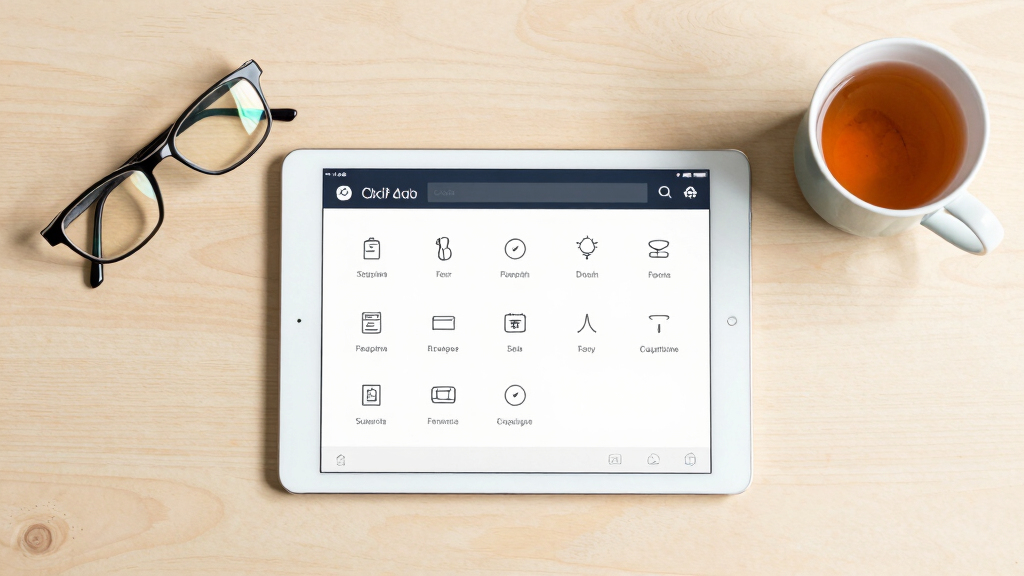
Senior-friendly tablets prioritize **ease of use**. Large, colorful icons replace tiny buttons, which is crucial because many seniors struggle with small touch targets due to limited dexterity or eyesight issues. Simple, straightforward menus cut out clutter, making navigation feel like flipping through a photo album rather than deciphering a foreign language. This simplicity reduces cognitive load and minimizes frustration, encouraging more frequent use and independence.
Imagine your grandmother easily launching a video call with just one tap or your father reading news with a font so big it almost feels like a book. These devices often include **customizable home screens**, allowing users to set up their most-used apps front and center. Such personalization not only makes daily tasks more accessible but also boosts confidence by reducing the number of steps needed to accomplish common activities.
For example, the **GrandPad** has dedicated large icons and an interface built for seniors, making the process as familiar as turning a page in a favorite magazine. The tradeoff here is that while these interfaces may lack some advanced features, they excel at removing barriers to basic functionality, which is often the priority for older users.
![GrandPad Easy to Use Tablet & Phone for Seniors [Locked - Not Compatible with Other Wireless Carriers - Requires a Plan]](https://m.media-amazon.com/images/I/41XvvOU2BCL._SL500_.jpg)
GrandPad Easy to Use Tablet & Phone for Seniors [Locked – Not Compatible with Other Wireless Carriers – Requires a Plan]
Designed for Seniors: GrandPad is a secure, all-in-one tablet + phone. With large icons, easy navigation, and a…
As an affiliate, we earn on qualifying purchases.
As an affiliate, we earn on qualifying purchases.
Must-Have Accessibility Features That Make a Difference
Seniors’ tablets should include **voice commands**—think of telling Siri or Google Assistant to read your messages or set reminders. These voice features are essential because they provide an alternative to manual input, which can be difficult due to arthritis or tremors. They transform the device into a hands-free helper, allowing users to perform tasks more naturally and with less physical effort. The implication is that users can stay more autonomous, especially if they find touch interactions challenging.
High-contrast modes and **magnification** options help those with visual challenges by making text and icons easier to see. Hearing aid compatibility and adjustable font sizes further enhance accessibility, ensuring that the device caters to a range of sensory impairments. These features turn tech from a potential barrier into a true aid, enabling seniors to access information and communicate without frustration.
For example, many Android tablets now allow you to enlarge icons and increase text size with just a few taps. The tradeoff is that enabling these features might require initial setup and familiarity, but once configured, they significantly reduce visual strain and improve overall usability, making daily interactions smoother and more enjoyable for seniors.
GrandPad Easy to Use Tablet & Phone for Seniors [Locked – Not Compatible with Other Wireless Carriers – Requires a Plan]
Designed for Seniors: GrandPad is a secure, all-in-one tablet + phone. With large icons, easy navigation, and a…
As an affiliate, we earn on qualifying purchases.
As an affiliate, we earn on qualifying purchases.
Latest Innovations Making Tablets Easier for Seniors
Recent updates in tablets mean less fuss and more function. Voice assistants are becoming smarter, enabling **hands-free control** of smart home devices, music, and more. This evolution reduces the need for manual navigation, which can be difficult for users with limited dexterity or vision. Imagine telling your tablet to turn on the lights while you’re in the kitchen—this convenience fosters independence and simplifies daily routines.
Specialized devices like **GrandPad** and **Reverb** focus solely on simplicity, with features like **large buttons**, **dedicated customer support**, and pre-loaded apps designed for ease of use. These innovations mean setup is quicker, troubleshooting is easier, and users are less likely to feel overwhelmed. The tradeoff is that these devices might lack some of the flexibility of mainstream tablets, but their targeted design ensures that seniors can use them confidently without frustration.
Health monitoring is also more accessible now. Tablets can sync with fitness trackers or blood pressure monitors, providing health updates at a glance. This integration offers seniors a sense of control over their health and can facilitate early detection of issues. It’s like having a nurse in your pocket, which can be a game-changer for those managing chronic conditions or wanting to stay proactive about their health.
GrandPad Easy to Use Tablet & Phone for Seniors [Locked – Not Compatible with Other Wireless Carriers – Requires a Plan]
Designed for Seniors: GrandPad is a secure, all-in-one tablet + phone. With large icons, easy navigation, and a…
As an affiliate, we earn on qualifying purchases.
As an affiliate, we earn on qualifying purchases.
Comparison Table: Top Seniors’ Tablets in 2024
| Device | Ease of Use Features | Accessibility Options | Special Features | Price Range |
|---|---|---|---|---|
| GrandPad | Large icons, simplified interface | Magnification, high contrast, voice commands | Dedicated support, pre-loaded apps | $150–$300 |
| Amazon Fire HD 8 Kids | Child-friendly mode, big buttons | Text-to-speech, voice control | Parental controls, durable case | $80–$130 |
| Samsung Galaxy Tab A | Customizable home screens | High contrast, font size options | Affordable, broad app support | $200–$300 |
| Apple iPad (with accessibility settings) | ||||
| Large, clear display, simple UI | Voiceover, magnifier, bold text | Wide app ecosystem, durability | $330–$600 |
GrandPad Easy to Use Tablet & Phone for Seniors [Locked – Not Compatible with Other Wireless Carriers – Requires a Plan]
Designed for Seniors: GrandPad is a secure, all-in-one tablet + phone. With large icons, easy navigation, and a…
As an affiliate, we earn on qualifying purchases.
As an affiliate, we earn on qualifying purchases.
Practical Tips for Setting Up a Senior’s Tablet
- Choose a device with large icons and simple menus.
- Set up accessibility features like font enlargement and voice control.
- Create a dedicated home screen with favorite apps—think video calls, messaging, health tracking.
- Install only essential apps to reduce clutter and confusion.
- Schedule a quick tutorial or set up a support plan for ongoing help.
For example, when setting up your dad’s new tablet, you can pre-load his favorite messaging app, enlarge the icons, and activate voice commands. This way, he’s more likely to use it confidently from day one.
What Should You Look for When Buying a Seniors’ Tablet?
Focus on **large, tactile buttons** and **simple interfaces**. Check for customizable accessibility settings—being able to enlarge text and enable voice commands makes a big difference. Durability also matters: a shock-resistant case can protect against drops.
Price ranges vary, but investing in a device with dedicated support and easy setup often pays off. Think about the user’s specific needs—vision, dexterity, tech familiarity—and choose accordingly.
For instance, if your grandma has shaky hands, a device with a sturdy case and large touch targets could be lifesavers. Pair that with straightforward tutorials, and she’s set for success.
Frequently Asked Questions
What is the easiest tablet for a senior with no tech experience?
The GrandPad is widely regarded as one of the simplest, thanks to its large icons, minimal clutter, and dedicated support. It’s designed specifically for seniors who want straightforward connectivity without the learning curve.
Do seniors need to learn complicated features to use these tablets?
No. Most senior-friendly tablets are built for ease, with large buttons, simple menus, and voice commands. The goal is to reduce learning time and make daily tasks intuitive.
How can I set up a tablet for an elderly loved one?
Start by choosing a device with accessible features. Pre-load essential apps, customize the home screen with large icons, and activate voice control. Schedule a quick tutorial or support session to ensure confidence and comfort.
Are there tablets specifically designed for seniors?
Yes. Devices like GrandPad and Reverb are tailored for seniors, featuring simplified interfaces, large buttons, and dedicated customer support to make technology approachable.
What accessibility features should I look for?
Look for options like enlarged text, magnification, high contrast modes, voice commands, and hearing aid compatibility. These features turn a standard tablet into a true assistive device for seniors.
Conclusion
Choosing the right seniors’ tablet isn’t about the latest tech, but about what makes life easier. A simple, well-supported device can bridge the gap between frustration and independence.
Imagine your loved one confidently video chatting, reading, or managing health—all with just a few taps. That’s the true power of a thoughtfully chosen, easy-to-use tablet.