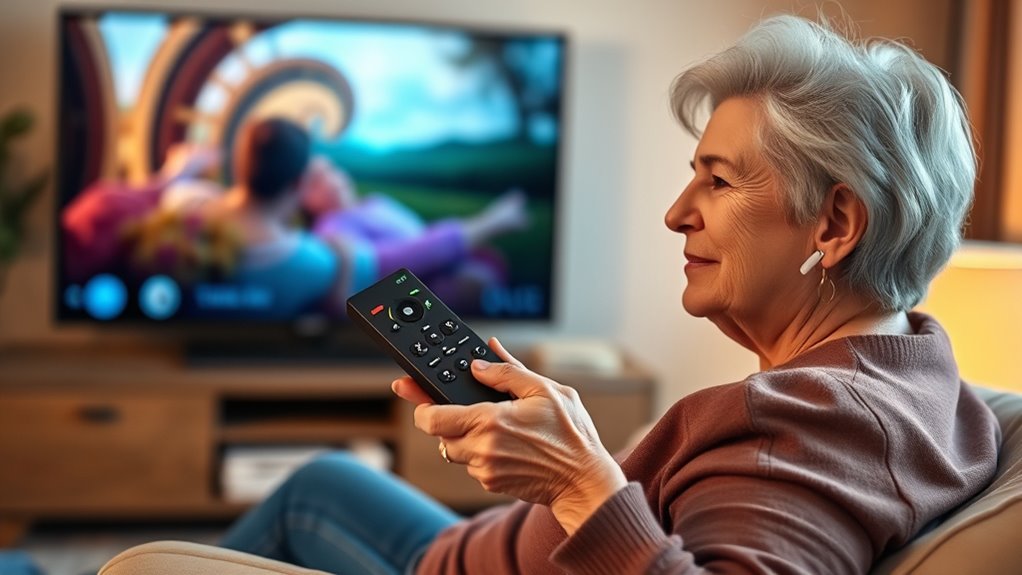

If you or a loved one face vision or hearing challenges, adaptive TV remote controls can make a big difference. Features like large, high-contrast buttons and backlit designs help with visibility, while tactile buttons allow you to navigate easily by touch. Voice command functions enable hands-free control, reducing frustration and fostering independence. By choosing a remote with these features, you can enjoy a more accessible and enjoyable TV experience—exploring further will reveal even more helpful options.

Turn quiet afternoons into listening time
- Thousands of audiobooks, podcasts and originals
- Listen on your phone, tablet or Echo — also offline
- Cancel anytime
Key Takeaways
- Adaptive TV remotes feature large, high-contrast buttons with backlighting for improved visibility in low-light conditions.
- Voice command capabilities enable seniors to control TV functions hands-free, accommodating vision and hearing challenges.
- Tactile buttons with distinct textures help users identify controls by touch, reducing reliance on sight.
- Combining voice and tactile features offers flexible, accessible operation tailored to individual needs.
- Additional visual aids like high-contrast colors and large fonts enhance usability for users with visual impairments.

As more seniors want to enjoy their favorite shows comfortably, adaptive TV remote controls have become essential tools that make TV viewing easier and more enjoyable. When it comes to vision and hearing challenges, these remotes are designed to bridge the gap, ensuring you can operate your TV without frustration. One of the key features is the use of voice commands, allowing you to control your TV simply by speaking. Instead of struggling to locate tiny buttons or read small print, you can say commands like “Turn on the TV,” “Change to CNN,” or “Mute,” and the remote responds immediately. This hands-free approach is especially helpful if your eyesight is declining or if you find it difficult to see small buttons clearly.
Speaking of buttons, tactile buttons on adaptive remotes are another crucial feature for those with visual impairments. These buttons are often larger, distinctively shaped, or textured so you can identify them by touch alone. For example, a textured circle might control volume, while a ridged square might change the channel. With tactile feedback, you don’t have to guess which button you’re pressing or rely on visual cues. This makes steering your TV menu or adjusting settings much more manageable, especially in dimly lit rooms or for anyone with limited vision. These buttons also tend to be more durable and easier to press, reducing frustration during use.
Many adaptive remotes combine both voice commands and tactile buttons, creating an intuitive experience that adapts to your needs. You might prefer using your voice when you’re feeling tired or your eyesight isn’t great, and then switch to tactile controls if you’re in a noisy environment or want precise adjustments. These features work together seamlessly, giving you more independence and confidence while watching TV. Additionally, some remotes include features like large, backlit buttons or high-contrast color schemes, further aiding those with visual impairments. The goal is to minimize barriers and make the remote easy to operate regardless of your vision or hearing abilities. Incorporating high-contrast color schemes can further improve visibility, especially for users with color vision deficiencies or poor eyesight.
adaptive TV remote with large buttons
As an affiliate, we earn on qualifying purchases.
As an affiliate, we earn on qualifying purchases.
Frequently Asked Questions
How Do I Program an Adaptive Remote for My Specific TV Model?
To program your adaptive remote for your specific TV model, first check remote compatibility with your TV brand. Then, follow the programming steps in the manual—usually, you press and hold a designated button, enter a code from the list, and test the remote functions. If it doesn’t work, repeat with different codes or try the auto-search feature. This guarantees your remote is correctly set up for your TV.
Are Adaptive Remotes Compatible With All Types of TVS?
Adaptive remotes generally offer universal compatibility, meaning they can work with most TV brands and models. However, some may require model-specific programming for peak performance. Before purchasing, check the product details to verify it supports your TV’s brand and model. If needed, you might have to follow specific setup instructions or update the remote’s firmware for seamless operation across various devices.
What Is the Typical Battery Life of Adaptive Remote Controls?
While the charm of technology often lies in its endurance, adaptive remote controls typically boast a battery longevity of several months, thanks to efficient power management. You can expect their batteries to last around 3 to 6 months with normal use, depending on features like backlighting or voice control. To guarantee uninterrupted convenience, regular charging or battery replacement is recommended, making these devices reliable companions in your entertainment experience.
Can Adaptive Remotes Control Other Devices Besides the TV?
Yes, adaptive remotes can control other devices besides the TV. Many feature universal compatibility, allowing you to manage sound systems, cable boxes, and streaming devices. Plus, with voice command integration, you can easily control multiple gadgets hands-free. This makes it simple to streamline your entertainment setup, reducing the need for multiple remotes and making your TV experience more accessible and convenient.
Are There Any Subscription Fees for Using Adaptive Remote Control Features?
Imagine opening a door to easier entertainment without a key—many adaptive remote controls don’t charge subscription fees, so you can enjoy their features freely. Some advanced models might include optional service charges for added functionalities or cloud storage, but basic features often come at no extra cost. Always check the manufacturer’s details to avoid surprises, ensuring you get the support you need without ongoing fees.
voice control TV remote for seniors
As an affiliate, we earn on qualifying purchases.
As an affiliate, we earn on qualifying purchases.
Conclusion
Imagine yourself effortlessly flipping through channels, the bright screen and tactile buttons guiding your every move. With adaptive TV remote controls, you regain independence and confidence, no longer fumbling in the dark. These devices turn your living room into a sanctuary where sight and sound work together seamlessly. Embrace technology designed with you in mind, making every viewing experience clear, simple, and enjoyable. It’s time to bring clarity and ease back into your everyday entertainment.
As an affiliate, we earn on qualifying purchases.
As an affiliate, we earn on qualifying purchases.
Fall Picks
fall essentials
As an affiliate, we earn on qualifying purchases.