
TL;DR
Easy-to-use senior safety gadgets can help older adults call for assistance, stay connected, and reduce everyday household risks. Match the device to the person’s routine, check coverage and full costs, discuss privacy, and practice what happens when an alert goes off; no gadget guarantees that help will arrive.
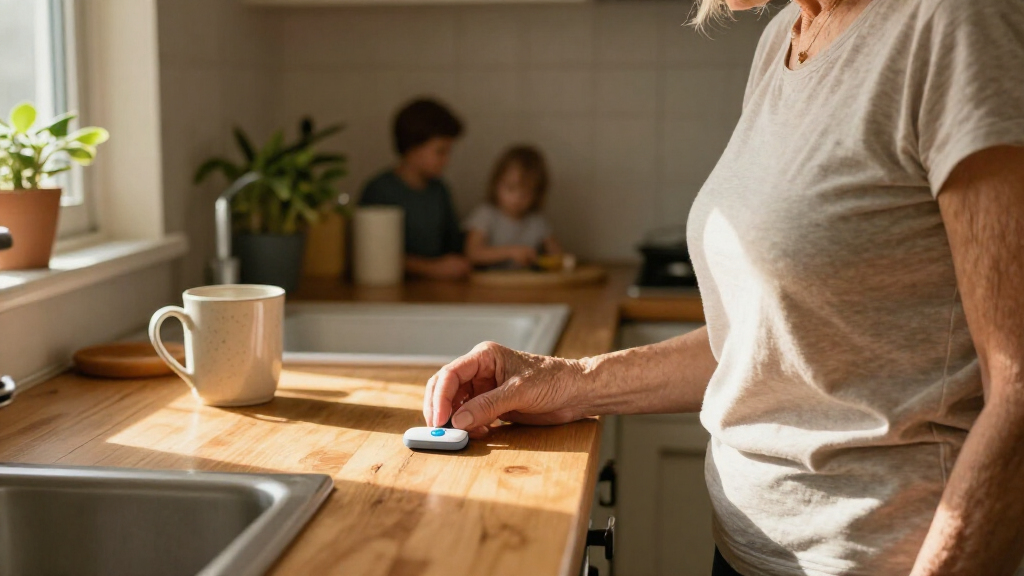
A safety gadget that stays in its box cannot help anyone. The best choice is often not the flashiest device, but the one your parent, partner, or neighbor will actually wear, charge, and use when a moment turns stressful.

Turn quiet afternoons into listening time
- Thousands of audiobooks, podcasts and originals
- Listen on your phone, tablet or Echo — also offline
- Cancel anytime
This a blog article about choosing easy-to-use senior safety gadgets for real homes and routines. You’ll compare alert devices, phones, sensors, medication reminders, and simple household aids, then learn how to check costs, privacy, coverage, and the response plan before you buy.
These tools can help older adults stay connected and support independence, but they are not guarantees against emergencies or substitutes for medical care. Treat them like a smoke alarm: useful when it works, tested regularly, and backed by people who know what to do.
Choose a gadget for a named everyday risk and routine, not for the longest feature list.
Compare where alert systems work, who receives calls, and the full cost, including service and cancellation fees.
Treat fall detection as a backup; practice the alert process and set a plan for missed notifications.
Assign a real person or service to respond to every home-sensor alert, with a backup contact.
Discuss privacy, charging, and consent, then test the complete setup with the older adult.
Start with the everyday risk you want to reduce
Easy-to-use senior safety gadgets work best when you choose them for one specific need, such as calling for help after a fall, staying in touch outdoors, or noticing a water leak. Naming the problem first helps you avoid paying for features that look impressive but do not fit the person’s day.
For instance, if your aunt takes a short walk to the garden every morning, a home-only pendant may not help once she steps outside. If your father mainly worries about dark trips from bed to the bathroom, motion-activated night-lights may solve that problem more simply than a smartwatch with a menu he rarely opens.
Think of a device as a key: a key only helps if it fits the lock you need to open. Ask what happens, where it happens, and what kind of help would be useful. Include the older adult in that conversation; a gadget that feels intrusive or uncomfortable is less likely to become part of a routine.
Write down the answer in plain language, such as “call my daughter if I need help while walking” or “light the hallway at night.” That sentence becomes your buying filter. It also gives you a way to judge whether the setup works after a week of ordinary use.
Products Worth Considering

Withings BeamO Contactless Smart Thermometer, ECG Monitor, and Digital Stethoscope

Oura Ring 5 Smart Ring, Silver, Size 7

Hyperice Hypervolt 3 Pro Percussion Massage Gun with Heated Head and Carry Case
As an affiliate, we earn on qualifying purchases.
Compare alert buttons, phones, and smartwatches before choosing
Easy-to-use senior safety gadgets for calling for help range from simple pendants to mobile phones and smartwatches; the right option depends on where the person goes and which controls they can use under stress. A device can include many features and still be a poor fit if its button is hard to press or its service cannot reach the person.
| Option | Often suits | Check before buying |
|---|---|---|
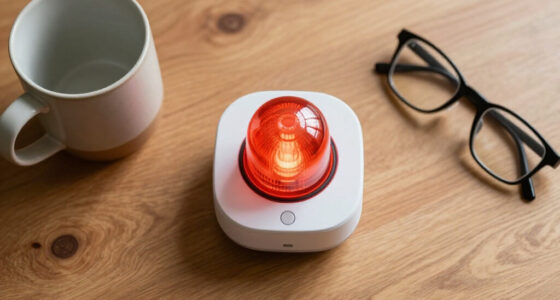
| At-home medical alert | Someone mostly at home who wants a wearable help button | Base-unit range, landline or cellular needs, response center, water resistance, fees |
| Mobile alert device | Someone who goes out alone and wants help beyond home | Cellular coverage, GPS limits, battery life, monitoring plan |
| Phone or smartwatch | Someone comfortable with its screen and charging routine | Unlocking, emergency-call steps, compatible phone, service coverage |
These options trade simplicity for reach and flexibility. A home unit may be straightforward and stay charged, but its wearable button can only reach as far as the base unit. A mobile device can go along on errands, though it depends on cellular service, battery life, and sometimes a monitoring subscription. A phone or smartwatch may avoid buying a separate device, but emergency features can require unlocking, navigating a screen, or keeping several devices charged. Think through what the person could realistically do during a stressful moment—not just what they can do during a calm demonstration.
For example, a person who spends afternoons at a community garden may need a mobile alert with service in that area, while a homebody may prefer a large, easy-to-press pendant linked to a base unit. Some devices contact a monitoring center; others notify chosen family members. “Emergency alert” does not always mean a direct call to 911, so read the response steps carefully. A monitoring center may provide a staffed response, while family notifications can feel more personal but depend on someone seeing and answering the message.
Look at total cost and cancellation terms, not just the advertised device price. Include activation, monitoring, cellular service, replacement parts, and any cancellation fees. Product features vary by model, plan, and region; check current specifications and support details before deciding. A lower upfront price may come with a recurring fee, while a device without monitoring may leave the wearer responsible for reaching contacts themselves.
Treat fall detection as backup, not a promise
Fall detection can automatically send an alert when a device suspects a fall, but it cannot reliably detect every fall or prevent a false alarm. That makes it a useful backup feature—not a replacement for a wearable help button, a tested response plan, or appropriate care.
Imagine that your neighbor slips beside a sofa. A sensor may recognize the movement and start an alert, but another fall could happen too gently for the feature to recognize, or a quick movement might trigger an alert by mistake. Some systems ask the wearer to cancel or confirm the alert, which may be difficult if they feel confused or cannot reach the device.
Ask the manufacturer how detection works, what happens after a suspected fall, and whether a monitoring operator or family contact receives the alert. Read the instructions before testing; do not stage a fall just to see what happens unless the manufacturer provides a safe test method. A practice call can show whether the speaker is loud enough and whether the wearer understands how to respond.
Make a backup plan for missed alerts: agree who checks in, how long they wait, and whom they contact if the first person does not answer. Fall-detection technology may help, but no device can guarantee that an alert reaches someone or that help arrives promptly.
Use home sensors only when someone can answer them
Home-safety sensors can report events such as a door opening, a water leak, smoke, or unusual inactivity, but an alert matters only if a person or service receives it and knows what to do. Before setting up a sensor, name the recipient and the next step instead of assuming a phone notification will take care of itself.
For instance, a leak sensor under the kitchen sink might send a message to a daughter at work. If she cannot check the message for several hours, a neighbor or building manager may need to serve as backup. A door sensor that alerts a caregiver can be reassuring, but it should not silently become a way to monitor someone without their agreement.
Check the device’s internet, power, and privacy requirements. Find out what happens during an outage, which events it detects, who can view the data, and how you can disable or delete access. Marketing phrases such as “AI-powered protection” do not explain how well a product works; seek clear product specifications and independent testing where available.
Keep the setup focused. A person who wants help noticing a front door opening may not need cameras in every room. Discuss monitoring openly, agree on which alerts are useful, and test the notification with the actual recipient. If nobody has agreed to respond, the sensor may add anxiety without adding much support.
Make medication reminders easy to refill and follow
Medication reminders range from a simple alarm to an app or locked dispenser that releases doses at scheduled times. The useful choice is the one the person can manage and that matches their prescribed routine—not the device with the most buttons or notifications.
Say your mother takes medication at breakfast and dinner. A kitchen timer or phone alarm may be enough if she already uses that device comfortably. If a dispenser is under consideration, check whether it is easy to refill, how it handles a missed dose, and whether it can alert a caregiver when something needs attention.
The tradeoff is between a low-effort reminder and a more controlled system. An alarm can prompt someone but cannot confirm that the right dose was taken; a dispenser may organize doses and limit access to scheduled compartments, but it adds setup, refill, and troubleshooting work. If refilling is confusing or a caregiver cannot reliably maintain it, the added controls may create more risk than reassurance. These devices can support a routine, but they do not decide which medication or dose is appropriate. Ask a pharmacist or clinician whether a dispenser fits the person’s medication regimen, especially if instructions involve changes, as-needed doses, or special handling. Avoid setting up a device in a way that could encourage someone to take an extra dose after missing a reminder.
Try the routine together for several days. For example, place the reminder beside the breakfast mug, then check whether the alert is loud enough and easy to clear. If the device is confusing to refill or creates frequent false alarms, simplify the setup rather than adding more alerts. A clear routine beats a cabinet full of unused technology.
Improve lighting and footing with simple household aids
Good lighting, securely installed grab bars, and non-slip surfaces can address common household hazards without an app or monthly fee. For some people, these practical aids matter more than a connected gadget because they make an everyday task easier right where it happens.
For example, motion-activated night-lights can cast a soft path from the bedroom to the bathroom, so someone does not have to search for a small switch in the dark. Clear labels on a confusing thermostat or large, high-contrast controls may also help someone operate familiar equipment with less frustration.
Choose supports for the actual space. A loose bath mat can bunch underfoot, and a poorly mounted grab bar can create a hazard instead of reliable support. Have fixed supports installed appropriately, and ask a qualified professional for help if you are unsure where or how to mount one. These changes should fit the person’s mobility and home layout.
Walk through the home together at the times when visibility is hardest: early morning, after sunset, and during a nighttime bathroom trip. Notice cords, clutter, slippery spots, and dim corners. A few well-placed lights and a securely fitted support can be simpler to use than a device that needs charging, a password, and a strong signal.
Run this five-step test before relying on any gadget
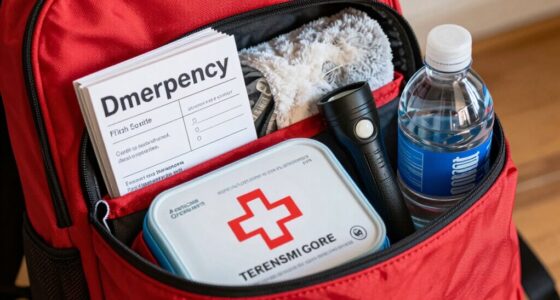
A safety gadget is ready only after the wearer, the device, and the people expected to respond have practiced together. Test the whole chain, not just whether a light flashes or an app opens. A working alert with no clear recipient is like a ringing doorbell in an empty house.
- Match it to the routine. Check comfort, hearing, vision, dexterity, memory, and whether the person spends time outside home.
- Check real-world coverage. Test cellular or Wi-Fi service in the places the person actually goes, and confirm whether a landline is required.
- Practice the alert. Follow the manufacturer’s safe test instructions; check button access, speaker volume, and what the monitoring center or contact says.
- Set charging and outage plans. Learn battery life, low-battery warnings, and what happens if internet, power, or cellular service fails.
- Agree on privacy and response. Identify who sees location or sensor data, who answers alerts, and who serves as backup.
Each step checks a different point where the system can fail. A comfortable device is more likely to be worn; local coverage makes an alert possible; practice reveals confusing controls; and a named responder turns a notification into action. Outage planning matters because a device may appear dependable until its battery runs down or a network drops. If one link is unreliable, address it before treating the gadget as a safety net.
Try the setup in an ordinary moment, such as before a short walk or at bedtime. If the wearer has to hunt for the device, read tiny print, or remember a complicated sequence, simplify it. Repeat the test after a move, a change in routine, or a change in who receives alerts.
Keep the device’s instructions and service contact details somewhere easy to find. Then make sure the older adult knows they can ask to change or stop monitoring. The point is to support their independence, not to turn a safety tool into a source of pressure.
Frequently Asked Questions
What is the best safety gadget for an older adult?
There is no single best gadget; it depends on the person’s routine and the risk they want to address. Someone who spends time alone outside may need a mobile alert with reliable local coverage, while someone concerned about dark hallway trips may benefit more from motion-activated lights.
Does fall detection work every time?
No. Fall detection can miss some falls or trigger an alert when a fall has not happened, so treat it as a backup rather than a guarantee. Check the product instructions and practice the alert process safely according to the manufacturer’s directions.
Can a medical alert system work without a landline?
Many systems use cellular service instead of a landline, but coverage depends on the device, service plan, and location. Confirm the exact requirements and test reception at home and in the places the wearer usually visits.
Are smartwatches a substitute for medical alert systems?
Sometimes a smartwatch’s calling or emergency features may suit someone who already knows how to use and charge it. Compare its emergency-call process, coverage, setup needs, and monitoring arrangements with a dedicated alert service rather than assuming the two work the same way.
What if the person forgets to wear or charge a safety device?
Choose a comfortable device and connect wearing or charging it to an existing habit, such as getting dressed or brushing teeth. Check whether it offers low-battery or offline alerts, and consider other supports—like better lighting—that do not rely on a wearable being charged.
Are senior safety gadgets covered by Medicare or insurance?
Coverage depends on the product, plan, location, and circumstances, so do not assume reimbursement. Ask the insurer or relevant benefits program directly about eligibility, documentation, and any limits before purchasing.
Conclusion
Choose the simplest tool that fits the person’s real routine, then test it with the people who will respond. A pendant, phone, night-light, or medication reminder can support independence when it feels comfortable, works where needed, and has a clear backup plan.
Start with one specific risk, involve the older adult, and practice together. The best safety setup is not the one with the most screens; it is the one that quietly fits into daily life, like a porch light left on for someone coming home.