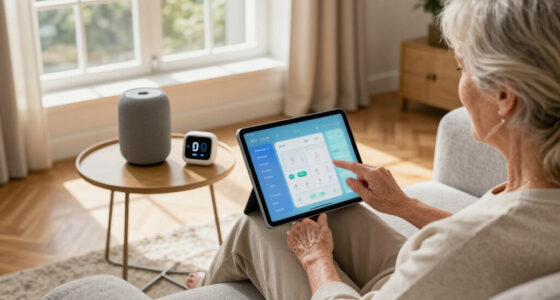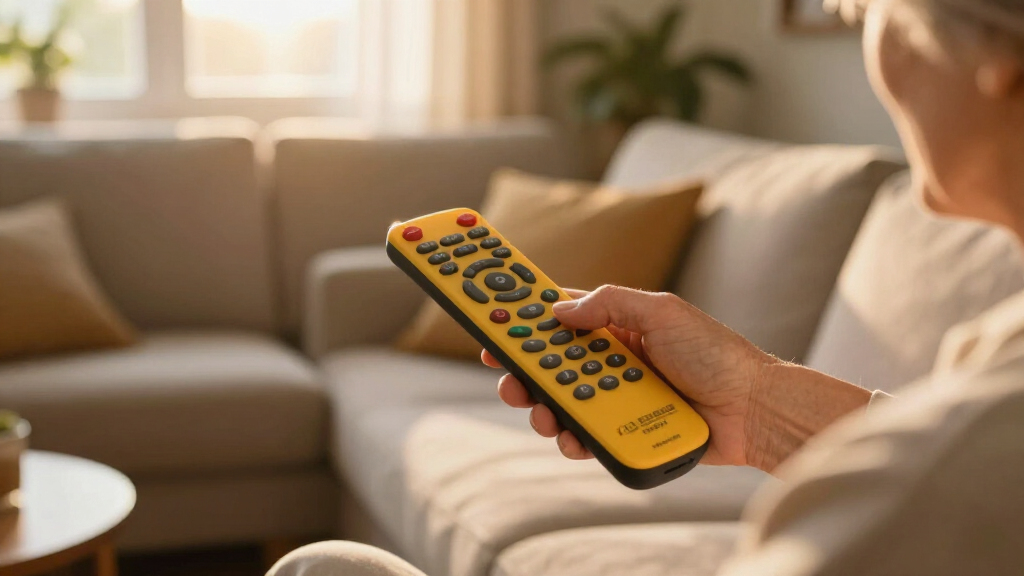

Large button remote controls are designed for users who need simplified, easy-to-press buttons, making TV viewing more accessible for seniors, those with vision impairment, or anyone seeking an intuitive remote. The best models combine durability, clear labeling, and compatibility across multiple devices. The top pick, the EZclicker Big Button Universal TV Remote, offers a versatile, user-friendly experience. For those prioritizing affordability, the Big Button Universal Remote for All TV Brands provides excellent value, while the Flipper Big Button Remote is ideal for dementia and senior users. However, tradeoffs often involve balancing simplicity with device compatibility and advanced features. Continue reading for a detailed comparison to find the best fit for your needs.

Turn quiet afternoons into listening time
- Thousands of audiobooks, podcasts and originals
- Listen on your phone, tablet or Echo — also offline
- Cancel anytime
Complete the kit


Key Takeaways
- The top remote combines universality with ease of use, making it suitable for a wide range of users and devices.
- Design and button size are critical; larger, clearly labeled buttons significantly improve usability.
- Many models cater specifically to seniors or dementia patients, emphasizing simplicity and safety features.
- Compatibility varies; some remotes work with multiple brands, while others are dedicated replacements for specific TVs.
- Price often correlates with features; premium options include backlit buttons or learning capabilities, but basic models often suffice.
| EZclicker Big Button Universal TV Remote (White) |  | Best Overall for Simplicity and Compatibility | Color: White | Dimensions: 7″ x 2″ x 1″ | Batteries: 2x AAA (not included) | VIEW LATEST PRICE | See Our Full Breakdown |
| Sony Replacement TV Remote for Sony TVs – Big Button, Easy to Use, Black |  | Best for Sony TV Owners Needing Instant Use | Compatibility: Sony TVs | Button Design: Big buttons with tactile feedback | Batteries: 2x AAA (not included) | VIEW LATEST PRICE | See Our Full Breakdown |
| Big Button Universal Remote for All TV Brands |  | Best for Multi-Brand Compatibility and No Setup | Compatibility: Samsung, LG, VIZIO, Sony, etc. | Features: Extra-large enter button, tactile feedback | Setup: No programming needed | VIEW LATEST PRICE | See Our Full Breakdown |
| LG Replacement TV Remote for LG TVs – Big Button, Easy to Use, Black |  | Best for LG TV Owners Seeking Simplicity | Compatibility: LG TVs | Button Type: Big Button | Batteries: 2x AAA (not included) | VIEW LATEST PRICE | See Our Full Breakdown |
| GE Big Button Universal Remote Control for Samsung, Vizio, LG, Sony, Roku |  | Best for Dual Device Control and Major Brand Compatibility | Device Control: 2 devices | Button Size: Large and easy to read | Setup: Automatic code search or direct code entry | VIEW LATEST PRICE | See Our Full Breakdown |
| EZclicker Big Button Universal TV Remote (Orange) |  | Best Overall for Simplicity and Compatibility | Button Type: Big buttons with tactile feedback | Compatibility: Major TV brands (not for cable boxes or streaming devices) | Dimensions: 7 x 2 x 1 inches | VIEW LATEST PRICE | See Our Full Breakdown |
| EZclicker Big Button Universal TV Remote (Black) |  | Best for Broad Compatibility and Ease of Use | Button Size: Extra-large | Compatibility: Major TV brands (not for cable boxes or streaming devices) | Batteries: 2x AAA (not included) | VIEW LATEST PRICE | See Our Full Breakdown |
| Flipper Big Button Universal TV Remote for Seniors, Dementia |  | Best for Seniors with Impaired Vision and Multiple Devices | Maximum Supported Devices: 3 | Compatible Devices: IR infrared television, cable boxes | Connectivity Technology: Infrared | VIEW LATEST PRICE | See Our Full Breakdown |
| QFX REM-115 8-in-1 Jumbo Universal Remote Control for Multiple Devices |  | Best for Multi-Device Control and Streaming Shortcut Keys | Model: REM-115 | Device Compatibility: Up to 8 devices including TV, Blu-ray, soundbars | Features: Glow-in-the-dark buttons, shortcut keys for streaming | VIEW LATEST PRICE | See Our Full Breakdown |
| Samsung Replacement TV Remote for Samsung TVs – Big Button Design |  | Best for Samsung TV Owners Needing No Setup | Compatibility: Samsung TVs only | Button Design: Big buttons with tactile feedback | Batteries: 2x AAA (not included) | VIEW LATEST PRICE | See Our Full Breakdown |
| EZclicker TV Remote for Seniors, Big Button Universal Remote (Black) |  | Best Overall for Simplicity and Compatibility | Button Type: Big buttons with tactile feedback | Compatibility: Major TV brands | Dimensions: 6 x 2 x 1 inches | VIEW LATEST PRICE | See Our Full Breakdown |
| Big Button Universal TV Remote for Seniors, Easy to Use, Compatible with Major TV Brands |  | Best for Lightweight and Easy Programming | Button Type: Big buttons with tactile feedback | Compatibility: Major TV brands | Dimensions: 7″ x 2″ x 1″ | VIEW LATEST PRICE | See Our Full Breakdown |
| EZclicker TV Remote for Seniors, Extra Simple Big Button Remote (Orange) |  | Best for Bright Visibility and Range | Color: Orange | Maximum Range: 45 feet | Connectivity Technology: Infrared | VIEW LATEST PRICE | See Our Full Breakdown |
| Backlit Big Button Universal Remote Control for Most TVs, Elderly-Friendly, Learning Remote |  | Best for Multi-Device Control and Customization | Compatible Devices: Television, set-top boxes, DVD players | Connectivity Technology: Infrared | Maximum Range: 33 feet | VIEW LATEST PRICE | See Our Full Breakdown |
| large button remote control | Batteries | Compatibility | Dimensions |
|---|---|---|---|
| EZclicker Big Button Universal | 2x AAA (not included) | Major TV brands | 7" x 2" x 1" |
| Sony Replacement TV Remote for | 2x AAA (not included) | Sony TVs | 7" x 2" x 1" |
| Big Button Universal Remote fo | 2x AA (not included) | Samsung, LG, VIZIO, Sony, etc. | — |
| LG Replacement TV Remote for L | 2x AAA (not included) | LG TVs | 7" x 2" x 1" |
| GE Big Button Universal Remote | 2 AA (not included) | — | — |
| EZclicker Big Button Universal | 2x AAA (not included) | Major TV brands (not for cable boxes or streaming devices) | 7 x 2 x 1 inches |
| EZclicker Big Button Universal | 2x AAA (not included) | Major TV brands (not for cable boxes or streaming devices) | 7" x 2" x 1" |
| Flipper Big Button Universal T | — | — | — |
| QFX REM-115 8-in-1 Jumbo Unive | — | — | — |
| Samsung Replacement TV Remote | 2x AAA (not included) | Samsung TVs only | 7 x 2 x 1 inches |
| EZclicker TV Remote for Senior | 2x AAA (not included) | Major TV brands | 6 x 2 x 1 inches |
| Big Button Universal TV Remote | 2x AAA (not included) | Major TV brands | 7" x 2" x 1" |
| EZclicker TV Remote for Senior | — | — | — |
| Backlit Big Button Universal R | — | — | — |
More Details on Our Top Picks
EZclicker Big Button Universal TV Remote (White)
The EZclicker Big Button Universal TV Remote stands out for its straightforward design and broad compatibility with major TV brands, making it an ideal choice for those who want a reliable, easy-to-use remote. Compared to the Big Button Universal Remote for All TV Brands, it offers slightly more refined build quality and simpler setup, though it lacks control over streaming devices. Its large, tactile buttons provide immediate feedback, reducing frustration for users with limited dexterity or vision. The remote’s lightweight, compact form makes it easy to handle, but its limitation to TV control only might disappoint those seeking multi-device management. The need for 2 AAA batteries, not included, is a minor inconvenience. This remote makes the most sense for seniors or visually impaired users who prioritize compatibility and ease of use without extra features.
Pros:- Large, easy-to-press buttons ideal for limited dexterity
- Broad compatibility with major TV brands
- Simple, minimal programming required
Cons:- Limited to TV control only; no streaming device support
- Batteries not included, requiring an extra purchase
Best for: Seniors or visually impaired users seeking a straightforward, universal TV remote
Not ideal for: Users wanting control over multiple device types like streaming boxes or soundbars
- Color:White
- Dimensions:7″ x 2″ x 1″
- Batteries:2x AAA (not included)
- Compatibility:Major TV brands
Our verdict“This remote is perfect for those who need a simple, reliable TV control solution without extra bells and whistles.”
Sony Replacement TV Remote for Sony TVs – Big Button, Easy to Use, Black
The Sony Replacement TV Remote excels for Sony TV owners who want a simple, no-fuss replacement. Its large, tactile buttons ensure easy operation, similar to the Big Button Universal Remote for All TV Brands, but it’s limited to Sony models, meaning it won’t support other brands or devices. This makes it a great choice for those with a single Sony TV, especially if they dislike programming or setup hassles. Its lightweight design and straightforward layout promote comfort and ease of use, but needing 2 AAA batteries, which are not included, could be a minor inconvenience. Compared with multi-brand remotes, this offers a more tailored experience for Sony users, but at the expense of versatility.
Pros:- Large, tactile, easy-to-press buttons
- No programming needed—works instantly with Sony TVs
- Lightweight and compact for easy handling
Cons:- Limited to Sony TV compatibility
- Batteries not included, requiring additional purchase
Best for: Sony TV owners looking for an easy, ready-to-use replacement remote
Not ideal for: Users with multiple device ecosystems or who want control over streaming devices
- Compatibility:Sony TVs
- Button Design:Big buttons with tactile feedback
- Batteries:2x AAA (not included)
- Dimensions:7″ x 2″ x 1″
Our verdict“Ideal for Sony TV owners prioritizing instant usability without setup complexity.”
Big Button Universal Remote for All TV Brands
This Big Button Universal Remote for All TV Brands offers broad compatibility across many major brands, making it a top choice for households with multiple TVs or varied device ecosystems. Unlike the LG Replacement TV Remote, which is brand-specific, this remote handles Samsung, LG, VIZIO, Sony, and more, without requiring programming—perfect for users who want immediate functionality. Its large, tactile buttons with an extra-large enter key simplify operation, especially for users with visual impairments or cognitive challenges. However, it only controls TVs, not streaming devices or cable boxes, which limits its versatility for those with complex setups. Batteries are required but not included, a common inconvenience.
Pros:- Large, tactile buttons for easy use
- Works with many major TV brands without programming
- Designed specifically for ease of use by seniors
Cons:- Limited to TV control, no streaming device support
- Batteries not included
Best for: Seniors or visually impaired individuals managing multiple TVs or household devices
Not ideal for: Users seeking control of streaming services or multiple device types beyond TVs
- Compatibility:Samsung, LG, VIZIO, Sony, etc.
- Features:Extra-large enter button, tactile feedback
- Setup:No programming needed
- Batteries:2x AA (not included)
Our verdict“Best suited for users who want a universal remote for multiple TV brands with no setup hassle.”
LG Replacement TV Remote for LG TVs – Big Button, Easy to Use, Black
The LG Replacement TV Remote is tailored for users who need a straightforward, comfortable control device for LG TVs. Its large buttons and simplified layout make it a suitable choice for seniors or visually impaired users, similar in function to the EZclicker Big Button Universal TV Remote, but exclusively for LG models. Its lightweight, ergonomic design minimizes strain, though it’s limited to LG TV models, which reduces its flexibility for households with multiple brands. Batteries are not included, which can be a minor inconvenience. This remote emphasizes ease of use over advanced features or multi-device control.
Pros:- Large, easy-to-press buttons suitable for limited dexterity
- Designed specifically for LG TVs for perfect compatibility
- Lightweight and comfortable for extended use
Cons:- Limited to LG TV control
- Batteries not included
Best for: LG TV owners desiring a simple, accessible remote with no complex setup
Not ideal for: Households with multiple brands or those needing control over streaming devices
- Compatibility:LG TVs
- Button Type:Big Button
- Batteries:2x AAA (not included)
- Dimensions:7″ x 2″ x 1″
Our verdict“A practical choice for LG TV users who prioritize simplicity and comfort in remote control.”
GE Big Button Universal Remote Control for Samsung, Vizio, LG, Sony, Roku
The GE Big Button Universal Remote offers control over two devices, like a TV and soundbar, making it suitable for users who want to consolidate their remote management. Its large, easy-to-read buttons are comparable to the EZclicker Big Button Universal Remote (Orange), but with added device control flexibility. Setup is straightforward with automatic code search or direct code entry, ideal for users who prefer minimal fuss. However, controlling only two devices limits its appeal for those with more complex setups or multiple streaming devices. The remote’s basic functionality makes it an accessible choice, but it lacks advanced features like backlit buttons or learning capabilities.
Pros:- Large, easy-to-read buttons
- Controls up to two devices for convenience
- Quick setup with automatic code search
Cons:- Limited to two devices
- Basic functionality without advanced features
- Batteries not included
Best for: Users who want a simple, dual-device remote for their main TV and sound system
Not ideal for: Tech-savvy users or those with multiple streaming devices seeking more features
- Device Control:2 devices
- Button Size:Large and easy to read
- Setup:Automatic code search or direct code entry
- Batteries:2 AA (not included)
Our verdict“Ideal for users needing a straightforward remote to control two devices without complexity.”
EZclicker Big Button Universal TV Remote (Orange)
This remote stands out for its straightforward design with large, tactile buttons that cater to seniors and those with limited dexterity. Its simple one-step programming process makes it accessible for users who prefer minimal setup, surpassing models like the Flipper remote that require more manual configuration. However, it’s limited to controlling TVs only, not cable boxes or streaming devices, which could be a drawback for users with more complex setups. Its lightweight, compact form enhances handling, but the absence of batteries included adds a minor inconvenience. This pick makes the most sense for those seeking an easy-to-use, universal TV remote with broad brand compatibility.
Pros:- Large, easy-to-press buttons with tactile feedback
- Simple, one-step programming process
- Lightweight and compact for easy handling
- Compatible with most major TV brands
Cons:- Not compatible with cable boxes or streaming devices
- Batteries not included, requiring an additional purchase
Best for: Seniors or visually impaired individuals needing a straightforward TV remote with universal compatibility
Not ideal for: Users who want to control cable boxes or streaming devices, as this remote isn’t compatible with those
- Button Type:Big buttons with tactile feedback
- Compatibility:Major TV brands (not for cable boxes or streaming devices)
- Dimensions:7 x 2 x 1 inches
- Batteries:2x AAA (not included)
Our verdict“This remote is ideal for seniors or visually impaired users who need a simple, universal TV control solution.”
EZclicker Big Button Universal TV Remote (Black)
Compared with the orange version, this black model maintains large, extra-large buttons with tactile feedback, making it equally suitable for seniors and users with limited dexterity. Its straightforward programming process and universal compatibility with major TV brands make it a flexible choice, much like the white EZclicker remote. However, it shares the same limitation of not supporting cable boxes or streaming devices, which could restrict its usefulness for some users. Its compact, lightweight design ensures ease of handling, but the batteries are not included, requiring additional purchase. This remote makes the most sense for those who want a simple, highly compatible TV remote without extra bells and whistles.
Pros:- Extra-large, easy-to-press buttons with tactile feedback
- Universal compatibility with major TV brands
- Simple setup process
- Lightweight and compact
Cons:- Not compatible with cable boxes or streaming devices
- Batteries not included
Best for: Users seeking a universal, easy-to-use remote for multiple TV brands, especially seniors
Not ideal for: People who need to control streaming devices or cable boxes, as this remote isn’t compatible with those
- Button Size:Extra-large
- Compatibility:Major TV brands (not for cable boxes or streaming devices)
- Batteries:2x AAA (not included)
- Dimensions:7″ x 2″ x 1″
Our verdict“This remote is best suited for users wanting universal TV control with large buttons and easy setup.”
Flipper Big Button Universal TV Remote for Seniors, Dementia
The Flipper remote is tailored for seniors and individuals with impaired vision, featuring large, color-coded tactile buttons that simplify operation. Its support for controlling up to three devices, including TVs and cable boxes, offers versatility not found in the simpler EZclicker models. Customizable favorite channels add convenience, but it doesn’t support streaming devices or apps, limiting its use for digital streaming. The infrared technology requires a clear line of sight, which could be a challenge in some setups, and batteries are not included, adding a minor hassle. This remote makes the most sense for those managing multiple IR-controlled devices who prioritize tactile differentiation and customization.
Pros:- Large, tactile, color-coded buttons for easy identification
- Supports multiple devices including TVs and cable boxes
- Customizable favorite channels
- Infrared control with a 30-foot range
Cons:- No support for streaming devices or apps
- Requires direct line of sight for operation
- Batteries not included
Best for: Seniors or visually impaired users controlling multiple IR devices like TVs and cable boxes
Not ideal for: Users wanting to control streaming services or devices without line-of-sight restrictions
- Maximum Supported Devices:3
- Compatible Devices:IR infrared television, cable boxes
- Connectivity Technology:Infrared
- Button Quantity:3
- Maximum Range:30 feet
- Number of Batteries:2 AA batteries
Our verdict“This remote is designed for seniors managing multiple IR devices who need tactile cues and customization, but not streaming control.”
QFX REM-115 8-in-1 Jumbo Universal Remote Control for Multiple Devices
The QFX REM-115 excels at controlling up to eight devices, making it a strong choice for users with diverse entertainment setups. Its glow-in-the-dark buttons and dedicated shortcut keys for popular streaming services like Netflix and Hulu add convenience, especially in dark rooms. Compared to the simplified models like the EZclicker remotes, it offers more device versatility and multimedia control, though it’s limited to Smart TVs with internet capabilities. Its sleek design and shortcut keys improve usability but may overwhelm users seeking minimalism. This remote is best suited for tech-savvy users or households with multiple device types, including streaming services.
Pros:- Controls up to 8 devices including smart TVs
- Glow-in-the-dark buttons for use in low light
- Shortcut keys for popular streaming services
- Sleek, modern design
Cons:- Limited to Smart TVs with internet connectivity
- More complex interface may be overwhelming for some users
- Requires manufacturer support for some features
Best for: Users with multiple devices and streaming needs who want a single, easy-to-use remote
Not ideal for: Seniors or users seeking a purely simple, large-button remote without multimedia shortcuts
- Model:REM-115
- Device Compatibility:Up to 8 devices including TV, Blu-ray, soundbars
- Features:Glow-in-the-dark buttons, shortcut keys for streaming
- Connectivity:Compatible with Smart TVs with internet
Our verdict“This remote caters best to multi-device households that want streamlined control and streaming shortcuts in a single device.”
Samsung Replacement TV Remote for Samsung TVs – Big Button Design
This Samsung remote offers a straightforward solution for Samsung TV owners, featuring large, tactile buttons that require no programming or pairing. Its out-of-the-box usability makes it ideal for seniors or those with limited dexterity who want immediate control without technical fuss. Compared to universal options like the EZclicker, it’s limited to Samsung models but excels in simplicity and reliability. Its compact size and lightweight build enhance handling, but its exclusive compatibility means it’s not suitable for non-Samsung TVs or other devices, which might be a downside for users with multi-brand setups. It’s best suited for those who want a no-fuss remote with large buttons for Samsung TVs only.
Pros:- Large, easy-to-press buttons with tactile feedback
- No setup or programming required
- Lightweight and easy to handle
- Designed specifically for Samsung TVs
Cons:- Limited to Samsung TVs only
- Batteries not included, may need additional purchase
Best for: Samsung TV owners seeking a plug-and-play remote with large, tactile buttons
Not ideal for: Users with non-Samsung TVs or multiple brands, as it’s incompatible with other brands
- Compatibility:Samsung TVs only
- Button Design:Big buttons with tactile feedback
- Batteries:2x AAA (not included)
- Dimensions:7 x 2 x 1 inches
Our verdict“This remote is perfect for Samsung TV owners seeking a simple, no-setup large-button remote for immediate use.”
EZclicker TV Remote for Seniors, Big Button Universal Remote (Black)
This remote stands out for its straightforward design tailored specifically for seniors, combining large tactile buttons with easy programming. Compared with the Big Button Universal TV Remote for Seniors, it offers similar large buttons but benefits from broader compatibility with major TV brands, making it a versatile choice for varied setups. However, it is limited to TV control only, unlike the Backlit Big Button Universal Remote which can handle multiple devices and has backlit buttons for better visibility. The EZclicker’s tactile feedback enhances ease of use, but its reliance on batteries not included and lack of compatibility with streaming or cable boxes are notable tradeoffs. This pick makes the most sense for those who want a reliable, simple remote mainly for TV operations without extra features.
Pros:- Large buttons with tactile feedback improve accessibility
- Easy to program with simple steps
- Compatible with multiple major TV brands
Cons:- Limited to TV control only, no streaming or cable box support
- Batteries not included, which can be inconvenient
Best for: Seniors and users with limited dexterity who need a straightforward, compatible TV remote
Not ideal for: Tech-savvy users or those wanting control over multiple devices including streaming services
- Button Type:Big buttons with tactile feedback
- Compatibility:Major TV brands
- Dimensions:6 x 2 x 1 inches
- Batteries:2x AAA (not included)
Our verdict“Ideal for seniors seeking a simple, reliable TV remote with broad brand compatibility.”
Big Button Universal TV Remote for Seniors, Easy to Use, Compatible with Major TV Brands
This remote is designed for ease, with large, easy-to-press buttons and a simple one-button programming process, making it a strong choice for seniors or users with limited dexterity. Compared with the EZclicker TV Remote for Seniors, it offers a slightly larger size and a more straightforward setup, though it lacks backlit buttons or multi-device support. Its lightweight and compact design make handling comfortable, but like many on this list, it does not support cable boxes or streaming devices, which might be a limitation for those wanting broader control. This remote makes the most sense for users prioritizing simplicity and portability over advanced features.
Pros:- Large, easy-to-press buttons ideal for seniors
- Simple, one-button setup process
- Lightweight and compact for comfortable handling
Cons:- Limited to TV control only, no multi-device support
- No backlit buttons for use in dark environments
Best for: Seniors or visually impaired users who prefer an easy, lightweight remote
Not ideal for: Users looking to control multiple devices or requiring backlit buttons for low-light use
- Button Type:Big buttons with tactile feedback
- Compatibility:Major TV brands
- Dimensions:7″ x 2″ x 1″
- Batteries:2x AAA (not included)
Our verdict“Best suited for users who want a straightforward, portable remote for TV control without extra features.”
EZclicker TV Remote for Seniors, Extra Simple Big Button Remote (Orange)
This remote emphasizes visibility and range, with large, orange buttons that stand out and a range of up to 45 feet, making it suitable for users who need easier target acquisition and longer reach. Compared with the Big Button Universal TV Remote for Seniors, it offers a brighter color and a slightly shorter size, but it lacks backlit buttons and multi-device support. Its infrared technology limits its range and responsiveness in bright or obstructed environments, yet it excels in ease of use for elderly users who benefit from high contrast and simple operation. This remote is best for those who prioritize visibility and extended control range over device versatility.
Pros:- Large, high-contrast orange buttons improve visibility
- Simple, quick setup process
- Extended infrared range up to 45 feet
Cons:- Limited to TV control, no multi-device support
- Batteries not included, adding extra step for setup
Best for: Elderly users or visually impaired individuals who need high contrast and longer-range remote control
Not ideal for: Younger users or those seeking control of multiple devices beyond just TVs
- Color:Orange
- Maximum Range:45 feet
- Connectivity Technology:Infrared
- Controller Type:Button control
- Supported Devices:Television
Our verdict“Ideal for users who need a highly visible remote with long-range control for TV use.”
Backlit Big Button Universal Remote Control for Most TVs, Elderly-Friendly, Learning Remote
This remote combines large, backlit buttons with learning functionality, making it a versatile choice for controlling multiple devices like TVs, set-top boxes, and DVD players. Compared with the EZclicker TV Remote for Seniors and others, it offers the advantage of programming from existing remotes, which can simplify setup for users with multiple devices. Its backlit feature is especially helpful in dim environments, and the 33-foot range provides flexibility in positioning. The main tradeoff involves needing an existing remote for setup, which can complicate initial programming, and its control is limited to one device at a time. This remote makes the most sense for those who want to consolidate control across multiple entertainment devices with enhanced visibility.
Pros:- Large, easy-to-read backlit buttons improve usability in low light
- Supports multiple device types beyond just TVs
- Quick and simple to program using existing remote
Cons:- Requires an old remote for initial programming
- Limited to controlling one device at a time
Best for: Elderly users or visually impaired individuals who manage multiple devices and need backlit controls
Not ideal for: Users without existing remote control devices or those preferring simple, single-device remotes
- Compatible Devices:Television, set-top boxes, DVD players
- Connectivity Technology:Infrared
- Maximum Range:33 feet
- Supported Devices:1 at a time
Our verdict“Best for multi-device control with easy visibility, especially for users comfortable with programming remotely.”
How We Picked
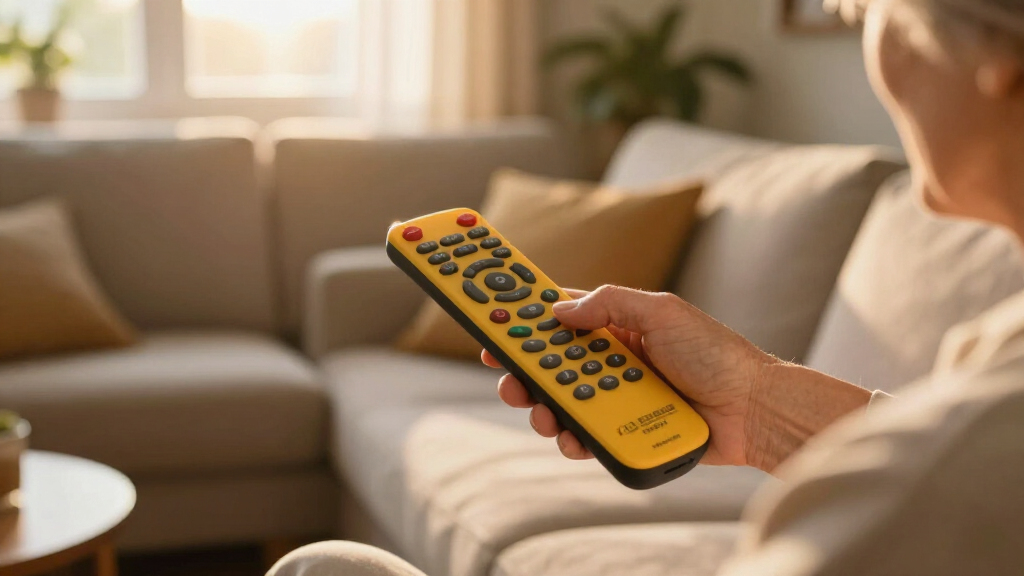
These remote controls were evaluated based on key factors that matter most to users seeking large, easy-to-press buttons. Performance was assessed through button size, tactile feedback, and reliability. Usability considered how intuitive the layout is and whether the remote suits those with visual or motor impairments. Build quality and durability were also important, especially for frequent use. Value was weighed by balancing features against cost, ensuring recommendations serve both budget-conscious buyers and those seeking premium options. Devices with broad compatibility, safety features, and additional functions like backlighting earned higher rankings, while simplicity and affordability kept some models in the mid-tier.| large button remote control | Compatibility |
|---|---|
| EZclicker Big Button Universal | Major TV brands |
| Sony Replacement TV Remote for | Sony TVs |
| Big Button Universal Remote fo | Samsung, LG, VIZIO, Sony, etc. |
| LG Replacement TV Remote for L | LG TVs |
| GE Big Button Universal Remote | — |
| EZclicker Big Button Universal | Major TV brands (not for cable boxes or streaming devices) |
| EZclicker Big Button Universal | Major TV brands (not for cable boxes or streaming devices) |
| Flipper Big Button Universal T | — |
| QFX REM-115 8-in-1 Jumbo Unive | — |
| Samsung Replacement TV Remote | Samsung TVs only |
| EZclicker TV Remote for Senior | Major TV brands |
| Big Button Universal TV Remote | Major TV brands |
| EZclicker TV Remote for Senior | — |
| Backlit Big Button Universal R | — |
Factors to Consider When Choosing Large Button Remote Controls
Choosing the right large button remote control involves understanding your specific needs and the features that support them. Not all large button remotes are created equal, and making an informed decision can greatly enhance your TV experience. Here are key factors to consider when selecting a remote that will be both functional and comfortable for your daily use.Button Size and Layout
Large, well-spaced buttons are essential for easy pressing, especially for users with motor skill challenges. Look for models with clearly labeled buttons that are easy to distinguish by touch. A cluttered layout can be confusing, so prioritize simplicity and logical placement to improve navigation and reduce accidental presses.
Compatibility and Device Support
Some remotes are designed to work with only specific brands, while others support multiple devices, including TVs, streaming devices, and sound systems. Consider your setup and whether the remote can replace multiple controllers or just a single device. Universal remotes often provide better value if you need to control several gadgets.
Additional Features
Features like backlit buttons, learning capabilities, and programmable functions can enhance usability, especially in low-light conditions or for users who need customization. However, these features often come at a higher cost and may complicate the device unnecessarily for some users. Decide what extras are truly beneficial for your situation.
Durability and Build Quality
Remotes that see frequent use should be sturdy, with a resilient casing and buttons that withstand repeated pressing. Cheaper models may break more easily or lose responsiveness over time. Investing in a well-built device can save money and frustration in the long run, especially for users with limited dexterity.
Price and Value
While budget models can be effective, spending more often yields better durability, additional features, and improved design. Balance your budget with the importance of features like backlighting or compatibility. Remember, a more expensive remote isn’t always necessary if a simpler device meets your needs.
Frequently Asked Questions
Are large button remote controls compatible with all TVs?
Compatibility varies among remote controls. Many universal remotes support a broad range of brands and models, but some are designed specifically for certain TVs. Always verify the device support list before purchasing. Also, some remotes require manual programming or code entry to work with your specific TV model, so check the setup process in advance.
What features should I prioritize if I only need a basic remote?
If simplicity is your main goal, focus on large, tactile, clearly labeled buttons with a straightforward layout. Features like backlighting or learning functions can be nice but are not essential. The key is to choose a remote that feels intuitive and minimizes confusion, especially for seniors or users with cognitive challenges.
Is it worth paying more for a backlit remote?
Backlit buttons are beneficial in low-light environments, making it easier to see and press the right buttons. If your viewing area often lacks adequate lighting or you frequently change channels at night, investing in a backlit model can improve convenience. However, for daytime use, simpler models without backlighting often suffice and save money.
Can these remote controls be used by people with limited dexterity?
Many large button remotes are designed with accessibility in mind, featuring oversized buttons and tactile feedback. However, some models might still be too stiff or require significant pressure. Look for remotes explicitly marketed for seniors or those with mobility issues, as they often include ergonomic features that make pressing easier and more comfortable.
How do I choose between a universal remote and a replacement remote for my TV?
Replacement remotes are tailored for specific brands or models, ensuring compatibility and straightforward setup. Universal remotes offer flexibility across multiple devices, reducing the need for multiple controllers. If you only need a remote for one TV, a dedicated replacement might be simpler; if you want to control various devices, a universal remote is more versatile, though potentially more complex to program.
Conclusion
For general use, the EZclicker Big Button Universal TV Remote offers a solid balance of simplicity, compatibility, and durability, making it ideal for most users. If you seek the best value, the Big Button Universal Remote for All TV Brands provides reliable features at an affordable price. For seniors or those with cognitive challenges, the Flipper Big Button Remote is a clear choice thanks to its safety-focused design. Budget-conscious buyers should consider simple, no-frills models, while those looking for premium features like backlighting or learning capabilities should consider higher-end options. Carefully matching your specific needs will ensure a remote that improves your TV experience without unnecessary complexity.Fall Picks

Theragun Mini 3rd Generation Massage Gun – Travel Essential (Black)
As an affiliate, we earn on qualifying purchases.