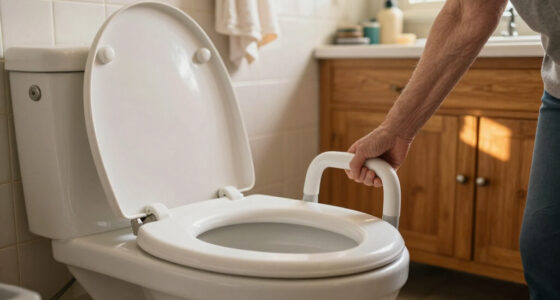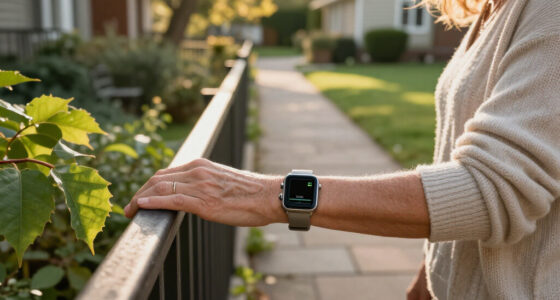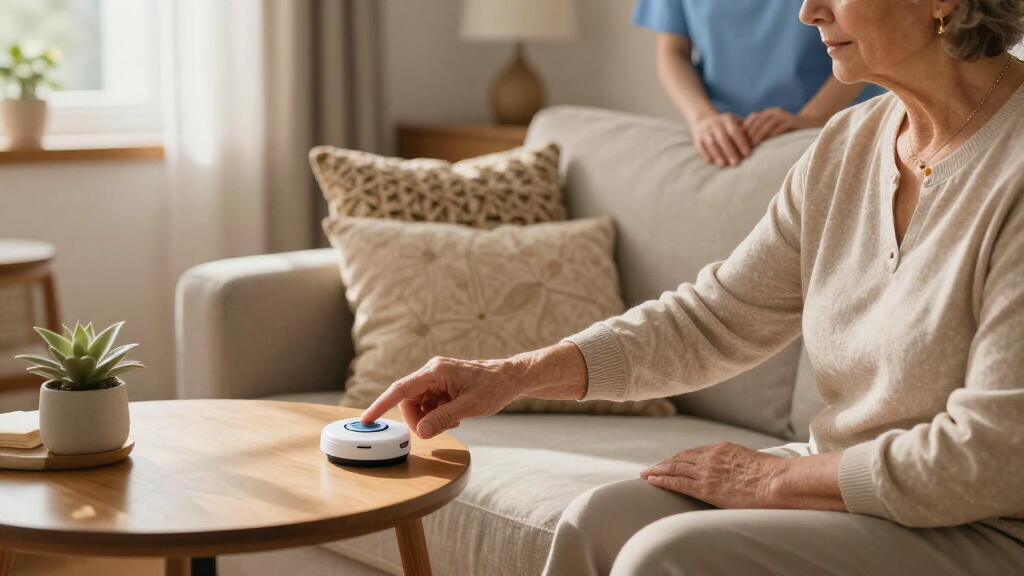

When a medical alert device is too complicated, it doesn’t get worn — and a device that isn’t worn can’t save a life. That reality shaped this comparison of six easy-to-use emergency alert systems, where simplicity mattered as much as safety features. The Nomo Medical Alert System takes the top spot for combining one-button operation with reliable fall detection and cellular backup, all without demanding much from the user. Two other standouts: the Help Now One-Touch Pendant, which wins for anyone who refuses to pay monthly fees, and the Freedom Alert Max, the most feature-rich option for families who want GPS and video check-ins. The core tradeoff in this category is between simplicity and capability — devices with GPS, video, and caregiver apps tend to add setup steps and subscription costs. Continue reading for the full breakdown of each system and who each one suits best.

Turn quiet afternoons into listening time
- Thousands of audiobooks, podcasts and originals
- Listen on your phone, tablet or Echo — also offline
- Cancel anytime
Complete the kit


Key Takeaways
- One-button operation was the single biggest differentiator: the Nomo and Help Now pendants required zero learning curve, while the Freedom Alert Max and Connected Caregiver systems traded simplicity for caregiver features like video and app tracking.
- Monthly fees varied from $0 (Help Now) to premium tiers with GPS and video (Freedom Alert Max) — buyers who skip subscriptions give up automatic fall detection and 24/7 monitoring.
- Fall detection quality separated the top three from the rest: the Nomo, Freedom Alert Max, and Safety+ 4G all offered it standard, while the Help Now and Connected Caregiver base configurations relied on manual button presses only.
- GPS mattered most for active seniors who leave the house; homebound users were better served by the Nomo’s in-home base unit than paying for cellular location tracking they’d never use.
- Setup burden was a hidden cost: systems marketed to caregivers (Connected Caregiver, Freedom Alert Max) required app accounts and family coordination, which can backfire if the senior manages the device alone.
| Nomo Medical Alert System with Fall Detection for Seniors at Home |  | Best for Home Monitoring | Components: Smart Hub, Satellites, Smart Tags, Nomo app | Connectivity: WiFi (2.4 GHz) | Fall Detection: Yes | VIEW LATEST PRICE | See Our Full Breakdown |
| Freedom Alert Max: Medical Alert System with GPS, Fall Detection, and Video |  | Best Premium Pick | GPS: Yes | Fall Detection: Yes (trial included) | Geofencing: Yes (trial included) | VIEW LATEST PRICE | See Our Full Breakdown |
| Help Now No Monthly Fees One-Touch Direct Connect Emergency Communicator |  | Best Value Pick | Connectivity: Cell signal | Emergency Calling: Direct 911 connection | Monthly Fees: None | VIEW LATEST PRICE | See Our Full Breakdown |
| Safety+ 4G Medical Alert System with Fall Detection and GPS |  | Best for Active Seniors | Coverage: Nationwide 4G | Connectivity: Built-in cellular service | Fall Detection: Yes | VIEW LATEST PRICE | See Our Full Breakdown |
| Connected Caregiver Safety+ 4G Medical Alert System for Seniors |  | Best for Caregiver Oversight | Connectivity: 4G LTE | Fall Detection: Included at no extra charge | GPS: Yes | VIEW LATEST PRICE | See Our Full Breakdown |
| SecuLife Medical Alert Pendant for Seniors with Fall Detection, GPS Tracking, and Two-Way Calling |  | Best for Active Seniors On the Go | Fall Detection: Yes, automatic | GPS Tracking: Yes, with geo-fence zones | Waterproof Rating: IP67 | VIEW LATEST PRICE | See Our Full Breakdown |
| easy-to-use emergency alert system | Fall Detection | Connectivity | GPS | Battery Life |
|---|---|---|---|---|
| Nomo Medical Alert System with | Yes | WiFi (2.4 GHz) | — | — |
| Freedom Alert Max: Medical Ale | Yes (trial included) | — | Yes | — |
| Help Now No Monthly Fees One-T | — | Cell signal | — | — |
| Safety+ 4G Medical Alert Syste | Yes | Built-in cellular service | Yes | Up to 6 days |
| Connected Caregiver Safety+ 4G | Included at no extra charge | 4G LTE | Yes | All-day and beyond |
| SecuLife Medical Alert Pendant | Yes, automatic | — | — | Up to 6 days per charge |
More Details on Our Top Picks
Nomo Medical Alert System with Fall Detection for Seniors at Home
Unlike the wearable-centric options in this lineup, the Nomo system watches the whole home rather than just the person wearing a pendant. Its camera-free sensor approach means seniors who would resist a clunky button around their neck still get fall detection and routine monitoring — a genuine advantage for anyone with a parent who refuses traditional devices. Setup over WiFi is straightforward, and the 60-day free trial beats the one-month trial on the Safety+ 4G system. The tradeoff is real, though: this is strictly an in-home solution, so compared with the Freedom Alert Max or the Help Now pendant, anyone who leaves the house regularly loses protection entirely. At $19.99 monthly, it is also one of the cheaper subscriptions here, which softens the ongoing cost.
Pros:- Whole-home sensor coverage means no wearable required
- Camera-free design respects privacy while still detecting falls
- 60-day free trial is the longest in this lineup
- Lowest monthly fee among the subscription-based picks at $19.99
Cons:- In-home only — no protection outside the house
- Requires a 2.4 GHz WiFi network, which rules out 5 GHz-only routers
- Monthly fee kicks in after the trial ends
Best for: Seniors living alone at home who refuse wearables, and families who want whole-home monitoring without invasive cameras
Not ideal for: Active seniors who garden, drive, or walk outside — coverage stops at the front door
- Components:Smart Hub, Satellites, Smart Tags, Nomo app
- Connectivity:WiFi (2.4 GHz)
- Fall Detection:Yes
- Emergency Alerts:Yes
- Camera:No (camera-free monitoring)
- Trial Period:60 days
- Monthly Service:$19.99 after trial
Our verdict“The strongest choice for a homebound senior who won’t wear a pendant, as long as no one expects protection away from the house.”
Freedom Alert Max: Medical Alert System with GPS, Fall Detection, and Video
This is the most feature-dense system in the roundup, layering GPS, geofencing, fall detection, and live emergency video into one device. The video component is what separates it from the Safety+ 4G system, letting caregivers actually see what happened rather than guessing from an alert. Geofencing is a standout for dementia care — if a parent wanders beyond a set radius, the free app flags it immediately, something the Nomo cannot do at all. The catch is cost: two separate subscriptions ($34.99 for monitoring plus $19.99 for cellular) stack up to over $650 a year, roughly triple the Nomo’s ongoing cost. The live-only video feed also means no recorded footage to review after an incident, which limits its value as documentation.
Pros:- Live emergency video lets caregivers visually confirm a situation
- Geofencing alerts if a senior wanders beyond set boundaries
- GPS tracking works anywhere with cellular coverage
- Free caregiver app for iOS and Android
Cons:- Two monthly subscriptions totaling about $55/month
- Video is live-only with no stored recordings
- Fall detection and geofencing move to paid tiers after trial
Best for: Caregivers of seniors with dementia or wandering risk who need location tracking and visual verification
Not ideal for: Budget-conscious buyers — the dual subscriptions make it the most expensive option here to run
- GPS:Yes
- Fall Detection:Yes (trial included)
- Geofencing:Yes (trial included)
- Emergency Video:Yes (live only)
- App Compatibility:iOS and Android
- Monitoring Cost:$34.99/month
- Cellular Service Cost:$19.99/month
Our verdict“Buy it if wandering and visual verification are genuine concerns; skip it if a basic GPS pendant like the SecuLife would cover the same ground for less.”
Help Now No Monthly Fees One-Touch Direct Connect Emergency Communicator
Every other product in this roundup eventually asks for a monthly fee — this one never does. The Help Now pendant dials 911 directly over cell signal with a single button press, making it the simplest and cheapest long-term option here by a wide margin. For a buyer who mainly wants emergency calling without subscriptions, it does the core job that the $40/month Safety+ systems charge for, at zero ongoing cost. The simplicity cuts both ways: unlike the Freedom Alert Max, there is no GPS, no caregiver app, no fall detection — it only helps if the wearer can press the button. It also depends entirely on local cell coverage, so rural users with spotty signal should verify reception before relying on it. Still, for the price of one month of most competitors, the value is hard to argue with.
Pros:- No monthly fees or subscriptions, ever
- One-touch 911 connection works nationwide
- No landline or WiFi required
- Simple enough for any age to operate
Cons:- No fall detection — the wearer must be conscious and able to press the button
- Requires adequate cell signal to connect
- No caregiver notification or GPS features
Best for: Budget-minded buyers and anyone who wants emergency access with zero recurring costs
Not ideal for: Seniors at risk of falls where they cannot press a button — there is no automatic detection
- Connectivity:Cell signal
- Emergency Calling:Direct 911 connection
- Monthly Fees:None
- Power:3 AAA batteries (included)
- Includes:Lanyard, removable button protection shield
- Coverage:Nationwide
Our verdict“The clear budget winner for capable seniors who just want a direct line to 911 without paying forever for it.”
Safety+ 4G Medical Alert System with Fall Detection and GPS
Compared with the Nomo, which stops at the front door, the Safety+ 4G travels anywhere thanks to built-in cellular service and GPS. What makes it the pick for active seniors is the thoughtful hardware: a water-resistant design safe for the shower, up to six days of battery life, and three wearing options — lanyard, belt clip, or dock — so it adapts to how someone actually dresses each day. Activation is genuinely easy, with the first month of service included so it works out of the box. Against the Help Now pendant, it trades zero fees for real protection: automatic fall detection means help arrives even if the wearer is unresponsive. That said, $40/month after month one is a meaningful commitment, and it shares the same cellular dependence as every on-the-go option here.
Pros:- GPS and nationwide 4G coverage protect users away from home
- Automatic fall detection summons help without a button press
- Water-resistant with up to 6 days of battery life
- Multiple wearing options for everyday comfort
Cons:- $40/month subscription after the first month
- Depends on cellular coverage being available
- Charging discipline needed to keep the device powered
Best for: Active seniors who leave the house regularly and want fall detection plus GPS wherever they go
Not ideal for: Buyers unwilling to commit to a $40/month ongoing subscription
- Coverage:Nationwide 4G
- Connectivity:Built-in cellular service
- Fall Detection:Yes
- GPS:Yes
- Battery Life:Up to 6 days
- Water Resistance:Yes
- Included Accessories:Charging dock, lanyard, belt clip
- Monitoring Service:First month included, $40/month thereafter
Our verdict“A strong all-around mobile choice for seniors who shower, garden, and drive — provided the monthly fee fits the budget.”
Connected Caregiver Safety+ 4G Medical Alert System for Seniors
This Safety+ variant leans into the family side of the equation. Like the standard Safety+ 4G, it delivers 24/7 monitoring, GPS, and water resistance, but two details shift its appeal: fall detection is included at no extra charge, and its sub-9-second response time is among the fastest claims in this roundup. The caregiver app with real-time updates is the headline feature — adult children checking in from another state get location and alert data directly, rather than calling a monitoring center to ask. Setup requires an activation call, which is less self-serve than the Nomo’s WiFi setup but arguably safer, since a human confirms the account details. At $40/month after the free first month, it matches the standard Safety+ on price, so the choice between them comes down to whether bundled fall detection and deeper app access matter more than the multiple wearing styles.
Pros:- Fall detection bundled at no extra charge
- Response time under 9 seconds to emergency alerts
- Real-time caregiver app updates for remote family members
- Water-resistant with all-day-plus battery life
Cons:- Requires an activation phone call before use
- $40/month after the first free month
- Only functional where 4G LTE coverage exists
Best for: Long-distance caregivers who want real-time visibility into a parent’s status and location
Not ideal for: Self-directed buyers who want to avoid phone-based activation and monthly fees
- Connectivity:4G LTE
- Fall Detection:Included at no extra charge
- GPS:Yes
- Monitoring:24/7 emergency monitoring
- Response Time:Less than 9 seconds
- Battery Life:All-day and beyond
- Water Resistance:Water-resistant
- Subscription:$40/month after first free month
Our verdict“The right pick when a remote family member wants eyes on a senior’s safety daily, not just a button for emergencies.”
SecuLife Medical Alert Pendant for Seniors with Fall Detection, GPS Tracking, and Two-Way Calling
Most devices in this roundup lean either homebound or fully mobile, and the SecuLife Pendant sits firmly in the second camp. Its combination of automatic fall detection and GPS tracking with geo-fence zones makes it the strongest choice here for seniors who still garden, walk the neighborhood, or travel — unlike the Nomo Medical Alert System, which is built primarily for use inside the home. The one-year location history is a standout for caregivers who want to review patterns rather than just live pings, a feature the Help Now pendant skips entirely since it has no tracking at all.
The tradeoff is ongoing cost and upkeep. A $20 monthly subscription and cellular dependency mean this isn’t a one-time purchase like the fee-free Help Now option, and the six-day battery demands weekly charging discipline — a real gap compared to base-station systems that sit plugged in permanently.
Pros:- Automatic fall detection summons help even if the wearer is unconscious or confused
- GPS tracking with geo-fence alerts notifies caregivers if a senior wanders outside safe zones
- IP67 waterproof rating means it survives showers, where many falls actually happen
- Large SOS button with time, battery, and signal display keeps operation simple
- Two-way calling built directly into the pendant — no base station needed
Cons:- $20/month subscription adds up to $240 per year, forever
- Six-day battery life requires consistent weekly charging, which forgetful users may miss
- Dependent on cellular coverage — dead zones leave the wearer unprotected
Best for: Active, independent seniors who leave the house regularly and want fall protection plus location monitoring for themselves or distant caregivers
Not ideal for: Budget-conscious buyers who hate recurring fees, or homebound seniors who would be better served by a cheaper landline-based system with no subscription
- Fall Detection:Yes, automatic
- GPS Tracking:Yes, with geo-fence zones
- Waterproof Rating:IP67
- Battery Life:Up to 6 days per charge
- Communication:Two-way calling built into pendant
- Subscription Cost:$20 per month
- Location History:1 year
- Display:Large SOS button, time, battery, and signal indicators
Our verdict“Buy this if the senior in your life is still out and about and you want fall detection plus GPS oversight anywhere they go; skip it if they rarely leave home or you want to avoid monthly fees.”
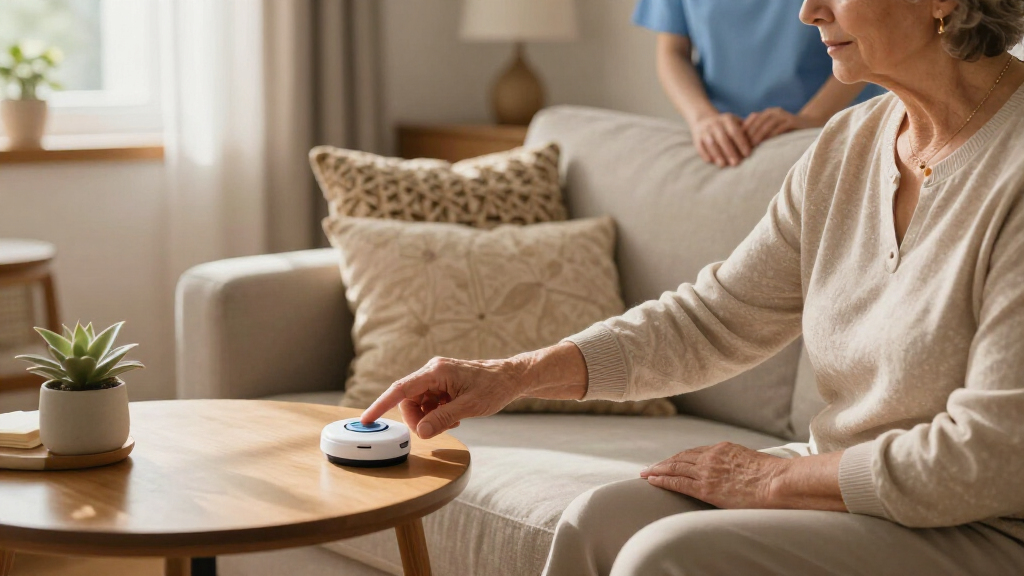
How We Picked
Because this roundup focuses on ease of use, I weighted everyday simplicity more heavily than raw feature counts. Each system was evaluated on four factors: how many steps it takes to get help in an emergency, how much setup and configuration the device demands before day one, whether fall detection works without a subscription upgrade, and how much the total cost of ownership adds up to over a year of use. Devices that a confused or panicked senior could operate without thinking scored highest.
That lens explains the ranking. The Nomo leads because it pairs automatic fall detection with genuinely minimal interaction. The Help Now pendant ranks high for zero monthly fees despite lacking fall detection, because cost simplicity is its own form of ease of use. The Freedom Alert Max and Safety+ 4G sit in the middle: capable, mobile-friendly systems that ask a bit more from the user and the wallet. The Connected Caregiver and SecuLife models round out the list for narrower audiences — families with engaged caregivers and budget-conscious buyers who want GPS tracking respectively.
| easy-to-use emergency alert system | Fall Detection | Battery Life |
|---|---|---|
| Nomo Medical Alert System with | Yes | — |
| Freedom Alert Max: Medical Ale | Yes (trial included) | — |
| Help Now No Monthly Fees One-T | — | — |
| Safety+ 4G Medical Alert Syste | Yes | Up to 6 days |
| Connected Caregiver Safety+ 4G | Included at no extra charge | All-day and beyond |
| SecuLife Medical Alert Pendant | Yes, automatic | Up to 6 days per charge |
Factors to Consider When Choosing Easy-to-use Emergency Alert Systems
Choosing an emergency alert system is less about finding the most features and more about matching the device to the person who will actually wear it. These are the factors that most often make or break the purchase.Monthly Fees vs. Upfront Cost
The sticker price of a pendant often hides the real cost. Systems with 24/7 monitoring typically charge $20–$40 per month, which adds up to more than the device itself within a year. Fee-free options like the Help Now pendant connect directly to 911 or family phone numbers instead of a monitoring center, which sounds appealing until you realize nobody is automatically dispatched if your loved one can’t press the button. The mistake I see most often is families buying the cheapest device for a senior who lives alone, when a monitored service with fall detection is exactly what their situation demands. Calculate the three-year total cost before deciding — sometimes a higher upfront price with no subscription beats a “free” device with mandatory monthly payments.
Fall Detection: Standard or Add-On?
A senior who falls and loses consciousness cannot press any button, which makes automatic fall detection the most life-saving feature in this category. Not all fall detection is equal, though. Some systems include it in the base price, others lock it behind a higher subscription tier, and a few don’t offer it at all. There’s also a practical tradeoff rarely mentioned in product listings: fall detection sensors can trigger false alarms from bending over quickly or a bumpy car ride, and a senior who gets embarrassed by repeated false calls to emergency services may stop wearing the pendant. Families should confirm whether the fall detection can be adjusted or disabled, and who receives the automatic alert — a monitoring center, a family member, or both.
Home-Only vs. On-the-Go Coverage
Where does the senior actually spend their time? An in-home base unit with a landline or cellular connection covers the house and yard but goes silent at the grocery store. Mobile systems with built-in GPS and cellular service protect everywhere there’s a signal, but they need regular charging — and a dead battery is the most common failure point reported by caregivers. The honest answer is that a still-active senior driving to appointments and walking the neighborhood needs GPS, while a homebound person paying for a mobile plan is wasting money. Some families solve this with two devices, but that doubles the charging routine and the confusion. Matching coverage to real daily movement beats buying for a hypothetical emergency.
Who Manages the Device?
Modern systems increasingly come with caregiver apps, location dashboards, and even video check-ins. These features are genuinely valuable — for the right family. If adult children live out of state and want to confirm Mom is okay, a system like the Freedom Alert Max or Connected Caregiver creates a shared safety net. But if the senior is the one setting up the device, every app account, password, and paired smartphone adds a failure point. A common mistake is adult children choosing a tech-heavy system for a parent who feels intimidated by it, leading to a device left in a drawer. Ask who will charge it, who will answer the alerts, and who will troubleshoot problems before committing to a connected platform.
Wearability and Battery Reality
An alert system only works if it’s on the body, and many seniors resist wearing pendants that look medical or feel bulky. Neck pendants get worn more consistently than wristbands, but shower-safe waterproofing is non-negotiable since bathrooms are where most falls happen. Battery life is the other silent factor: devices with GPS and two-way calling may need charging every one to two days, while simpler in-home pendants run on batteries for months. Caregivers consistently report that charging routines get forgotten within weeks. If the user can’t reliably charge a device nightly, prioritize long-battery-life options over feature-rich mobile ones, or build charging into an existing habit like brushing teeth.
Frequently Asked Questions
Are no-monthly-fee alert systems actually reliable?
They can be, but only for the right situation. Fee-free devices like the Help Now pendant store a list of personal contacts or dial 911 directly when the button is pressed, which works well when family lives nearby and answers their phones. The gap appears when nobody picks up — there’s no professional monitoring center as a backup, no automatic dispatch, and typically no fall detection. If your loved one lives alone or has a history of falling, that gap matters a great deal. Fee-free systems make the most sense for seniors with attentive family nearby, or as a budget supplement to another safety measure.
Do I need fall detection, or is the button enough?
Fall detection matters most when the user might be unable to press the button — after a hard fall, a stroke, or a loss of consciousness. Statistically, a significant share of falls leave seniors unable or too disoriented to call for help themselves, which is exactly the scenario the button alone doesn’t cover. That said, fall detection isn’t perfect: sensors occasionally misread motion and trigger false alarms, which can frustrate both the wearer and the responders. A reasonable middle path is choosing a system like the Nomo or Safety+ 4G where fall detection is included and can be tuned or disabled. Seniors who are cognitively sharp and physically active may be fine with button-only, but anyone with a prior fall history should treat automatic detection as essential.
Does GPS tracking work inside the house?
GPS is designed for outdoor location and behaves poorly indoors, where satellite signals get blocked by walls and roofs. Inside a home, GPS-based pendants may report a location several houses away or fall back to a broad cellular-tower estimate. Most quality mobile systems combine GPS with cellular triangulation and WiFi positioning to narrow things down, but indoor precision is still limited. This is why hybrid systems pair an in-home base unit with a mobile GPS pendant — the base handles accurate in-home coverage while GPS takes over outside. If precise indoor location matters to you (for example, a large multi-story home), don’t rely on GPS alone to deliver it.
What happens if the senior presses the button by accident?
Every monitored system handles false alarms, and none will penalize you for them on the first few occurrences. With monitoring-center systems, pressing the button opens a two-way call — the senior simply tells the operator it was a mistake and the incident ends there. With fall detection, the device usually gives a countdown window with a vibration or beep so the wearer can cancel before any call goes out. Direct-to-911 devices are the trickiest, since some police departments treat repeated accidental activations seriously. When setting up any system, test the button with the monitoring center first, learn the cancel procedure, and reassure the wearer that accidental presses are normal and expected.
Can these systems be used without a smartphone or internet?
Most of the systems in this roundup can, and that’s a point worth checking carefully because it varies by model. Cellular-based pendants like the Safety+ 4G, Freedom Alert Max, and SecuLife contain their own connection, so the senior needs no phone or WiFi at all — the subscription covers the cellular service. However, the caregiver apps and location dashboards that accompany those systems do require a family member with a smartphone. Pure in-home systems like the Nomo work over a cellular backup without any household internet. The one setup to avoid is buying a connected platform like the Connected Caregiver system when no one in the family is willing to manage the app side — you’d be paying for features nobody uses.
Conclusion
The right pick depends entirely on who’s wearing the device. For best overall, the Nomo Medical Alert System delivers the cleanest balance of one-button simplicity, automatic fall detection, and dependable in-home coverage. The Help Now One-Touch Pendant is the best value for families who refuse monthly fees and have relatives nearby to answer the call. For the premium buyer who wants everything — GPS, fall detection, video check-ins — the Freedom Alert Max justifies its cost for active seniors and long-distance caregivers. The Safety+ 4G earns the best for on-the-go beginners spot with straightforward mobile protection, while the SecuLife Pendant fits budget-minded buyers who still want GPS tracking. Finally, the Connected Caregiver system suits one specific buyer: families with an engaged, app-comfortable caregiver coordinating a loved one’s safety. Whatever you choose, prioritize the device your loved one will actually wear every day — that beats every spec on the box.
Halloween Picks
halloween
As an affiliate, we earn on qualifying purchases.