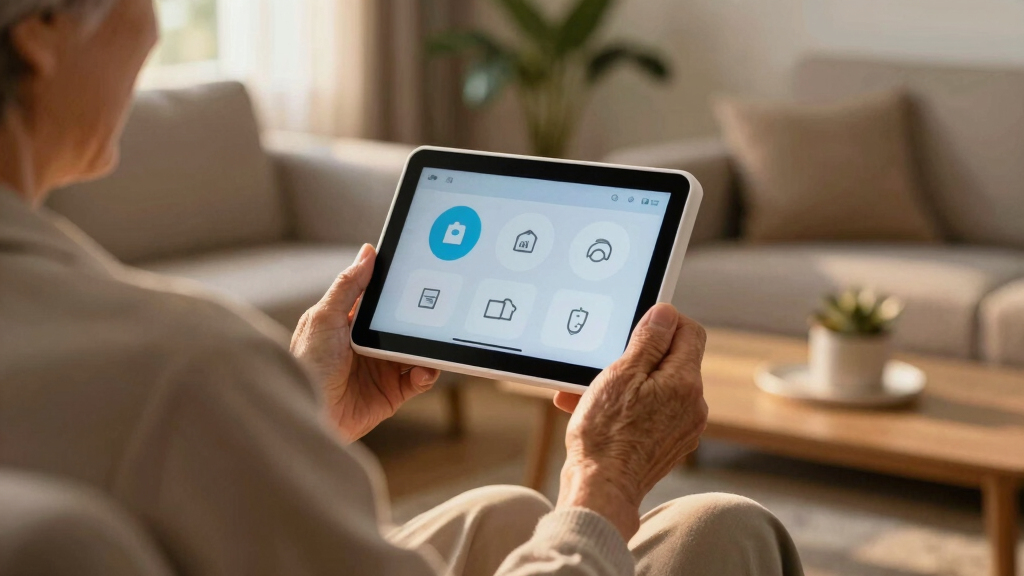
Finding the best smart displays for seniors involves balancing simplicity, helpful features, and affordability. The DreamSky Large Digital Clock stands out for its straightforward design, ideal for those who primarily need a clock with basic info. For more interactive needs, the 10.1’’ Smart Digital Calendar offers a versatile touch interface perfect for managing daily tasks. The main tradeoffs involve choosing between simplicity and multi-functionality—more features can mean more complexity. Keep reading for a detailed breakdown of the top options and what suits different needs.
Key Takeaways
- Most top picks prioritize large, clear displays to aid visibility for seniors.
- Ease of use often outweighs advanced features, especially for less tech-savvy users.
- Many devices combine multiple functions like calendars, weather, and reminders to reduce clutter.
- Wired and WiFi-connected options offer different benefits in setup and reliability.
- Price ranges vary widely, but the most feature-rich options tend to cost more, highlighting a value tradeoff.


More Details on Our Top Picks
DreamSky Large Digital Clock with Date, Day, Temperature, and USB Port
This large digital clock stands out for its clear, 7.6-inch display that makes reading time, date, and indoor temperature effortless—an important factor for seniors with declining vision. Unlike the 7-inch model, it offers an auto dimmer and adjustable brightness, reducing eye strain at night. Its battery backup provides peace of mind during power outages, and the USB port adds convenience for charging devices. However, it requires AC power and may be bulky for small bedside tables. Its limited color options and fixed size make it less adaptable for diverse decor. This clock makes the most sense for seniors who want a straightforward, reliable bedside companion with easy-to-see information, but those needing a more compact or multi-functional smart device should consider other options.
Pros:- Large, easy-to-read display with adjustable brightness
- Battery backup retains settings during power outages
- Auto daylight saving time adjustment and USB charging port
Cons:- Requires AC power for operation
- Size may be too large for small bedside tables
Best for: Seniors who prefer a simple, easy-to-read clock with essential features and a large display
Not ideal for: Individuals with limited space or those seeking a multi-functional smart device with advanced features
- Display Size:7.6 inches
- Dimensions:Height 5 in x Length 7.9 in x Width 1.2 in
- Clock Size:Height 1.71 in x Width 0.91 in
- Backlight Brightness:4 levels with auto dimmer
- Power:Adapter powered with battery backup
- Alarm Volume:4 levels adjustable
Bottom line: This model is ideal for seniors who want a straightforward, high-visibility clock with basic features for everyday use.
7-inch Large Display Digital Dementia Clock with Date, Time, Reminders & Alarms for Seniors
This 7-inch digital clock offers a high-resolution, adjustable brightness screen that’s particularly useful for seniors with memory challenges or visual impairments. Unlike the DreamSky model, it emphasizes customizable alarms and reminders, supporting daily routines with ease. Its auto dimming and region-specific daylight saving updates add to user convenience, but it must be plugged in constantly, limiting placement flexibility. Its moderate size is suitable for bedside or wall mounting, yet it lacks a battery backup, which could be a drawback during power outages. This clock is well-suited for seniors who need reminders and a clear display to reinforce routines, but it’s less ideal for those who prefer a portable or battery-operated device.
Pros:- High-resolution, large display with adjustable brightness
- Multiple customizable alarms and reminders
- Auto dimming and regional daylight saving updates
Cons:- Requires continuous power connection
- Limited to indoor use only
- No battery backup available
Best for: Seniors with memory issues or those who benefit from visual reminders and alerts
Not ideal for: Users looking for a portable clock or one that operates on batteries exclusively
- Display Size:7 inches
- Resolution:1024×600
- Power Source:Corded Electric
- Mounting Options:Wall mount, Tabletop
- Dimensions:7.07″W x 4.9″H
- Additional Features:Adjustable Brightness, Adjustable Volume, Auto Dimmable, Daylight Saving, Programmable Reminders & Alarms
Bottom line: Perfect for seniors needing visual cues and reminders, this clock supports memory reinforcement but requires constant power.
10.1’’ Smart Digital Calendar – Interactive Touch Screen Wall Mountable Family Organizer with Chore Chart, To-Do Lists & App Sync
This 10.1-inch touchscreen device combines scheduling, photo display, and digital art modes, making it a versatile hub for families or caregivers. Compared with the dedicated clocks, this model offers multi-user support and app integration, which can help coordinate daily routines and appointments. Its large, colorful display is accessible for seniors who want more than just a clock, but it requires Wi-Fi and continuous power, limiting portability. The absence of a battery backup means it’s best for fixed placement in a central location. This pick makes the most sense for households seeking a shared family organizer that can also serve as a visual reminder for seniors, though it’s less suitable for those needing a simple, standalone clock.
Pros:- Easy Wi-Fi setup with app integration for seamless scheduling
- Supports multiple users and modes for calendar, photos, and art
- Flexible placement options: wall mount or desktop stand
Cons:- Requires Wi-Fi for full functionality
- Limited to 10.1-inch display size
- No battery backup for power outages
Best for: Families or caregivers who want a shared digital planner and communication hub for seniors
Not ideal for: Seniors needing a portable, simple clock without Wi-Fi or app dependencies
- Display Size:10.1 inches
- Connectivity:Wi-Fi
- Supported Apps:Google Calendar, iCloud, Cozi, Yahoo, Outlook, TeamSnap
- Multi-User Support:Up to 20 users
- Mounting Options:Wall mountable or desktop stand
- Modes:Calendar, Photo Frame, Digital Art
Bottom line: Ideal for tech-savvy families who want a multifunctional family hub with scheduling and visual features, though less suited for minimalists.
WiFi Caregiver Pager Smart Call System – Display Caller ID & App Alerts, No Monthly Fee, IP65 Waterproof Wristband + 2 Call Buttons, Emergency Alert for Elderly & Nursing Care
This caregiver alert system offers a practical solution for immediate assistance with its long-range RF and Wi-Fi connectivity, making it stand out from basic call buttons or simple alert devices. Compared with traditional pagers, it provides instant notifications via app and caller ID display, enhancing safety. The waterproof wristband and call buttons make it suitable for various environments, including wet zones. Its main tradeoff is the need for Wi-Fi (not 5G), which could limit coverage in some homes, and setup may be complex for less tech-savvy users. Still, this system excels in emergency response and safety, especially in care settings where quick alerts are critical.
Pros:- Long RF range with through-wall capability
- Waterproof design suitable for wet zones
- Customizable alerts with multiple notification options
Cons:- Requires Wi-Fi (not 5G) for app connectivity
- Limited to 2 call buttons and wristband included
- Setup can be complex for some users
Best for: Caregivers and families needing a reliable, waterproof alert system for emergency situations
Not ideal for: Those with limited Wi-Fi or seeking a simple, non-connected alert device
- Range:328 ft
- Connectivity:Wi-Fi (2.4G), 433MHz RF
- Waterproof Rating:IP65
- Wristband Material:Hypoallergenic
- Batteries:1x 12V (included)
- Item Dimensions:5.2 x 4.69 x 2.83 inches
Bottom line: This alert system is well-suited for care environments demanding reliable emergency communication and waterproof durability, despite some setup complexity.
DAVIKO Pedometer Watch Senior Friendly Waterproof Fitness Tracker with Step Counter and Sleep Monitoring
The DAVIKO Pedometer Watch offers a straightforward fitness tracking experience with a large LCD color screen, making it accessible for seniors who want to monitor steps, sleep, and heart rate without fussing with an app. Compared to the other tech-heavy options, it emphasizes simplicity and independence, with a battery life of up to 7 days—ideal for those who dislike frequent charging or complex devices. Its waterproof standard makes it suitable for swimming, and the large display ensures visibility. The main tradeoff is its limited features without app connectivity, restricting data insights and advanced tracking. This device works best for active seniors who want basic fitness monitoring without the need for smartphone syncing, but it may seem limited for users seeking detailed health data or multi-sport tracking.
Pros:- No app or phone required for basic functions
- Waterproof design suitable for swimming
- Long battery life of up to 7 days
Cons:- Limited features without connecting to the app
- Basic sports modes may be limited for advanced users
- Only manual blood oxygen monitoring
Best for: Active seniors seeking an easy, independent fitness tracker without smartphone dependency
Not ideal for: Users looking for advanced health metrics or integration with health apps
- Waterproof Standard:IP68
- Battery Life:Up to 7 days
- Charging Time:1.5 hours
- Display:Large LCD color screen
- Sports Modes:20 without app, 100+ with app
- Compatibility:No app needed for basic functions
Bottom line: This fitness tracker is perfect for seniors who want simple, reliable activity monitoring without extra tech complexity.
10.1” Extra Large Digital Clock with HD Display, Reminders & Alarms for Seniors
This 10.1-inch digital clock is designed with clarity in mind, featuring a high-definition IPS screen with oversized, bold digits that make reading easy from across the room. Unlike the TIXINPO model, which combines weather and calendar features, this clock focuses solely on time, reminders, and alarms, offering a straightforward solution for those who need minimal distractions. Its large display and auto-dimming enhance usability, but it requires an external power source, with no backup battery, which could be problematic during outages. The setup might challenge users unfamiliar with configuring multiple reminders and alarms, but its wall-mount and tabletop options provide versatile placement. This pick makes the most sense for seniors or dementia patients who prioritize a large, easy-to-read clock with simple alarm functions over additional smart features.
Pros:- Large, high-definition display with bold digits for easy reading
- Multiple alarms and reminders support daily routines
- Auto-dimming and adjustable brightness for comfortable viewing
Cons:- Requires continuous external power, no battery backup
- Setup can be complex for some users unfamiliar with digital devices
Best for: Seniors who need a large, clear display for time and routine reminders without extra bells and whistles
Not ideal for: Tech-savvy users seeking integrated weather or smart home connectivity, or those needing portability during power outages
- Display Size:10.1 inches
- Resolution:1280×800
- Display Type:IPS
- Brightness:Adjustable
- Alarms:6 programmable
- Operation Mode:Electrical
- Mounting Options:Wall mount, Tabletop
Bottom line: Ideal for seniors who need a simple, highly visible clock with basic reminder functions and stable placement options.
TIXINPO WiFi Smart Digital Clock with Weather, Temperature, Date, and Day for Elderly, 64 Alarms, Digital Calendar & Reminders
This 10.1-inch WiFi-enabled clock offers a broad range of features, including weather forecasts, outdoor temperature, and a digital calendar, making it a versatile choice for busy households or seniors comfortable with smart tech. Compared with the simpler digital clock, this model supports up to 64 alarms and schedule reminders, which benefits users who need detailed scheduling. Its WiFi connectivity allows automatic weather updates and calendar sync, but it requires a strong WiFi connection to function fully—limiting effectiveness in unstable networks. Its sleek design can fit into modern decor, yet the reliance on WiFi may be a drawback for those who prefer a device that works offline. This device is best for seniors who are comfortable with technology and want a multi-function display that keeps them informed at a glance.
Pros:- Large display with clear time, date, and weather info
- Supports up to 64 alarms and scheduling reminders
- WiFi connectivity for automatic updates and weather forecast
Cons:- Requires WiFi for full features, limiting use in poor network areas
- Design may be bulky for small or cluttered spaces
Best for: Tech-savvy seniors or households needing detailed scheduling, weather updates, and calendar integration
Not ideal for: Users with unreliable WiFi or those unfamiliar with smart device setups, as full functionality depends on internet connectivity
- Display Type:LCD
- Size:10.1 inches
- Dimensions:1.18″ W x 7.08″ H
- Power Source:Corded Electric
- Connectivity Technology:WiFi
- Additional Features:Adjustable Brightness, Calendar, Daylight Saving
Bottom line: Best suited for users comfortable with smart devices who want an all-in-one clock with weather, calendar, and extensive alarm options.
10.1 Inch WiFi Digital Alarm Clock for Seniors with Large Display, Calendar, Weather, and Reminders
This touchscreen digital clock combines a large, high-resolution display with a suite of features including weather, calendar, and reminders, making it a flexible option for seniors who prefer interactive devices. Its support for up to 64 alarms allows for highly personalized schedules, and auto-dimming ensures comfortable viewing at all times. Unlike the TIXINPO, which focuses on smart home functions, this pick emphasizes ease of use with a responsive touchscreen interface. However, its reliance on electrical power and touchscreen complexity could pose challenges for users unfamiliar with such devices. Its tabletop design and multiple language options provide added convenience, but it’s less suited for those who need a simple, non-touch interface or portable device. This model fits well for seniors looking for a comprehensive, user-friendly digital clock with customizable alerts.
Pros:- Large, high-resolution, easy-to-read display
- Supports up to 64 alarms and reminders for personalized scheduling
- Auto-dimming and Wi-Fi for automatic updates and convenience
Cons:- Requires constant electrical power, no battery backup
- Touchscreen operation may be complex for some seniors unfamiliar with such interfaces
Best for: Seniors comfortable with touchscreen technology who want a multi-functional clock with easy placement options
Not ideal for: Individuals preferring non-touch interfaces, or those who need a device with battery backup during outages
- Display Type:LCD
- Size:10.1 inches
- Dimensions:10.4″ W x 6.58″ H
- Power Source:Plug-in
- Additional Features:Calendar, Humidity, Temperature, Weather Monitoring
- Mounting Type:Tabletop
Bottom line: Perfect for tech-savvy seniors seeking a versatile, interactive clock with extensive scheduling and weather features.
How We Picked
These products were selected based on their usability, display size, clarity, and feature set tailored for seniors. We evaluated build quality, ease of setup, and how well each device balances simplicity with functionality. Reliability, customer reviews, and affordability also played key roles in ranking these options. Our goal was to identify products that genuinely improve daily life for seniors without overwhelming them with complexity or unnecessary features.Factors to Consider When Choosing Best Smart Displays For Seniors
Choosing the best smart display for seniors requires understanding what features truly make a difference. While some users need only a simple clock, others benefit from interactive calendars and emergency alerts. Considering ease of use alongside feature set ensures a device will be adopted and appreciated. Pay attention to display size, setup complexity, and connectivity options to match the device with the user’s comfort level and needs.Display Size and Clarity
For seniors, a large, bright display can significantly improve readability and reduce frustration. Look for screens that are at least 7 inches, with high contrast and clear fonts. Smaller screens or cluttered interfaces can diminish usefulness, especially for those with vision impairments. Prioritize devices with adjustable brightness or anti-glare screens for better usability in different lighting conditions.
Ease of Use and Interface
Devices should have simple, intuitive controls—ideally, with minimal setup or learning curve. Touch screens with straightforward menus, voice commands, or large physical buttons are preferable. Beware of devices with overly complex navigation or too many features that can overwhelm a user. A focus on essential functions like time, date, weather, and reminders ensures consistent usage and satisfaction.
Connectivity and Setup
WiFi-enabled models offer dynamic updates like weather and reminders, but may require more initial setup. Wired or standalone clocks tend to be simpler, with fewer points of failure. Consider the user’s comfort with technology; simpler devices with minimal setup are better for those less familiar with WiFi or app integration. Also, check for features like remote management for caregivers, if needed.
Additional Features and Versatility
Features like alarms, weather forecasts, calendars, and emergency alerts can enhance independence. However, more features can also increase complexity. Prioritize devices that combine key functions into a single, easy-to-understand interface. For users with specific needs—such as reminders for medication or emergency calling—ensure these functions are accessible and straightforward.
Price and Value
Pricing varies from basic clocks to multi-functional digital organizers. While budget models offer essential features, investing in a slightly more expensive device can provide better durability, readability, and additional functions that improve daily life. Balance cost against the added convenience and reliability that more feature-rich devices can deliver, especially for long-term use.
Frequently Asked Questions
Are smart displays suitable for seniors with cognitive impairments?
Smart displays with simple interfaces and limited functions can be suitable for seniors with cognitive challenges, especially those that focus on basic information like time, date, and weather. Devices with large icons, minimal menus, and straightforward controls reduce confusion. For more advanced features like reminders or emergency alerts, choose models specifically designed for ease of use and tested for accessibility to ensure they add value without overwhelming the user.
Can I set up these smart displays myself, or will I need help?
Setup difficulty varies across models. Basic clocks often require just a plug-in and simple adjustments, making them suitable for DIY installation. More advanced devices with WiFi, app integration, and calendar synchronization may need some technical assistance, especially for initial setup. Many products now include step-by-step instructions or remote support options, but understanding your comfort level with technology will help determine if professional help is needed.
Do these devices require a WiFi connection to work properly?
Many smart displays rely on WiFi for real-time updates like weather, reminders, and notifications. However, some models function as standalone clocks without any internet connection. For users who prefer simplicity or have unreliable internet, a non-connected model might be more dependable. Consider how important connectivity features are for your needs and whether WiFi setup is manageable for the user.
What is the best way to ensure a senior will actually use the device?
The key is selecting a device that matches their daily routines and comfort level with technology. Devices with familiar features like clocks or weather updates are often more readily adopted. Keep the interface simple, avoid unnecessary complexity, and involve the user in choosing the device to ensure it feels accessible. Regular usage and positive reinforcement also help make the device a helpful part of their routine.
Are these smart displays durable enough for daily use?
Most models designed for seniors feature sturdy construction and screens made to withstand daily handling. Look for devices with quality materials, splash resistance, or waterproof features if the device will be used in environments prone to spills or accidents. Regular cleaning and proper placement contribute to longevity, and choosing a device with a well-reviewed build quality can reduce the need for replacements or repairs over time.
Conclusion
For those seeking the best overall balance of simplicity and functionality, the DreamSky Large Digital Clock stands out as an excellent choice, especially for users primarily needing a large, clear display. Budget-conscious buyers will find the 7-inch Digital Dementia Clock offers essential features at a lower price point. If advanced features and customization are priorities, the 10.1’’ Smart Digital Calendar provides versatile tools for managing daily routines. For seniors with specific needs like emergency alerts, models like the WiFi Caregiver Pager offer peace of mind. Ultimately, selecting the right device depends on the user’s familiarity with technology, health needs, and desired features.