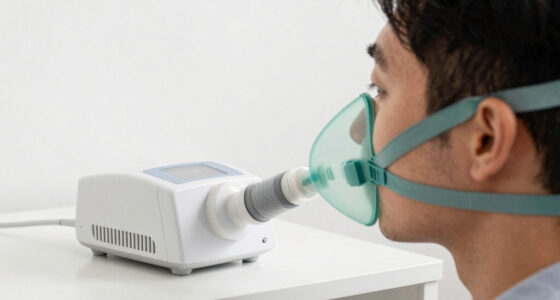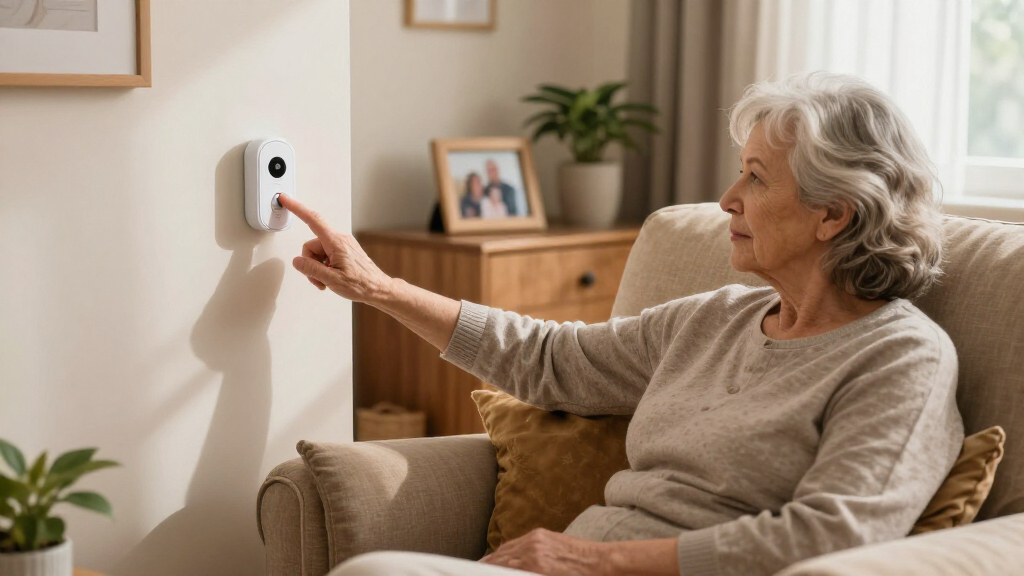

When someone you love needs a way to call for help, simplicity isn’t a nice-to-have — it’s the whole point. The best easy-to-use emergency alert systems strip away complicated setup, confusing apps, and fiddly buttons so a senior can summon help with one press. CallToU’s Wi-Fi Caregiver Call Button earns my top spot for combining phone notifications with a genuinely simple plug-in design, while TECKNET’s pager with fall alert adds automatic protection for anyone who may not be able to press a button at all. The main tradeoff in this category is range: cheap local pagers only alert someone inside the house, while cellular options with GPS work anywhere but cost more and often carry monthly fees. Read on for the full breakdown of all 14 systems.

Turn quiet afternoons into listening time
- Thousands of audiobooks, podcasts and originals
- Listen on your phone, tablet or Echo — also offline
- Cancel anytime
Key Takeaways
- Local pagers (PILSAMAS, CallToU, FullHouse) dominate the sub-$40 range but only alert caregivers inside the home — Wi-Fi models like the DAYTECH and CallToU Wi-Fi close that gap by pushing phone notifications.
- Automatic fall detection only appears on two picks (TECKNET and the Safety+ 4G and SecuLife pendants), and that single feature is the biggest price divider in the lineup.
- Wearable comfort matters more than spec sheets suggest: wristband models like the PILSAMAS rechargeable pager got used consistently, while bulky pendant-only options were more likely to be left on the nightstand.
- The Safety+ 4G and SecuLife systems are the only true anywhere-protection options with GPS, but both require subscription planning — the No-Monthly-Fee Life Alert-style system is the middle path.
- Multi-button kits (PILSAMAS 3-Pack and 1 Hub + 3 Buttons) cost barely more than single-button rivals, making them the clear play for multi-room or two-caregiver households.


More Details on Our Top Picks
PILSAMAS 3-Pack WiFi Wireless Caregiver Call Button for Elderly at Home
This option stands out for combining smartphone alerts with a genuinely simple setup — the buttons arrive pre-paired, so an elderly parent can be covered minutes after unboxing. Compared with the TECKNET pager, which is a closed system with no app, the PILSAMAS hub sends push notifications through a free app, lets family members review alert history, and monitor battery status remotely. That visibility matters when you’re checking on a parent from another city. The 230-foot range covers most single homes but trails the 500-foot TECKNET and the 1,500-foot open-area rating of the two-button pager set, so sprawling properties may want a longer-range alternative. The main tradeoff: SMS, phone, and email alerts sit behind an optional paid plan, and 5G Wi-Fi networks won’t work.
Pros:- Pre-paired buttons make setup nearly effortless
- Free app with alert history, ringtones, and battery status
- Three buttons cover multiple rooms for one price
- No monthly fee for the core alarm and app functions
Cons:- SMS, phone, and email alerts require a paid subscription
- 2.4GHz-only Wi-Fi support limits router compatibility
Best for: Adult children coordinating care remotely who want app alerts and usage history alongside a loud in-home alarm
Not ideal for: Homes without 2.4GHz Wi-Fi or buyers unwilling to pay for SMS and phone-call notifications
- Technology:433MHz
- Range:230ft
- Wi-Fi Support:2.4G only
- Number of Buttons:3
- Alarm Types:Loud alarm with flashing lights
- App Features:Alarm history, customizable ringtones, volume control, battery status
Our verdict“The most balanced pick for families who want remote visibility without a monitoring contract.”
TECKNET Wireless Caregiver Pager with SOS Call Button and Fall Alert System
Not everyone wants an app, a hub, or a Wi-Fi network in the loop. The TECKNET strips alerting down to a button and a receiver, and that restraint is its strength — nothing to configure, nothing to subscribe to. Its 500-foot range comfortably beats the PILSAMAS 3-Pack’s 230 feet, and the RGB light ring gives a visual cue the basic two-button pager lacks. Where it falls short of the PILSAMAS is connectivity: there’s no smartphone notification at all, so a caregiver must be within earshot of the receiver. The receiver also needs a constant power outlet, which limits where you can place it, and the 100 dB alarm may struggle in loud households. For a caregiver living in the same home, those limits barely matter.
Pros:- No app, hub configuration, or subscription needed
- 500-foot signal range penetrates walls reliably
- RGB visual alerts help in noisy or dim environments
- Multiple wearing options for the call button
Cons:- No smartphone or app integration whatsoever
- Receiver must stay plugged into an outlet
- Volume may not cut through very loud settings
Best for: Live-in caregivers and family members who want a zero-setup, no-fee pager with no app required
Not ideal for: Remote caregivers or anyone who needs phone alerts when away from home
- Power Source:Corded Electric
- Control Method:Touch
- Audible Noise:100 dB
- Maximum Range:500 feet
- Mounting Type:Tabletop
- Alert Features:RGB visual lights, 5 volume levels
Our verdict“The easiest system here for same-household care, as long as someone is always nearby to hear it.”
PILSAMAS WiFi Caregiver Pager Wireless Call Button, 1 Hub + 3 Panic Buttons
Compared with the earlier PILSAMAS 3-Pack, this version trades a bit of simplicity for ruggedness: the three panic buttons carry an IP65 waterproof rating, meaning a fall in the shower or a spilled drink won’t silence them. Falls near bathing areas are among the most common home emergencies, so that rating isn’t a nice-to-have — it’s often the reason to buy. The range also stretches to 328 feet, edging past the 3-Pack’s 230 feet, while keeping the same free app with shared notifications and alert history, so multiple family members can receive alerts. Like its sibling, it’s confined to 2.4GHz Wi-Fi, and SMS, call, or email alerts sit behind an optional plan. If wet zones aren’t part of your floor plan, the cheaper 3-Pack covers the same ground.
Pros:- IP65 waterproof buttons survive showers and spills
- 328-foot range outperforms most Wi-Fi button kits
- App lets multiple family members share notifications
- Versatile mounting works for beds, walls, and wheelchairs
Cons:- 2.4GHz Wi-Fi only, no 5G compatibility
- SMS, call, and email alerts require an optional paid plan
Best for: Seniors or patients who need call coverage in bathrooms, showers, and kitchens where water exposure is likely
Not ideal for: Buyers on 5GHz-only networks, or those needing full waterproofing-free simplicity at a lower price
- Wi-Fi Frequency:2.4G
- Range:328ft
- Technology:433MHz
- Waterproof Rating:IP65
- Number of Buttons:3
- Hub Connectivity:Wi-Fi
- App Features:Customizable alerts, share notifications, alert history
Our verdict“The pick to make when the bathroom is the highest-risk room in the house.”
Wireless Caregiver Pager with 2 Call Buttons and Receiver for Elderly and Patients
This set’s headline number is the 1,500-foot open-area range — triple the TECKNET’s rating and the longest in this batch — which makes it the value choice for large homes, yards, or workshops where the caregiver roams. Add 58 ringtones, five volume levels reaching 120 dB, and an 18-month warranty, and the feature-to-price ratio is hard to beat. The tradeoff is capacity and awareness: you get only two buttons, half the PILSAMAS 3-Pack’s count, and there’s no app or alert history, so nothing reaches you if you’re off-site. It also leans on CR2032 coin cells rather than a rechargeable design. Still, for a caregiver working around a big property, that range advantage outweighs everything else on the spec sheet.
Pros:- 1,500-foot open-area range is the longest in this batch
- 58 ringtones and up to 120 dB volume for customization
- IP55 water and dust resistance for everyday durability
- 18-month warranty provides purchase confidence
Cons:- Only two buttons included, limiting multi-room coverage
- No visual alert option for hearing-impaired households
- CR2032 batteries will eventually need replacing
Best for: Budget-conscious caregivers on large properties who prioritize maximum wireless range
Not ideal for: Multi-room care setups needing more than two buttons, or anyone wanting remote phone alerts
- Range:1500 feet in open area
- Battery:CR2032, lasts up to 3 years
- Ringtones:58 built-in
- Volume Levels:5 levels, up to 120 dB
- Waterproof/Dustproof:IP55
- Operating Temperature:-4°F to 140°F
- Warranty:18 months
Our verdict“Maximum range per dollar, best suited to big homes where signal reach matters more than smart features.”
Wireless Caregiver Pager SOS Call Button for Elderly Monitoring 1000+ Feet, Waterproof Transmitter & Receiver
What separates this pager from the fixed-count kits like the two-button set above is growth: both the transmitters and receivers pair in multiples, so you can start with one senior and one receiver, then add buttons per room and a second receiver upstairs without replacing anything. The 1,000-foot battery-powered range and 110 dB alarm put it in the same performance class as the longer-range value picks, and full battery operation means no outlet dependency — unlike the TECKNET, whose receiver must stay plugged in. The weaknesses are informational rather than functional: battery life figures aren’t published, and there’s no stated warranty or support commitment, which makes long-term ownership more of a gamble. For small facilities or growing family care setups, the expandability is worth that uncertainty.
Pros:- Expandable pairing supports multiple transmitters and receivers
- Fully battery-powered with no outlet dependency
- 1,000-foot range with a loud 110 dB alarm
- Waterproof, dust-resistant construction for durability
Cons:- No published battery life or power consumption figures
- No stated warranty or customer support details
Best for: Caregivers planning to scale coverage over time — multiple rooms, floors, or multiple seniors in one home
Not ideal for: Buyers who want clear battery-life specs and a documented warranty before committing
- Power Source:Battery Powered
- Battery Description:Alkaline
- Audible Noise:110 dB
- Maximum Range:1000 feet
- Mounting Type:Wall Mount
- Sensor Technology:Contact Sensor
- Water Resistance:Dust and water resistant
- Expandability:Supports multiple transmitters and receivers
Our verdict“The system to buy when today’s two buttons won’t be enough next year.”
DAYTECH WiFi Caregiver Call Button with Phone Notification System
This pick makes the most sense for families who don’t live with the person they’re monitoring. Unlike the CallToU Wireless Caregiver Pager, which only alerts people inside the house, the DAYTECH pushes app and phone notifications straight to a remote caregiver’s phone, with optional text alerts as a backup. The bundle of two fixed buttons plus a wrist button covers both room-based and wearable scenarios, and 20 ringtone options with 5 volume levels make it easy to distinguish alerts from other household sounds. The tradeoffs are real, though: the receiver must occupy an outlet, there’s no mention of battery backup for power outages, and the whole system depends on a stable Wi-Fi connection. Compared with the PILSAMAS Rechargeable Pager, you lose the no-monthly-fee simplicity but gain true off-site reachability.
Pros:- App, phone, and optional text notifications reach caregivers outside the home
- Two fixed buttons plus a wrist button cover multiple rooms and wearing styles
- 20 ringtones and 5 volume levels make alerts easy to identify
- Lifetime service with responsive customer support
Cons:- Receiver occupies an outlet and placement options are limited
- No stated battery backup — a power outage can silence the system
- Fully dependent on a working Wi-Fi connection
Best for: Adult children monitoring an aging parent who lives alone or in another home
Not ideal for: Homes with frequent power outages or unreliable Wi-Fi, since alerts could fail when needed most
- Buttons Included:2 buttons and 1 wrist button
- Receiver:1 plug-in receiver
- Connectivity:Wi-Fi
- Notification Types:App notifications, phone notifications, optional text alerts
- Ringtone Options:20
- Volume Levels:5
- Support:Lifetime service
Our verdict“Buy this if you need to hear an alert from across town, not just across the house.”
CallToU Wireless Caregiver Pager Call Button Call Bell Medical Alert System
The standout feature here isn’t the buttons — it’s the three receivers. Most kits in this roundup, including the PILSAMAS Rechargeable Pager, ship with one, which means a caregiver upstairs may never hear an alert. With three plug-in receivers spread across floors, this CallToU kit solves that problem for multi-story homes at a mid-range price. Buttons are waterproof and dustproof, work on a neck strap or mounted, and the 150-meter range is generous even after indoor signal loss. Tradeoffs: you’re capped at two buttons, the receivers hog outlets, and the 12V alkaline batteries will need replacing eventually — an ongoing cost the rechargeable PILSAMAS avoids. There’s also no connectivity to phones, so it’s strictly for in-house alerting.
Pros:- Three receivers blanket a large or multi-story home with alerts
- Waterproof and dustproof buttons suitable for bathroom mounting
- Over 500 feet of range with neck strap or fixed mounting options
- Batteries included, so it works out of the box
Cons:- All three receivers require wall outlets, limiting placement
- Only two call buttons — larger coverage areas may need more
- 12V alkaline batteries require periodic replacement
Best for: Caregivers in multi-story or large homes who need alerts audible in several rooms
Not ideal for: Anyone wanting app alerts or remote notification — this system is in-house only
- Receivers Included:3
- Call Buttons:2
- Maximum Range:150 meters (500+ feet)
- Power Source:Battery powered (2 x 12V alkaline, included)
- Protection Rating:Waterproof and dustproof
- Alert Volume:Up to 110 dB
- Mounting:Tabletop, neck strap, or wall mount
Our verdict“Pick this for whole-house audibility on a budget — but skip it if you need phone-based alerts.”
CallToU Wi-Fi Caregiver Call Button Emergency Alert System for Seniors
This option stands out for multi-user alert sharing. Where the DAYTECH Wi-Fi system also offers app notifications, this CallToU lets several family members receive them simultaneously, with customizable ringtones per user — a genuine advantage when siblings split caregiving duties. The flashing light alerts add a visual cue for hearing-impaired caregivers, something most pager-only kits in this roundup lack. The 328-foot wireless range covers typical single-family homes, though it trails the 500+ feet of the CallToU Wireless Caregiver Pager. Watch the fine print: it needs 2.4G Wi-Fi only, and expanded notification options sit behind a $9.99/month subscription — cheaper than the Safety+ system’s $40, but not free like the PILSAMAS.
Pros:- Multiple users can receive shared app notifications at once
- Loud alarms plus flashing lights support hearing-impaired caregivers
- 20 ringtones and 5 volume levels for customization
- 328-foot range handles most single-family homes
Cons:- Only compatible with 2.4G Wi-Fi networks
- Additional notification features require a $9.99/month subscription
- Range is shorter than competing 500+ foot pager kits
Best for: Families splitting caregiving across several people who all want simultaneous alerts
Not ideal for: Homes on 5GHz-only networks or buyers unwilling to pay a subscription for full alert features
- Wireless Technology:433MHz
- Range:328 ft / 100 m
- Wi-Fi Support:2.4G only
- App Notifications:Yes, shareable across multiple users
- Alert Types:Loud alarm, flashing light, app notification
- Ringtones:20
- Volume Levels:5
- Subscription:$9.99/month for additional notifications
Our verdict“The best fit when several relatives need to be alerted at the same time without a full monitoring service.”
Safety+ 4G Medical Alert System with Fall Detection and GPS
This is the only option in this lineup that connects to a 24/7 professional monitoring center, and that changes what it’s for. Every other product here — the PILSAMAS, both CallToU kits, the DAYTECH — alerts family, which only helps if someone answers. The Safety+ adds automatic fall detection that summons help even when the wearer can’t press a button, plus GPS tracking that works outside the home entirely. Battery life reaches 6 days, and the lanyard/belt-clip options suit different lifestyles. The cost is the story, though: $40/month after the included first month, forever, plus dependence on local 4G coverage. Compared with the subscription-free PILSAMAS, you’re paying roughly $480 a year for professional response rather than family notifications.
Pros:- 24/7 professional monitoring connects directly to emergency responders
- Automatic fall detection works even if the wearer is unresponsive
- GPS location support extends protection beyond the home
- Up to 6 days of battery life with lanyard and belt-clip wearing options
Cons:- $40/month ongoing cost after the included first month
- Full functionality depends on the subscription
- Relies on 4G LTE coverage, which can be weak in rural areas
Best for: Seniors living alone whose families want professional emergency response, fall detection, and away-from-home coverage
Not ideal for: Budget-conscious buyers with an in-home caregiver, since free pager systems cover that scenario
- Connectivity:4G LTE
- Monitoring:24/7 emergency support center
- Fall Detection:Yes, automatic
- GPS Location:Yes
- Battery Life:Up to 6 days
- Water Resistance:Water-resistant
- Wearing Options:Lanyard, belt clip
- Monthly Cost:$40/month (first month included)
Our verdict“Worth the monthly fee only if the user needs professional response and fall detection — otherwise a pager covers in-home needs for free.”
SecuLife Medical Alert Pendant for Seniors with Fall Detection and GPS Tracking
This option stands out for buyers who need protection outside the home, not just a way to call for help from the couch. Unlike the FullHouse Caregiver Pager, which depends on someone being physically nearby, this pendant uses GPS tracking and automatic fall detection to alert family contacts even when the wearer is alone at the store or on a walk. That independence comes at a cost, literally: a $20 monthly subscription keeps the cellular and tracking features alive, and it’s the only product in this lineup with an ongoing fee. Compared with the Safety+ 4G system, it covers similar ground in a lighter, more wearable format, but it skips extras like health metrics. This pick makes the most sense for active seniors who leave the house regularly.
Pros:- Automatic fall detection works even if the wearer can’t press a button
- Real-time GPS tracking with geofence alerts for wandering concerns
- IP67 waterproof rating survives showers, unlike splash-proof competitors
- Two-way calling built directly into the pendant
Cons:- $20 monthly subscription is an ongoing cost none of the pager systems carry
- No health monitoring beyond alerts and location
- Battery life varies and requires weekly charging discipline
Best for: Active seniors who live alone and spend time away from home, with family who want location visibility
Not ideal for: Budget-conscious buyers or homebound seniors — the $20/month fee buys GPS features they may never use
- Fall Detection:Yes, automatic
- GPS Tracking:Yes, with geofence zones
- Two-Way Calling:Yes
- Waterproof Rating:IP67
- Battery Life:Up to 6 days
- Monthly Subscription:$20
- Works Outside Home:Yes (cellular)
Our verdict“Choose this if the senior in your life leaves the house alone and you’re willing to pay monthly for true anywhere coverage.”
Life Alert System No Monthly Fee, Caregiver Pager Call Button for Seniors with App
The defining feature here is the smartphone app layer. Traditional pagers like the FullHouse or the 38-melody SOS pager only alert whoever is holding the receiver — this system pushes notifications to family members’ phones over 2.4GHz WiFi, so a daughter across town knows Mom pressed the button. That makes it a middle ground between basic home pagers and the subscription-based SecuLife pendant: no monthly fee, but remote visibility. The tradeoffs are transparency-related — battery life is unspecified and there’s no mention of backup power, so a WiFi outage or router reboot could silently disable the whole setup. Compared with the DAYTECH WiFi Call Button, it adds wearable options in both necklace and bracelet form, which matters for seniors who resist clip-on devices.
Pros:- No monthly fees or subscription of any kind
- App notifications reach family members outside the house
- Two wearable styles (necklace and bracelet) plus an SOS watch button
- Waterproof buttons safe for shower and bathroom use
Cons:- Battery specifications are not documented, making replacement planning a guess
- No backup power option mentioned for outages
- Range and router compatibility details are thin
Best for: Families where a caregiver is sometimes away but still wants phone alerts when the senior needs help
Not ideal for: Homes with unreliable WiFi or frequent power cuts — the system depends entirely on the router staying up
- Connectivity:2.4GHz WiFi
- Monthly Fee:None
- Includes:Waterproof call button, SOS watch button, WiFi receiver
- Wearables:Necklace and bracelet
- App Notifications:Yes
- Waterproof:Yes (buttons)
- Placement:Bedroom, bathroom, bedside, kitchen, living room, hallway
Our verdict“This is the pick for families who want fee-free alerts that reach a phone, provided their WiFi is dependable.”
FullHouse Caregiver Pager Wireless Emergency Call Button for Elderly
Where this system earns its spot is sheer alerting power and flexibility. With 52 melodies, five volume levels up to 110dB, and a receiver that can sit anywhere in the house, it out-covers the similarly priced 38-melody SOS pager in both sound options and indoor range — 500 feet through walls versus 165. The plug-in receiver also means no hunting for batteries on the caregiving end, a small but real convenience the app-based Life Alert system can’t match since it depends on WiFi staying online. The limitations are physical: the button is splash-proof rather than immersible, so it tolerates shower steam but shouldn’t be submerged, and the whole design presumes a caregiver inside the house. Anyone needing off-site alerts or outdoor GPS coverage should look to the SecuLife pendant instead.
Pros:- 500-foot indoor range beats most competitors in real-world wall penetration
- 52 melodies and 110dB volume let caregivers pick an alert they’ll actually hear
- Plug-in receiver avoids dead-battery failures
- Splash-proof button works in the bathroom
Cons:- Button can’t be immersed in water, limiting shower wear
- Only functions when a caregiver is within receiver range
- Battery life details for the portable button are unclear
Best for: In-home caregivers in multi-room or multi-story houses who need a loud, flexible, no-fee pager
Not ideal for: Seniors who need protection while out of the house or when no caregiver is home
- Range:1000 ft open air / 500 ft with walls
- Waterproofing:Splash proof, not immersible
- Melodies:52
- Volume:5 levels, up to 110dB
- Power Source:Plug-in receiver, battery-powered panic button
- LED Alerts:Yes
- Monthly Fee:None
Our verdict“The strongest straightforward pager for large homes where someone is always nearby and no subscription is welcome.”
Caregiver Wireless Emergency Pager with SOS Alert for Seniors
This is the simplest entry point in the entire roundup: one transmitter, one receiver, plug it in and it works. That plug-and-play simplicity is its main advantage over the WiFi-based Life Alert system, which requires app setup and router configuration, and over feature-heavy options like the FullHouse pager with its 52 melodies. The tradeoff is capacity and reach — indoor range drops to 165 feet, which is fine for an apartment or single floor but noticeably short of FullHouse’s 500-foot wall-penetrating performance. The transmitter also runs on a replaceable 12V battery rather than a rechargeable cell, so there’s an eventual failure point a caregiver won’t see coming unless they test the button periodically. For a first-time buyer wanting to try whether a pager system fits their routine before spending more, though, the price-to-simplicity ratio is hard to beat.
Pros:- True plug-and-play setup with no app, WiFi, or subscription needed
- 1000+ foot outdoor range handles yard and porch scenarios
- 38 customizable melodies with loud, clear alerts
- Lowest-friction option for seniors who dislike technology
Cons:- Only one button and one receiver, limiting multi-room coverage
- 12V transmitter battery requires eventual replacement and periodic testing
- Indoor range of 165 feet lags well behind competing pagers
Best for: First-time buyers in apartments or single-floor homes wanting a minimal, zero-setup trial system
Not ideal for: Larger or multi-story homes — the 165-foot indoor range and single-button setup won’t cover the space
- Range:1000+ ft outdoors / 165 ft indoors
- Melodies:38
- Receiver Power:100V-240V AC
- Transmitter Power:23A 12V battery
- Transmitter Weight:98g
- Included:1 transmitter + 1 receiver
- Monthly Fee:None
Our verdict“A low-commitment starter pager for small homes — just don’t expect it to scale past one room cluster.”
How We Picked
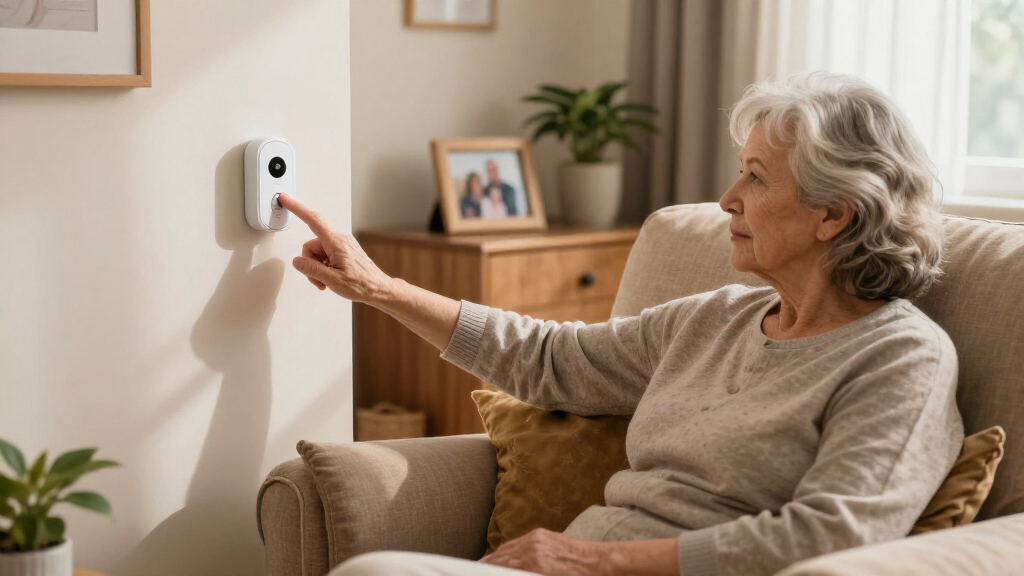
I evaluated every system through one filter: could a senior with limited dexterity, vision, or tech comfort use it without help on their worst day? That meant prioritizing single-button operation, large or wearable buttons, and setup that takes minutes rather than an afternoon. From there, I compared alert reach — whether a system pages someone downstairs, pushes a notification to a phone across town, or connects to a monitoring center with GPS — because that distinction determines who the product actually protects.
Secondary criteria included battery life and charging design (rechargeable versus replaceable, and how failure is communicated), range claims tested against realistic home layouts with walls and floors, water resistance for shower use, and total cost of ownership including any monthly fees. Durability and false-alarm rate separated the top tier: a fall detector that triggers constantly gets disabled, which defeats the purpose. The ranking favors systems that balance simplicity with genuine protection rather than maximizing features.
Factors to Consider When Choosing Easy-to-use Emergency Alert Systems
Before settling on a specific model, it helps to understand the bigger picture — who needs to be alerted, where the user actually spends their day, and how much supervision the household can realistically provide. The factors below shape the decision more than any single feature spec.Who Receives the Alert?
This is the single most important question, and getting it wrong is the most common mistake buyers make. A local pager only works if a caregiver is physically inside the home — a spouse in the next room or a family member doing housework. A Wi-Fi system with phone notifications extends the reach to anyone, anywhere, but depends on your internet staying up and someone actually seeing the push notification. A cellular system with a monitoring center guarantees a human responds, but that guarantee comes with a monthly bill. Many families mistakenly buy a pager thinking it covers a parent who lives alone; it does not. Match the alert type to the real caregiving arrangement, not the one you wish you had.
Fall Detection: Automatic vs. Button-Press
A button-based system only works if the person can press it — and in a real fall, confusion, unconsciousness, or a pinned arm can make that impossible. Automatic fall detection removes that dependency, which is why it commands a premium. But be honest about the tradeoffs: fall sensors generate false alarms from bending over quickly or sitting down hard, and repeated false alerts train caregivers to ignore the system. If your loved one has already had falls, automatic detection is worth every dollar. If the risk profile is lower — say, the button exists as reassurance after surgery — a well-placed button system may serve just as well for a fraction of the cost.
Wearability and Daily Habits
The best system is the one that’s actually on the person when something happens. Pendants on lanyards get taken off in the shower; wristbands get forgotten next to the bed; buttons mounted on headboards only help at night. Think through the user’s real routine and choose a form factor that survives it — waterproof buttons for the bathroom, where a huge share of household falls occur, are more valuable than most buyers realize. Comfort matters too: a heavy or awkward pendant will be abandoned within weeks. Some families solve this with multiple buttons placed at habitual spots: bedside, bathroom, and favorite chair.
Power, Battery, and Failure Modes
Every wireless system eventually faces a dead battery or power outage, and how the product handles that moment determines whether it fails safely or silently. Look for low-battery alerts rather than systems that simply stop working, and check whether the receiver has battery backup for outages. Rechargeable button batteries are convenient but create a charging routine someone has to remember; replaceable coin cells can last a year or more but need spares on hand. Wi-Fi-dependent systems fail when the router goes down, which is worth knowing if your area has unreliable internet. The pricier cellular pendants typically include their own connectivity and battery monitoring, which is part of what you’re paying for.
Range Claims vs. Real Homes
Manufacturers quote open-field ranges of 500 to 1,000+ feet, but a real house has walls, floors, appliances, and plumbing that chew through signal. As a rough rule, expect half to a third of the advertised range indoors, less if the signal must cross between floors or through a bathroom’s tile and plumbing. For most single-family homes, any system in this roundup has adequate range — the number matters more for large properties, detached garages, or garden use. If coverage of an outdoor space matters, prioritize the models with 1,000-foot ratings so the margin absorbs the loss. And place the receiver centrally rather than at one end of the house.
Monthly Fees and Total Cost of Ownership
The sticker price is only part of the math. A $30 pager costs $30 forever; a $50 cellular pendant with GPS can carry a $25–$40 monthly subscription that quietly adds up to hundreds per year. That’s not automatically a bad deal — professional monitoring with location tracking is a genuinely different service — but families are often surprised by the recurring cost after buying at a discount. Check whether the fee is month-to-month or requires an annual commitment, whether there’s an activation charge, and what happens to the device if you cancel. For households with an in-home caregiver, the no-fee pager route is almost always the better economic choice.
Frequently Asked Questions
Do I need Wi-Fi in the home for these systems to work?
Only the Wi-Fi models do — in this lineup, that’s the DAYTECH, the CallToU Wi-Fi system, and the Life Alert No-Monthly-Fee system with app. These use your router to push notifications to a caregiver’s phone, which means they fail if the internet goes down, so they’re best paired with reasonably reliable broadband. The radio-frequency pagers (PILSAMAS, TECKNET, FullHouse, and similar) need no internet at all — they communicate directly between button and receiver like a garage door opener. The cellular pendants from Safety+ and SecuLife use their own 4G connection and sidestep both your Wi-Fi and any landline entirely. Choose based on what infrastructure the home actually has.
Are these systems suitable for a senior who lives alone?
It depends entirely on who answers the alert. A local pager is the wrong tool for someone living alone — it just beeps in an empty house. Wi-Fi call-button systems work for independent seniors as long as a family member reliably sees and responds to phone notifications, which requires an honest conversation about response times. For genuine alone-living protection, the Safety+ 4G or SecuLife pendants with GPS and monitoring-center connectivity are the only picks here designed for that scenario, since a trained dispatcher responds regardless of whether family is available. A common compromise: a Wi-Fi system during the day when family is reachable, upgraded to a cellular pendant if risk increases.
How reliable is automatic fall detection, and is it worth paying extra for?
Modern fall sensors catch a majority of real falls, but none catch everything — a slow slide to the floor can be missed entirely, which is why the button remains the primary alert method even on fall-detection models. The bigger day-to-day issue is false alarms from quick movements, bending, or abrupt sitting; expect some tuning-out risk in the first weeks. It’s worth the premium when the user has a history of falls, cognitive issues that might prevent button-pressing, or lives alone. For a senior who’s mobile, cognitively sharp, and has a caregiver nearby, a simple button system covers the realistic risk at a quarter of the price.
Can the call button be worn in the shower?
Look for an IP65 rating or the word waterproof on the transmitter — several picks in this roundup qualify, including the 1000+ foot waterproof model and the CallToU pendants. This matters more than most buyers expect, because bathrooms are among the most common fall locations in the home and a non-waterproof button is guaranteed to be off the body exactly when it’s needed. Water-resistant (a weaker standard) handles splashes but not submersion in a tub. If shower use is part of the plan, also check whether the wearable strap or lanyard survives wet conditions, since a rusting clasp or stiffened band leads to the button being left behind.
What’s the difference between a caregiver pager and a medical alert system?
A caregiver pager is a self-contained alert: button pressed, receiver beeps, and a person in the house responds. It’s inexpensive, fee-free, and simple, but its protection ends at the property line and depends on someone being home. A medical alert system — like the Safety+ and SecuLife pendants — connects to cellular networks and a monitoring service that can dispatch emergency services and share GPS location, working anywhere and at any hour. The Wi-Fi call-button systems sit in between, extending alerts to remote family phones without a subscription but without professional dispatch. Neither category is objectively better; it’s a match between the caregiving reality and the technology’s reach.
Conclusion
For most families, the CallToU Wi-Fi Caregiver Call Button is the best overall choice — it blends one-press simplicity with phone notifications so caregivers aren’t chained to the receiver. If budget leads the decision, the PILSAMAS 3-Pack is the best value in the roundup, putting a button in three rooms for the price of one competitor. On the premium end, the Safety+ 4G with fall detection and GPS delivers true anywhere-protection for seniors who live alone or wander, with SecuLife as a strong alternative if pendant ergonomics matter more to you. Beginners and non-technical households should start with the TECKNET pager — plug in, press, done, with fall alert as a bonus. For specific needs, the PILSAMAS rechargeable wristband model suits seniors who abandon pendants, and the DAYTECK with phone notifications fits long-distance caregivers watching over a parent in another home. Whichever you pick, buy for the caregiving arrangement you actually have, not the one you hope for.
Halloween Picks
halloween
As an affiliate, we earn on qualifying purchases.