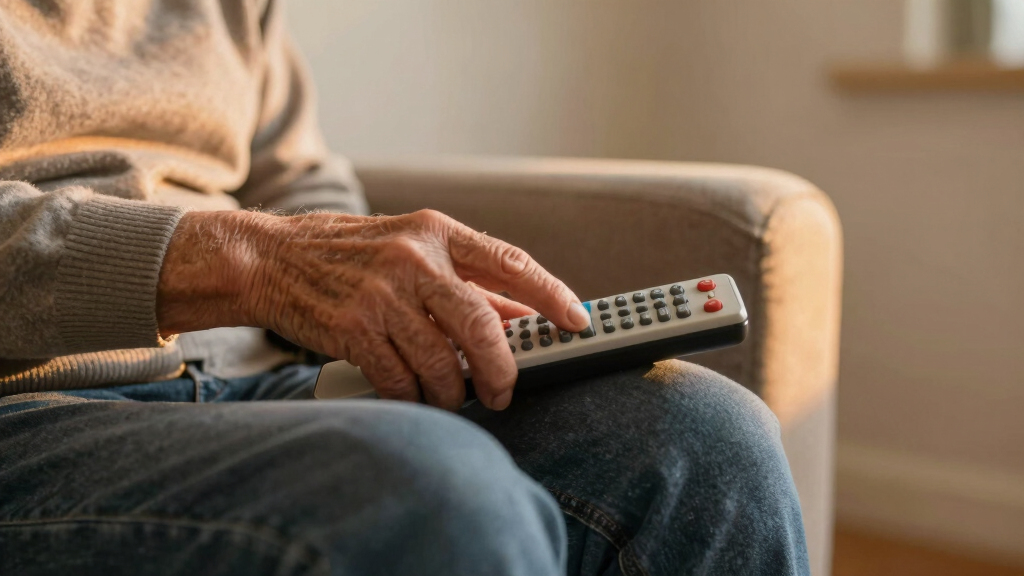

Finding the best simple TV remotes for seniors involves balancing ease of use, durability, and compatibility. The EZclicker Big Button Universal TV Remote stands out as the overall best choice for its straightforward design and broad compatibility. For those needing a budget-friendly option, the Large Button TV Remote Control for Seniors offers simplicity at a lower price. Meanwhile, the Flipper Big Button TV Remote shines for dementia-friendly features and easy setup. These options highlight the key tradeoffs: affordability versus advanced features, simplicity versus versatility. Continue reading to see how these and other models compare to help you make the best decision.

Turn quiet afternoons into listening time
- Thousands of audiobooks, podcasts and originals
- Listen on your phone, tablet or Echo — also offline
- Cancel anytime
Complete the kit


Key Takeaways
- The top picks excel in large, clearly labeled buttons that reduce confusion and frustration for seniors.
- Compatibility with major TV brands remains a key factor, with some remotes offering auto search or learning functions to simplify setup.
- Design choices like backlit buttons and luminous features significantly improve usability in low-light environments.
- Tradeoffs often involve balancing simplicity with advanced functions—more features can introduce complexity, which some seniors may avoid.
- Affordable remotes generally perform well, but premium models tend to offer longer durability and better ergonomic design.
| EZclicker Big Button Universal TV Remote, Easy to Use for All Ages (Orange) |  | Best Overall for Simplicity and Compatibility | Color: Orange | Maximum Range: 45 feet | Button Quantity: 13 | VIEW LATEST PRICE | See Our Full Breakdown |
| Learning Big Button Universal TV Remote for Elderly with Backlit |  | Best for Customization and Broad Compatibility | Compatibility: Hundreds of TV brands | Setup Methods: Code setup and learning function | Includes: Remote control, user manual | VIEW LATEST PRICE | See Our Full Breakdown |
| Flipper Big Button TV Remote for Seniors, Dementia – Easy Setup |  | Best for Dementia and Cognitive Impairment | Designed for: Seniors & Dementia | Button Colors: Green, Orange, Blue, Gray | Number of Buttons: 4 visible + hidden customizable | VIEW LATEST PRICE | See Our Full Breakdown |
| TV Remote for Seniors, Elderly – Large Button Universal Remote with Auto Search & Learning Functions, Waterproof & Luminous |  | Best for Low-Light and Versatile Setup | Button Quantity: 8 | Connectivity Technology: Infrared | Maximum Range: 40 feet | VIEW LATEST PRICE | See Our Full Breakdown |
| Large Button TV Remote Control for Seniors, Easy to Use Simple Remote for TV, Large Buttons and Clear Layout |  | Best Basic Layout and Reliability | Button Quantity: 10 | Maximum Range: 10 meters | Compatible Devices: Television | VIEW LATEST PRICE | See Our Full Breakdown |
| EZclicker TV Remote for Seniors, Extra Simple Big Button Remote (Black) |  | Best Overall | Compatibility: Major TV brands (not for streaming or cable boxes) | Connectivity Technology: Infrared | Maximum Range: 45 feet | VIEW LATEST PRICE | See Our Full Breakdown |
| EZclicker TV Remote for Seniors, Extra Simple Big Button Remote (Green) |  | Best for Beginners | Color: Green | Button Quantity: 10 | Maximum Range: 45 feet | VIEW LATEST PRICE | See Our Full Breakdown |
| EZclicker TV Remote for Seniors, Extra Simple Big Button Remote (Blue) | 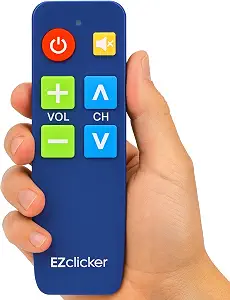 | Best Compact Design | Button Type: Big buttons with tactile feedback | Compatibility: Major TV brands | Dimensions: 6 x 2 x 1 inches | VIEW LATEST PRICE | See Our Full Breakdown |
| EZclicker Big Button Universal TV Remote, Easy to Use for All Ages (Black) |  | Best Universal Control | Color: Black | Maximum Range: 45 feet | Button Quantity: 13 | VIEW LATEST PRICE | See Our Full Breakdown |
| EZclicker Samsung TV Remote Big Button, Easy to Use, for Samsung TVs Only |  | Best for Samsung TV Owners | Compatibility: Samsung TVs only | Button Design: Big buttons with tactile feedback | Dimensions: 7″ x 2″ x 1″ | VIEW LATEST PRICE | See Our Full Breakdown |
| Big Button Universal TV Remote for Seniors, Easy to Use, Compatible with Most Brands |  | Best Overall | Maximum Number of Supported Devices: 1 | Compatible Devices: Television | Connectivity Technology: Infrared | VIEW LATEST PRICE | See Our Full Breakdown |
| simple TV remotes for senior | Maximum Range | Connectivity Technology | Batteries |
|---|---|---|---|
| EZclicker Big Button Universal | 45 feet | Infrared | — |
| Learning Big Button Universal | — | — | Not included |
| Flipper Big Button TV Remote f | 30 feet | — | 2 AA (not included) |
| TV Remote for Seniors | 40 feet | Infrared | 2 AAA alkaline |
| Large Button TV Remote Control | 10 meters | Infrared | — |
| EZclicker TV Remote for Senior | 45 feet | Infrared | 2x AAA (not included) |
| EZclicker TV Remote for Senior | 45 feet | Infrared | 2x AAA (not included) |
| EZclicker TV Remote for Senior | — | — | 2x AAA (not included) |
| EZclicker Big Button Universal | 45 feet | Infrared | — |
| EZclicker Samsung TV Remote Bi | — | — | 2x AAA (not included) |
| Big Button Universal TV Remote | 10 meters | Infrared | — |
More Details on Our Top Picks
EZclicker Big Button Universal TV Remote, Easy to Use for All Ages (Orange)
This remote stands out for its straightforward design, large, tactile buttons, and broad support for major TV brands. Compared to the Learning Big Button remote, it offers a much simpler setup process, making it ideal for users who want plug-and-play functionality without learning curves. However, its limitation to controlling only one device at a time and lack of smart features means it falls short for those seeking a multi-device or smart TV experience. Its compact size and lightweight build make it easy for seniors with limited dexterity to operate.
Pros:- Large, easy-to-press tactile buttons suitable for impaired vision or dexterity
- Simple one-step setup compatible with major TV brands
- Compact, lightweight design for easy handling
Cons:- Limited to controlling only a single device at a time
- Does not support streaming devices or smart TV features
- Batteries not included, requiring an additional purchase
Best for: Seniors who want a reliable, easy-to-program remote without the need for learning functions or multi-device control
Not ideal for: Tech-savvy users or those with multiple devices like streaming sticks who need more versatility
- Color:Orange
- Maximum Range:45 feet
- Button Quantity:13
- Connectivity Technology:Infrared
- Supported Devices:Television
- Controller Type:Button Control
Our verdict“This remote is perfect for seniors seeking a straightforward, reliable device for basic TV control without added complexity.”
Learning Big Button Universal TV Remote for Elderly with Backlit
This remote excels for users who need tailored controls, thanks to its learning function and backlit keys, making it ideal for seniors with some tech familiarity. Unlike the EZclicker, it allows for extensive customization, supporting hundreds of TV brands. The setup requires using the original remote, which can be a hurdle for some users, and no batteries are included, adding extra steps. Its larger buttons and backlit keys improve usability in low-light conditions, making it a versatile choice for those willing to invest a bit of effort during setup.
Pros:- Large, backlit buttons enhance visibility for seniors
- Supports learning function to program controls for many TV brands
- Flexible customization options for tailored use
Cons:- Requires original remote for programming, which may be inconvenient
- Setup can be complex for less tech-savvy users
- Batteries not included, adding extra step
Best for: Seniors with some tech experience who want to customize controls and have a variety of TV brands
Not ideal for: Elderly users who prefer a no-fuss remote or lack the original remote for programming
- Compatibility:Hundreds of TV brands
- Setup Methods:Code setup and learning function
- Includes:Remote control, user manual
- Batteries:Not included
Our verdict“This remote is suited for seniors comfortable with technology who need flexible, customizable controls for multiple devices.”
Flipper Big Button TV Remote for Seniors, Dementia – Easy Setup
The Flipper remote is designed specifically for seniors with dementia or cognitive challenges, with large, color-coded, tactile buttons that make operation intuitive. Its universal compatibility with all major TV brands and support for up to 25 favorite channels make it simple for users to access TV without navigating menus. Unlike the others, it emphasizes basic functions only, avoiding confusion. The limited control options, however, mean it’s not suitable for smart TV functions or streaming apps, and it requires batteries not included, which could be inconvenient.
Pros:- Large, color-coded, tactile buttons enhance ease of use and reduce confusion
- Universal compatibility simplifies setup across devices
- Supports up to 25 favorite channels for quick access
Cons:- Does not support navigation for smart apps or streaming services
- Requires two AA batteries not included
- Limited to basic TV functions, no voice or smart features
Best for: Families caring for seniors with dementia or severe cognitive impairments who need a straightforward TV remote
Not ideal for: Tech-savvy seniors or users seeking advanced features like smart TV control or streaming app access
- Designed for:Seniors & Dementia
- Button Colors:Green, Orange, Blue, Gray
- Number of Buttons:4 visible + hidden customizable
- Compatibility:All major TV brands, cable/satellite
- Maximum Range:30 feet
- Batteries:2 AA (not included)
Our verdict“This remote is ideal for dementia patients or seniors needing a simple, distraction-free device to control their TV easily.”
TV Remote for Seniors, Elderly – Large Button Universal Remote with Auto Search & Learning Functions, Waterproof & Luminous
This remote combines large, color-coded tactile buttons with innovative auto search and learning functions, making setup straightforward even for less tech-savvy seniors. Its waterproof and luminous design adds convenience for use in various lighting conditions. Compared to the simpler EZclicker, its setup process is more flexible, accommodating different devices with auto search. However, it is limited to controlling one device at a time and doesn’t support smart features or streaming services. The need for batteries not included is a minor inconvenience.
Pros:- Large, easy-to-read buttons suitable for impaired vision
- Luminous and waterproof for versatile use in low-light or damp conditions
- Auto search and learning functions simplify setup with various devices
Cons:- Limited to controlling only one device at a time
- No support for streaming apps or smart features
- Requires 2 AAA batteries (not included)
Best for: Seniors who want a durable, easy-to-set-up remote suitable for use in different lighting environments
Not ideal for: Users seeking multi-device control or smart TV features, or those who prefer a minimalist design
- Button Quantity:8
- Connectivity Technology:Infrared
- Maximum Range:40 feet
- Batteries:2 AAA alkaline
- Color:Black
- Item Dimensions:8.15″L x 0.58″W x 1.57″H
Our verdict“This remote is well-suited for seniors needing a durable, easy-to-use device in low-light environments with flexible setup options.”
Large Button TV Remote Control for Seniors, Easy to Use Simple Remote for TV, Large Buttons and Clear Layout
This remote emphasizes simplicity with its large, clearly labeled buttons and straightforward layout, making it ideal for seniors and those with low vision. Unlike the more feature-rich options, it does not support streaming or smart TV functions, but its durable, ergonomic design ensures comfort during regular use. Its limited support to only one device at a time and absence of voice control reflect its focus on basic TV control. The 10-meter IR range is sufficient for most typical living room setups, and the simple design minimizes confusion.
Pros:- Large, clearly labeled buttons for easy visibility
- Compatible with most major TV brands
- Ergonomic, lightweight design for comfortable use
Cons:- Limited to controlling only a single device
- No support for smart features or voice control
- Range limited to 10 meters
Best for: Seniors who prioritize a simple, reliable remote with large buttons and a straightforward layout
Not ideal for: Users needing control over multiple devices, streaming apps, or voice commands
- Button Quantity:10
- Maximum Range:10 meters
- Compatible Devices:Television
- Connectivity Technology:Infrared
- Color:Black
- Warranty & Support:Amazon.com Return Policy
Our verdict“This remote is a reliable choice for seniors who want a straightforward device with large buttons and simple operation for TV watching.”
EZclicker TV Remote for Seniors, Extra Simple Big Button Remote (Black)
This remote stands out for its combination of simplicity, universal compatibility, and tactile feedback, making it a well-rounded choice for seniors who want straightforward control. Compared with the EZclicker Blue or Green models, the Black version’s sleek design and easy programming process make it particularly user-friendly. Its lightweight design and large buttons are perfect for users with limited dexterity, but it is limited to controlling only one device and not compatible with streaming devices or cable boxes, which could be a drawback for some. The lack of included batteries also adds a minor inconvenience. This pick makes the most sense for seniors seeking an all-in-one remote with minimal hassle.
Pros:- Large, easy-to-press buttons suitable for seniors
- Simple programming process for quick setup
- Lightweight and compact for comfortable handling
- Universal compatibility with major TV brands
Cons:- Not compatible with streaming devices or cable boxes
- Batteries not included, requiring additional purchase
Best for: Seniors who want a simple, easy-to-program remote that works with most TV brands and prefer a sleek black design.
Not ideal for: Users who need to control multiple devices or streaming services, as this remote doesn’t support streaming boxes or cable boxes.
- Compatibility:Major TV brands (not for streaming or cable boxes)
- Connectivity Technology:Infrared
- Maximum Range:45 feet
- Batteries:2x AAA (not included)
- Item Weight:0.08 kg
- Item Dimensions:6″ x 2″ x 1″
Our verdict“This remote is ideal for seniors who want a straightforward, reliable device for controlling their TV with minimal complexity.”
EZclicker TV Remote for Seniors, Extra Simple Big Button Remote (Green)
This remote makes a strong impression for its clear, tactile buttons and straightforward setup, perfect for seniors new to remote controls. Its simple one-button programming process and lightweight design make it accessible, especially compared to more complex remotes like the EZclicker Big Button Universal. While it only supports controlling a single device and lacks compatibility with streaming devices or cable boxes, its dedicated design for seniors or visually impaired users ensures ease of use. Its bright green color also adds visual appeal and easy identification, but the need for 2 AAA batteries not included could be a minor inconvenience. This model is best suited for seniors who prioritize simplicity and ease of learning.
Pros:- Large, tactile buttons for easy use
- Simple one-button setup process
- Lightweight and easy to handle
- Bright color for visibility
Cons:- Limited to controlling only one device
- Requires 2 AAA batteries not included
Best for: Elderly users or beginners who want an uncomplicated remote with tactile feedback and easy setup.
Not ideal for: Those who need to control multiple devices or streaming services, as this remote is limited to a TV only and requires additional batteries.
- Color:Green
- Button Quantity:10
- Maximum Range:45 feet
- Connectivity Technology:Infrared
- Supported Devices:Television
- Batteries:2x AAA (not included)
Our verdict“This remote suits seniors or beginners seeking a simple, tactile, and easy-to-learn device for TV control.”
EZclicker TV Remote for Seniors, Extra Simple Big Button Remote (Blue)
This remote distinguishes itself with its compact size and tactile, large buttons, making it a comfortable fit for users who prefer a smaller device without sacrificing button size. Compared to the larger Green or Black models, its smaller footprint is beneficial for users with limited hand space or who dislike bulkiness. Its lightweight, easy one-step programming process, and compatibility with major TV brands make it a practical pick. However, it shares the same limitations as other simple remotes: no support for cable boxes or streaming devices, and batteries are not included, requiring an extra purchase. Its smaller form factor can also be a downside for users with very poor vision or dexterity. This remote is ideal for seniors who prefer a smaller, more manageable device without compromising button size.
Pros:- Large, tactile buttons for easy pressing
- Compact, lightweight design
- Simple one-step programming
- Compatible with major TV brands
Cons:- Limited size may be less comfortable for users with poor vision
- Batteries not included, additional purchase needed
Best for: Seniors who want a compact remote with large buttons and tactile feedback, especially those with smaller hands or limited space.
Not ideal for: Users who need control over multiple devices or streaming platforms, as this remote is limited to a TV only and lacks advanced functions.
- Button Type:Big buttons with tactile feedback
- Compatibility:Major TV brands
- Dimensions:6 x 2 x 1 inches
- Batteries:2x AAA (not included)
Our verdict“This remote is perfect for seniors who want a smaller device that still offers large, easy-to-press buttons for everyday TV use.”
EZclicker Big Button Universal TV Remote, Easy to Use for All Ages (Black)
This remote offers a balanced combination of large buttons, simple controls, and broad compatibility, making it a practical choice for many seniors. Its straightforward setup process and tactile feedback are comparable to the EZclicker Big Button models but with added versatility through universal compatibility with major TV brands. Unlike remotes limited to a single brand, this one can replace multiple remotes, reducing clutter. However, it doesn’t support streaming devices or cable boxes, and batteries are not included, which can be inconvenient. Its size and single-device focus mean it may not be ideal for users managing multiple entertainment devices. This remote is well-suited for seniors who want a versatile, easy-to-use universal remote for their TV.
Pros:- Large, easy-to-press buttons
- Universal compatibility with major TV brands
- Simple setup with minimal steps
- Lightweight and easy to handle
Cons:- Limited to controlling one device at a time
- Batteries not included, extra purchase needed
Best for: Seniors who need a reliable, all-in-one remote compatible with many TV brands, and prefer a straightforward, tactile interface.
Not ideal for: Those with multiple streaming devices or cable boxes, as this remote does not support these, and it controls only one device at a time.
- Color:Black
- Maximum Range:45 feet
- Button Quantity:13
- Connectivity Technology:Infrared
- Supported Devices:Television
- Item Dimensions:2″L x 1″W x 7″H
Our verdict“This remote suits seniors looking for a universal solution that simplifies TV control without added complexity.”
EZclicker Samsung TV Remote Big Button, Easy to Use, for Samsung TVs Only
This remote offers a plug-and-play experience for Samsung TV owners, with large buttons and tactile feedback that require no programming. Compared with the universal remotes, its simplicity is a major advantage, especially for those who only own a Samsung TV and dislike complicated setups. While it excels in ease of use, its limitation to Samsung models means it isn’t suitable for users with multiple devices or different brands. The absence of included batteries can be inconvenient, but its lightweight, straightforward design makes it a preferred choice for Samsung-only users. This remote makes the most sense for seniors with Samsung TVs seeking a no-fuss, ready-to-use device.
Pros:- Large, tactile buttons for easy pressing
- No programming required—just insert batteries and use
- Lightweight and compact for easy handling
- Designed specifically for Samsung TVs
Cons:- Limited to Samsung TV models only
- Batteries not included, additional purchase needed
Best for: Seniors with Samsung TVs who want a simple, plug-and-play remote without programming or setup steps.
Not ideal for: Users with multiple TV brands or those who want to control additional devices beyond Samsung TVs, as this remote is model-specific.
- Compatibility:Samsung TVs only
- Button Design:Big buttons with tactile feedback
- Dimensions:7″ x 2″ x 1″
- Batteries:2x AAA (not included)
Our verdict“This remote is ideal for Samsung TV owners who want a simple, ready-to-use device with large buttons and tactile feedback.”
Big Button Universal TV Remote for Seniors, Easy to Use, Compatible with Most Brands
This remote stands out for its straightforward design, featuring large, tactile buttons that significantly reduce misclicks and enhance visibility, making it an ideal choice for seniors with limited dexterity or vision. Unlike the Learning Big Button Universal TV Remote, which offers advanced learning features but can be more complicated, this model focuses purely on simplicity and reliability, ensuring that users can operate their TV without frustration. Its broad compatibility with most major brands means it works with many existing setups, minimizing the need for multiple remotes. However, it’s limited to controlling a single device and lacks smart functions or voice control, which could be a drawback for those wanting more features. Overall, this remote is perfect for seniors seeking a dependable, easy-to-use control with minimal fuss.
Pros:- Large, easy-to-press buttons improve visibility and reduce misclicks
- Simple layout enhances ease of use for seniors and low vision users
- Broad compatibility with most major TV brands
Cons:- Limited to controlling only one device at a time
- No smart functions or voice control options
Best for: Seniors with limited vision or dexterity who want a straightforward, reliable remote for one TV.
Not ideal for: Users who want to control multiple devices or prefer smart features like voice control or app connectivity.
- Maximum Number of Supported Devices:1
- Compatible Devices:Television
- Connectivity Technology:Infrared
- Controller Type:Button Control
- Maximum Range:10 meters
Our verdict“This remote offers the best combination of simplicity and broad compatibility, making it ideal for seniors who prioritize ease of use over advanced features.”

How We Picked
To determine the best simple TV remotes for seniors, I evaluated each product based on ease of use, button size and labeling, compatibility with various TV brands, durability, and overall design. I prioritized models with large, clearly marked buttons and minimal complexity, as these are crucial for seniors with visual or motor challenges. Compatibility was a key factor, especially options with auto search or learning functions that simplify setup. I also considered customer feedback for long-term reliability and ergonomic comfort. The rankings reflect a balance between affordability and feature set, aiming to guide different types of users from beginners to those seeking more versatile options.Factors to Consider When Choosing Best Simple TV Remotes For Seniors
Choosing the right simple TV remote for seniors involves several considerations beyond just button size. Understanding your specific needs—whether for dementia-friendly design, ease of setup, or budget—helps narrow your options. The right remote should reduce frustration and promote independence, so it’s worth weighing features carefully against potential tradeoffs. Here are key factors to consider when selecting the best remote for a senior in 2026.Button Size and Layout
Large, well-spaced buttons are essential for seniors with limited dexterity or vision. A clear, uncluttered layout minimizes confusion, especially if the remote is used by someone with cognitive impairments like dementia. Avoid remotes with small or closely packed buttons, as these can cause accidental presses and frustration. Keep in mind that bigger buttons may require a larger remote body, which could be less portable but easier to handle.
Compatibility and Setup
Ensuring the remote is compatible with your TV brand is critical. Some models offer auto search or learning functions that eliminate the need for complicated programming, saving time and reducing setup errors. Consider whether the remote works with smart TVs, cable boxes, or streaming devices—versatility can simplify the entertainment system and reduce the number of remotes needed.
Ease of Use and Design
Intuitive design features like backlit buttons, luminous labels, or tactile feedback can greatly enhance usability, especially in low-light conditions. The remote should have minimal buttons with clearly labeled functions—power, volume, channel—without confusing extras. Ergonomic considerations, such as a comfortable grip and lightweight construction, also make daily handling easier.
Durability and Maintenance
Seniors often prefer a remote that withstands drops and spills. Look for models with sturdy construction and easy-to-clean surfaces. Some remotes are waterproof or washable, which prolongs their lifespan and maintains hygiene. A remote that lasts longer reduces replacement costs and minimizes frustration caused by malfunctioning buttons or broken parts.
Price and Value
Affordable remotes can perform well if they meet your usability needs, but investing a bit more may provide better durability, easier setup, and additional features for those who need them. Balance your budget with the features that matter most, such as large buttons or compatibility. Remember, a remote that is too simple might lack essential functions, while a feature-rich model might be overwhelming—finding the right middle ground depends on the user’s comfort level.
Frequently Asked Questions
Are large button remotes really easier for seniors to use?
Yes, larger buttons are generally easier for seniors, especially those with visual impairments or limited dexterity. Bigger buttons reduce the chance of pressing the wrong one and make it quicker to identify functions at a glance. However, the overall layout and clarity of labels are equally important to maximize ease of use.
Should I choose a remote with learning functions or stick to universal models?
Learning remotes can simplify setup by copying codes from existing remotes, which is useful if you have multiple devices. Universal remotes with auto search features also streamline the process, often requiring less technical knowledge. The choice depends on your comfort with programming remotes and the complexity of your entertainment setup.
Are backlit or luminous buttons worth the extra cost?
Backlit or luminous buttons significantly improve usability in dimly lit rooms, which is common during nighttime TV viewing. They help prevent confusion and reduce eye strain when trying to find the right button. If the user often watches TV in low-light conditions, investing in a remote with these features can enhance independence.
How durable are these remotes for daily use?
Most simple remotes designed for seniors are built with durability in mind, often featuring sturdy plastic casings and splash-resistant surfaces. Some models are washable or waterproof, further extending their lifespan. Considering durability is especially important if the remote is used frequently or handled roughly, as replacing broken remotes can be inconvenient.
Is it better to buy a remote specific to my TV brand or a universal model?
Brand-specific remotes often offer the best compatibility and may include features tailored to that brand’s interface. However, universal remotes provide flexibility if you have multiple devices or plan to upgrade TVs later. For seniors, a universal remote with auto search and simple layout typically offers the easiest and most straightforward experience.
Conclusion
For most users, the EZclicker Big Button Universal TV Remote offers the best overall balance of simplicity, compatibility, and durability, making it ideal for those seeking an easy-to-use remote without extra fuss. If budget is a priority, the Large Button TV Remote Control for Seniors provides reliable basic functionality at a lower price, perfect for infrequent use or as a backup. For those with specific needs, such as dementia-friendly design or enhanced visibility, the Flipper Big Button TV Remote presents thoughtful features that can make a difference. Finally, seniors who want a premium experience with extra durability or backlit buttons might consider higher-end models, but most will find the top picks meet their needs comfortably.
Fall Picks
fall essentials
As an affiliate, we earn on qualifying purchases.