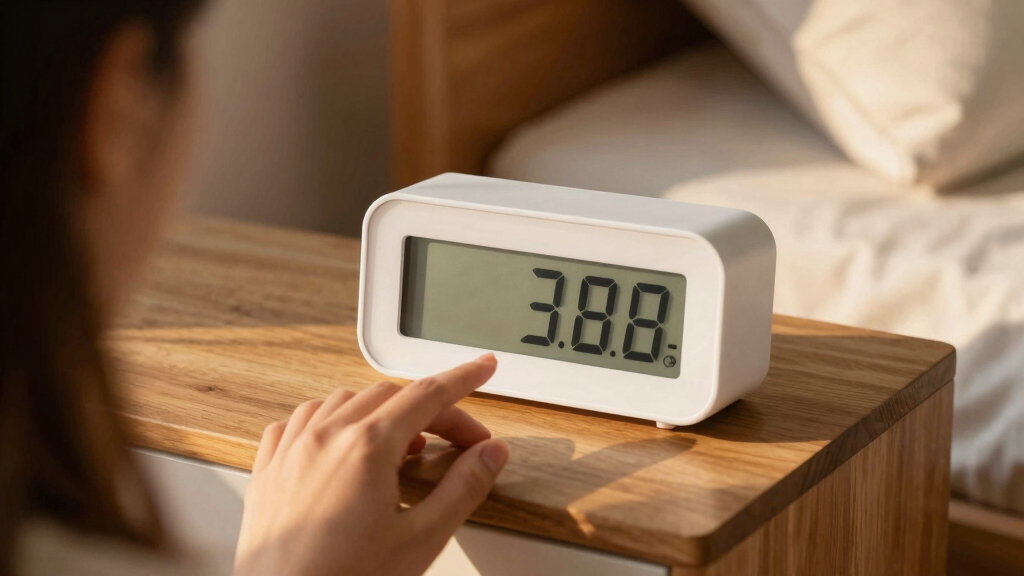

When it comes to managing medication schedules, a reliable reminder clock can make all the difference, especially for seniors or those with memory issues. The best overall pick, TabTime Pill Reminder, offers robust alarm options and a simple interface. For those seeking a more visual approach, the Mesqool 10.1″ Dementia Clock combines large displays with auto-dimming features. Meanwhile, the main tradeoffs involve balancing complexity, ease of use, and customization. Continue reading for a detailed comparison to find the perfect medication reminder clock for your situation.

Turn quiet afternoons into listening time
- Thousands of audiobooks, podcasts and originals
- Listen on your phone, tablet or Echo — also offline
- Cancel anytime
Key Takeaways
- Top-performing models combine large, easy-to-read displays with multiple alarm settings to support complex medication routines.
- Simplicity and ease of use are essential for seniors or users with cognitive challenges, often favoring digital clocks with minimal setup.
- Features like auto-dimming, voice alerts, and customizable ringtones enhance usability but may increase device complexity or cost.
- Devices with additional functions, such as calendar displays or humidity sensors, are better suited for users needing comprehensive daily management.
- Price varies widely; while premium options offer more features, many budget-friendly clocks effectively support basic medication reminders.


More Details on Our Top Picks
7-Inch Large Display Digital Calendar Day Clock with Alarms and Reminders for Seniors, Black (AC Powered)
This clock stands out for its large, clear HD display and extensive customization options, making it ideal for seniors needing visual clarity and multiple reminders. Compared with the Mesqool 10.1″ clock, it offers more alarm flexibility (20 alarms vs. 9), but the requirement for AC power limits portability. Its photo playback feature adds a personalized touch, which the Mesqool lacks, yet some users may find the setup process complex, especially with multiple themes and alarms. The multiple language options further enhance usability for diverse users.
Pros:- Large, high-resolution display with adjustable brightness
- Multiple alarm and reminder options for medication and routines
- Supports photo playback for personalization
- Multiple themes and language options
Cons:- Requires constant AC power, limiting portability
- Setup can be complex for some users
- Batteries only serve as backup, not for device operation
Best for: Elderly users with visual impairments and caregivers who want a versatile, customizable clock with photo support
Not ideal for: Those seeking a portable or battery-powered device, as it relies on AC power and is less mobile
- Display Size:7 inches
- Display Resolution:1024x600P
- Display Type:HD LCD
- Alarm Count:20
- Reminder Count:20
- Power Source:AC powered with 2 AA batteries backup
Bottom line: This clock best suits seniors and caregivers seeking a feature-rich, highly customizable reminder device with visual clarity.
Mesqool 10.1″ Dementia Clock for Seniors with Time and Date Display, Medication Reminders, Large Digital Calendar, Auto Dimming, Remote Control, Indoor Temperature & Humidity
This model emphasizes size and clarity with its 10.1-inch high-contrast display, making it easier for users with visual impairments. Compared to the smaller 7-inch options like the Soobest Clock, it offers a larger visual footprint but lacks battery backup, relying solely on wall power, which limits its use during outages. Its auto-dimming feature adapts brightness for day and night, a feature absent in many smaller clocks, while indoor temperature and humidity monitoring add a layer of comfort management. However, it doesn’t include a battery backup for display, and the USB/SD card for photo personalization is not included.
Pros:- Large, high-contrast display with easy readability
- Auto-dimming adjusts brightness automatically
- Indoor temperature and humidity monitoring
- Remote control for easy adjustments
Cons:- No battery backup, limiting use during power outages
- Photo personalization requires additional USB/SD card not included
- Limited outdoor weather info
Best for: Caregivers seeking a large, easy-to-read clock with environmental monitoring for seniors living indoors
Not ideal for: People needing portable solutions or backup power during outages, since it depends on wall power only
- Display Size:10.1 inches
- Auto Dimming:Yes
- Temperature & Humidity Monitoring:Yes
- Power Source:Wall outlet
- Reminders:Medication, appointment, alarms
- Memory Backup:Yes
Bottom line: Ideal for indoor environments where environmental comfort and readability are priorities for seniors and caregivers.
Soobest Dementia Digital Clock for Seniors with 20 Alarms, Large HD Display, Calendar, Auto Dimming, 3 Ringtones
The Soobest clock is designed for users needing multiple alarms—up to 20—and clear visual cues, making it suitable for complex routines. While its large HD display enhances readability, it shares the limitation of dependence on a constant power supply, similar to others like the GOLZA 7” clock, but with the advantage of icon-based alarms for easier recognition. Its adjustable volume and soothing sounds personalize the experience, but the absence of batteries means it’s vulnerable during outages. Its compact 7-inch size is less intrusive, yet it’s only suitable for indoor use.
Pros:- Large, easy-to-read HD display
- Supports up to 20 alarms with icons for routines
- Adjustable volume and soothing sounds
- Auto dimming reduces glare at night
Cons:- Requires continuous power, no battery backup
- Limited to indoor use
- Batteries not included
Best for: Seniors with memory challenges requiring frequent reminders and visual cues for daily routines
Not ideal for: Users seeking a portable or battery-powered clock, or those who prefer fewer alarms for simplicity
- Display Type:HD
- Digits:7 inches
- Alarm Functionality:20 alarms
- Power Source:Electric, no battery backup
- Additional Features:Auto dimming, 3 ringtones
Bottom line: Best suited for individuals with complex schedules needing multiple alarms and visual clarity in a stationary device.
GOLOZA 7” Digital Dementia Clock, Talking Clock with 10 Volumes, 6 Display Themes, 10 Color Modes, Auto Dimmable, Alarms & Reminders for Seniors
This clock is tailored for users with vision impairments or who benefit from spoken time. Its talking function is a significant advantage over visual-only clocks like the 7-Inch Large Display model, especially for users who struggle to see screens. It offers 10 adjustable volume levels and multiple themes and colors for customization, but the reliance on continuous power and the limited info on battery backup can be drawbacks. Its complexity might be overwhelming for some, but the spoken feature makes it highly accessible for those with severe vision issues.
Pros:- Speaks the time aloud, aiding visually impaired users
- Multiple customizable themes and colors
- Adjustable volume levels
- Auto dimming for comfortable viewing
Cons:- Requires constant power connection
- Limited info on battery backup duration
- Complex features may be confusing for some
Best for: Seniors with vision impairments who need auditory cues and customizable display options
Not ideal for: Users preferring purely visual devices or those who need portability, since it needs constant power
- Display Type:LCD
- Size:7 inches
- Volume Levels:10
- Auto Dimming:Yes
- Batteries Required:1 CR2032
- Additional Features:Talking clock, themes, color modes
Bottom line: Best for visually impaired seniors who rely on auditory cues and customizable visual themes for daily routines.
7” Large Display Digital Dementia Clock with Reminders and Alarms for Seniors
This clock offers a high-resolution IPS display with customizable brightness, making it very user-friendly for seniors needing clear visuals. Compared with the GOLZA 7” model, it provides more alarms (6 vs. 10) and supports multiple languages, which broadens its usability. Its auto dimming and large display contribute to easier reading, but it shares the need for a constant power connection and lacks a battery backup, similar to other wall-mounted options. Its versatility with language options makes it suitable for diverse users, yet it’s limited to indoor use.
Pros:- Large, high-resolution IPS display
- Auto dimming and adjustable brightness
- Multiple alarms and reminders
- Supports 8 languages
Cons:- Requires constant power, no backup
- Limited to indoor use
- Must use original power adapter
Best for: Seniors who prioritize a bright, high-contrast display with multiple alarms and multilingual support
Not ideal for: Those seeking a portable device or battery backup, as it requires continuous power and is limited to indoor environments
- Display Size:7 inches
- Resolution:1024×600
- Alarm Functionality:6 alarms
- Auto Dimming:Yes
- Languages Supported:8
- Power Source:Corded Electric
Bottom line: Ideal for seniors needing a large, colorful display with multilingual support and multiple alarms for indoor use.
TabTime Pill Reminder with 8 Alarms per Day, Pill Tracker, Timer, Medication Reminder Device
This compact pill reminder excels in providing reliable, straightforward medication alerts with its eight independent alarms. Compared to larger, tech-heavy options like the Dekala ClearTime, the TabTime offers a no-fuss setup that’s perfect for users who prioritize ease of use over advanced features. Its simple three-button interface minimizes confusion, making it ideal for elderly users and Parkinson’s patients who need dependable reminders without complex controls. The tradeoff is that it lacks smart features or customizable alerts beyond basic alarms, which may limit its flexibility for some users. This model stands out for its portability and reliability, especially when the primary need is a straightforward, battery-operated reminder device.
Pros:- Multiple alarms ensure no missed doses
- Easy to set up and operate with simple controls
- Compact, portable design for on-the-go use
- Reliable acoustic alert system
Cons:- Battery replacement needed for continued operation
- Limited to basic alarm functions without customization
Best for: Elderly users or patients requiring a basic, portable medication reminder with high reliability
Not ideal for: Tech-savvy users seeking advanced features or integration with smart home systems
- Number of alarms:8 per day
- Display:LCD
- Alarm type:Acoustic
- Power:Battery operated
- Size:Pocket-sized
- Setup:Simple with three buttons
Bottom line: This pick suits users who need a straightforward, reliable pill reminder with minimal setup effort.
Talking Clock for Seniors with Medication Reminders, Large Display, Custom Alerts, Auto DST
This talking clock combines a large, high-contrast display with voice reminders, making it especially suitable for seniors and visually impaired users. Unlike the Dekala ClearTime, which offers detailed weather updates and Wi-Fi synchronization, this clock emphasizes easy operation with one-button voice reports and multiple customizable alerts. Its 8-volume levels and 12 custom event alerts cater to users with varying hearing needs and daily schedules. However, the initial setup can be cumbersome for some elderly users, and the physical buttons may not be intuitive for everyone. This device is ideal for those who benefit from auditory cues and straightforward operation, but it doesn’t include smart home integration or advanced features.
Pros:- Large, high-contrast display enhances readability
- Multiple customizable reminders and alerts
- Simple one-button voice operation
- Auto daylight saving time adjustment
Cons:- Requires pre-setup for optimal use
- Physical buttons may be less intuitive for some users
- Limited to specific features without smart home integration
Best for: Seniors and visually impaired individuals who prefer voice prompts and simple controls
Not ideal for: Users seeking smart features, weather updates, or advanced customization beyond reminders
- Display Size:4.3 inches
- Display Type:Anti-glare, high-contrast
- Digits:Large, bold
- Volume Adjustment:8 levels
- Medication Reminders:8
- Group Alarms:5 with snooze
- Auto DST:Yes
- Night Dimming:7pm-7am
Bottom line: This clock makes the most sense for seniors who need clear, audible medication alerts and easy operation.
Dekala ClearTime 10.1″ Large Display Digital Wall Calendar Clock with Touchscreen and Voiced Alarm
The Dekala ClearTime offers a sizable 10.1-inch HD touchscreen, perfect for seniors or those with dementia who need clear visual cues and voice reminders. Its Wi-Fi synchronization and weather updates set it apart from simpler devices like the 7-inch Digital Dementia Clock, providing real-time data and automatic daylight saving adjustments. The voiced alarms and adjustable loud volume make it suitable for heavy sleepers or those with hearing impairments. However, its dependency on Wi-Fi and potentially complex setup might challenge less tech-savvy users. This device excels in environments where a large display, voice prompts, and automatic updates are priorities, but it’s less suitable for users seeking a quick, plug-and-play solution.
Pros:- Large, easy-to-read HD touchscreen display
- Voiced reminders and adjustable loud alarms
- Wi-Fi synchronization for accurate time and weather
- Supports automatic daylight saving time adjustments
Cons:- Requires Wi-Fi for full functionality
- Setup can be complex for some users
- Designed mainly for indoor use
Best for: Heavy sleepers or dementia care settings requiring large, touchscreen control and automatic updates
Not ideal for: Users without Wi-Fi or those seeking a simple, non-connected device
- Display:10.1-inch HD IPS touchscreen
- Alarm Volume:50-110dB
- Weather Display:Temperature, humidity, forecast
- Connectivity:Wi-Fi
- Brightness Adjustment:Automatic via light sensor
- Warranty:1 year
Bottom line: Ideal for environments needing a large, touch-enabled display with voice alerts and automatic updates for heavy sleepers or dementia care.
Digital Clock with Date and Week for Seniors, Large Font, 20 Alarms, Medicine Reminders, HD Display, White
This 7-inch digital clock combines a high-definition display with a wealth of customizable features, including 20 alarms and reminders, making it suitable for users with complex daily routines. Compared to the Dekala ClearTime, it offers more alarms and themes, but requires a power adapter and batteries for backup, which can be less convenient. Its extensive options for themes, volume, and ringtones provide personalization, but some users may find configuring these features overwhelming. Its large display and photo playback function add versatility, especially for users who appreciate visual cues and multimedia. This device strikes a balance between comprehensive scheduling and ease of use, provided users are comfortable with initial setup.
Pros:- Large, high-definition display with clear font
- Up to 20 alarms and reminders for detailed scheduling
- Customizable themes, volume, and ringtones
- Photo playback feature for added personalization
Cons:- Requires continuous power supply
- Setup can be complex for some users
- Limited color options and themes
Best for: Users with complex medication schedules and a preference for visual customization
Not ideal for: Those seeking a purely simple, plug-and-play clock without extensive setup
- Display:7-inch 1024×600P HD LCD
- Alarms:20 customizable
- Reminders:20 customizable
- Brightness Levels:10
- Themes:12 with color options
- Volume Levels:9
- Time Format:12/24-hour
- Photo Playback:Supports SD/USB
Bottom line: This clock is a versatile choice for users who want detailed scheduling with visual and audio cues, despite complex initial setup.
7-inch Digital Dementia Clock with Date, Reminders, and Alarms
This 7-inch digital clock offers a clear, IPS display with high resolution and multiple alarms, designed specifically for dementia care and seniors. It supports auto-dimming and auto daylight saving time, making it user-friendly for those with visual impairments or sensitive to light changes. Its remote control simplifies operation, which is a plus over models like the 7-inch Digital Clock with Photo Playback, especially for caregivers. However, it relies on continuous power and is primarily designed for indoor use, limiting portability. Its auto-dimming and multi-language options make it ideal for varied environments, but the setup process may pose challenges for some users unfamiliar with digital devices.
Pros:- Large, high-contrast display suitable for visually impaired
- Auto-dimming and auto-DST features for convenience
- Remote control simplifies operation for caregivers
- Multiple language options
Cons:- Requires continuous power connection
- Limited to indoor settings
- Setup may be complex for some users
Best for: Dementia care environments needing large, auto-adjusting display and remote control
Not ideal for: Users seeking a portable or battery-powered device
- Display Size:7 inches
- Resolution:1024×600
- Operation Mode:Electrical
- Alarm:Yes
- Auto-Dimming:Yes
- Auto DST:Yes
- Mounting Options:Tabletop, Wall
- Materials:Plastic
Bottom line: This device excels in dementia care settings where a large, auto-adjusting display and remote operation are priorities.
ORKA Talking Clock with Customizable Alarms and Large Display for Seniors
The ORKA Talking Clock stands out for its large, easy-to-read display and customizable voice alarms, making it ideal for seniors with vision or hearing challenges. Unlike the MASSII clock, which offers a bigger screen but lacks multi-language options, ORKA provides multiple language choices and looping reminders, enhancing independence. Its main tradeoff is reliance on AC power, limiting portability, and setup can be tricky for some users unfamiliar with digital devices. However, its adjustable volume and multiple alarms make it a versatile choice for managing medication schedules. This clock is perfect for users who need clear, audible reminders paired with visual cues, especially if multi-language support is a priority.
Pros:- Large, extra-large digit display for easy reading
- Customizable voice alarms in multiple languages
- Supports multiple alarms and looping reminders
- High-volume output up to 90 decibels
Cons:- Requires AC power, limiting mobility
- Setup can be complex for non-tech-savvy users
- No smartphone or app integration
Best for: Seniors and visually/hearing-impaired users who need multi-language, highly customizable reminders
Not ideal for: Those seeking a battery-powered or portable device, or users preferring app control and smart features
- Display Size:5.69” x 9.63” x 2.68”
- Digit Height:1.93 inches
- Languages:English-USA, English-UK, Spanish, German, French, Italian
- Power Source:AC powered with battery backup
- Volume:Up to 90 decibels
- Alarm Count:Up to 8 alarms
- Loop System:30-minute loop for reminders
- Additional Features:USB port, Sun/Moon icon, mute switch, flashing display during alarms
Bottom line: This pick is best for users needing a reliable, loud, and multilingual talking clock with visual support, despite its fixed power source.
ROCAM Dementia Clock for Seniors, Large Display Digital Calendar with 12 Themes, 20 Custom Alarms & Reminders, 18 Ringtones, Auto Dimming, Photo Display, Multi-Language
The ROCAM Dementia Clock makes managing daily routines straightforward with its large digital display, customizable alarms, and photo slideshow feature. Compared to the MASSII clock, ROCAM offers more themes and adjustable brightness, making it less disruptive at night thanks to auto-dimming. While it doesn’t match MASSII’s HD resolution, its simple controls and clear interface suit users who prefer an intuitive experience. The main limitation is its reliance on AC power, with batteries only serving as backups, and it supports fewer languages than ORKA. Its auto-dimming and visual customization make it especially suitable for users who need gentle reminders and a personalized display.
Pros:- Easy to set up with simple controls
- Supports 20 alarms and customizable themes
- Auto-dimming reduces nighttime glare
- Includes photo display for personalization
Cons:- Limited to AC power, batteries are only backup
- Fewer supported languages (6) than some competitors
- Basic display resolution
Best for: Caregivers seeking an easy-to-use, customizable clock with personalization options for seniors
Not ideal for: Users wanting high-definition visuals or smart home integration, or those who need portable solutions
- Display:Large digital screen
- Themes:12 customizable themes
- Alarms:20 customizable alarms
- Ringtones:18 options
- Brightness Levels:10 levels with auto-dimming
- Languages:6
Bottom line: This clock is ideal for users prioritizing simplicity, customization, and gentle visual cues over high-tech features.
MASSII 27-Inch Digital Talking Clock with Loud Voice, Custom Reminders, Sleep Trainer, and Remote for Seniors and Dementia Patients
The MASSII 27-inch Digital Clock offers a vivid HD display and exceptionally loud voice announcements, making it perfect for users with severe hearing impairments or those who prefer highly visible visual cues. Compared to ORKA, MASSII’s enormous 27-inch screen provides unmatched visibility, but it’s less portable and more space-consuming, which might be a concern for smaller rooms. Its remote control simplifies adjustments, and features like sleep training and automatic DST are added benefits for comprehensive daily management. The main tradeoff is its dependency on a power outlet, with no battery operation for main functions, and its size could be impractical in limited spaces. It’s best suited for environments where big visuals and loud audio are priorities.
Pros:- Enormous 27-inch HD display for easy viewing
- Loud voice announcements and customizable reminders
- Automatic DST adjustment and sleep training features
- Includes remote control for effortless operation
Cons:- Requires constant outlet power, no main battery operation
- Size may be too large for compact spaces
- Setup can be complex for some users
Best for: Seniors with significant hearing impairments or those needing large, vivid displays and loud alarms
Not ideal for: Users with limited space, or those seeking a lightweight, portable device with app connectivity
- Display:1280×800 HD, 27 inches
- Voice Announcement:Yes
- Reminders:20+ customizable
- Sleep Trainer:Yes
- Automatic DST Adjustment:Yes
- Remote Control:Included
Bottom line: This clock is best for environments where visibility and loud audio are critical, despite its size and power requirements.
Talking Alarm Clock for Seniors with Medication Reminder, Large Display, Loud Sound, White
The Talking Alarm Clock for Seniors provides a straightforward solution for medication reminders with a large, backlit display and loud alarm options. Compared with the ROCAM or ORKA clocks, it focuses on essential features without extra customization or multiple alarms—making it less flexible but easier to operate. Its main advantage is simplicity, ideal for users who want a reliable, no-fuss device. However, it lacks smart features, app integration, or multi-language support, which could limit its usefulness over time. Its reliance on AA batteries makes it portable but less convenient for those seeking a permanently plugged-in device with advanced features. This clock is perfect for seniors who prioritize basic, loud reminders over customization or tech integration.
Pros:- Large, easy-to-read backlit display
- Simple controls for quick setup
- Loud and extra-loud alarm options
- Portable with battery operation
Cons:- No app or smart home integration
- Limited to indoor use
- Requires 2 AA batteries (included)
Best for: Elderly users wanting a simple, easy-to-set medication reminder clock without extra bells and whistles
Not ideal for: Tech-savvy users or those needing multi-language support or smart features
Bottom line: This clock is ideal for users seeking a basic, loud medication reminder with minimal setup and fuss, despite lacking advanced features.
How We Picked
To determine the best medication reminder clocks, I evaluated each device based on usability, display size, alarm flexibility, and durability. Ease of setup and clarity of instructions were critical, especially for older users. I also considered additional features like auto-dimming, voice alerts, and customization options that enhance daily usability. Devices with multiple alarms and straightforward interfaces ranked higher, as they better support complex medication schedules without overwhelming the user. Cost-effectiveness was also factored in, ensuring that top choices deliver value for different budgets.Factors to Consider When Choosing Best Medication Reminder Clocks
Choosing the right medication reminder clock involves balancing several factors to meet your specific needs. Beyond basic features, consider how easy the device is to operate, its display visibility, and whether it offers enough alarms for your medication schedule. Additional features like auto-dimming or voice alerts can improve usability but may add complexity or cost. Understanding these aspects helps avoid common pitfalls like overspending on unnecessary features or selecting a device that’s too complicated for daily use.Display Size and Visibility
Large, clear displays are essential for easy reading, especially for seniors or those with visual impairments. Look for clocks with high-contrast screens and large fonts to minimize errors. Auto-dimming features can reduce glare at night, improving comfort and reducing eye strain. Avoid devices with small or cluttered displays, which can lead to missed alarms and missed doses.
Alarm Flexibility and Customization
Multiple alarms and customizable alert tones are vital for complex medication routines. Devices offering at least 8-20 alarms provide flexibility for different schedules. Consider whether alarms are loud enough or include vibration or voice alerts if hearing impairments are an issue. Balance the need for customization with simplicity; overly complicated settings can cause frustration or missed reminders.
Ease of Use and Setup
Devices should be intuitive, with straightforward controls and clear instructions. Touchscreens with guided setup or remote controls can simplify configuration. Avoid overly technical devices that require frequent troubleshooting, especially if the primary user has cognitive challenges. A user-friendly interface ensures consistent usage and reduces the risk of missed doses.
Additional Features and Versatility
Features like calendar displays, humidity sensors, or photo frames can add value for users managing multiple health aspects. Voice alerts and auto-dimming improve accessibility, but might increase costs. Consider whether these extras align with your needs or if they complicate daily routines unnecessarily.
Cost and Value
While premium models offer extensive features, many budget-friendly options effectively support medication schedules. Prioritize essential features over bells and whistles to avoid overspending. Also, factor in long-term durability and ease of replacement or maintenance when evaluating overall value.
Frequently Asked Questions
Can these clocks be used for multiple medications at different times?
Yes, many of these medication reminder clocks support multiple alarms, allowing you to set different times for various medications. Devices like the TabTime Pill Reminder and ROCAM Dementia Clock excel in this area, offering dozens of alarms and customizable alerts. It’s important to choose a clock with enough alarms and flexibility to match your specific medication schedule, reducing the risk of missed doses.
Are voice alerts or talking clocks more effective for seniors with hearing issues?
Voice alerts or talking clocks can be highly effective for users with hearing impairments, as they deliver clear, audible reminders. Devices like the ORKA Talking Clock or MASSII 27-Inch Digital Talking Clock emphasize loud, customizable voice alerts. However, ensure the volume can be adjusted appropriately, and consider supplementary visual cues to maximize effectiveness.
What happens if the clock’s display becomes hard to read over time?
Choosing clocks with large, high-contrast screens and auto-dimming features can mitigate readability issues. Regular cleaning and ensuring proper placement at eye level also help maintain visibility. If the display deteriorates or becomes unreadable, replacing the device might be necessary, so selecting a model with good durability and warranty support is advisable.
Do I need a special clock for dementia or cognitive decline?
Yes, many clocks designed for dementia patients feature simplified interfaces, large displays, and auto-dimming or auto-alarm functions to reduce confusion. Devices like the Mesqool or ROCAM models include visual cues and easy controls to support daily routines. These clocks aim to minimize frustration and help maintain independence, but they still require some initial setup and familiarization.
Is it worth paying more for a clock with extra features like humidity sensors or photo displays?
Extra features can add convenience, especially if they serve a specific purpose, such as monitoring indoor conditions or providing visual cues through photos. However, for basic medication reminders, these extras may not justify a higher cost. Focus on core features like alarm flexibility, display size, and ease of use first, then consider additional functionalities if they genuinely enhance your routine.
Conclusion
The best medication reminder clock depends on your specific needs. For comprehensive daily management and ease of use, the TabTime Pill Reminder stands out as the best overall choice for those with complex schedules. Budget-conscious users will appreciate the 7-Inch Large Display Digital Calendar Day Clock for its simplicity. Seniors or users with cognitive impairment should consider models like the Mesqool 10.1″ Dementia Clock for its visual cues and auto-dimming. For premium features, the MASSII 27-Inch Digital Talking Clock offers loud, customizable alerts, ideal for severe hearing impairments. Ultimately, matching the device’s features to the user’s routine and abilities will ensure medication adherence and peace of mind. As an affiliate, we earn on qualifying purchases.Fall Picks
fall essentials