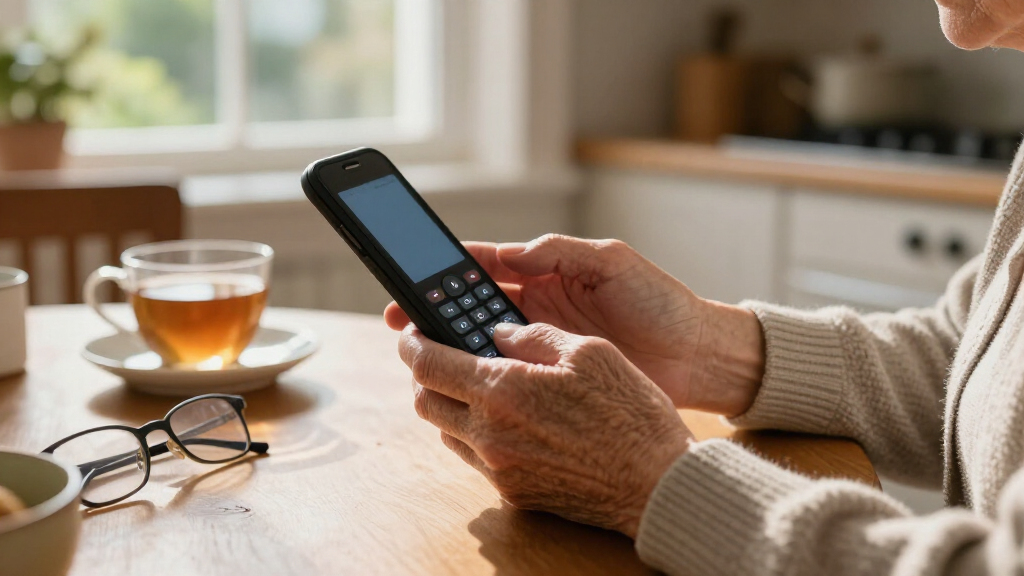
Large button phones for seniors exist to solve one problem above all: making a call without struggling to see, press, or hear. In this category, the AT&T CL2940 stands out as my best overall pick because it combines extra-large buttons, a tilting caller ID display, a speakerphone, and Audio Assist amplification in one package — features most budget models force you to choose between. For buyers on tighter budgets, the Uvital One-Touch delivers the core big-button experience at a fraction of the complexity, while the SIWMER photo speed dial model is the strongest choice for seniors with memory loss since photos replace number recall entirely. The main tradeoff you’ll face is between simplicity and capability: stripped-down phones are easier to use but lack caller ID and speakerphone, while fuller-featured models demand slightly more setup. Keep reading for the full breakdown of all 15 phones.

Turn quiet afternoons into listening time
- Thousands of audiobooks, podcasts and originals
- Listen on your phone, tablet or Echo — also offline
- Cancel anytime
Key Takeaways
- Button size and contrast varied more than the ‘big button’ label suggests — models like the SIWMER and Tyler TBBP-4 offered genuinely oversized keys, while a few budget entries were only marginally larger than a standard phone.
- Photo speed dial proved to be the single biggest differentiator for seniors with memory challenges; the SIWMER and the 9-picture-button model outpaced one-touch-only phones for that specific need.
- Emergency features are rare in this category — only the SOS emergency key model and the picture-button phones offer true one-press calling to family, which matters more than ringer volume for many buyers.
- Caller ID and a tilt display (found on the AT&T CL2940 and AT&T Trimline 213-11) separate phones that work well in low light from those that only work well for outgoing calls.
- Wall-mount flexibility was inconsistent: the Tyler TBBP-4 and the wall-or-desk big button phone included proper mounting hardware, while several desk-only models would slide or tip when pressed firmly.


| large button phones for senior | Power Source |
|---|---|
| AT&T Trimline Corded Phone wit | Phone line power (no AC or batteries needed) |
| Big Button Phone for Wall or D | Phone line powered (no power supply needed) |
| Big Button Phone for Seniors | Phone line only (battery free) |
| Big Button Corded Landline Pho | Corded electric (line powered) |
| Uvital Big Button Phone for Se | RJ11 phone line (no battery or power required) |
| SIWMER Large Button Corded Pho | Telephone line powered |
| Corded Landline Phone for Seni | RJ11 phone line (no batteries) |
| Large Button Corded Landline P | RJ11 phone line (no batteries) |
| Tyler TBBP-4-WH Big Button Cor | Phone line |
| VTech SN1117 Corded Senior Pho | Landline powered (no AC for basic calls) |
| Uvital Big Button Corded Landl | — |
| Large Key Wired Telephone with | Telephone line (corded electric) |
| AT&T Trimline 213-11 Corded Ph | Line power (no AC adapter or batteries) |
| Landline Phone for Seniors wit | — |
| AT&T CL2940 Corded Phone with | — |
More Details on Our Top Picks
This model earns the top spot because it solves the biggest reliability problem in senior phones: it runs entirely on line power, so a power outage never silences it — no batteries to forget, no AC adapter to unplug. Compared with the Uvital Big Button Phone, it gives up photo dialing and the super-loud ringer, but the lighted keypad makes nighttime or low-light dialing easier than on the Excelltel, which has no backlit keys. The visual ringer is a genuine safety feature for households where the ringer gets turned down. The tradeoff is a thin feature set: no caller ID, no speakerphone, no SOS button. If your loved one relies on a display or emergency dialing, look elsewhere — but for pure simplicity from a known brand, this is the safest default pick in the lineup.
Pros:- Works during power outages with no AC power or batteries required
- Lighted extra-large buttons make dialing easy in low light
- Visual ringer alerts hearing-impaired users to incoming calls
- Wall mountable to save counter space
Cons:- Requires an active landline connection, so it’s useless in homes without phone service
- No caller ID, speakerphone, or emergency features
Best for: Seniors with an active landline who need a dependable, no-frills phone that works even when the electricity doesn’t
Not ideal for: Anyone wanting photo dialing, an SOS button, or caller ID — this phone has none of those
- Model:213
- Color:White
- Power Source:Phone line power (no AC or batteries needed)
- Speed Dial Memory:10 numbers
- Keypad:Lighted with extra-large buttons
- Ringer:Visual ringer with adjustable volume
- Controls:Receiver volume, ringer volume, mute
- Mounting:Wall mountable
Our verdict“The best default choice for seniors who just need a reliable, easy-to-see landline phone that never stops working.”
Big Button Phone for Wall or Desk with Speaker and Memory
This phone covers the core senior needs at the lowest level of complexity: big tactile buttons, a hands-free speaker, ten two-touch memory slots, and an LED call indicator. What separates it from the AT&T Trimline 213 is the built-in speakerphone, which matters if the user likes to chat without gripping a handset — something the AT&T model simply doesn’t offer. Like the Trimline, it draws power from the phone line, so stored numbers survive outages. The tradeoff versus the Excelltel one-touch model is dialing effort: two-touch memory means pressing a memory key then a digit, which is one step more than true one-touch buttons. There’s also no SOS emergency key, and the ringer offers only Hi/Low settings rather than fine volume control. For buyers who want the essentials done well without paying for extras, this is the sensible floor of the lineup.
Pros:- Hands-free speaker with volume control lets users keep doing tasks while talking
- Line-powered operation keeps memory numbers intact during power outages
- Loud ringer with Hi/Low switch plus LED indicator prevents missed calls
- 10 two-touch memory buttons for frequently called family members
Cons:- Two-touch dialing is slower and more confusing than true one-touch photo buttons
- Only two ringer volume levels — limited flexibility for hearing needs
Best for: Budget-minded families who want big buttons, a speakerphone, and memory dialing without extra features to confuse the user
Not ideal for: Seniors with severe memory loss — two-touch dialing and the lack of photo buttons or an SOS key make it a poor fit for dementia care
- Power Source:Phone line powered (no power supply needed)
- Keypad:Extra-large buttons for low vision and dexterity issues
- Memory:10 two-touch memory buttons
- Speakerphone:Hands-free with volume control
- Ringer:Hi/Low switchable volume with LED call indicator
- Mounting:Wall or desk
- Type:Corded landline
Our verdict“A practical, affordable choice when the priority is big buttons and a speakerphone, not premium accessibility features.”
Big Button Phone for Seniors, Corded Landline Phone One-Touch (Excelltel EX-LD-858HF)
Where this model earns its place is dementia and Alzheimer’s support. The photo-based one-touch dialing with an SOS emergency function means a confused user can call family by pressing a picture, not by remembering a number — a real advantage over the two-touch memory on the budget Big Button Phone with Speaker. It layers in nine one-touch slots plus ten two-button memory groups, so there’s redundancy for larger families. The LED flash synced to incoming calls and adjustable handset volume cover hearing loss, though its maximum loudness trails the Uvital’s 110dB output. Being battery-free keeps it running through outages, but the ABS plastic body feels less substantial than the AT&T Trimline, and setup of the photo buttons takes some patient help from a family member. For cognitive accessibility, though, it’s the strongest option in this batch.
Pros:- Photo one-touch dialing removes the need to remember numbers
- Dedicated SOS emergency function adds a safety layer most basic phones lack
- LED light flashes in sync with incoming calls for hearing-impaired users
- Battery-free line power means reliable operation during outages
Cons:- Setup of photo buttons and memory groups requires family assistance
- Maximum volume doesn’t match the 110dB output of hearing-focused rivals like the Uvital
Best for: Seniors with dementia or Alzheimer’s who need picture-based dialing and an emergency SOS button
Not ideal for: Tech-averse buyers setting up solo — programming photo buttons and memory groups takes time and patience
- Model:EX-LD-858HF
- One-Touch Dialing:9 speed dial buttons with photo option
- Emergency:SOS function
- Memory:10 two-button memory groups
- Volume:Adjustable handset and ringtone volume
- Call Alert:LED light flash notification
- Hands-Free:Speakerphone included
- Power Source:Phone line only (battery free)
Our verdict“The right pick when cognitive decline makes picture dialing and an SOS button more valuable than raw volume or brand polish.”
Big Button Corded Landline Phone for Seniors with High-Contrast Keypad and Loud Volume (Black)
This is the pick I’d point to when vision is the primary challenge. Its extra-large high-contrast keypad is easier to read at a glance than the white-on-white layouts of the Uvital or the budget wall/desk model, which matters enormously for users with macular degeneration or dementia. The flashing red light does double duty: it signals incoming calls and helps locate the phone itself in a dark room — a thoughtful touch the AT&T Trimline’s visual ringer doesn’t quite match. A long cord gives the user room to move while talking, and the one-year warranty adds peace of mind the generic imports don’t advertise. The honest tradeoff is feature depth: no caller ID, no confirmed answering machine details, and the corded design tethers it to a wall jack. Compared with the Excelltel, it also skips photo dialing. It’s a focused tool, not a full-featured one.
Pros:- Extra-large high-contrast buttons designed specifically for low vision
- Flashing red light signals calls and helps locate the phone in the dark
- Adjustable Hi/Low ringtone volume accommodates hearing loss
- Long cord allows comfortable movement during calls
Cons:- Corded design restricts placement to near a wall jack
- Basic feature set with no caller ID and vague answering machine support
Best for: Seniors with significant low vision or dementia who need maximum button contrast and visibility
Not ideal for: Users who want caller ID, an answering machine, or flexible room placement — this is a strictly basic corded set
- Color:Black
- Power Source:Corded electric (line powered)
- Keypad:Extra-large high-contrast buttons
- Call Alert:Flashing red light for incoming calls
- Ringer:Adjustable low/high volume
- Compatibility:PSTN single-line
- Dimensions:8 x 6 x 3 inches
- Warranty:1 year
Our verdict“Choose this when readable buttons matter more than features — it’s the most vision-friendly keypad in the batch.”
Uvital Big Button Phone for Seniors, One-Touch Landline Phone, White
No other phone in this batch matches the Uvital’s 110dB ringer and hands-free volume — that’s concert-level loudness, built specifically for users with serious hearing loss. On top of that, it combines 8 photo-replaceable one-touch buttons with a dedicated SOS emergency key, essentially matching the Excelltel’s memory-care strengths while beating it decisively on volume. Compared with the AT&T Trimline 213, it offers far richer accessibility but demands more setup and carries a busier face that could overwhelm a user who wants the fewest possible buttons. Two real limitations: it’s PSTN landline only — VoIP households are out of luck — and there’s no caller ID, display, or answering machine. Wall mounting isn’t recommended either, so it needs desk space. For the right buyer, though, the sheer loudness plus photo dialing makes it the most capable accessibility package here.
Pros:- Very loud 110dB ringer and hands-free speaker for hearing-impaired users
- 8 photo-replaceable one-touch buttons plus a dedicated SOS emergency key
- No batteries or external power required — runs on the phone line
- Flashing LED indicator provides a visual backup for incoming calls
Cons:- PSTN landline only — incompatible with VoIP or internet phone service
- No caller ID, display screen, voicemail, or answering machine
- Wall mounting not recommended, so it requires dedicated desk space
Best for: Seniors with moderate to severe hearing loss who also benefit from photo-based one-touch dialing and an SOS button
Not ideal for: VoIP or internet-based phone households — this unit works on PSTN landlines only
- Color:White
- One-Touch Buttons:8 (photo-replaceable)
- Emergency Button:1 SOS button
- Two-Touch Memory Groups:10
- Ringer Volume:3 levels (OFF, LOW, HI), max 110dB
- Handset Volume:3 levels (MED, HI, VHI)
- Call Indicator:Flashing LED light
- Power Source:RJ11 phone line (no battery or power required)
- Compatibility:PSTN landline only
Our verdict“The loudest and most accessible option in the lineup — ideal for hearing loss, provided the home has a traditional landline.”
SIWMER Large Button Corded Phone for Seniors with Photo Speed Dial
This model makes the most sense for buyers who want a phone a senior can start using within minutes of unboxing. The three photo speed dial buttons are the headline feature: insert a picture of a child or caregiver, and one press places the call. Compared with the nine-picture model below, fewer buttons means fewer decisions — a genuine plus for someone overwhelmed by options. Line-powered operation means no batteries and no AC adapter, so it keeps working when the power goes out. The tradeoff is capacity and placement. Three speed dials fill up fast for seniors with larger families, and the corded design anchors the phone to one spot, which frustrates anyone who paces while talking. Still, as a fuss-free desk phone, this option earns its slot on simplicity alone.
Pros:- Photo speed dial buttons enable true one-touch calling
- Speakerphone and adjustable volume support users with hearing loss
- Line-powered design needs no batteries or outlets
- High-contrast oversized buttons suit low vision
Cons:- Only 3 speed dial buttons limits contact capacity
- Corded design restricts where calls can be taken
Best for: Seniors with a small circle of contacts who need a plug-in-and-go desk phone with picture dialing
Not ideal for: Seniors with many family members to call — three speed dial slots won’t be enough
- Power Source:Telephone line powered
- Speed Dial Buttons:3 (photo-customizable)
- Dialer Type:Push button
- Speakerphone:Yes
- Dimensions:8.2 x 6.3 x 3.5 inches
- Weight:1.2 pounds
- Warranty:One year
Our verdict“This is the pick for families who value effortless setup over contact capacity.”
Corded Landline Phone for Seniors with 9 Big Picture Buttons, One-Click Dialing, 110dB Loud Ringer, and Hands-Free Calling
Where the SIWMER offers three picture buttons, this model doubles down with nine photo speed-dial keys plus a dedicated SOS button, making it the stronger choice for seniors with dementia or advancing memory loss. A loved one’s face on the button does what a printed name list cannot — recognition replaces recall. The 110dB ringer with a flashing visual indicator outpaces standard senior phones and reaches users with substantial hearing loss. Because it draws power entirely from the RJ11 line, it stays dependable through storms and outages. Two things hold it back: the SOS button does not auto-dial 911 — a family member has to program it — and the tethered handset means no walking around during longer conversations. Hands-free mode partly compensates for that limitation.
Pros:- Nine photo buttons cover a full family contact list
- Extremely loud 110dB ringer plus flashing light alert
- Works during power outages with no batteries or Wi-Fi
- Hands-free calling suits arthritis and hand tremors
Cons:- SOS button must be manually programmed and doesn’t auto-dial 911
- Corded handset limits mobility during calls
Best for: Families caring for seniors with dementia or memory loss who need many picture-based contacts and an emergency button
Not ideal for: Buyers expecting a true emergency alert system, since the SOS key requires manual programming and doesn’t automatically reach 911
- Photo Speed-Dial Buttons:9 (8 customizable + 1 SOS)
- Ringer Volume:110dB, adjustable
- Button Size:0.88 x 0.88 inches
- Power Source:RJ11 phone line (no batteries)
- Speakerphone:Yes (hands-free)
- Dimensions:8 x 6 x 2.6 inches
- Weight:1.6 pounds
Our verdict“The most capable option here for cognitive decline, provided someone in the family handles the initial programming.”
Large Button Corded Landline Phone for Seniors with SOS Emergency Key
Button size is this phone’s defining advantage. At 1.06 x 1.18 inches, its keys are larger than the 0.88-inch buttons on the nine-picture model above, and that difference matters for arthritic fingers and severe vision loss — mis-dials drop noticeably when targets are this big. Add an 80 dB handset volume and 110+ dB ringer, and the hearing side is well covered too. Programming an M1/M2 speed dial takes about twenty seconds, so caregiver setup is painless. The compromises are real, though: no speakerphone, unlike the SIWMER or the nine-button model, and no answering machine, voicemail, or internet connectivity of any kind. Compared with the Tyler TBBP-4, it trades convenience features for raw accessibility. For the right buyer, that’s the right trade.
Pros:- Largest buttons in this lineup for low vision and stiff hands
- Loud 110+ dB ringer with flashing light alert
- Works during power outages with no batteries
- One-touch SOS key with quick 20-second programming
Cons:- No speakerphone function
- No answering machine, voicemail, or internet support
Best for: Seniors with severe low vision or arthritis who need the biggest possible keys and a loud SOS button
Not ideal for: Anyone who wants voicemail, an answering machine, or speakerphone — none of those are supported
- Button Size:1.06 x 1.18 inches
- Ringer Volume:110+ dB
- Handset Volume:Up to 80 dB
- Power Source:RJ11 phone line (no batteries)
- Speed Dial:M1/M2 one-touch + SOS key
- Cord Length:9 feet (coiled)
- Weight:1.21 lbs
Our verdict“The accessibility-first choice when giant keys and loud audio matter more than modern features.”
Tyler TBBP-4-WH Big Button Corded Telephone for Seniors with Loud Speaker, Speed Dial, and Wall Mount
This Tyler stands out for one thing no other phone in this batch does: wall mounting. For kitchens, hallways, or small assisted-living rooms where desk space doesn’t exist, that flexibility is decisive. Its 10-number speed dial also beats the SIWMER’s three slots while skipping the photo-insertion chore entirely — a better fit for seniors who can still read names and numbers confidently. Phone line power keeps it alive through outages, and the speakerphone covers hands-free needs. The flip side is a very basic feature set: no SOS button like the model above, no photo dialing, and a microcassette answering system that feels dated next to digital options. Think of it as the practical workhorse — fewer accessibility extras, but smarter placement freedom and solid contact capacity.
Pros:- Wall mount or desk placement fits tight spaces
- 10-number speed dial offers strong contact capacity
- Speakerphone and ringer volume control included
- Phone line power keeps it working during outages
Cons:- Basic feature set with no SOS or photo buttons
- Microcassette answering system feels dated compared with digital options
Best for: Buyers mounting a phone in a kitchen or hallway, or seniors who prefer numbers over photos and need ten speed dials
Not ideal for: Seniors with memory loss or emergency-button needs — there’s no SOS key or picture dialing here
- Brand:Tyler
- Model:TBBP-4-WH
- Telephone Type:Corded, wall-mountable
- Power Source:Phone line
- Speed Dial:10 numbers
- Answering System:Microcassette, 16 minutes
- Weight:0.49 kg
Our verdict“The placement-flexible pick for seniors who dial by number, not by photo, and want the most speed dial slots.”
VTech SN1117 Corded Senior Phone for Elderly
The SN1117 brings a feature nobody else in this lineup has: talking digits. Every key press is spoken aloud, which gives seniors with very low vision audible confirmation before the call connects — a genuine confidence builder that reduces wrong-number anxiety. Pair that with eight photo speed dial keys, a bright visual ringer, and a full-duplex speakerphone (so both parties can talk over each other naturally, unlike basic half-duplex units), and this model covers more senses at once than the Tyler TBBP-4 or the SIWMER. Volume is adjustable on both earpiece and speakerphone. It lacks an SOS emergency key, which the one-button model above offers, so families managing fall risk may want that instead. But for a senior whose primary challenge is vision rather than memory, this option is the thoughtfully equipped choice.
Pros:- Talking digits give audible confirmation for every key press
- Eight photo speed dial keys with memory support
- Full-duplex speakerphone sounds natural on both ends
- Bright visual ringer and adjustable earpiece volume
Cons:- No dedicated SOS emergency button
- Corded handset limits call mobility
Best for: Seniors with significant low vision who benefit from spoken button confirmation and picture dialing
Not ideal for: Families who need an emergency SOS button, which this model omits
- Photo Speed Dial Keys:8
- Talking Digits:Yes (spoken number announcements)
- Speakerphone:Full-duplex
- Visual Ringer:Flashing light alert
- Volume Control:Adjustable earpiece and speakerphone
- Power Source:Landline powered (no AC for basic calls)
Our verdict“The strongest all-around choice for low vision thanks to spoken dialing, provided an SOS button isn’t on your must-have list.”
Uvital Big Button Corded Landline Phone for Seniors with Speakerphone
Where most senior phones in this roundup lean on printed labels or a handful of speed buttons, this model makes photo-based one-touch dialing the centerpiece. Eight picture buttons mean a parent or grandparent can call family by pressing a familiar face rather than remembering a number — a real advantage over the two-button setup on the Large Key Wired Telephone (B09P3FTQF7) for anyone coping with memory loss. Add the SOS emergency button, a ringer that reaches 120dB, and a speakerphone, and the safety story is stronger than the AT&T Trimline 213-11’s. The tradeoff is Spartan: no caller ID, no display, no answering machine, and it only works on a PSTN landline — households on VoIP or internet phone service should look elsewhere. Wall mounting is also off the table.
Pros:- 8 photo speed dial buttons let users dial by familiar faces, not memory
- 120dB ringer and 90dB earpiece suit moderate hearing loss
- SOS emergency button adds a safety layer most basic models lack
- Line-powered operation keeps it working through power outages
Cons:- No caller ID, voicemail, display, or answering machine of any kind
- Only compatible with traditional PSTN landline service
- Not designed for wall mounting
Best for: Families supporting seniors with dementia or memory loss who call by photo recognition and need an SOS button
Not ideal for: VoIP or internet-based phone households, since PSTN-only compatibility means it simply will not connect
- Speed Dial Buttons:8 one-touch photo buttons + 1 SOS emergency button
- Ringtone Volume:Up to 120dB
- Earpiece Volume:Up to 90dB
- Volume Settings:3 independent volume settings
- Power:No batteries or external power required (RJ11 line powered)
- Compatibility:PSTN landline only
- Features:Hands-free speakerphone, LED call flash alert
Our verdict“This pick makes the most sense for families who need photo-dial simplicity and an SOS button on a traditional landline, and who can live without any display features.”
Large Key Wired Telephone with Adjustable Ringing Tone and Earpiece Volume
This is the no-frills workhorse of the lineup. Compared with the Uvital photo-dial model, it strips away the SOS button and picture keys in favor of one thing done well: oversized keys measuring 1.0 x 0.7 inches that make misdials rare. The adjustable extra-loud earpiece and a large warning light cover the two most common senior frustrations — hearing the call and seeing it — and the ABS body feels less fragile than lighter plastic rivals. Like the AT&T CL2940, it runs on line power alone, so a blackout never silences it. The compromises are real, though: the cord anchors it to one spot, placement is limited by the wired connection, and there is no cordless handset, caller ID, or answering convenience to speak of. You are buying reliability, not features.
Pros:- Oversized 1.0 x 0.7 inch keys minimize dialing errors for low-vision users
- Adjustable extra-loud earpiece volume for hearing-impaired users
- Large warning light prevents missed calls
- Telephone line power keeps it running during outages
Cons:- Wired connection limits where the phone can be placed
- No caller ID or cordless handset functionality
- Very basic feature set compared with display-equipped rivals
Best for: Buyers who want a dependable, loud, big-button landline phone without paying for extras they will never use
Not ideal for: Anyone wanting caller ID, an answering system, or freedom to move around while talking
- Color:White
- Material:ABS Plastic
- Power Source:Telephone line (corded electric)
- Dialer Type:Single keypad
- Button Size:1.0 x 0.7 inches
- Dimensions:7.87 x 6.5 x 3.34 inches
- Weight:1.1 pounds
Our verdict“A sensible choice for seniors who need big, loud, and dependable — and nothing more complicated than that.”
Compared with the AT&T CL2940, the Trimline 213-11 trades away the display and caller ID in exchange for total independence from outlets and batteries — a genuinely meaningful difference for an emergency-line phone. The lighted, high-contrast keypad outshines the unlit keys on the Uvital model, making nighttime or low-light dialing far less error-prone. With 10 speed dial slots, it also offers more memory than the two-button budget option from the same roundup, and its hearing aid compatibility (HAC and T-coil rated) is something few budget big-button phones can claim. The visual ringer means calls are never missed even with the sound off. The cost of that simplicity: no answering machine, no caller ID, and a cord that keeps conversations anchored to one spot. It is also wall mountable, which the Uvital explicitly is not.
Pros:- Runs entirely on line power — no AC adapter, batteries, or outlet needed
- Lighted extra-large high-contrast keypad for dialing in any lighting
- 10-number speed dial beats most budget rivals
- Hearing aid compatible with HAC and T-coil ratings; wall mountable
Cons:- No caller ID, display, or answering machine
- Corded handset restricts movement during calls
Best for: Seniors with hearing aids who want a lighted keypad, true power-outage reliability, and flexible wall or desk placement
Not ideal for: Users who want to screen calls — no display or caller ID means you answer blind
- Model:213-11
- Color:Black
- Power Source:Line power (no AC adapter or batteries)
- Keypad:Lighted, extra-large buttons
- Speed Dial:10 numbers
- Visual Ringer:Yes
- Wall Mountable:Yes
- Hearing Aid Compatible:Yes (HAC and T-coil rated)
Our verdict“This model is better suited to buyers who prize never-fail emergency calling and hearing aid support over screen-based features.”
Landline Phone for Seniors with Big Buttons, Corded Telephone, White
Think of this as the entry-level safety phone: it borrows the SOS emergency button idea from the Uvital model and the 120dB ringer from pricier rivals, but keeps the price of admission low by limiting speed dial to just two customizable buttons. For a senior who mainly calls one or two people — a daughter, a neighbor — that is plenty, and the plug-and-play setup means no configuration headaches. Unlike the AT&T Trimline 213-11 with its 10 memory slots, this one will frustrate anyone with a longer circle of contacts. Three handset volume levels (up to VHI) plus a flashing LED indicator handle moderate hearing and vision challenges, and outage-proof line power means it always places calls. It is a straightforward trade: fewer features, lower commitment, core safety intact.
Pros:- SOS emergency button at a budget-friendly feature set
- 120dB adjustable ringer for hearing difficulties
- Plug-and-play setup with no batteries or external power
- Big buttons reduce misdials for low-vision users
Cons:- Only two speed dial buttons
- Corded design limits mobility while talking
- No display, caller ID, or answering functions
Best for: Seniors on a budget who need an SOS button and loud ringer for calling just one or two key contacts
Not ideal for: Users with many frequently dialed numbers — two speed dial slots fill up fast
- Color:White
- Speed Dial Buttons:2 customizable
- Emergency Button:1 SOS button
- Ringer Volume:Low/High, up to 120 dB
- Handset Volume Levels:3 (Med, HI, VHI)
- Functions:Number storage, redial, flash, LED incoming call indicator
- Power Requirement:None (no batteries or external power)
Our verdict“A smart minimal pick when an SOS button and loud ringer matter more than contact storage or screen features.”
This is the most complete package in the batch, and the reason it earns the top spot is the tiltable display with Caller ID and 50-name call history — the one capability every other phone here lacks. Screening calls matters for seniors dealing with spam, and no photo-dial or budget model can do it. The Audio Assist volume boost plus extra-loud ringer rival the Uvital’s hearing support, while the speakerphone adds hands-free convenience for users with limited mobility. Basic calling works without AC power, matching the Trimline 213-11’s outage reliability, though with a caveat the Trimline avoids: caller ID needs 4 AA batteries, which are not included, so a buyer should factor that in on day one. The cord still anchors conversations, and there is no answering machine. Desk or wall mounting gives placement flexibility most rivals only partially match.
Pros:- Tiltable display with Caller ID and 50-name/number history for screening calls
- Audio Assist boost and extra-loud ringer for hearing challenges
- Hands-free speakerphone aids users with limited mobility
- Basic calling works without AC power; desk or wall mountable
Cons:- Caller ID requires 4 AA batteries that are not included
- Corded design restricts movement during conversations
- No answering machine despite the fuller feature set
Best for: Seniors who want caller ID to screen calls, a readable tilt display, and strong volume boost in one phone
Not ideal for: Buyers unwilling to keep AA batteries stocked — the display features depend on them
- Model:CL2940
- Color:Black
- Type:Corded phone with speakerphone
- Caller ID History:50 names/numbers
- Display:Tiltable extra-large display
- Audio:Audio Assist volume boost, extra-loud adjustable ringer
- Power:Works without AC power for basic calls; Caller ID requires 4 AA batteries (not included)
- Mounting:Desk or wall-mountable
Our verdict“This option stands out for seniors who want the round-up’s only caller ID display alongside serious volume boost — just add batteries at checkout.”

How We Picked
I evaluated every phone through one lens: can a senior with limited vision, dexterity, or hearing use it independently on the first try? That broke down into five measurable criteria. Button size and key travel determined whether the keypad genuinely helped or was just marketing. Contrast and backlighting mattered because many users make calls in dim rooms. Audio performance — ringer loudness, earpiece volume, and whether an amplifier or Audio Assist was included — separated the phones that work for hearing aid users from those that don’t. Finally, I weighed setup burden and special features like photo dialing, SOS keys, and wall mounting, since a phone that requires family help to program defeats its purpose.
The ranking order reflects day-to-day usability over feature count. Phones that combined large keys with loud audio and easy programming placed highest, even when cheaper models had longer spec sheets. Dedicated emergency-focused models rank in the middle because they serve a narrower audience, and entries that underdelivered on the core promise — undersized buttons or weak volume — land at the bottom regardless of price or extras.
Factors to Consider When Choosing Large Button Phones For Seniors
Choosing a large button phone sounds simple until you realize how differently seniors use them. These are the factors that actually change the buying decision.How Big Do the Buttons Actually Need to Be?
Manufacturers use ‘big button’ loosely, and some models are barely larger than a standard office phone. A useful rule of thumb: keys should be at least roughly half a square inch each with visible spacing between them, because spacing prevents misdialed numbers as much as key size does. Seniors with tremors or arthritis benefit more from well-spaced, shallow-travel keys than from huge keys crammed edge to edge. High-contrast numbering — black on white or white on black — matters as much as size for anyone with glaucoma or macular degeneration. If you can’t inspect the phone in person, look for keypad dimensions in the listing or compare against photos that show a hand on the keys. A common mistake is buying a phone with large buttons but low-contrast gray numbering, which erases the benefit entirely.
Corded vs. Cordless — Why Corded Usually Wins Here
Every phone in this roundup is corded, and that’s deliberate. Corded phones never lose their handset, never need charging, and keep working during power outages when paired with a standard landline — a genuine safety issue for seniors living alone. They also force consistent placement, which helps anyone with memory difficulties form a reliable habit. The tradeoff is mobility: a senior who likes to wander to a comfortable chair while talking will feel tethered. If that’s the case, some buyers pair a corded big-button phone as the home base with one cordless big-button handset nearby. But if you’re choosing a single phone for reliability and simplicity, corded remains the safer default, and it’s why this list is built the way it is.
Hearing Support: Ringer Volume Is Only Half the Story
Buyers tend to fixate on loud ringers — 110dB sounds impressive — but incoming ringer volume and outgoing earpiece clarity are separate problems. A phone can blast a ringer yet still deliver thin, tinny call audio that hearing aid users can’t follow. Look for adjustable earpiece volume, and if the wearer uses hearing aids, prioritize models with audio amplification like Audio Assist or an amplifier button. Speakerphone capability helps too, since many seniors hear better with the call on speaker at a distance than pressed against the ear. Also check for a visual ringer (a flashing light), which covers the situation where the ringer is heard but the wearer is looking away or watching television. The combination of loud audio plus a visual alert covers far more scenarios than extreme ringer volume alone.
One-Touch, Photo Dialing, and Emergency Keys
Speed dial features differ in ways that matter for cognitive ability, not convenience. Standard one-touch memory buttons require the user to remember which number is stored where. Photo speed dial goes a step further by putting a face on each button, which works even for seniors who can no longer associate names with numbers. SOS emergency keys are a third tier — they dial a preset contact or sequence with a single long press, often with the button placed where it can’t be hit accidentally. Match the tier to the user: a fully independent senior may find photo buttons gimmicky, while someone in early dementia may not be able to use the phone at all without them. One caution: program these buttons before gifting the phone, because the setup process is usually the hardest part of ownership.
Placement: Desk, Wall, or Bedside?
Where the phone lives should shape which model you buy. Wall-mounted phones keep counters clear and stay put, but not every model includes real mounting hardware — some ‘wall mountable’ phones merely have a notch that lets them sag. Desk phones need a weighted base or rubber feet, because a light phone slides backward every time a firm press lands on the keypad, and seniors press firmly. For a bedside phone, prioritize a readable tilt display and a ringer that can be softened at night without silencing it completely. Also measure the handset cord length for bedside use; standard coiled cords often come up short. Placement seems minor until the phone becomes annoying to use every day.
When to Pay More — and When Not To
The price gap in this category is small, but the feature jumps are not. Basic one-touch models cost little and do one job well; the premium you pay at the upper end buys caller ID, a tilting display, amplified audio, and a speakerphone bundled together. Pay more when the senior checks caller ID before answering — a common screening habit that protects against scam calls, which target older adults disproportionately. Don’t pay more for features that will confuse rather than help; a complicated menu system on a big-button phone is a contradiction that frustrates everyone. The honest middle path is a phone with a display and loud volume but no menu-driven settings. Value in this category comes from matching the feature set to the actual user, not from buying the longest spec sheet.
Frequently Asked Questions
Do large button phones work during a power outage?
Most corded phones in this roundup will work during an outage only if they’re connected to a traditional copper landline, which supplies power over the phone line itself. If your home phone service comes through a modem-based VoIP system from a cable or fiber provider, the phone needs that modem powered, and it will go down with the electricity. This distinction matters a lot for seniors who rely on their phone in emergencies, so check what type of service is installed before assuming the phone is outage-proof. Some households solve this with a battery backup on the modem, which buys several hours of talk time. Features like lighted keypads, displays, and visual ringers will stop working in an outage even on copper lines, but the ability to place and receive calls remains.
Are these phones compatible with hearing aids?
Compatibility depends on the type of hearing aid more than the phone itself. Hearing aids with a telecoil (T-coil) setting work well with corded handsets like these, producing clear audio directly in the aid when held in the normal position. For aids without a telecoil, holding a phone handset close can cause feedback whistling, which is where a speakerphone becomes the practical workaround — models like the AT&T CL2940 and Tyler TBBP-4 handle this well. Phones with amplified earpiece volume or Audio Assist help further by letting the wearer bypass the aid for short calls if they prefer. If hearing loss is severe, prioritize volume adjustment range over ringer loudness, since conversations are the harder problem.
Is photo speed dial worth it if my parent doesn’t have memory problems?
Probably not, and it can actually add friction. Photo dialing requires cutting out printed pictures and programming each button, and the buttons are usually dedicated — meaning that space could otherwise hold more memory slots. For a senior who reads numbers comfortably and remembers contacts, standard one-touch or 10-number speed dial is faster to set up and just as easy to use. Photo buttons earn their keep when number recall is already slipping or the family wants a future-proof setup for progressing memory loss. Some families also like photo dialing for emotional reasons — it prompts the user to call people they might otherwise forget to reach. Treat it as a tool for a specific need rather than a universal upgrade.
Can I use a big button phone with VoIP or internet phone service?
Yes, nearly all of these phones connect to standard RJ11 phone jacks, which VoIP modems and analog telephone adapters provide. The phone doesn’t know or care what carries the signal, so buttons, ringers, and speed dial all function normally. The differences worth knowing are indirect: VoIP can introduce slight audio delay or compression, which slightly reduces clarity for users who already struggle to hear, so amplified models become more valuable on VoIP connections. Some VoIP adapters also deliver weaker ring voltage, which can make some phones ring more quietly than expected. If calls sound quiet after setup, check the adapter settings before blaming the phone. Overall, compatibility is a non-issue; audio quality planning is the real consideration.
How do I stop a senior from accidentally dialing emergency contacts?
Accidental dials usually happen two ways: SOS buttons pressed while the phone is being picked up, or memory keys hit during ordinary dialing. Many emergency-focused models address this with a long-press requirement or recessed button design that resists brief touches, so check for those design details when comparing. Placement also helps — mounting the phone on the wall or positioning it so the SOS key faces away from where hands naturally grip reduces stray presses dramatically. If the phone you like lacks these protections, teaching the family contacts to let unfamiliar brief calls go to voicemail is a practical backstop. Also disable or skip programming any memory buttons that aren’t truly needed, since every unused button is one more chance for a misdial.
Conclusion
The right pick depends entirely on who is doing the dialing. For the best overall choice, the AT&T CL2940 covers the widest range of needs — big buttons, a tilting caller ID display, amplified audio, and a speakerphone — making it the safest bet when you’re unsure which limitations matter most. Buyers chasing best value should look at the Uvital One-Touch and the basic Big Button Corded models, which deliver the core experience without paying for extras that may go unused. The premium-leaning choice is the AT&T Trimline 213-11, whose lighted keypad and 10-number speed dial suit seniors who still manage their own contacts but need better visibility. For beginners or minimalists, the simplest one-touch corded phones remove nearly every point of confusion.
Specific needs break the tie at the edges: the SIWMER or the 9-picture-button phone for memory loss, the SOS emergency key model for seniors living alone, and the Tyler TBBP-4 or wall-or-desk model when mounting is required. Whatever you choose, program it before gifting it — the setup, not the daily use, is where these phones succeed or fail.
Fall Picks
fall essentials
As an affiliate, we earn on qualifying purchases.