
The best emergency alert system is one your loved one will actually use, which is why ease of operation matters more than feature count in this category. After comparing setup, button design, and ongoing costs, the Medical Guardian MGHome Cellular stands out as the best overall pick for its plug-in simplicity and reliable 4G monitoring. For buyers who want to avoid monthly fees entirely, the Guardian Alert 911 Plus pendant connects directly to 911 with nothing to manage, while the SecuLife pendant with GPS makes the most sense for active seniors who leave home often. The main tradeoff you will face: fee-free systems trade professional monitoring for lower cost, while monitored options add cellular reliability at a monthly price. Keep reading for the full breakdown of all eight systems.

Turn quiet afternoons into listening time
- Thousands of audiobooks, podcasts and originals
- Listen on your phone, tablet or Echo — also offline
- Cancel anytime
Complete the kit


Key Takeaways
- No-monthly-fee systems dominated the ease-of-use rankings because they eliminate account setup, app pairing, and billing — the three steps where most frustration occurs.
- The Guardian Alert 911 Plus and Fall Detection Watch both skip monitoring fees, but they differ sharply: the pendant is simpler for tech-averse seniors, while the watch adds GPS and health tracking that requires some comfort with a screen.
- Monitored systems like Medical Guardian MGHome and ADT On-The-Go cost more over time but connect to trained response agents rather than routing straight to 911, which matters for seniors who may not be able to speak.
- Fall detection appeared in six of eight products, but its reliability varies with wearing style — pendants detected falls more consistently than wrist-worn options in this lineup.
- Two of the eight products (both Safety+ models) rely on 4G connectivity with no landline fallback, so buyers in weak cellular coverage areas should verify signal strength before purchasing.


| easy-to-use emergency alert system | Fall Detection |
|---|---|
| Guardian Alert 911 Plus | Yes |
| Life Alert System for Seniors | — |
| ADT On-The-Go Emergency Medica | — |
| SecuLife Medical Alert Pendant | — |
| Safety+ 4G Medical Alert Syste | — |
| Fall Detection Watch for Senio | Automatic with emergency alerts |
| Safety+ 4G Medical Alert Syste | Automatic |
| Medical Guardian MGHome Cellul | Optional paid add-on |
More Details on Our Top Picks
Guardian Alert 911 Plus – No Monthly Fees, 2-Way Emergency Pendant for Seniors
This pick stands out for one reason above all: zero monthly fees. Unlike the SecuLife Pendant ($20/month) or the Safety+ system ($40/month after the first month), the Guardian Alert 911 Plus connects directly to 911 over cellular — no monitoring center, no subscription, no cancellation games. For seniors who live alone and want a direct line to emergency services, that simplicity is the whole appeal.
The tradeoff is real, though. Because there’s no professional monitoring service, no caregiver gets notified when an alert fires — something the Life Alert app-controlled system does for free. Fall detection is included but can trigger false alarms, and without a monitoring center to verify, those false calls go straight to 911. This model makes the most sense for independent seniors who dislike subscriptions more than they want caregiver oversight.
Pros:- No monthly fees — calls go directly to 911 without a monitoring service
- Automatic fall detection can summon help even if the wearer is unresponsive
- Water resistant enough for shower and bath use, where many falls happen
- Two-way voice communication built into the pendant itself
Cons:- No caregiver alerts or monitoring center — emergency contacts aren’t notified automatically
- Fall detection can produce false alarms that go straight to 911 dispatchers
- Requires regular charging like any electronic device
Best for: Independent seniors who want direct 911 access without any recurring subscription costs
Not ideal for: Families who want caregiver notifications or a professional monitoring center to verify emergencies before dispatching help
- Monthly Fees:None
- Fall Detection:Yes
- Water Resistant:Yes
- Two-Way Voice:Yes
- Landline Required:No
- Monitoring Center:No — direct 911 connection
Our verdict“This is the pick for self-reliant seniors who want one-button 911 access and refuse to pay a subscription for it.”
Life Alert System for Seniors No Monthly Fee App-Controlled with Waterproof Wristband
Where the Guardian Alert 911 Plus is built around calling 911, this system is built around telling family first. When a button is pressed, alerts route through a smartphone app to designated caregivers rather than a paid monitoring center — which explains the lack of monthly fees for core features. For adult children checking on a parent at home, that notification model often beats a dispatcher call.
The 300-foot range and waterproof wristband make it genuinely usable around a house, including the shower. Compared with the SecuLife Pendant, though, it lacks GPS and cellular service, so it only works within Wi-Fi range at home — and only on 2.4GHz networks, which trips up households on newer mesh routers. SMS notifications beyond app alerts may also cost extra. This option is better suited to home-bound seniors with tech-comfortable family than to active seniors who leave the house.
Pros:- Free caregiver alerts through the smartphone app — no monthly monitoring fees
- Waterproof wristband works in the shower, where falls are common
- Up to 300 feet of range covers most homes and yards
- Supports multiple users, so several family members can receive alerts
Cons:- Requires a smartphone app and 2.4GHz Wi-Fi — no cellular or GPS away from home
- SMS text notifications may require a paid subscription
- Setup depends on family members being comfortable with the app
Best for: Families caring for a parent at home who want free app-based alerts instead of a paid monitoring service
Not ideal for: Active seniors who leave the house — the system is tethered to home Wi-Fi with no GPS or cellular backup
Our verdict“The smart choice when the goal is keeping family in the loop for free, as long as the wearer stays home.”
ADT On-The-Go Emergency Medical Alert for Seniors
ADT’s entry earns its place on brand trust alone: this is 24/7 professionally monitored emergency response, the same model hospitals and geriatric care managers have recommended for decades. Compared with the fee-free Guardian Alert 911 Plus, a trained dispatcher answers every alert, verifies the emergency, and contacts family or EMS as appropriate — which also means false fall-detection alarms get filtered instead of dialed into 911.
Being all-in-one with built-in GPS and cellular, it removes the base-station clutter of the Life Alert system and works away from home. The catch is the monthly monitoring plan — an ongoing cost the Guardian and Life Alert systems avoid entirely — and fall detection is optional and imperfect, catching most but not all falls. With few customer reviews so far, buyers are leaning on ADT’s reputation rather than field data. This pick makes the most sense for seniors whose families want a name-brand dispatcher between them and every emergency.
Pros:- 24/7 professional monitoring with trained dispatchers verifying every alert
- All-in-one design — no separate pendant, base unit, or accessories to manage
- Built-in GPS and cellular connectivity work beyond the home
- IP57 water resistance handles shower exposure
Cons:- Requires a monthly monitoring plan, adding ongoing cost
- Fall detection is optional and does not catch 100% of falls
- Very limited customer review history with moderate ratings
Best for: Seniors and families who want a nationally known monitoring center answering every alert, at home or away
Not ideal for: Budget-conscious buyers who refuse monthly fees — the monitoring plan is mandatory for the device to function as intended
Our verdict“Worth the subscription if a professional dispatcher — not an app or an automated 911 call — is the safety net you want.”
SecuLife Medical Alert Pendant for Seniors with Fall Detection and GPS Tracking
Of the subscription-based options here, this pendant delivers the best balance of capability and cost. At $20/month, it undercuts the Safety+ 4G system’s $40/month rate by half while matching its headline features: fall detection, GPS, two-way calling, and roughly 6-day battery life. Compared with the ADT On-The-Go, you give up the professional monitoring brand for a leaner system that still offers geo-fence zones and a full year of location history — features caregivers tracking a wander-prone parent will actually use.
The IP67 waterproofing beats the ADT’s IP57 rating, meaning full shower confidence, and the large SOS button with auto-answer two-way calling is about as simple as an alert device gets. The honest tradeoff: it depends entirely on cellular signal, so rural dead zones are a genuine risk, and there’s no health monitoring beyond emergencies. For most seniors who leave the house, this is the strongest all-around value in the lineup.
Pros:- $20/month subscription is half the cost of comparable monitored systems
- IP67 waterproof rating — fully shower-safe, better than most rivals
- Up to 6 days of battery life between charges
- Geo-fencing and 1-year location history give caregivers real tracking insight
Cons:- Cellular-only connectivity fails in areas with poor signal
- No health metrics like heart rate — strictly an emergency device
- Monthly subscription still adds up compared with fee-free options
Best for: Active seniors and families wanting GPS tracking, fall detection, and caregiver features at the lowest subscription price
Not ideal for: Seniors in rural areas with weak cellular coverage — the pendant has no Wi-Fi or landline fallback
Our verdict“The best mix of price, GPS capability, and durability for seniors who need protection both at home and away.”
Safety+ 4G Medical Alert System with Fall Detection and GPS
What separates this system is how little effort it takes to start: the first month of service is included, so the device arrives activated and ready to press — no plan shopping, no activation calls. Compared with the SecuLife Pendant, which requires signing up for a $20/month plan before the device does anything, the Safety+ removes every barrier for a family setting it up for an elderly parent on a weekend visit.
The flexible wear options — lanyard or belt clip — also make it friendlier for seniors who resist necklace-style pendants, and the caregiver app mirrors the Life Alert system’s family-notification strengths while adding GPS and cellular coverage that the Wi-Fi-only Life Alert lacks. The problem is arithmetic: at $40/month after the first month, it’s the most expensive ongoing option here, double the SecuLife’s rate for a similar feature set, and its suggests uneven real-world experiences. This pick makes the most sense when getting started immediately matters more than long-term cost.
Pros:- First month of service included — arrives activated and ready to use
- Two wear styles (lanyard or belt clip) suit seniors who dislike pendants
- GPS and caregiver app access beyond home Wi-Fi range
- Up to 6 days of battery life per charge
Cons:- $40/month after the first month — double the SecuLife subscription
- Water resistance is lower-rated than the SecuLife’s IP67
Best for: Families who want a fully activated device out of the box for a parent needing protection right away
Not ideal for: Cost-sensitive buyers — at $40/month it’s the priciest ongoing subscription in this lineup
Our verdict“Choose this for zero-hassle day-one protection, but expect to pay a premium every month after.”
Fall Detection Watch for Seniors with GPS Tracker and SOS Button (Red)
Unlike the Safety+ 4G system, which depends on a $40/month monitoring subscription, this watch-style device is built around a no-monthly-fee model, which changes the math entirely for cost-conscious families. The GPS tracking with geo-fencing is the standout feature here — caregivers can check location from their phone, something the home-based Medical Guardian MGHome simply cannot do since it’s tethered to a base station. Health extras like heart rate, blood pressure, and sleep tracking round out the package. The tradeoff is real, though: the included SIM does not support voice calls out of the box, so two-way communication requires buying a separate voice-enabled SIM, and the 1 GB of storage is thin. Compared with the Safety+, setup demands more from the buyer.
Pros:- No monthly fee for core GPS tracking and fall detection
- Real-time GPS with geo-fencing for wandering-prone seniors
- Health monitoring includes heart rate, blood pressure, and sleep
- IP67 waterproof rating handles showers and handwashing
Cons:- Included SIM doesn’t support voice calls; separate SIM purchase required
- Only 1 GB of storage limits historical health data
- Full functionality requires a paired smartphone and app setup
Best for: Budget-minded families who want GPS location tracking and fall detection without recurring monitoring fees
Not ideal for: Buyers wanting true SOS voice calling on day one — the bundled SIM blocks calls until you purchase a voice-enabled replacement
- Connectivity:Cellular 4G
- Fall Detection:Automatic with emergency alerts
- GPS Tracking:Real-time with geo-fencing
- Water Resistance:IP67 waterproof
- Health Monitoring:Heart rate, blood pressure, steps, sleep
- Compatibility:Android and iOS devices
- Monthly Fee:None
- Charging:Magnetic charging cable (power source not included)
Our verdict“This pick makes the most sense for families who prioritize location tracking and upfront pricing over turnkey emergency response.”
Safety+ 4G Medical Alert System for Seniors Watch-Style with Fall Detection
What separates the Safety+ from the fee-free Fall Detection Watch is what happens after the emergency is detected: a live 24/7 monitoring center with human operators, not just an app notification to a family member. Setup is the easiest in this batch — no smartphone, no network provider, no SIM shopping — which makes it the stronger choice for seniors who would struggle with app pairing. Its discreet watch design wears better socially than a chunky pendant like the SecuLife necklace. The catch is cost: at $40/month after the first free month, it becomes the most expensive option here over a year, and it only works where 4G LTE coverage reaches. Compared with the Medical Guardian MGHome, it trades in-home range for anywhere-in-America portability.
Pros:- 24/7 professional emergency monitoring included
- No smartphone, SIM card, or network setup required
- Discreet, everyday watch-style design
- Works at home and away via cellular GPS
Cons:- $40/month subscription after the free first month
- Useless in areas without 4G LTE coverage
- Battery life is unspecified beyond ‘all-day plus’
Best for: Seniors and families who want professional 24/7 emergency response with zero setup effort, inside and outside the home
Not ideal for: Buyers avoiding recurring costs — $480 per year in monitoring fees adds up fast compared with fee-free alternatives
- Connectivity:4G LTE cellular
- Design:Watch-style, wrist-wearable
- Fall Detection:Automatic
- GPS Location:Yes
- Water Resistance:Yes
- Battery Life:All-day plus
- Monitoring:24/7 emergency response, $40/month after first free month
- Includes:Wrist device, charging dock, caregiver app access
Our verdict“This is the pick for buyers who value a call-center safety net and plug-and-play simplicity over long-term savings.”
Medical Guardian MGHome Cellular Medical Alert System with Caregiver Call Button
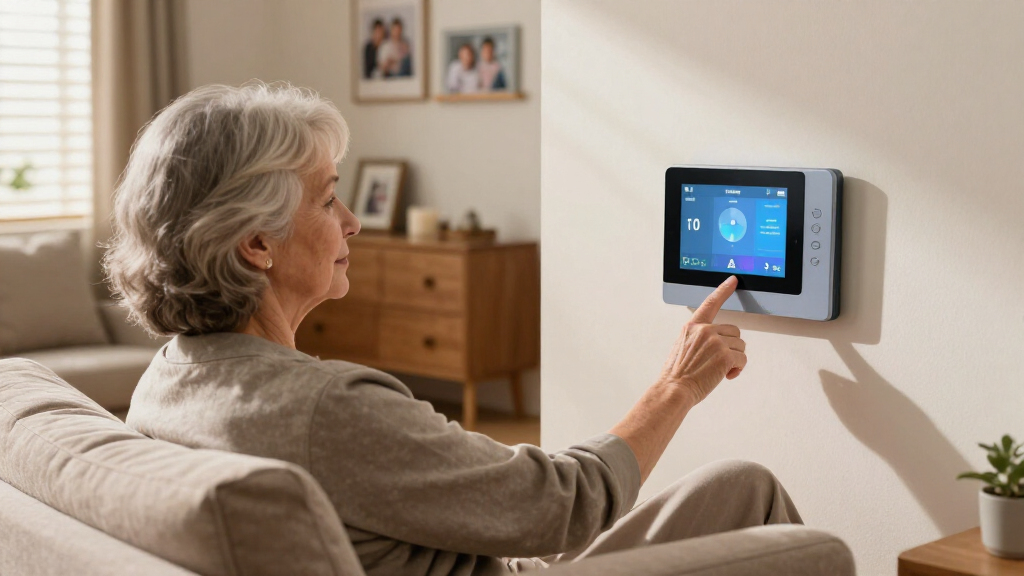
For seniors who rarely leave the house, the MGHome plays a different game than the on-the-go Safety+ 4G or the GPS Fall Detection Watch: instead of tracking location, it delivers a 1,400-foot coverage radius from the base station — enough to cover a large house, yard, and garden. Both a pendant and wristband call button come in the box, so seniors can wear whichever feels natural, and the 32-hour backup battery keeps the system alive through power outages. Connection to professional monitoring operators matches the Safety+ tier of service. The compromises: fall detection costs extra on top of the monthly fee, and unlike the no-fee Guardian Alert 911 Plus, leaving home means leaving protection behind.
Pros:- 1,400-foot range covers large homes and yards
- Both pendant and wristband buttons included
- 32-hour backup battery survives outages
- 24/7 monitoring with professional operators
Cons:- Fall detection is a paid add-on beyond the monthly fee
- Ongoing subscription cost after the free trial
- Requires a power outlet and offers no protection away from home
Best for: Primarily homebound seniors in larger homes or properties who need maximum range from a base station
Not ideal for: Active seniors who leave the house regularly — coverage ends at the property line
- Coverage Range:Up to 1,400 feet from base station
- Wearables:Pendant and wristband call buttons
- Fall Detection:Optional paid add-on
- Monitoring:24/7 professional emergency response (monthly fee after free trial)
- Power:Standard outlet with 32-hour backup battery
- Battery:Lithium-Ion
- Mounting:Tabletop base station
- Color:White base, black pendant and wristband
Our verdict“This model is better suited to seniors whose lives happen at home and who want the widest reliable coverage of any system in this lineup.”

How We Picked
I evaluated each system through a single lens: how easily a senior can use it without help. That meant prioritizing one-button operation, simple or nonexistent setup, comfortable wearing options, and clear two-way communication. Monthly fees, contract requirements, and cancellation policies also factored heavily, because a system that strains a fixed income tends to get returned or discontinued. Water resistance and battery backup were treated as baseline requirements rather than differentiators.
The ranking logic follows a simple hierarchy: systems that work out of the box with no fees ranked highest for pure ease of use, while monitored systems earned their positions through reliability and caregiver support features. GPS and fall detection improved rankings only when they did not complicate the core experience — a feature-laden watch that confuses the wearer scores lower than a plain pendant that works every time.
| easy-to-use emergency alert system | Fall Detection |
|---|---|
| Guardian Alert 911 Plus | Yes |
| Life Alert System for Seniors | — |
| ADT On-The-Go Emergency Medica | — |
| SecuLife Medical Alert Pendant | — |
| Safety+ 4G Medical Alert Syste | — |
| Fall Detection Watch for Senio | Automatic with emergency alerts |
| Safety+ 4G Medical Alert Syste | Automatic |
| Medical Guardian MGHome Cellul | Optional paid add-on |
Factors to Consider When Choosing Easy-to-use Emergency Alert Systems
Choosing among these eight systems comes down to a few decisions that shape everything else: where the senior spends their time, whether monitoring fees fit the budget, and how comfortable they are with technology. This guide covers the factors that matter most before you spend a dollar.
Monthly Fees vs. Direct-to-911 Systems
The biggest cost fork in this category is whether the system calls a professional monitoring center or dials 911 directly. Fee-free systems like the Guardian Alert 911 Plus cost more upfront but nothing afterward, which can save hundreds of dollars per year. The catch: direct 911 calls mean the dispatcher has no medical history, no caregiver contacts, and no way to help if the senior cannot speak clearly. Monitored services like Medical Guardian and ADT keep profiles on file and will call family members after dispatching help. A common mistake is assuming the cheaper option is always better — for seniors with speech difficulties or cognitive decline, professional monitoring often justifies its cost.
At-Home Only vs. On-the-Go Coverage
Where the senior actually spends their day should dictate the system type. An in-home base station with a pendant covers the house and yard but loses connection at the grocery store. GPS-enabled mobile systems like the SecuLife pendant or the fall detection watch work anywhere with cellular coverage, but they need charging and cost more. Many families buy the wrong type by focusing on the house when the real fall risk is the sidewalk, garden, or parking lot. If your loved one still drives or walks independently outside, mobile coverage is not optional — it is the whole point.
Fall Detection: Real Protection or False Alarms?
Automatic fall detection sounds like an obvious upgrade, but it behaves differently depending on design. Pendant-style detectors tend to register falls more accurately than wrist-worn ones, because wrist movements during daily activities — reaching, waving, lowering into a chair — can mimic fall patterns and trigger false alerts. Repeated false alarms have a real consequence: seniors stop wearing the device, which defeats its purpose entirely. If fall detection matters, ask whether it can be disabled or adjusted, and expect a learning period during the first weeks. Seniors who are conscious and able to press a button may be better served by a simpler, more reliable manual system.
Wearing Comfort and Water Resistance
A system only works when it is worn, and comfort determines whether it stays on the body. Pendants worn as necklaces are harder to forget than wristbands, which get removed for washing dishes or showers — ironically the highest-risk room in the house. Every product in this lineup offers some water resistance, but ratings vary from splash-proof to fully submersible, and shower-safe coverage should be treated as non-negotiable. Battery life matters here too: a pendant that lasts a year beats a smartwatch that needs nightly charging, because a dead battery during a fall is a silent failure. Match the wearing style to the person’s habits, not the marketing photos.
Cellular Coverage and Backup Reliability
Most modern systems run on 4G cellular networks, which means the quality of coverage at the senior’s home directly affects performance. Rural areas and older buildings with thick walls can create dead zones that render an otherwise excellent device useless. Check the carrier behind each system — not all use the same network — and test signal strength before committing to a contract. Systems with battery backup in the base unit keep working during power outages, a feature worth confirming rather than assuming. A quick call to the manufacturer about coverage maps takes five minutes and can prevent a costly return.
Caregiver Features and App Complexity
App controls, caregiver dashboards, and tracking portals are marketed as benefits, but they add a hidden requirement: someone has to manage them. If the primary caregiver is not tech-savvy, an app-dependent system becomes a liability rather than a convenience. Features like location history and wellness alerts genuinely help distant family members stay informed, but only if someone checks them regularly. Before choosing an app-controlled system like the Life Alert app-based model, confirm who will actually monitor it and whether alerts reach them through push notifications or just email. Simplicity for the wearer should always outrank sophistication for the caregiver.
Frequently Asked Questions
Are no-monthly-fee emergency alert systems actually reliable?
Fee-free systems can be dependable, but their reliability depends on what they connect to. Direct-to-911 devices like the Guardian Alert 911 Plus use the same cellular networks as monitored systems, so the connection itself is comparable. The difference is what happens after the call connects: a 911 dispatcher has no medical profile, medication list, or caregiver contacts, and if the senior is unconscious or cannot speak, help may arrive with no context. Monitored centers keep this information on file and can notify family members automatically. Fee-free systems make the most sense for seniors who are lucid, articulate, and primarily at risk of slips rather than serious medical events.
Is a pendant or a watch-style device easier for seniors to use?
Pendants generally win on simplicity because they have a single function — press the button — while watches introduce screens, menus, charging routines, and buttons that can be pressed accidentally. A senior who already wears a watch and understands basic smart devices may adapt well to options like the fall detection watch or the Safety+ watch-style system, which add heart rate and step tracking as bonuses. However, watches require nightly or multi-day charging, and forgetting to charge means no protection. Pendants with year-long batteries remove that failure point entirely. If the wearer resists new technology, a plain pendant is nearly always the safer choice.
Does Medicare or insurance cover medical alert systems?
Original Medicare does not cover medical alert systems as a stand-alone benefit, which surprises many families. Medicare Advantage plans sometimes include them as a supplemental wellness benefit, so it is worth checking the specific plan documents or calling the insurer directly. Some state Medicaid programs and Area Agencies on Aging offer subsidized or loaner devices for qualifying seniors, though availability varies widely by county. Veterans may have access through VA programs in certain cases. Because coverage is inconsistent, budget assuming you will pay out of pocket, then treat any insurance benefit as a pleasant surprise rather than a plan.
How accurate is automatic fall detection, and is it worth paying extra for?
Fall detection technology has improved but remains imperfect, typically detecting genuine falls the large majority of the time while still producing occasional false alarms. The tradeoff matters most for specific situations: a senior who has already fallen before, takes blood thinners, or has a heart condition benefits most from automatic detection, because those scenarios can involve losing consciousness before pressing a button. False alarms are the main downside, and repeated ones cause seniors to abandon the device. If your loved one is alert and mobile, a manual button may be sufficient and simpler. For higher-risk situations, pair fall detection with a monitored service so a live agent can verify whether help is needed.
Can these systems work if my loved one doesn’t have a smartphone?
Yes, most of the systems in this roundup are designed specifically for seniors without smartphones, which is part of what makes them easy to use. Pendants and base stations communicate over cellular networks built into the device itself, so the wearer only needs to press a button. The smartphone matters only for caregiver features — the Life Alert app-controlled system, for example, requires someone to manage settings through an app, though that person can be a family member rather than the senior. What you should verify is cellular coverage at the home, since the device relies on that signal regardless of who owns a phone. A basic landline is not required for any of these eight systems.
Conclusion
Matching the system to the person is easier than it looks once you sort by buyer type. For best overall, the Medical Guardian MGHome Cellular balances simple operation with professional monitoring and caregiver support, making it the safest default choice for most families. The best value pick is the Guardian Alert 911 Plus, which costs nothing after purchase and requires almost zero learning — ideal for budget-conscious households with a lucid, communicative senior. On the premium end, the ADT On-The-Go delivers the most robust monitoring infrastructure and all-in-one portability for buyers who want maximum reliability.
For beginners and tech-averse seniors, any single-button pendant without an app — the Guardian Alert or SecuLife — removes every barrier to adoption. Active seniors who garden, walk, or shop alone are the right fit for GPS-equipped mobile options like the SecuLife pendant or the fall detection watch, which protect beyond the driveway. And if health tracking appeals alongside emergency coverage, the watch-style models cover both needs in one device. Whichever direction you choose, prioritize the system your loved one will wear every single day — an unused feature protects no one.