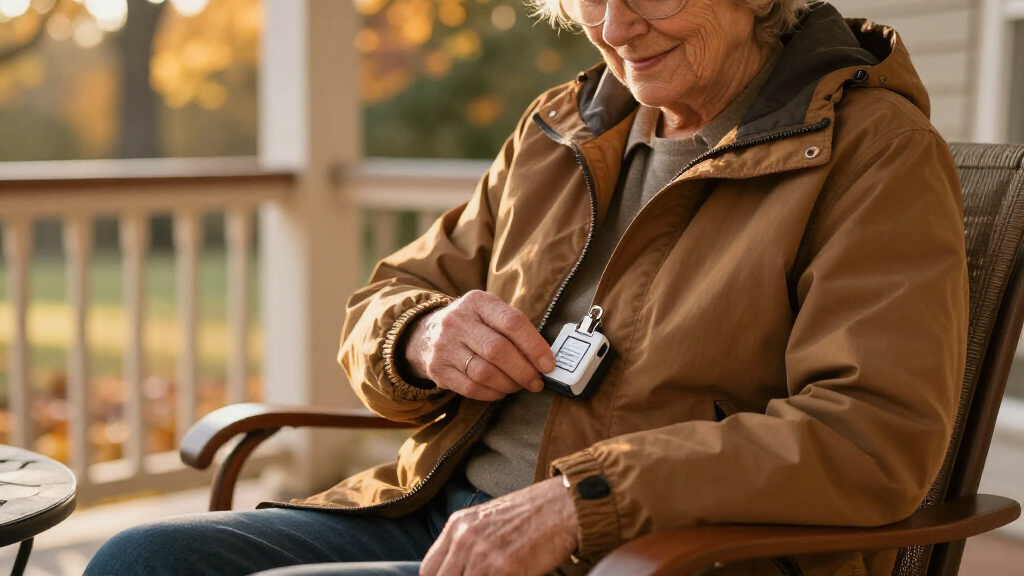

Fall safety alert systems for seniors come down to one central tradeoff: subscription-based devices with monitored emergency response versus no-monthly-fee devices that call family or 911 directly. The ADT On-The-Go All-in-One earns my best overall pick for combining reliable fall detection, GPS tracking, and a trusted monitoring network in a single wearable. If recurring fees are the dealbreaker, the Guardian Alert 911 Plus and the No Monthly Fee Waterproof Necklace and Wrist system prove you can still get fall detection without a contract. At the premium end, the SecuLife Pendant with GPS and the Medical Guardian MGMini offer the most polished hardware. Keep reading for the full breakdown of detection reliability, costs, and who each system actually suits.

Turn quiet afternoons into listening time
- Thousands of audiobooks, podcasts and originals
- Listen on your phone, tablet or Echo — also offline
- Cancel anytime
Complete the kit


Key Takeaways
- Monthly monitoring fees separated the field more than hardware quality: the ADT On-The-Go and Medical Guardian MGMini cost $30–45 per month, while the Guardian Alert 911 Plus and the No Monthly Fee system cost nothing after purchase — a difference of $360+ per year.
- True automatic fall detection was missing from two budget picks (the LIVELY Mobile2 base plan and the no-fee necklace system), meaning someone unconscious after a fall may not get help without pressing a button.
- Wearable comfort drove adoption: wristband-style options like the SecuLife SOS Wristband and the Fall Detection Smart Watch were far more likely to be worn consistently than bulkier pendants, which matters because a device left on the nightstand protects no one.
- GPS tracking with 4G connectivity appeared only on mobile-capable models (SecuLife Pendant, ADT On-The-Go, Safety+ 4G, MGMini), making those the only real choices for active seniors who leave the home regularly.
- The Fall Detection Smart Watch was the only option with HD video calling, but its touchscreen interface makes it a poor match for seniors with dementia or low tech confidence despite being marketed to them.
| SecuLife Medical Alert Pendant for Seniors with Fall Detection and GPS Tracking |  | Best Overall | Fall Detection: Automatic, included | GPS Tracking: Real-time with safe zones | Communication: Two-way calling | VIEW LATEST PRICE | See Our Full Breakdown |
| ADT On-The-Go Emergency Medical Alert for Seniors, All-in-One |  | Best Premium Protection | Monitoring: 24/7 professional, monthly plan required | Fall Detection: Optional, additional monthly cost | Device Type: All-in-one mobile medical alert | VIEW LATEST PRICE | See Our Full Breakdown |
| SecuLife SOS Wristband for Seniors with Fall Detection, GPS Tracking, and Two-Way Calling |  | Best Wrist-Worn Option | Form Factor: Wristband, screenless | Fall Detection: Automatic | GPS Tracking: Real-time with geofencing | VIEW LATEST PRICE | See Our Full Breakdown |
| Fall Detection Smart Watch for Seniors with GPS Tracking, SOS Alert & HD Video Call, Waterproof Fitness Tracker for Dementia/Alzheimer’s, 4G Safety |  | Best for Family Connection | Fall Detection: Yes, automatic | GPS Tracking: Real-time with geo-fencing | SOS Alert: Yes | VIEW LATEST PRICE | See Our Full Breakdown |
| Safety+ 4G Medical Alert System with Fall Detection and GPS |  | Best Value Starter Pick | Service: First month included, then $40/month | Coverage: 4G nationwide | Fall Detection: Automatic | VIEW LATEST PRICE | See Our Full Breakdown |
| Medical Guardian MGMini Medical Alert Device for Seniors |  | Best for On-the-Go Protection | Device Type: Medical alert necklace | Battery Life: 3 days | Recharge Time: 4 hours | VIEW LATEST PRICE | See Our Full Breakdown |
| Guardian Alert 911 Plus – No Monthly Fees, 2-Way Emergency Pendant for Seniors with Fall Detection and Water Resistance |  | Best Fee-Free Fall Detection | Monthly Fees: None | Fall Detection: Included | Emergency Connection: Direct 911, two-way voice | VIEW LATEST PRICE | See Our Full Breakdown |
| LIVELY Mobile2 Medical Alert Device, Waterproof, Lanyard Included |  | Best for Family Caregivers | Waterproof: Yes | Fall Detection: Yes (subscription required) | Family Notifications: Automatic via caregiving app | VIEW LATEST PRICE | See Our Full Breakdown |
| Medical Alert System – No Monthly Fees – Waterproof Necklace and Wrist |  | Best Value for Home Use | Monthly Fees: None | Waterproof Buttons: Yes | Coverage Range: 70,000 square feet | VIEW LATEST PRICE | See Our Full Breakdown |
| fall safety alert systems for senior | Fall Detection |
|---|---|
| SecuLife Medical Alert Pendant | Automatic, included |
| ADT On-The-Go Emergency Medica | Optional, additional monthly cost |
| SecuLife SOS Wristband for Sen | Automatic |
| Fall Detection Smart Watch for | Yes, automatic |
| Safety+ 4G Medical Alert Syste | Automatic |
| Medical Guardian MGMini Medica | Optional add-on for $10/month |
| Guardian Alert 911 Plus | Included |
| LIVELY Mobile2 Medical Alert D | Yes (subscription required) |
| Medical Alert System | No |
More Details on Our Top Picks
SecuLife Medical Alert Pendant for Seniors with Fall Detection and GPS Tracking
SecuLife’s pendant earns the top spot because it bundles the three things that matter most in fall safety — automatic fall detection, GPS tracking, and two-way calling — into a single wearable without charging extra for the safety core. Compared with the ADT On-The-Go, which gates fall detection behind an additional monthly fee, SecuLife includes it from day one, which makes the true cost of ownership easier to predict. The IP67 waterproof rating means it survives showers, where many falls actually happen, and the six-day battery comfortably beats the Safety+ system’s similar runtime while offering customizable safe zones for wandering risks. The tradeoff is real, though: a monthly subscription is mandatory, and mixed customer ratings suggest the experience isn’t flawless for everyone. This pick makes the most sense for buyers who want protection at home and away without paying à la carte.
Pros:- Automatic fall detection included in the base service rather than a paid add-on
- Real-time GPS tracking with customizable safe zones for dementia or wandering concerns
- IP67 waterproof rating safe for showering, where falls are common
- Six-day battery life reduces daily charging burdens
Cons:- Monthly subscription required for full functionality
- Mixed customer ratings indicate uneven reliability reports
Best for: Active seniors who leave the house regularly and want fall detection and GPS included in one subscription rather than added as paid extras
Not ideal for: Buyers hoping to avoid recurring fees — the full feature set requires an ongoing monthly subscription, and reviews suggest inconsistent customer experiences
- Fall Detection:Automatic, included
- GPS Tracking:Real-time with safe zones
- Communication:Two-way calling
- Water Resistance:IP67
- Battery Life:Up to 6 days
- SOS Button:Large dedicated button
- Warranty:Manufacturer warranty
Our verdict“The strongest all-around choice for seniors who need fall detection and GPS both at home and on the go without feature-tier pricing.”
ADT On-The-Go Emergency Medical Alert for Seniors, All-in-One
What separates the ADT On-The-Go from budget pendants is 24/7 professional monitoring backed by a name-brand monitoring center — the same infrastructure ADT uses for home security. That matters in a crisis: when a fall is detected, a trained dispatcher answers, not just an app notification sent to a family member’s phone. Unlike the SecuLife pendant, which leans on its own ecosystem, ADT’s all-in-one design needs no external pendant or base station, so there’s nothing to forget when walking out the door. The catch is cost. Fall detection is optional and billed separately, and the total monthly spend can climb well above SecuLife’s flat pricing. Activation also requires a phone call rather than an app, which some buyers will find old-fashioned. This model is better suited to families who prioritize a proven monitoring operation over saving a few dollars per month.
Pros:- 24/7 professional monitoring with trained emergency dispatchers
- All-in-one design with no separate pendant or base station to manage
- Built-in GPS and cellular service for dependable location tracking away from home
Cons:- Fall detection is an optional add-on with additional monthly cost
- Activation requires a phone call rather than self-service setup
- Cumulative subscription costs run higher than flat-rate competitors
Best for: Families willing to pay a premium monthly rate for professionally staffed, round-the-clock emergency response from an established security company
Not ideal for: Budget-conscious buyers — fall detection costs extra on top of the monitoring plan, and total monthly fees can exceed alternatives like SecuLife
- Monitoring:24/7 professional, monthly plan required
- Fall Detection:Optional, additional monthly cost
- Device Type:All-in-one mobile medical alert
- Connectivity:Built-in GPS and cellular
- Accessories Required:None
- Use Case:Home and on-the-go
Our verdict“Choose this if a professionally monitored response from a trusted security brand gives your family peace of mind that app-based alerts can’t match.”
SecuLife SOS Wristband for Seniors with Fall Detection, GPS Tracking, and Two-Way Calling
Wrist-worn devices only work if the senior actually keeps them on, and that’s the SecuLife SOS Wristband’s core advantage over neck-worn pendants like the SecuLife pendant. Many older adults resist pendant-style alerts because they look like medical equipment; a wristband reads more like an ordinary watch and tends to stay on through the night. Feature-wise it covers the essentials — fall detection, geofencing, GPS tracking, and hands-free two-way calling with auto-answer, so an operator can reach a disoriented senior without any button presses. The $25 monthly subscription is reasonable, but the 3.4/5 customer rating is the weakest in this lineup, and buyers should weigh that carefully. The screenless design keeps it simple but means no visual confirmation that the device is working. Compared with the Fall Detection Smart Watch, this trades flashy features for straightforward emergency function.
Pros:- Wristband form factor stays on more consistently than pendants, including overnight
- Hands-free auto-answer lets responders speak with a fallen senior instantly
- Geofencing and GPS tracking for real-time location safety
- Waterproof for daily wear including bathing
Cons:- 3.4/5 customer rating is below average for this category
- $25/month subscription required for full features
- No screen means no visual confirmation of charge or connectivity status
Best for: Seniors who refuse or frequently remove pendant-style alerts and will tolerate a wristband they can wear around the clock
Not ideal for: Buyers who want reassurance of a display or stronger reliability track records — the moderate rating and screenless design leave gaps
- Form Factor:Wristband, screenless
- Fall Detection:Automatic
- GPS Tracking:Real-time with geofencing
- Communication:Two-way voice, hands-free auto-answer
- Water Resistance:Waterproof
- Subscription:$25/month
- Warranty:1 year
Our verdict“A sensible pick when the pendant-vs-wristband question is the deciding factor, as long as you accept middling review scores.”
Fall Detection Smart Watch for Seniors with GPS Tracking, SOS Alert & HD Video Call, Waterproof Fitness Tracker for Dementia/Alzheimer’s, 4G Safety
This smartwatch takes a different philosophy from dedicated alert devices like the Safety+ system: instead of pure emergency hardware, it doubles as a communication hub with HD video calling, so grandchildren can check in face-to-face and caregivers can visually confirm a loved one’s condition after a fall alert. Add heart rate, blood pressure, and sleep tracking, and it serves dementia and Alzheimer’s families in ways a single-purpose pendant can’t. The compromises are significant, however. The pre-installed SIM is data-only with no voice support, so two-way voice calling requires supplying your own compatible SIM — a setup hurdle many families won’t anticipate. The free data service also lapses after one year. Geo-fencing and SOS alerts work well for monitoring, but this is not a substitute for professional monitoring like ADT’s dispatch service. It shines as a family-connected safety watch, not a lifeline.
Pros:- HD video calling lets caregivers visually verify wellbeing after an alert
- Health monitoring spans heart rate, blood pressure, and sleep
- GPS tracking with geo-fencing suited to wandering risks
- IP67 waterproof build handles daily wear
Cons:- Pre-installed SIM is data-only; voice calls require buying and installing a separate compatible SIM
- Free data service ends after one year with added costs afterward
- No professional monitoring — alerts go to family, not dispatchers
Best for: Dementia and Alzheimer’s caregivers who want video check-ins, health tracking, and location monitoring in one device the senior may actually enjoy wearing
Not ideal for: Buyers who need guaranteed emergency voice communication — the included SIM has no voice support, and there’s no professional monitoring behind the SOS alerts
- Fall Detection:Yes, automatic
- GPS Tracking:Real-time with geo-fencing
- SOS Alert:Yes
- Video Calling:HD 4G
- Waterproof Rating:IP67
- Health Monitoring:Heart rate, blood pressure, sleep tracking
- SIM Card:Data-only, 1-year free service, no voice support
Our verdict“Pick this when staying visually connected to a loved one with dementia matters as much as fall detection itself — not as a standalone emergency lifeline.”
Safety+ 4G Medical Alert System with Fall Detection and GPS
The Safety+ system positions itself as the low-friction entry point: activation needs no smartphone, the first month of service is included, and it ships with a charging dock, lanyard, and belt clip so wearability is sorted out of the box. Compared with the SecuLife pendant, the multi-option wearing style is a genuine plus for seniors who find lanyards irritating. But value here is front-loaded — after that first free month, $40/month kicks in, which is steeper than SecuLife’s wristband subscription and offers less flexibility on safe zones. The caregiver app adds remote visibility that the ADT device doesn’t emphasize, letting family check status between emergencies. Durability details are thin for extreme conditions, so rugged-use buyers should look elsewhere. This pick makes the most sense for families trying a monitored system for the first time who want everything included upfront before committing long-term.
Pros:- Everything included: charging dock, lanyard, and belt clip in the box
- No smartphone needed for activation, ideal for tech-averse seniors
- First month of service free with nationwide 4G coverage
- Caregiver app gives family remote status and location access
Cons:- $40/month subscription after the first month adds up quickly
- Limited manufacturer detail on durability in extreme conditions
- Wearing options are convenient but the device is bulkier than a simple wristband
Best for: First-time buyers who want a complete out-of-the-box kit with a free trial month and simple setup that doesn’t require any smartphone
Not ideal for: Long-term budget watchers — the $40/month ongoing fee is among the higher rates in this roundup, and durability claims lack detail
- Service:First month included, then $40/month
- Coverage:4G nationwide
- Fall Detection:Automatic
- GPS:Yes, with caregiver app access
- Battery Life:Up to 6 days
- Water Resistance:Yes
- Included Accessories:Charging dock, lanyard, belt clip
- Setup:Easy activation, no smartphone required
Our verdict“A solid first monitored system for families testing the waters, provided the $40/month long-term cost fits the budget.”
Medical Guardian MGMini Medical Alert Device for Seniors
Among cellular alert systems in this roundup, the MGMini stands out for letting active seniors leave the house without leaving their safety net behind. Unlike the Guardian Alert 911 Plus, which focuses on direct 911 dialing, the MGMini connects to a professional 24/7 monitoring center, so a trained operator can assess the situation and contact family or EMS as appropriate. Location updates and step counting add a wellness layer that pure emergency pendants don’t offer. The tradeoff is cost: monitoring runs $43.95 per month, and fall detection adds another $10, which stacks up quickly compared with fee-free options. The three-day battery also means remembering to recharge, unlike the plug-in base units some competitors use. This pick makes the most sense for seniors who still drive, travel, or walk alone and want someone accountable on the other end of every call.
Pros:- Cellular connectivity works at home and away with no landline or base unit
- 24/7 professional monitoring with two-way speaker communication
- Location updates and step counting add caregiver peace of mind
- Discreet, comfortable design with lanyard and belt clip options
Cons:- $43.95/month subscription plus $10/month for fall detection adds up fast
- 3-day battery requires regular recharging discipline
- Limited to one active device per member
Best for: Active seniors who leave home regularly and want professionally monitored backup rather than direct 911 dialing
Not ideal for: Budget-conscious households or homebound seniors — the monthly fees buy mobility features they won’t use
- Device Type:Medical alert necklace
- Battery Life:3 days
- Recharge Time:4 hours
- Subscription Required:Yes
- Monthly Monitoring Cost:$43.95 (after free trial)
- Fall Detection:Optional add-on for $10/month
- Connectivity:Cellular
- Included Accessories:Lanyards, belt clip
Our verdict“The MGMini is the right choice for independent seniors who venture out and want a live monitoring agent — not just a 911 call — behind every button press.”
Guardian Alert 911 Plus – No Monthly Fees, 2-Way Emergency Pendant for Seniors with Fall Detection and Water Resistance
What separates the Guardian Alert 911 Plus from most pendants in this roundup is that it includes fall detection with zero monthly fees — a combination the Medical Guardian MGMini charges $10/month on top of monitoring to deliver. Pressing the button (or triggering the fall sensor) connects the wearer directly to 911 dispatch with two-way voice, no middleman, no contract. For seniors who are comfortable explaining their own emergency, that direct line is faster than waiting on a monitoring agent. The compromises are real, though: it dials 911 only, so family won’t be notified automatically the way the LIVELY Mobile2’s app does, the form factor is bulkier than sleeker pendants here, and periodic charging is required to stay protected. Compared with fee-free rivals like the no-monthly-fee necklace system, its shower-safe water resistance and cellular independence give it a clear edge for solo dwellers.
Pros:- No monthly fees or contracts, ever
- Built-in fall detection included at no extra charge
- Water resistant enough for shower and bath use
- Two-way voice communication directly with 911 responders
Cons:- No family notification or professional monitoring — it only calls 911
- Bulky design compared with slimmer pendants like the MGMini
- Battery requires periodic charging to stay active
Best for: Seniors living alone who want automatic fall detection and direct 911 contact without any recurring costs
Not ideal for: Families who want to be alerted automatically when an emergency happens — this device only reaches 911
- Monthly Fees:None
- Fall Detection:Included
- Emergency Connection:Direct 911, two-way voice
- Water Resistance:Yes, shower and bath safe
- Connectivity:4G LTE networks
- Power Source:Rechargeable lithium-ion battery
- Control Method:Touch help button
Our verdict“If you want fall detection covered without a subscription and trust direct 911 contact over a monitoring center, this is the strongest fee-free option in the lineup.”
LIVELY Mobile2 Medical Alert Device, Waterproof, Lanyard Included
The LIVELY Mobile2 earns its spot by doing something the Guardian Alert 911 Plus doesn’t: it keeps family in the loop. Automatic fall detection triggers alerts to caregivers through a companion app, so adult children know about an incident even if the senior never presses a button. That caregiving loop is what distinguishes it from every fee-free pendant in this guide, which either dial 911 or cycle through personal contacts with no automated detection. Fully waterproof and lightweight, it can be worn in the shower — where falls are most common — and carried anywhere without a base unit. The honest tradeoff is opacity and cost: fall detection and app notifications sit behind a required subscription, and the published specs are thin on battery life and effective range, which makes comparison shopping harder than the detailed spec sheets from Medical Guardian.
Pros:- Automatic fall detection without pressing a button
- Family notifications via caregiving app keep relatives informed instantly
- Fully waterproof for shower and bath wear
- Discreet, lightweight design with included lanyard — no base unit needed
Cons:- Subscription required for fall detection and family notifications
- Battery life and device range are not clearly documented
- More expensive over time than fee-free pendants with similar hardware
Best for: Adult children and caregivers who want automatic fall alerts pushed to their phones, not just emergency dispatch
Not ideal for: Buyers who refuse another monthly bill or need clearly documented battery and range specs before purchasing
- Waterproof:Yes
- Fall Detection:Yes (subscription required)
- Family Notifications:Automatic via caregiving app
- Connectivity:Mobile, no landline needed
- Included Accessories:Lanyard
- Use Environment:Indoor and outdoor, including shower
Our verdict“The Mobile2 is the pick when keeping caregivers automatically informed matters as much as reaching help — just budget for the subscription.”
Medical Alert System – No Monthly Fees – Waterproof Necklace and Wrist
For seniors who spend most of their time at home, this no-monthly-fee system delivers the most hardware per dollar in the roundup: two waterproof panic buttons — a necklace and a wristband — paired with a base unit covering up to 70,000 square feet, enough for a large house and yard. Instead of calling 911 or a monitoring center like the MGMini, it dials up to three personal phone numbers with a pre-recorded message, which suits families who live nearby and can respond faster than any dispatch service. The tradeoffs are structural: there is no automatic fall detection, so an unconscious wearer can’t summon help, and it depends on the base unit, so it offers none of the away-from-home cellular coverage of the LIVELY Mobile2. Still, for the price of one month of monitored service, this option covers the essentials indefinitely.
Pros:- No monthly fees for ongoing service
- Two waterproof panic buttons included, expandable to eight
- Enormous 70,000 sq ft coverage handles large homes and yards
- Calls up to three family numbers with a personalized message
Cons:- No automatic fall detection — the button must be pressed
- Requires a bulky base unit, so it offers no protection away from home
- Capped at three contact numbers, which may not suit spread-out families
Best for: Budget-minded families with homebound seniors and relatives who can answer an emergency call themselves
Not ideal for: Seniors at risk of falls where they might be knocked unconscious — there’s no automatic fall detection here
- Monthly Fees:None
- Waterproof Buttons:Yes
- Coverage Range:70,000 square feet
- Panic Buttons:2 included, expandable to 8
- Call Capacity:Up to 3 phone numbers
- Alert Method:Personalized recorded message to contacts
- Fall Detection:No
Our verdict“This is the smartest low-cost pick for seniors who stay home, as long as someone can press the button and family lives close enough to respond.”
How We Picked
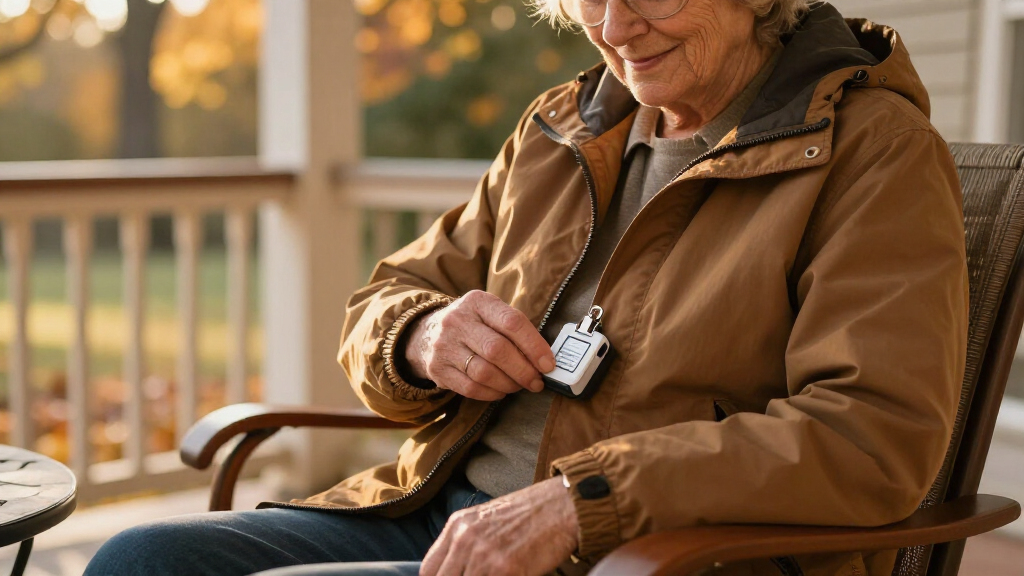
I ranked these systems on five factors that actually determine whether a fall alert device works in real life. Detection reliability came first: does the device detect falls automatically, or does it depend on the wearer pressing a button? Total cost of ownership came second, because a $30 device with a $40 monthly fee costs more in one year than a $200 no-fee device costs in five. Third, I weighed who answers the alert — a professional monitoring center, direct 911 dispatch, or a family caregiver app — since response speed and quality vary dramatically. Fourth, I judged wearability: waterproofing, weight, and whether the form factor suits daily wear in the shower, where falls are common. Fifth, I scored ease of setup and use for both the senior and the family member managing the account.
The ranking reflects a simple philosophy: the best system is the one that will actually be worn and will actually summon help. Monitored systems with automatic fall detection ranked higher overall because they close the gap when a senior is unresponsive, while no-fee devices earned strong value placements for budget-conscious families willing to trade professional monitoring for direct 911 or caregiver calls. Specialty picks — the smart watch and the wristband — filled specific niches rather than competing head-to-head with the all-in-one systems.
Factors to Consider When Choosing Fall Safety Alert Systems For Seniors
Before choosing a fall safety alert system, it helps to understand the structural choices in this market. The nine systems above differ less in hardware quality than in business model, monitoring approach, and form factor — and getting those three decisions right matters more than any single feature.Monitored vs. Unmonitored: Who Actually Answers the Call
The single biggest decision is whether a professional monitoring center answers the alert or whether the device calls 911 or family members directly. Monitored systems (ADT, Medical Guardian, LIVELY) employ trained agents who can assess the situation, contact family, and dispatch the right emergency service — and they work even if your listed family contacts are unreachable at 2 a.m. Unmonitored systems cost nothing monthly but rely on your contact list; if everyone is asleep, driving, or ignoring an unknown number, the alert goes unanswered. A common mistake families make is assuming a no-fee pendant connects to 911 automatically when several models actually require the wearer to press the button. If your senior lives alone, professional monitoring is usually worth the fee. If a spouse or caregiver is home most of the time, a direct-call device can be a sensible trade.
Automatic Fall Detection vs. Button-Press Only
Automatic fall detection uses accelerometers to sense sudden drops and impacts and calls for help without any button press. This distinction matters most for seniors at risk of losing consciousness, blacking out, or being unable to move after a stroke or heart event. Button-only devices cost less and produce fewer false alarms, but they fail exactly when they’re needed most. One caveat the marketing rarely mentions: automatic detection still isn’t perfect, and false positives — triggering from lowering into a chair too quickly, for example — can annoy wearers into abandoning the device. If you choose automatic detection, look for a system that lets you cancel an alert within a grace window before it dispatches help.
In-Home Range vs. GPS: Where Does Your Senior Actually Go?
Some buyers pay for GPS-enabled mobile systems their parent never needs, while others buy in-home-only pendants that go dead the moment Dad walks to the mailbox. Be honest about mobility patterns. A senior who gardens, walks the neighborhood, shops, or drives needs a cellular 4G device with GPS so the response team can locate them anywhere. A senior who mostly stays home with brief yard trips can save money with an in-home base station system, which typically has a 300–600 foot range from the base unit. The hidden cost: mobile devices need charging — usually every one to two days — and a dead battery is the most common reason a mobile system fails. If your senior forgets to charge things, an in-home system with a long-life battery pendant may actually be safer despite its limits.
The Hidden Math of Monthly Fees
Families routinely underestimate subscription costs because the sticker price of the device is $0–$50 and the fee is buried in fine print. A $35 monthly plan costs $420 per year and $2,100 over five years — more than ten times the price of a no-fee device. That doesn’t automatically make subscriptions a bad deal; professional monitoring is a genuine service. But you should compare systems on five-year total cost, not upfront price. Also watch for activation fees, spouse add-on fees, and price locks: some providers guarantee a rate while others raise prices annually. If a salesperson quotes a monthly rate, ask directly what the total will be with taxes and whether the price can increase during the contract.
Wearability: The Feature That Decides Everything
The most sophisticated fall detection in the world is worthless if the device sits in a drawer. Real-world adherence studies consistently show seniors abandon devices that feel stigmatizing, heavy, or inconvenient. Waterproofing is non-negotiable — bathrooms are the single most common fall location, and a device that can’t go in the shower has a blind spot exactly where risk is highest. Wristband formats tend to win acceptance because they read as ordinary watches or fitness trackers rather than medical equipment. Necklaces work well for seniors accustomed to wearing pendants but can be removed and forgotten at bedtime, which is why bedside fall risk deserves separate attention. Whatever format you choose, involve your senior in the decision — devices they reject on day one never get a second chance.
Cognitive Ability and Interface Simplicity
Match the device’s interface to your senior’s cognitive reality, not their diagnosis on paper. Touchscreen smart watches with menus, apps, and swipe gestures are wonderful for a sharp 78-year-old but bewildering for someone with advancing dementia who may not remember to keep the device charged or recognize an incoming alert. For cognitive decline, the safest designs are single-button devices with automatic detection and two-way voice — nothing to navigate, nothing to remember. Also consider whether the system supports caregiver apps that let family check battery levels and location remotely, which shifts the management burden off the senior. A device the family can monitor from their phones compensates for a lot of memory lapses.
Frequently Asked Questions
Are no-monthly-fee fall alert systems actually reliable?
They can be, but with clear limitations. No-fee devices like the Guardian Alert 911 Plus connect directly to 911 dispatchers through a built-in cellular radio, so response is fast and there’s no middleman — and no bill. The catch is coverage: if your senior is unresponsive, there’s no trained agent verifying the situation, contacting family, or staying on the line the way a monitored service does. No-fee devices also typically lack GPS tracking, so they only work within their rated range of the home. For seniors with an attentive family nearby and mostly homebound routines, they’re a legitimate bargain. For seniors living alone with serious medical conditions, monitored coverage justifies its cost.
Does Medicare or insurance cover fall alert systems?
Original Medicare does not cover medical alert devices, since it classifies them as personal convenience items rather than durable medical equipment. Some Medicare Advantage plans do offer them as supplemental benefits, so checking your specific plan’s benefits catalog is worthwhile before paying out of pocket. Medicaid waiver programs in some states cover devices for qualifying low-income seniors, and some VA benefits cover them for eligible veterans. Long-term care insurance policies occasionally reimburse monthly monitoring fees too. Never assume coverage — call the plan directly and get any benefit confirmed in writing before committing to a multi-year contract.
Can automatic fall detection be wrong or miss real falls?
Yes, both failure modes happen. Detection algorithms can misread a quick descent into a chair or a dropped device as a fall, generating false alarms — which is why the better systems include a cancel window before help is dispatched. Conversely, slow slides to the floor, fainting against a wall, or falls on soft surfaces may not trigger the sensors at all. Industry accuracy is far from perfect, which is why every expert still recommends treating automatic detection as a backup to the button, not a replacement. Test the system when it arrives, ask the provider about their false-alarm cancel process, and never rely on detection alone for a senior prone to syncope.
Is a medical alert watch or a pendant better for an elderly parent?
It depends on the parent. Watches succeed when they’re accepted as normal accessories — many seniors prefer a device that looks like a fitness tracker over one that signals frailty. But watches require daily charging, and the touch models demand a level of tech comfort that many seniors in their eighties don’t have. Pendants are typically one-button simple, waterproof for shower use, and hold charges for months in some in-home models, but they’re easier to remove and forget. A good rule of thumb: if your parent charges a phone daily without prompting, a watch works; if not, a pendant with automatic detection is the safer bet. The device that stays worn beats the device with better specs.
What happens if my senior falls where there’s no cell signal or the battery dies?
This is the failure point families most often overlook. All mobile GPS devices depend on cellular coverage, so dead zones — rural roads, basements, certain buildings — create real blind spots, though many modern systems can roam across multiple networks to improve odds. Battery behavior matters just as much: some devices send low-battery alerts to family, others simply stop working. Ask specifically whether the system notifies a caregiver when the battery is low, when the device goes offline, or when it leaves a defined safe zone. For seniors in poor-coverage areas, an in-home system with a landline or base-station connection remains the more dependable choice despite its mobility limits.
Conclusion
Matching the system to the buyer matters more than any spec sheet in this category. For the best overall choice, the ADT On-The-Go All-in-One balances professional monitoring, automatic fall detection, GPS, and wearability in a way that suits the widest range of seniors. For the best value, the Guardian Alert 911 Plus delivers two-way emergency communication and fall detection with zero ongoing cost — unbeatable if monitoring fees are the obstacle. For the best premium option, the SecuLife Pendant with GPS and fall detection offers the most feature-complete hardware for families who want location tracking and caregiver tools. For beginners who want dead-simple setup and operation, the Medical Guardian MGMini strips away complexity without giving up monitored protection. And for specific needs: the LIVELY Mobile2 for shower-safe simplicity, the SecuLife SOS Wristband for seniors who resist pendants, the Fall Detection Smart Watch for tech-comfortable seniors who want video calls, and the Safety+ 4G or the No Monthly Fee necklace-and-wrist set for home-based coverage on a budget. Whichever you choose, prioritize the device your senior will actually wear every day — that single factor outweighs everything else on the list.
Fall Picks
fall essentials
As an affiliate, we earn on qualifying purchases.