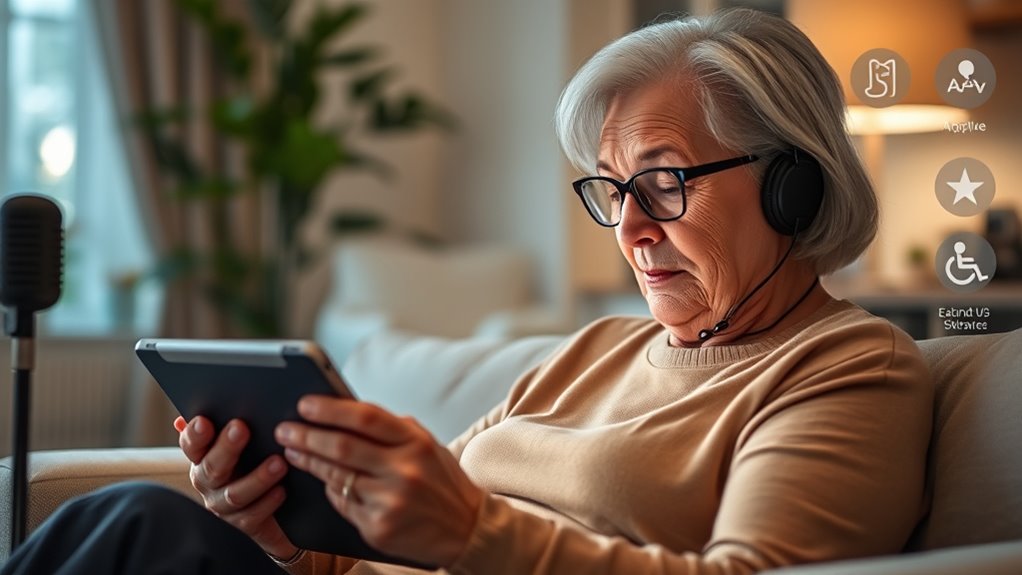

Adaptive software like screen readers and voice-to-text tools help you confidently use technology by making devices easier to navigate and understand. These features can read text aloud, convert your speech into messages, and customize interfaces to suit your needs. They reduce frustration, increase independence, and make digital interactions smoother. If you want to discover how these solutions can improve your daily tech use, keep exploring the options available for you.
Key Takeaways
- Screen readers convert text to speech, aiding seniors with visual impairments and reducing eye strain during digital tasks.
- Voice-to-text allows hands-free dictation, simplifying communication for users with limited dexterity.
- Adaptive software offers customizable interfaces, enlarging icons and adjusting layouts for better visibility and ease of use.
- High responsiveness features like gesture controls enhance interaction, making device navigation smoother and more natural.
- Personalization of accessibility tools promotes independence, confidence, and engagement in daily digital activities for seniors.

As technology becomes more integrated into daily life, adaptive software designed for seniors offers a pivotal way to bridge the digital gap. Screen readers and voice-to-text tools have become essential in making digital content accessible, but their effectiveness can be greatly enhanced through features like gesture controls and customizable interfaces. These tools are tailored to meet your unique needs, guaranteeing you can navigate devices confidently and comfortably. Incorporating high refresh rates into your device’s display can further improve responsiveness and reduce motion blur, making interactions smoother and more natural. Gesture controls allow you to interact with your device using simple hand movements, eliminating the need for complex touch gestures or small buttons. For example, a swipe of your hand might turn a page or open an app, reducing frustration caused by fine motor challenges. This intuitive method makes using technology more natural, especially if you find traditional touchscreens difficult. When combined with customizable interfaces, gesture controls give you the power to tailor your device’s layout to your preferences. You can enlarge icons, select high-contrast color schemes, or reposition controls to spots that are easiest for you to reach, making the entire experience more personalized and less overwhelming. Screen readers play an essential role by converting text into speech, enabling you to listen to emails, articles, or menus without straining your eyes. Voice-to-text features complement this by allowing you to dictate messages or notes, minimizing the need for typing on small keyboards. These adaptive tools are especially helpful if you have visual impairments or limited dexterity. With a customizable interface, you can adjust font sizes, change color contrasts, and simplify screen layouts to suit your visual comfort. This flexibility makes it easier to focus on content without distraction or fatigue. Integrating gesture controls and customizable interfaces into your adaptive software means you’re in control. You can set up your device to respond to your preferred gestures, whether it’s a tap, swipe, or specific hand motion, making interaction more natural and less frustrating. You can also modify the interface to match your needs, creating a user-friendly environment that encourages independence. This approach reduces the learning curve, helping you become comfortable with new technology faster and more confidently. Overall, these features guarantee that technology adapts to your lifestyle, rather than forcing you to adapt to it, fostering greater engagement and autonomy in your daily digital interactions.
Frequently Asked Questions
How Secure Is Adaptive Software Regarding User Privacy?
Adaptive software generally prioritizes your privacy by using data encryption to protect your information and following strict privacy policies. However, you should always review these policies to understand how your data is managed. While many providers implement strong security measures, no system is completely foolproof. Stay informed, choose reputable software, and regularly update your settings to guarantee your privacy remains secure when using screen readers and voice-to-text tools.
Can Adaptive Software Be Customized for Individual Needs?
Yes, adaptive software can be customized for your individual needs. You can explore personalization options and accessibility customization to tailor features like voice recognition, text size, and speech output. These options help make the software more comfortable and effective for you, ensuring it adapts to your unique preferences and requirements. By adjusting settings, you gain better control, making technology easier to use and enhancing your overall experience.
What Are the Costs Associated With Implementing These Tools?
Imagine a senior couple investing in voice-to-text software, and you’ll see costs vary widely. A thorough cost analysis reveals expenses for licenses, training, and maintenance, which can add up. Funding options like grants or subsidies help ease the financial burden. Typically, costs range from free apps to premium subscriptions, so evaluating your needs and exploring funding sources ensures you choose affordable, effective adaptive tools that enhance independence without breaking the bank.
How User-Friendly Are Screen Readers for Seniors Unfamiliar With Technology?
Screen readers can be quite user-friendly for seniors, but they do present usability challenges due to the learning curve. You might find initial navigation tricky, especially if you’re unfamiliar with technology. However, with patience and practice, most seniors adapt well. Developers often design these tools with simple interfaces and clear instructions, making it easier for you to overcome usability challenges and gradually become confident in using screen readers effectively.
Are There Any Health Concerns Related to Prolonged Use of Voice-To-Text?
They say “prevention is better than cure,” and prolonged voice-to-text use can cause voice fatigue and potential long-term effects like vocal strain. You might notice soreness or hoarseness if you speak for hours. To avoid issues, take regular breaks, stay hydrated, and use proper voice techniques. Listening to your body helps prevent damage, ensuring you enjoy the benefits of voice technology without risking your health.
Conclusion
Imagine steering through a city with a trusted map that updates in real-time, guiding you smoothly through each turn. Adaptive software like screen readers and voice-to-text tools act as that map for seniors, transforming intimidating digital landscapes into accessible pathways. With over 70% of seniors experiencing improved independence using these tools, you can see how technology becomes a reliable companion—making every digital journey as effortless as finding your way home.