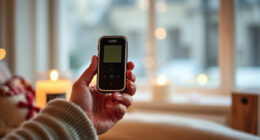
This guide helps you choose, set up, and test easy-to-use safety gadgets for an older adult at home or on the go. It is for family members, caregivers, and older adults who want practical support without adding devices that are confusing or unreliable. You will match gadgets to specific risks, set them up, and confirm that the person can use them. No technical experience is needed. Plan for 1-3 hours, not counting delivery or any installation appointment.

Turn quiet afternoons into listening time
- Thousands of audiobooks, podcasts and originals
- Listen on your phone, tablet or Echo — also offline
- Cancel anytime

CallToU Wireless Caregiver Pager with 2 Call Buttons and 2 Receivers
- ✔ Included: 2 call buttons and 2 receivers
- ✔ Button power: Battery powered; two 12V alkaline batteries included
- ✔ Receiver power: Plug-in

2-Pack Car Door Handle Assist for Elderly and People with Limited Mobility, Blue
- ✔ Quantity: 2 handles
- ✔ Color: Blue
- ✔ Materials: Forged steel and composite materials

Otstar Multi-Size Jar and Bottle Opener
- ✔ Brand and model: Otstar JO-B-DE
- ✔ Material: Polypropylene and thermoplastic elastomer
- ✔ Color: Blue and grey
Difficulty: Beginner | Time: 1-3 hours for selection and setup; allow extra time for delivery or professional installation
What You’ll Need
Tools & Materials:
- A phone or computer with internet access
- A notepad or notes app for recording needs, contacts, and device settings
- The older adult’s current phone, if a gadget connects to it
- Any required batteries, charger, or mounting supplies listed by the manufacturer
Knowledge:
- A basic understanding of the person’s daily routine, mobility, hearing, vision, and memory
- The names and phone numbers of people who should receive alerts
- Whether the home has Wi-Fi or reliable cellular service, if a selected device needs it
Ask the older adult to take part in choosing and testing devices. Check product instructions, service fees, return terms, and compatibility before buying. Gadgets can support safety, but they do not replace medical advice, supervision, or a plan for emergencies.
CallToU Wireless Caregiver Pager with 2 Call Buttons and 2 Receivers
For households that want a simple way to call a caregiver, the CallToU pager is our most broadly relevant safety pick. Two buttons and two plug-in receivers allow the system to serve more than one room or user, while the buttons can be worn on a neck strap or secured in place. That flexibility matters when reaching a wall-mounted control is difficult: the wearer can keep a button close instead of needing to find a phone.Compared with the car handle and Otstar opener, this is the only option designed to request another person’s attention. Its five volume levels and multiple ringtone choices offer some control over how the alert is noticed, and its buttons are described as waterproof and dustproof. Still, this is a signal system, not a staffed response service. A caregiver must be within hearing range of a receiver or otherwise have a plan to respond. The receivers also need electrical outlets, and the stated 500-foot range applies to open areas, so we would not treat it as a guaranteed distance through walls. Choose it for a home alert routine; skip it if the user needs monitored emergency response or caregivers cannot reliably answer.
Pros:
- Two call buttons and two receivers support more than one location or user.
- Buttons can be worn with a neck strap or mounted for easier reach.
- Five adjustable volume levels provide options for different rooms and hearing needs.
- Waterproof and dustproof construction is described for both buttons and receivers.
Cons:
- A caregiver must hear the alert and be able to respond; the system does not provide monitoring.
- Receivers need outlets, and the stated maximum range is for open areas rather than every home layout.
- The call buttons require batteries, so users or caregivers need to maintain them.
Best for: Older adults who live with or near a caregiver and want a wearable or mounted button to request help around the home.
Not ideal for: People who need a monitored emergency service, live alone without a responder, or cannot place receivers near outlets and within practical signal range.
Bottom line: We rank the CallToU first for households that can provide a responder, because it turns an easy-to-reach button into a practical at-home alert routine.
“We rank the CallToU first for households that can provide a responder, because it turns an easy-to-reach button into a practical at-home alert routine.”
2-Pack Car Door Handle Assist for Elderly and People with Limited Mobility, Blue
When getting in or out of a car is the specific challenge, this assist handle provides a portable grip point at the door latch. The forged-steel and composite construction is listed with a 400-pound capacity, while a foam sleeve gives the hand a more cushioned surface than an uncovered metal bar. It is sold as a two-pack, so a second handle can be kept in another vehicle or available for another passenger.Unlike the CallToU pager, this product does not bring help to the user; instead, it supports a movement that may otherwise feel unstable. Compared with the Otstar opener, it serves a more consequential mobility task but is much less universal. The decisive check is compatibility: it fits vehicles with U-shaped door latches, so buyers should confirm the latch design rather than assume it suits any car. Its built-in seat-belt cutter and window-breaking feature add emergency functions, but they should not be confused with a complete rescue tool or a substitute for safe driving and transfer practices. We would skip this model if the vehicle lacks the compatible latch or if the user needs assistance beyond a handhold.
Pros:
- Provides a portable support point for entering and exiting a compatible vehicle.
- Two handles can serve separate vehicles or passengers.
- Foam sleeve is intended to make the grip more comfortable.
- Includes a seat-belt cutter and window-breaking function.
Cons:
- Compatibility is limited to vehicles with U-shaped door latches.
- A support handle is not a substitute for hands-on assistance when a user cannot safely manage a transfer.
- Emergency features do not make it a complete emergency response solution.
Best for: People with limited mobility who can use a handhold during car entry and exit, and whose vehicle has a compatible U-shaped door latch.
Not ideal for: Drivers with incompatible latch designs, anyone unable to grip or bear weight through the handle, or users who need a caregiver to physically assist with transfers.
Bottom line: We recommend this two-pack when vehicle transfers are the main concern and latch compatibility has been confirmed, but it is less flexible than the at-home pager.
“We recommend this two-pack when vehicle transfers are the main concern and latch compatibility has been confirmed, but it is less flexible than the at-home pager.”
Otstar Multi-Size Jar and Bottle Opener
The Otstar opener earns its place for a different reason from the two safety-oriented picks: it can make a routine kitchen task less dependent on hand strength. Its eight circular gripping openings cover small and medium lids from one to three inches in diameter, while hooks provide another approach for breaking a vacuum seal on larger lids and opening ring-pull cans. The long handle adds leverage, and the rubber lining and textured surface are intended to help keep the tool steady.Compared with the car assist handle, this is an everyday independence aid rather than a transfer support. Compared with the CallToU pager, it has no alert function, but it may reduce frustration during meal preparation without needing batteries or an outlet. Its compact size and simple storage make it a low-complexity addition to a drawer or hook. The tradeoff is limited reach across lid sizes: the circular openings stop at three inches, and larger lids may require using the hook to break the seal before turning. Buyers should also consider whether the user can hold and maneuver a long-handled tool. Choose it for common jars, bottles, and ring-pull cans; skip it if the main need is emergency assistance or if the containers used are routinely larger than its stated opening range.
Pros:
- Eight openings accommodate a range of small and medium lid sizes.
- Long handle provides leverage for turning lids.
- Hooks add options for breaking seals and opening ring-pull cans.
- Compact, easy-to-clean design can be stored in a drawer or hung on a hook.
Cons:
- Circular openings are specified for lids only up to three inches in diameter.
- Larger lids may require using a hook to break the seal first.
- It supports kitchen tasks but does not provide an alert or protection during a fall.
Best for: Older adults who want a compact, manually operated aid for opening small and medium jars, bottles, and ring-pull cans.
Not ideal for: People seeking an emergency alert or mobility support, or users whose containers commonly exceed the stated three-inch circular opening range.
Bottom line: We recommend the Otstar for practical kitchen independence, while keeping expectations narrow: it is a container opener, not a broader safety device.
“We recommend the Otstar for practical kitchen independence, while keeping expectations narrow: it is a container opener, not a broader safety device.”
As an Amazon Associate we earn from qualifying purchases.
Before You Start
Write down the specific situations you want to address, such as falling when alone, missing medication, difficulty seeing at night, or forgetting to lock a door. Choose the least complicated device that addresses each need. Avoid buying several gadgets at once: unfamiliar alarms and alerts can cause confusion or be ignored. For a medical emergency, call the local emergency number rather than relying on a consumer gadget.
Ask the older adult about comfort, privacy, and preferred ways to receive reminders. If there is a diagnosed condition, repeated falls, or a change in memory or mobility, discuss suitable devices with a healthcare professional.
Step-by-Step Instructions
Step 1: List the safety needs
Walk through a typical day with the older adult and note when and where help might be needed. Ask about getting out of bed, bathing, using stairs, leaving home, taking medication, and contacting someone in an emergency. Record the concern, the time or location it occurs, and what kind of response would help.
Turn each concern into a simple requirement. For example, “needs help calling someone after a fall while alone” is more useful than “needs a safety device.” Keep the list short and rank the concerns by how often they occur and how serious the outcome could be.
Tip: Do not assume a gadget is needed because of age alone. Choose based on the person’s routine and preferences.
Check: You have a short, prioritized list of specific situations a device should address.
Step 2: Match each need to a gadget
Choose one device type for each high-priority need. Options include a wearable emergency alert button, a fall-detection device, motion-activated night-lights, a medication reminder, a door or stove alert, or a simplified phone with emergency contacts. A wearable alert may be helpful when the person needs a way to call for help both inside and outside the home. A pill organizer or timed dispenser may help with routine reminders, but it cannot confirm that medication was taken.
Check how the device works before selecting it. Confirm whether it needs Wi-Fi, a smartphone, a paid monitoring plan, charging, a landline, or a reliable cellular signal. Read how alerts are sent and what happens if the battery runs out or the network is unavailable.
Tip: For fall detection, check whether the device can also be activated manually. Automatic detection may miss some falls or send a false alert.
Check: Each selected gadget addresses a written need, and you know its connection, power, and service requirements.
Step 3: Check usability and fit
Let the older adult handle or try the device before committing when possible. Check whether buttons are easy to see and press, instructions are readable, alerts are loud or visible enough, and the device feels comfortable to wear. If it has a menu or app, ask the person to complete the main task without coaching, such as pressing the help button or dismissing a reminder.
Confirm the device suits any hearing, vision, dexterity, or memory needs. Consider whether a pendant, wristband, wall button, spoken reminder, or large-button phone is easier for this person. Check the return policy in case the device proves uncomfortable or confusing.
Tip: A device that stays in a drawer cannot help. Comfort and ease of use matter as much as the feature list.
Check: The older adult can identify the main control and use it or explain how they would respond to an alert.
Step 4: Prepare contacts and settings
Write down the correct contacts and the order in which they should be reached. Ask each person for permission and confirm that their phone number is current. For a monitored alert service, enter the account details requested by the provider and explain what information the monitoring team may receive.
Set reminder times, alert volume, emergency contacts, and notification preferences with the older adult. Use clear labels and plain-language instructions. Do not set a medication reminder or dispenser schedule from guesswork; follow the prescribed medication instructions and ask a pharmacist or clinician when the schedule is unclear.
Tip: Tell contacts what an alert means and what action they should take. A contact who does not recognize the device’s number may ignore a real alert.
Check: The settings match the person’s routine, and every listed contact knows they may receive an alert.
Step 5: Install and charge the devices
Follow the manufacturer’s directions for placing, charging, and connecting each gadget. Put night-lights where they illuminate the route from bed to the bathroom, without creating glare or a trip hazard. Place alert buttons where they are reachable from the locations where help may be needed. Keep charging cables away from walking paths.
Pair connected devices using the stated app or setup process, and confirm that the correct home network or cellular service is active. Charge wearable devices fully before relying on them. Keep the manual, account information, and support number somewhere a caregiver can find them.
Tip: Do not mount a button or sensor where furniture, a door, or a curtain can block access or detection.
Check: Each device powers on, is placed within reach or in the intended location, and shows the connection or charge status described in its instructions.
Step 6: Teach the person how to use each gadget
Show one function at a time, then ask the older adult to repeat it. For an alert button, explain how to press it, what response to expect, and how to cancel an accidental alert. For a reminder device, show how to acknowledge the reminder and what to do if it is missed. For a phone, practice calling the selected emergency contact.
Keep instructions short and place a large-print reminder near the device if helpful. Explain that an emergency alert should be used when help is needed, not only during a fall, if the device supports general help requests. Clarify that the gadget may need charging and may not work during a power, network, or service outage.
Tip: Avoid testing by placing an actual emergency call unless the provider’s test procedure says to do so.
Check: The older adult can demonstrate the main action and describe what happens after using it.
Step 7: Test the full setup
Use the manufacturer’s test mode or call the provider’s test line to check each alert. Confirm that the device reaches the intended contact or monitoring service and that the alert includes the correct person and location. Test reminders at the set time and check that lights turn on where expected. Follow the provider’s directions for testing fall detection; do not deliberately fall or create a risky situation.
Correct any wrong contacts, quiet alerts, missed notifications, or connection failures, then repeat the test. Add the test date and the device’s charging or battery routine to the notes.
Tip: Tell contacts and monitoring staff when you plan to test so they do not mistake the test for an emergency.
Check: Every device completes its intended test, and the alert reaches the right person or service with accurate information.
Step 8: Review the routine and maintain devices
Agree on a simple routine for wearing, charging, and checking the gadgets. Put wearable devices in a consistent place when they are not being worn. Set a regular reminder to check batteries, app connections, contact details, and service status. Revisit the setup after a fall, a change in health, a move, or a change in who provides support.
Ask the older adult after several days whether the devices are comfortable and whether alarms are helpful or bothersome. Remove or adjust devices that create confusion, and add another only when a clear need remains.
Tip: Check device instructions for battery life and maintenance intervals; these vary by model.
Check: The person knows where devices are kept and how they are maintained, and a caregiver knows when the setup will be reviewed.
Common Mistakes to Avoid
- Buying a device before checking whether it works with the home’s internet, phone, or cellular service. — Confirm all connection requirements and service fees before purchase; test signal strength in the places where the device will be used.
- Choosing a gadget with controls or alerts the older adult cannot comfortably use. — Have the person try the main control, display, and alert before relying on the device. Choose a simpler alternative if they cannot use it independently.
- Entering outdated or unconfirmed emergency contacts. — Call each contact to verify the number, availability, and response plan, then update the device whenever details change.
- Assuming a device is ready because it turns on. — Test the whole alert path, confirm the destination receives it, and set a recurring battery and connection check.
Troubleshooting
Problem: The alert button does not connect or send an alert.
Solution: Check the charge, network or cellular signal, account activation, and pairing status. Move closer to the base station if applicable, then follow the manufacturer’s test procedure. Contact the provider if the test still fails.
Problem: The older adult does not hear or notice reminders.
Solution: Raise the alert volume, enable vibration or a visual signal if available, and place the device where the person spends time. Ask whether a different reminder style would be easier to notice.
Problem: A wearable is uncomfortable or often left off.
Solution: Try another approved wearing style or a different device type. Choose a consistent place to store it when removed, and explain when it should be worn, including whether it is water-resistant before wearing it in the shower.
Problem: Contacts receive duplicate, false, or incomplete alerts.
Solution: Review sensitivity, contact order, location details, and cancellation instructions in the device settings. Tell the provider about repeated false alerts and use its guidance before changing fall-detection settings.
What Success Looks Like
The setup is working when the selected gadgets address specific needs, the older adult can use their main controls, and test alerts reach the intended person or service with correct details. Devices are charged or powered, placed where they can be used, and supported by a clear routine for reminders and maintenance. The older adult and their contacts know what alerts mean and what to do next.
Next Steps
Keep a written list of device names, account support numbers, emergency contacts, and charging instructions in an accessible place. Review the setup after the first week, then whenever the person’s needs or daily routine changes. Replace batteries and update software according to the manufacturer’s instructions. If the person has repeated falls, new confusion, or trouble using the devices, contact a healthcare professional or the device provider for advice rather than adding gadgets without a plan.
Frequently Asked Questions
Which safety gadget should I set up first?
Start with the highest-priority situation on your needs list. If the person may need help while alone, a wearable alert device may be a first choice. If the main concern is moving around at night, start with well-placed motion-activated lights. Match the first device to the actual risk and test it before adding more.
Does a fall-detection device always detect a fall?
No. Detection depends on the device, how it is worn, and the type of movement. It may miss some falls or create false alerts. Check the manufacturer’s limits and select a device with a manual help button when available. Do not treat fall detection as a substitute for a response plan.
Can I test an emergency alert without calling emergency services?
Use the device’s test mode or the provider’s test line and follow its instructions. Contact the monitoring service or listed contacts before a test if its instructions require notice. Do not trigger a live emergency call just to check the device.
How often should I check a safety gadget?
Follow the manufacturer’s schedule for charging, batteries, and system checks. Also check after a power outage, a move, a phone or Wi-Fi change, or a missed alert. Confirm the contact list remains current whenever a caregiver or phone number changes.
What if the older adult refuses to wear or use a device?
Ask what feels uncomfortable, intrusive, or confusing, and offer a simpler or less intrusive option. Let the person make choices where possible, and practice without pressure. If a device is repeatedly refused, discuss other safety measures with the person and their healthcare professional.