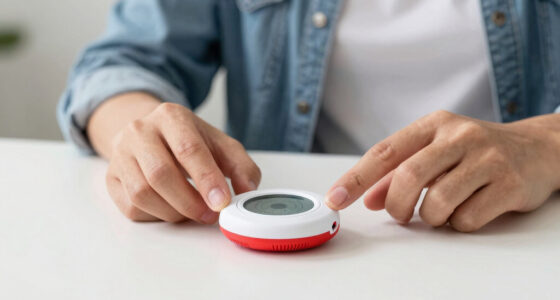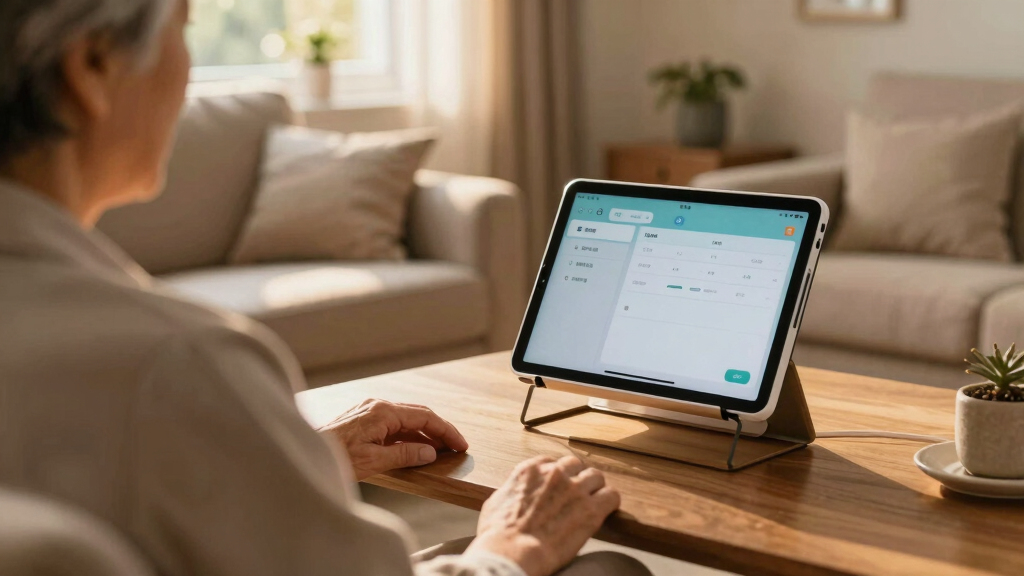

Finding the best home monitoring systems for aging parents involves balancing safety, ease of use, and cost. The Smart Caregiver Video Monitor stands out for its comprehensive video features, while the CallToU Elderly Monitor offers a simple, no-wifi option ideal for less tech-savvy seniors. Many systems face tradeoffs between advanced features and ease of setup, or between affordability and reliability. Continue reading for a detailed breakdown of the top picks and what makes each suitable for different needs.

Turn quiet afternoons into listening time
- Thousands of audiobooks, podcasts and originals
- Listen on your phone, tablet or Echo — also offline
- Cancel anytime
Key Takeaways
- Higher-priced systems tend to offer more comprehensive video and sensor features, but simpler models excel in ease of use for less tech-savvy seniors.
- Systems with no WiFi often provide more reliable connections and lower maintenance, ideal for areas with poor internet service.
- Two-way communication and emergency buttons are common features that significantly improve safety and responsiveness.
- Battery life and portability vary widely; longer-lasting devices reduce the need for frequent recharging or replacements.
- The best choice depends on whether the primary need is safety, communication, or a combination of both, as tradeoffs are inevitable.


More Details on Our Top Picks
Smart Caregiver Video Monitor for Elderly and Baby Care, Portable, Rechargeable, Infrared Night Vision, Secure Connection
This monitor stands out for providing a secure, interference-free connection that doesn’t rely on WiFi, making it ideal for in-room monitoring where privacy and simplicity are priorities. Unlike the Daytech Elderly Monitor, which offers remote control features, this model focuses on local, portable use with a belt clip and rechargeable battery, but it doesn’t support remote access through internet. The infrared night vision and two-way audio make it suitable for quick checks at night or discreet conversations, yet its limited range confines its utility to a single room. The lack of WiFi or app connectivity means caregivers won’t receive alerts remotely, a significant tradeoff for those wanting continuous remote updates. This pick is perfect for families seeking a straightforward, private monitoring device without the complexity of apps or internet dependency.
Pros:- Secure, interference-free connection without WiFi
- Portable with belt clip for discreet monitoring
- Infrared night vision for nighttime use
- Rechargeable via USB-C for convenience
Cons:- Limited to in-room monitoring, no remote access
- Requires additional products for automatic alerts
- No WiFi connectivity may restrict remote viewing
Best for: Caregivers who prioritize in-room, private monitoring without needing remote access
Not ideal for: Families wanting remote video monitoring or app-based alerts
- Screen Size:2.8 inches
- Power Source:Rechargeable via USB-C
- Night Vision:Infrared
- Connection:Secure, interference-free, no WiFi
- Battery Saving Mode:VOX mode
- Additional Features:Two-way audio, belt clip
Bottom line: Ideal for users seeking a simple, private in-room monitor without remote access capabilities.
Room Monitors for Elderly with Camera and Audio, 2-Way Talk, Night Vision, Temp Sensor, and Medication Reminder
This device makes the most sense for families needing detailed in-home monitoring, combining a 720p camera with pan and tilt, temperature sensors, and medication reminders. Compared with the CallToU Elderly Monitor, which emphasizes portability and SOS alerts, this monitor offers a larger display and more customizable control, but it’s limited to indoor use and requires a wired power source, reducing placement flexibility. Its support for emergency alerts, temperature monitoring, and medication reminders makes it suitable for managing multiple aspects of senior safety, though its wired power may be inconvenient for some. The absence of WiFi or app control simplifies setup but also limits remote viewing and real-time alerts, so it’s better for static monitoring around the home rather than remote caregivers.
Pros:- Includes comprehensive features like SOS, medication reminders, and temperature sensing
- Supports real-time 2-way audio and camera pan/tilt
- Infrared night vision for clear low-light monitoring
- Large display for easy viewing
Cons:- Limited to indoor use only
- Requires wired power, limiting placement options
- No remote access via internet or app
Best for: Families who want a detailed, in-home surveillance system with health and safety alerts
Not ideal for: Caregivers seeking remote access or portable monitoring solutions
- Product Type:Security Camera
- Display Size:2.8 inches
- Resolution:720p
- Zoom:4X
- Pan:355°
- Tilt:90°
Bottom line: Best suited for families wanting a detailed, stationary in-home system with health alerts.
CallToU Elderly Monitor with Camera and Audio, 2-Way Talk, No Wi-Fi, 720P Night Vision, SOS Button, Portable System for Seniors and Dementia Patients
This monitor emphasizes privacy and reliability through its use of a 2.4GHz FHSS connection, avoiding WiFi vulnerabilities. Unlike the Smart Caregiver Video Monitor, which is more portable but requires additional products for alerts, this unit provides built-in SOS and temperature sensors, making it suitable for dementia care or situations where internet independence is valued. Its 720p night vision and 4x zoom are adequate for clear daytime and nighttime viewing, but the resolution isn’t as sharp as higher-end models. While its portability and privacy are advantages, the need for physical proximity to monitor in real-time limits remote caregiver involvement, making it better suited for in-room checks or families prioritizing security over remote access.
Pros:- Secure, private 2.4GHz FHSS connection
- 720P infrared night vision with 4x zoom
- Portable and easy to carry
- Includes SOS button and temperature sensor
Cons:- Limited to physical proximity for monitoring
- No internet or app access for remote viewing
- 720P resolution may be less sharp than higher specs
Best for: Families prioritizing privacy and portability, with limited need for remote viewing
Not ideal for: Caregivers seeking internet-based remote alerts or high-resolution video
- Connection:2.4GHz FHSS
- Camera Resolution:720P
- Night Vision:Infrared
- Screen Size:2.8 inches
- Zoom:4x
- Additional Features:Temperature sensor, SOS button
Bottom line: Best for privacy-conscious families seeking portable, in-room monitoring without internet reliance.
Daytech Wireless Caregiver Pager Call Button Elderly Nurse Alert System with 2 SOS Panic Buttons & 2 Watch Pagers
This alert system simplifies help requests for seniors, especially in larger or multi-room homes, with its impressive 500+ foot wireless range. Unlike the video-based monitors, the Daytech system offers quick, tactile help via large call buttons and watch pagers, making it ideal for users who value quick assistance over continuous visual monitoring. The long-range capability and multiple units make it suitable for independent seniors or staff in care facilities, but its limited scope means it doesn’t provide visual or health monitoring. Its reliance on batteries and lack of water resistance on the watch pager are minor inconveniences, but the system’s focus on immediate help makes it less suitable for detailed or remote oversight.
Pros:- Large, easy-to-press call buttons
- Wireless range over 500 feet
- Includes multiple call buttons and pagers for comprehensive coverage
- Simple setup and operation
Cons:- Watch pager not water-resistant, unsuitable for bathing
- Limited to emergency help, no visual or health data
- Batteries require replacement over time
Best for: Elderly individuals who need quick help access and independent living support
Not ideal for: Families seeking continuous visual or health status monitoring
- Range:500+ feet
- Number of Call Buttons:2 SOS panic buttons
- Number of Pagers:2 watch pagers
- Batteries:4 x 12V alkaline batteries
- Water Resistance:Call buttons splash-proof; watch not water-resistant
Bottom line: Ideal for seniors who want quick, easy access to help without the complexity of video monitoring.
Elderly Monitor with Camera and Audio, Two-Way Talk, Call Button, Med Reminder, Night Vision, No WiFi
This device makes a compelling case for families needing a versatile, private monitoring system with remote pan, tilt, and zoom, similar to the Smart Caregiver Video Monitor. Its 2.4GHz FHSS connection ensures secure operation without internet, but unlike WiFi-enabled options, it cannot be accessed remotely via smartphone. The long-lasting battery and remote control of the camera’s movement are significant benefits, especially for users with mobility issues. However, the small 2.8-inch screen might be less ideal for some caregivers or family members. This monitor balances privacy, security, and flexibility, though it’s better suited for static, in-home use rather than remote caregiving scenarios where internet access is desired.
Pros:- No Wi-Fi needed for secure operation
- Long battery life with 15 hours of continuous use
- Remote pan, tilt, and 4x zoom for flexible monitoring
- Multiple emergency and medication alert buttons
Cons:- Limited remote access without Wi-Fi or app
- Small screen size may be challenging for some users
- Requires physical setup and placement
Best for: Families needing a versatile, private system with remote control features for in-home use
Not ideal for: Caregivers wanting internet-based remote viewing or larger displays
- Battery Capacity:2000mAh
- Display Size:2.8 inches
- Night Vision:Infrared
- Camera Pan/Tilt/Zoom:355°/90°/4X
- Connectivity:Wireless (2.4GHz FHSS)
- Mounting Options:Tabletop or Wall-mounted
Bottom line: Best for families seeking a private, flexible, in-home monitoring system with remote camera control capabilities.
Smart Caregiver Pager System with 2 Call Buttons for Elderly Assistance and Fall Prevention
This caregiver pager system stands out for its straightforward design and dependable 300-foot wireless range, making it ideal for homes where quick, reliable alerts are necessary. Compared with the WiFi-based WiFi Caregiver Pager System, it offers a more immediate, offline connection—no need for internet, which can be a significant advantage in less connected households. However, the reliance on batteries means ongoing replacement costs, and its limited range makes it unsuitable for sprawling properties. The system’s portability and easy wall or lanyard mounting enhance its practicality for daily use, especially when quick response matters most. It’s a strong choice for caregivers seeking a simple, effective solution without the complexity of app integrations, but not ideal for larger properties or those wanting a more tech-forward setup.
Pros:- Reliable wireless range of 300 feet for quick alerts
- Portable and easy to wear or mount for convenience
- Includes two call buttons for multiple locations within the home
- U.S.-based customer support ensures quick assistance
Cons:- Limited to home use, not suitable for large or outdoor properties
- Requires batteries, which need periodic replacement
- No integration with smart home systems
Best for: Families who need a straightforward, reliable alert system for small to medium-sized homes
Not ideal for: Homeowners with large properties or those seeking integration with smart home devices
- Range:300 ft
- Call Buttons:2
- Power:Batteries included
- Connectivity:Wireless, paired, secure
Bottom line: This system is perfect for families seeking a dependable, no-fuss alert solution in smaller homes.
Daytech Wireless Wrist Pager Caregiver Call Button Home System Watch Alarm for Patients and Elderly, 2 Call Buttons, 2 Receivers
This system makes a compelling case for elderly individuals who value mobility, with wrist pagers and a reliable 100-foot range that suits both home and care facility environments. Unlike the Smart Caregiver Pager System, which offers a longer range but fewer device options, the Daytech provides customizable ringtones and volume controls, enhancing user experience. Its wrist pager adds convenience but comes with the drawback of being splash-proof rather than waterproof, limiting use during bathing. The setup is generally straightforward, though some users may need assistance pairing multiple devices. It’s best suited for those who prioritize ease of use and flexibility in smaller indoor spaces, but less so for outdoor or large-area monitoring.
Pros:- Easy to operate with simple alert buttons and wrist pagers
- Reliable wireless range up to 100 feet for indoor flexibility
- Customizable ringtones and volume levels for personalized alerts
- Suitable for both home and care facility use
Cons:- Wrist pagers are splash-proof but not waterproof, limiting bathing use
- Setup may require assistance for pairing multiple devices
- Limited to 2 call buttons and receivers in the package
Best for: Elderly users or caregivers in need of a portable, easy-to-use alert system within a moderate range
Not ideal for: Homes requiring outdoor or long-range monitoring, or users needing waterproof devices
- Range:100 ft / 30 m
- Number of Call Buttons:2
- Number of Receivers:2
- Water Resistance:Splash proof
Bottom line: Ideal for mobile elderly individuals and caregivers seeking a straightforward, customizable alert system within a moderate range.
Daytech Caregiver Pager Call Button for Elderly with 2 Receivers and 3 Panic Buttons
This system excels in environments where multiple panic points are needed, with three panic buttons and two receivers, making it suitable for larger homes or care settings. Compared with the Daytech Wrist Pager System, this model offers more panic buttons for discreet, immediate assistance, which can be vital during emergencies. However, the setup complexity increases with additional devices, and the 100-foot range may be limiting in larger spaces. Like other systems, the call buttons are splash-proof but not waterproof, restricting their use during bathing. It’s best for caregivers who want a discreet alert system with multiple emergency options, but not ideal for outdoor or very large properties.
Pros:- Multiple panic buttons added for emergency situations
- Wireless range up to 100 feet offers flexible placement
- Easy to operate with simple press alerts
- Customizable settings for ringtones and volume
Cons:- Limited to indoor use with a 100-foot range
- Setup can be complex with multiple devices
- Call buttons are splash-proof but not waterproof
Best for: Care facilities or households with multiple rooms needing quick, discreet emergency alerts
Not ideal for: Homes requiring outdoor or very long-range monitoring, or for users who prefer minimal setup complexity
- Range:100 ft / 30 m
- Number of Receivers:2
- Number of Panic Buttons:3
- Water Resistance:Splash proof
Bottom line: This system is best for environments needing multiple emergency points and discreet alerts within a contained space.
WiFi Caregiver Pager System with Emergency Button for Elderly – 1 SOS Watch + 2 Wireless Call Buttons + Receiver
This WiFi-based system offers the most advanced connectivity, with real-time app notifications and an SOS watch, making it ideal for tech-savvy families wanting comprehensive oversight. Unlike the Daytech Wireless Pager System, which relies solely on local wireless signals, this model leverages WiFi for instant alerts and family sharing. Its customization options—such as ringtone choices and alarm durations—are extensive but require a stable WiFi connection, which could be a downside in less connected homes. The pairing process can be time-consuming, and additional services may incur extra costs. It’s perfect for families who want detailed, real-time updates on their loved ones’ safety but less suitable for households with unreliable internet or those avoiding ongoing service fees.
Pros:- Real-time alerts via app and receiver for immediate updates
- Customizable alarm, ringtone, and family sharing features
- No monthly fee with WiFi connectivity
- Includes an SOS watch for instant emergency communication
Cons:- Requires a stable WiFi connection for operation
- Pairing process can be lengthy and complicated
- Additional paid services needed for SMS or phone call alerts
Best for: Families comfortable with technology seeking detailed, real-time alerts and app integration
Not ideal for: Homes with poor WiFi connectivity or those preferring simple, offline systems
- Frequency:2.4 GHz WiFi
- Includes:1 SOS watch, 2 call buttons, 1 receiver
- Connectivity:WiFi, no monthly fee
- App Features:Custom button names, alarm duration, family sharing
Bottom line: Best suited for tech-savvy families prioritizing detailed, instant alerts with app support in a stable internet environment.
Elderly Monitor with Camera and Audio, 2-Way Talk, Night Vision, Temp Monitoring, Call Button, Med Reminder, No WiFi
This monitor offers a robust visual and audio communication setup with a 2.8-inch screen, night vision, and temperature alerts, making it a good choice for users who want a stand-alone device without WiFi vulnerabilities. Compared to the WiFi Caregiver Pager System, which relies on internet connectivity, this system emphasizes security and simplicity with a wired connection that guarantees privacy. Its limited screen size might make it less suitable for users with visual impairments, and the requirement for constant power means it’s less portable. It’s an excellent fit for those who prefer a plug-and-play, local solution, but not ideal for outdoor or large-area monitoring where longer-range or WiFi-based systems excel.
Pros:- No WiFi needed, ensuring privacy and security
- Long-range indoor monitoring up to 1000 feet
- Includes medication reminders and temperature alerts
- Two-way audio for real-time communication
Cons:- Requires continuous power, no rechargeable battery
- Small 2.8-inch screen may be less accessible for some users
- Limited to indoor use due to range and setup
Best for: Caregivers and families seeking a secure, WiFi-free visual and audio monitoring solution for indoor use
Not ideal for: Homes needing outdoor or long-range monitoring or those requiring mobile alerts
- Screen Size:2.8 inches
- Night Vision:Infrared
- Audio:Two-way talk
- Range:Up to 1000 ft
- Reminders:Medication and meal reminders
- Connectivity:2.4 GHz FHSS, No WiFi
Bottom line: This system is ideal for those prioritizing privacy and a reliable, WiFi-free visual/audio monitor for indoor environments.
Elderly Monitor with Camera and Audio, Call Button, PTZ, No WiFi
This elderly monitor offers a robust set of features for families prioritizing privacy and comprehensive monitoring without relying on WiFi. Its 5-inch screen, PTZ camera with 355° pan and 4X zoom, and infrared night vision provide clear, full-room coverage, making it easier to keep an eye on loved ones. The integrated call button, medication reminders, and temperature alerts add practical safety layers. Compared with WiFi-dependent systems, this model’s no-WiFi design enhances security but requires periodic setup and charging, which may be inconvenient for continuous use. Its smaller screen size could be a drawback for users who prefer larger displays, but its privacy and coverage make it ideal for security-conscious families.
Pros:- Secure, private no-WiFi connection reduces hacking risk
- Full-room PTZ camera with infrared night vision ensures comprehensive coverage
- User-friendly call button and voice-activated features simplify operation
- Built-in medication and temperature alerts add safety layers
Cons:- Requires regular setup and charging for continuous monitoring
- Limited to 2.4GHz FHSS network, not compatible with WiFi
- Screen size may be small for some users, affecting visibility
Best for: Families seeking a secure, private monitoring device for seniors who need full-room visibility and alerts
Not ideal for: Users who prefer or require WiFi-based connectivity or a larger display for easier viewing
- Screen Size:5 inches
- Camera:PTZ (355° pan, 90° tilt, 4X zoom)
- Connectivity:2.4GHz FHSS, no WiFi
- Range:up to 1000 ft
- Battery:3500mAh rechargeable
- Night Vision:Infrared
Bottom line: This monitor is best suited for families prioritizing privacy and full-room coverage over larger displays or WiFi features.

How We Picked
I selected these products based on a combination of performance, user-friendliness, build quality, and value. Priority was given to systems that effectively balance ease of setup with comprehensive safety features, especially for seniors with varying levels of tech comfort. Devices with reliable connectivity, durable construction, and clear alerts ranked higher. I also considered the flexibility of features—such as video, audio, and emergency buttons—and how well they suit different living situations. The ranking reflects a desire to recommend options that cater to different budgets and specific safety needs, rather than just the most advanced technology available.Factors to Consider When Choosing Best Home Monitoring Systems For Aging Parents
Choosing the right home monitoring system for aging parents requires understanding your specific safety needs and how much technology familiarity your loved ones have. Beyond features, consider ease of installation, reliability, and ongoing maintenance. Making the wrong choice can lead to frustration or overlooked emergencies, so it’s important to weigh the tradeoffs carefully. This guide highlights key factors that help narrow down options and select a system that provides peace of mind.Ease of Use and Setup
For many seniors, technology complexity can be a barrier. Look for systems with simple interfaces, minimal setup steps, and straightforward controls. Devices with large buttons, clear visual indicators, and intuitive apps or remote controls tend to be better choices. Avoid overly complicated systems if your parent isn’t comfortable with tech, as frustration can lead to underuse or disconnection in emergencies.
Connectivity and Reliability
Wireless systems that depend on WiFi can be affected by internet outages or poor signal. In contrast, no-wifi or cellular options often provide more consistent performance, especially in areas with unstable internet. Evaluate the home’s connectivity environment and choose devices accordingly—reliable connection is vital for timely alerts and emergency responses.
Safety Features and Coverage
Prioritize systems that combine multiple safety features—such as video monitoring, two-way talk, emergency call buttons, and fall detection. The right combination depends on your parent’s health condition and living situation. Consider whether a comprehensive system with visual monitoring fits your needs or if simpler alert buttons suffice. Overloading with features can complicate use, so match features to actual safety concerns.
Cost and Ongoing Maintenance
Initial costs vary widely, but ongoing expenses like subscription fees or replacement parts can add up. Evaluate whether a system offers good value over time, and consider upfront investments in quality devices to reduce maintenance hassles. Cheaper models might save money initially but could require frequent replacements or lack critical features, leading to higher long-term costs.
Privacy and Data Security
Monitoring devices collect sensitive information, so security measures are essential. Look for systems with encrypted data transmission and clear privacy policies. Understand what data is stored, how it is protected, and who has access. Privacy concerns shouldn’t be overlooked, especially with video and audio feeds involved.
Frequently Asked Questions
Will these systems work if my parent’s internet goes out?
Many monitoring systems rely on WiFi, which can be disrupted during outages. Systems without WiFi or those with cellular backup tend to be more reliable in such cases. If internet stability is a concern, opting for no-wifi models or those with cellular connectivity can ensure continuous monitoring and emergency alerts without interruption.
Are these systems difficult for seniors to operate?
Ease of use varies among devices. Some systems feature large buttons, simple interfaces, and minimal setup, making them suitable for seniors with limited tech experience. Others with more complex controls may require assistance initially but can offer more comprehensive monitoring. Choosing a system aligned with your parent’s comfort level is key to ensuring consistent use and safety.
Can I monitor my elderly parents remotely?
Most modern systems allow remote monitoring via smartphone apps or web portals, giving you access to cameras, alerts, and two-way communication from anywhere. However, systems without internet connectivity usually lack this feature. Evaluate your own tech comfort and how often you want to check in when selecting a system.
What’s the difference between video monitoring and alert-only systems?
Video monitoring provides visual oversight, allowing you to see your parent and verify emergencies directly. Alert-only systems rely on call buttons or sensors to notify you of incidents but don’t offer visual confirmation. The choice depends on your safety needs; video adds reassurance but can be more complex and privacy-intrusive, whereas alert-only setups are simpler but less informative.
How do I choose between a system with cameras and one without?
Camera-equipped systems offer visual reassurance and can help assess emergencies more accurately, but they often come with higher costs and privacy considerations. If your parent is comfortable with cameras and you want detailed oversight, these are ideal. For less intrusive monitoring, alert-based systems without cameras may suffice, especially if safety concerns are primarily about falls or emergencies rather than visual verification.
Conclusion
For most families, the Smart Caregiver Video Monitor offers the best overall blend of safety, features, and ease of use, making it ideal for those who want comprehensive oversight. The CallToU Elderly Monitor stands out as a reliable, no-wifi option for households with limited internet or for seniors less comfortable with technology. Budget-conscious buyers should consider simpler alert systems like the Daytech Wireless Caregiver Pager, which provide essential safety features without complexity. For those seeking premium, all-in-one solutions with advanced video and sensor integration, investing in a higher-end system is worthwhile. Ultimately, matching the system to your parent’s tech comfort, safety needs, and your monitoring preferences ensures peace of mind for everyone involved.Halloween Picks
halloween
As an affiliate, we earn on qualifying purchases.